




Quick Verdict
Wondershare UniConverter excels at ultra-fast video conversion with full AV1 hardware acceleration, making it ideal for batch processing large files. Its limitation is that it focuses primarily on conversion and enhancement rather than creative editing features. Marketers and content creators who need to quickly convert videos across multiple formats for different platforms should consider this tool.
Wondershare UniConverter – AI Video Conversion Tool
- Category: Video Editing, Video Enhancer
- Pricing: Free Trial
- Best for: Video creators needing fast format changes
Background Check on Wondershare UniConverter – AI Video Conversion Tool
We ran a background check on videoconverter.wondershare.com to verify its safety, security posture, hosting infrastructure, and web history. Here are the results as of April 20, 2026.
- Server: nginx
- Hosting: AKAMAI-ASN1 Akamai International B.V., NL (DE)
- SSL Certificate: DigiCert Global G3 TLS ECC SHA384 2020 CA1 (certificate age: 20 days)
- Domain Age: ~12 years (4,738 days)
Source: urlscan.io scan report
✓ Cross Origin Resource Sharing (CORS), Redirection
✗ Content Security Policy (CSP), Referrer Policy, Strict Transport Security (HSTS), Subresource Integrity
Source: Mozilla Observatory report
What is Wondershare UniConverter
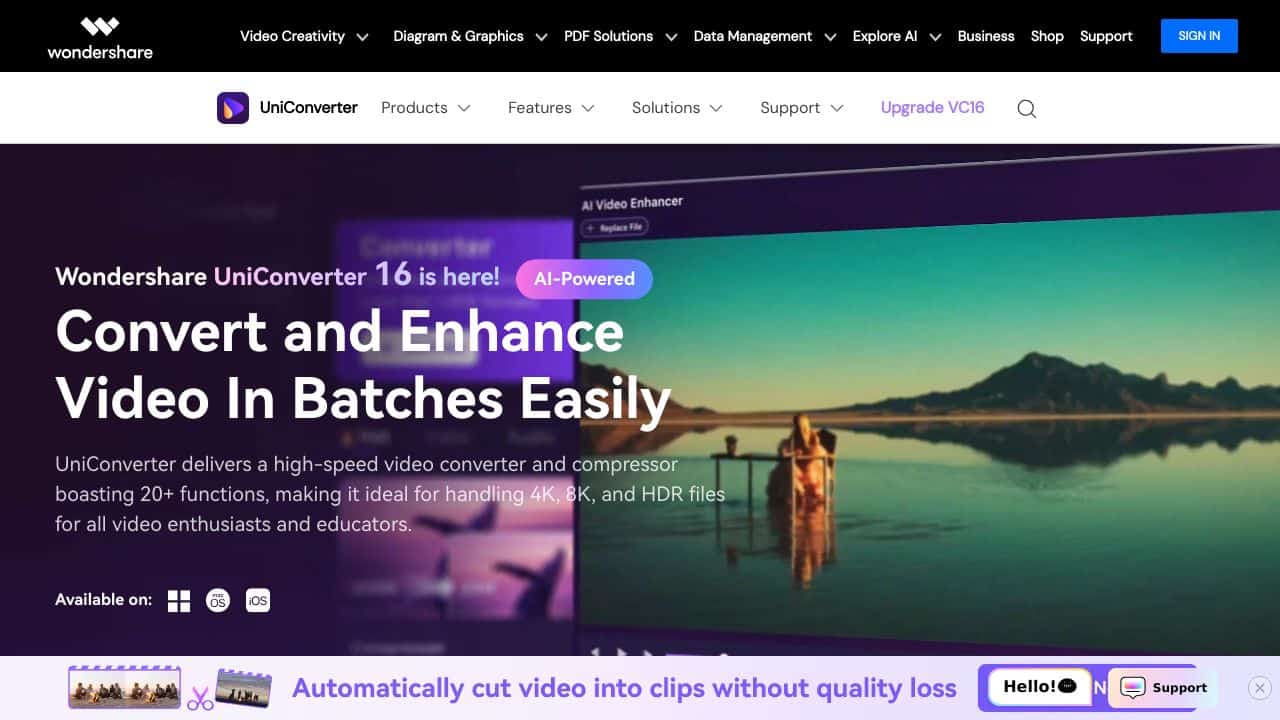
Wondershare UniConverter is a powerful all-in-one video conversion tool that not only converts videos but also enhances your entire multimedia experience. With support for over 1000 formats and features like high-definition lossless conversion, it caters to both personal and professional video processing needs.
Wondershare UniConverter Features
- Ultra-fast File Conversion: Utilizes full AV1 hardware acceleration for significantly boosted performance.
- Versatile Media Formats Support: Supports over 1000 formats, including MP4, MOV, MKV, and MP3.
- High-definition Lossless Conversion: Ensures minimal quality loss, even for 4K/8K/HDR videos.
- Easier 8K Video Compression: Achieves up to a 90% compression rate without sacrificing quality.
- Batch Conversion: Convert up to 20 media files simultaneously, saving you precious time.
- AI-Powered Enhancements: Features like AI Video Enhancer and Vocal Remover add a professional touch to your projects.
Wondershare UniConverter Usecases
- Content Creators: YouTubers and vloggers can easily edit and convert videos for various platforms.
- Professionals in Multimedia: Videographers benefit from high-definition processing for their projects.
- Educators and Students: The user-friendly interface supports educational content creation and presentations.
- Marketing Professionals: Create compelling marketing materials with enhanced video editing features.
- Sports Analysts: Analyze performance videos and create highlight reels effortlessly.
How Wondershare UniConverter – AI Video Conversion Tool Compares to Alternatives
When choosing video conversion tools, key factors include conversion speed, format support, and whether the tool offers additional features like enhancement or editing. This comparison focuses on specialized tools that serve different niches within video processing.
| Tool | Best For | Pricing |
|---|---|---|
| Wondershare UniConverter | Ultra-fast video conversion with AV1 acceleration and format support for over 1000 formats. | Free trial available. |
| Pykaso | Creating AI-generated influencer content designed to go viral on social media. | Paid subscription required. |
| FraimeBot | Generating memes automatically using AI for quick social media content. | Free to use. |
| ByteCap | Adding accurate captions to videos automatically with AI for accessibility. | Paid subscription required. |
Best For
- Marketers converting video ads for multiple social media platforms quickly.
- Content creators batch processing footage from different cameras into uniform formats.
- Teams needing to compress large video files without quality loss for sharing.
- Solopreneurs preparing webinar recordings for various distribution channels.
Not Ideal For
- Users needing advanced video editing features like transitions or effects.
- Creators looking for AI-generated video content from text prompts.
- Businesses requiring real-time video analytics or live streaming tools.
Getting Started
Start by testing the AV1 acceleration with a large video file to see the speed difference. Use the free trial to convert a batch of mixed format files to check format compatibility. This gives you immediate insight into the tool’s core strengths before committing.
Key Limitations to Consider
- Primarily focuses on conversion and enhancement, lacking creative editing tools like trimming or effects.
- Free trial may have restrictions on output quality or batch size for conversions.
- No built-in AI features for generating new video content from scratch.
- May require decent hardware to fully utilize AV1 acceleration benefits.
- Limited integration with cloud storage or collaboration features for team workflows.
Related Workflows and Tool Pairings
Wondershare UniConverter fits into video production workflows as a middle-stage processor. After raw footage is captured, this tool handles format conversion and basic enhancement before moving to editing. It pairs well with dedicated video editing software for adding effects and transitions. For distribution, social media scheduling tools complement it by managing converted files across platforms. In team environments, cloud storage solutions help share the processed videos efficiently. This creates a streamlined pipeline from conversion to final publication.
Related tools to explore: 2short.AI – Shorts Clip Generator, AI Face Swap – Seamless Face Swapper, AI Facefy – Face Swap Creator, AI Storyboard Generator – AI Easy Storyboard Creation, AISaver – Video Downloader & Face Swap, AIvideocreator.com – Video Template Generator, Video Editing tools, Video Enhancer tools
Conclusion
In summary, Wondershare UniConverterstands out as a solid solution for anyone looking to elevate their video content. With its impressive speed, extensive features, and high-quality output, it caters to a wide range of users – from casual creators to professionals. Whether you need to convert, compress, or edit videos, UniConverter is your go-to tool for all multimedia needs.
- https://www.facebook.com/wondershare/
- https://www.instagram.com/wondershare/
- https://twitter.com/wondershare
- https://www.youtube.com/user/Wondershare
Pricing
Wondershare UniConverter – AI Video Conversion Tool offers afree trial so you can test it before committing. Visit the official website for full pricing details.
Frequently Asked Questions
What is Wondershare UniConverter – AI Video Conversion Tool?
Wondershare UniConverter is a powerful all-in-one video conversion tool that not only converts videos but also enhances your entire multimedia experience. With support for over 1000 formats and features like high-definition lossless conversion, it.
Is Wondershare UniConverter – AI Video Conversion Tool free?
Wondershare UniConverter – AI Video Conversion Tool offers a free trial period. After the trial, a paid subscription is required for continued access.
What are the best Wondershare UniConverter – AI Video Conversion Tool alternatives?
There are many AI video editing tools available. Browse our AI Video Editing tools directory to compare features, pricing, and reviews for the best alternatives.
Last verified: April 2026
Explore more: Browse all AI Video Editing tools | Browse all AI Video Enhancer tools
