















Quick Verdict
AI Storyboard Generator excels at creating character-driven visuals from text descriptions, making storyboard creation fast and accessible. Its paid-only pricing may deter budget-conscious users who need free options. This tool is best for marketers and content creators who need to quickly visualize scenes without design skills.
AI Storyboard Generator – AI Easy Storyboard Creation
- Category: Project Management, Video Editing
- Pricing: Paid
- Best for: Content creators visualizing scenes quickly
Background Check on AI Storyboard Generator – AI Easy Storyboard Creation
We ran a background check on boords.com to verify its safety, security posture, hosting infrastructure, and web history. Here are the results as of April 18, 2026.
✓ Cross Origin Resource Sharing (CORS), Redirection, Strict Transport Security (HSTS), X-Content-Type-Options
✗ Content Security Policy (CSP), X-Frame-Options
Source: Mozilla Observatory report
What is Boords?
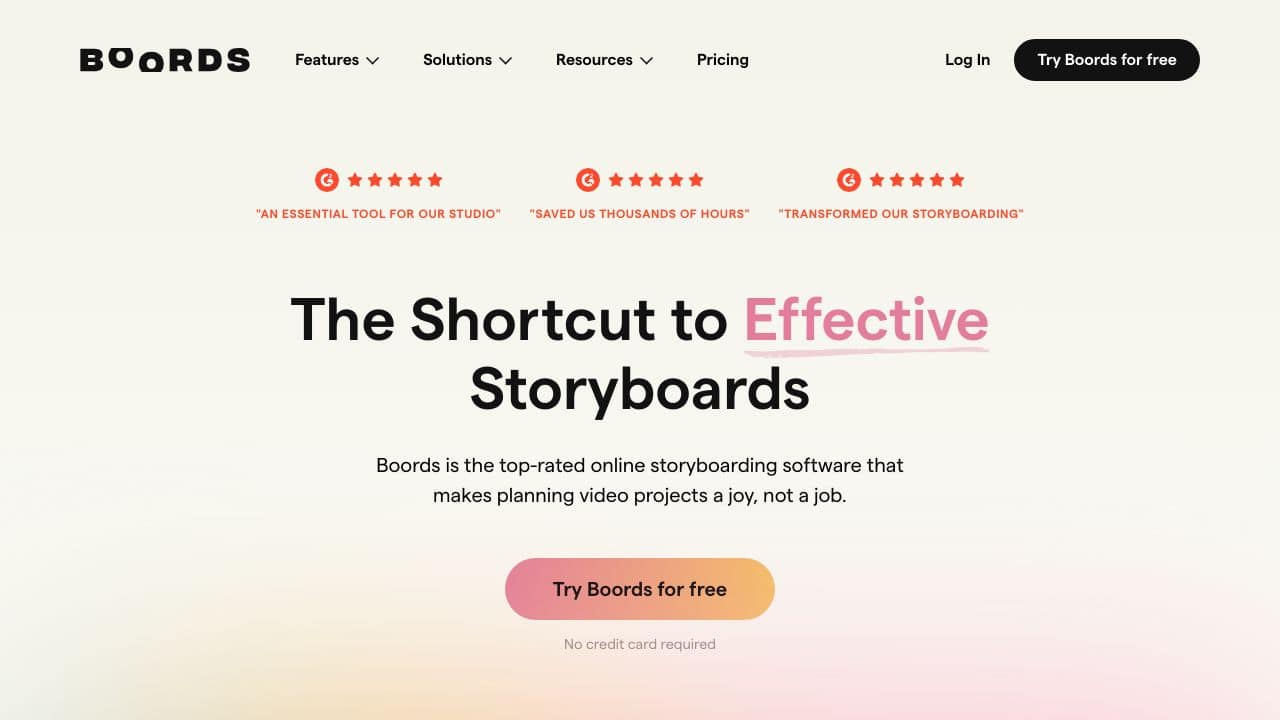
Boords is an online storyboarding software designed to simplify the pre-production process for creative teams. It combines intuitive drag-and-drop tools, AI image generation, and a vast image library to help users create professional storyboards quickly. Trusted by top professionals in film, animation, and advertising, Boords is the go-to tool for turning messy pre-production workflows into streamlined, collaborative processes.
Boords Features
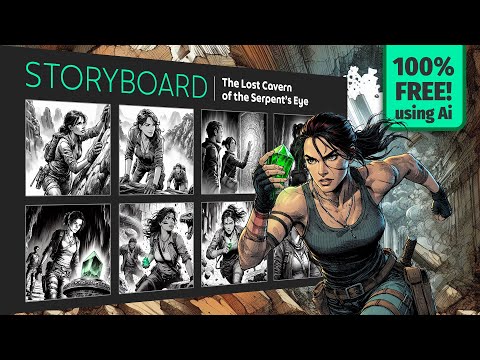
- AI Image Generation: Describe a scene, and Boords’ AI creates expressive, character-driven visuals that match your vision.
- Unlimited Variations: Generate multiple versions of each scene with subtle changes in expressions, poses, and composition.
- Real-Time Collaboration: Work smoothly with your team through live updates, comments, and approvals.
- Custom AI Characters: Create reusable characters to mAIntAIn consistency across your storyboard.
- Client Approval Tools: Use animatics, versioning, and frame statuses to streamline client sign-offs.
- Multiple Export Formats: Export storyboards as PDFs, MP4 animatics, shot lists, or presentation links for easy handoff.
- Secure Sharing: Share storyboards confidently with password protection and project-level access control.
Boords Use Cases
- Film & Animation Studios: Use Boords to plan scenes, create animatics, and ensure smooth transitions into production.
- Advertising Agencies: Quickly draft and revise storyboards for client pitches and campAIgns.
- Content Creators: Plan YouTube videos, social media content, or podcasts with visually engaging storyboards.
- Educators: Teach students the art of storytelling and pre-production using Boords’ intuitive tools.
- Non-Profits: Visualize narratives for awareness campAIgns or fundrAIsing videos.
- Podcasters: Storyboard visual accompaniments for episodes to enhance audience engagement.
How AI Storyboard Generator – AI Easy Storyboard Creation Compares to Alternatives
When choosing a Project Management tools tool with AI capabilities, consider whether you need visual generation, task organization, or prompt management. AI Storyboard Generator focuses specifically on creating storyboards from descriptions, while alternatives may offer broader project tracking features.
| Tool | Best For | Pricing |
|---|---|---|
| AI Storyboard Generator | Creating visual storyboards from text descriptions with unlimited image variations | Paid only, no free tier |
| TaskJect | Traditional task and project management with structured workflows | Paid subscription model |
| Rickle | AI-assisted project planning and team collaboration features | Freemium model with paid upgrades |
| PromptDrive.ai | Managing and organizing AI prompts across different tools | Free to use |
Best For
- Video producers who need quick visualizations before filming
- Marketing teams creating storyboards for ad campaigns
- Content creators without design skills who need scene visuals
- Educators developing visual learning materials from descriptions
Not Ideal For
- Teams needing comprehensive project tracking and task management
- Users with strict budget constraints requiring free tools
- Projects requiring precise control over every visual element
Getting Started
Start with simple, clear scene descriptions rather than complex narratives. Test the unlimited variations feature to see how different prompts affect the generated images. This helps you understand the AI’s capabilities before committing to paid plans.
Key Limitations to Consider
- Paid-only pricing excludes users who need free storyboard tools
- Limited to visual generation without project management features
- Character-driven visuals may not match specific brand guidelines
- No built-in collaboration tools for team feedback on storyboards
- Requires clear text descriptions for best results
Related Workflows and Tool Pairings
AI Storyboard Generator fits into pre-production workflows where visual planning happens before execution. After generating storyboards, users typically move to video editing software to bring scenes to life. Project management tools help track the overall production timeline, while scriptwriting software provides the narrative foundation. This tool pairs well with video editing platforms for seamless transition from planning to production, and with cloud storage services for sharing visual assets with team members. The generated storyboards serve as visual references throughout the production process, bridging the gap between written concepts and final visuals.
Related tools to explore: 2Slash – Universal AI Assistant, 4mAnalytics – AI Utility Mapping Tool, AI Assist – Product Management AI, AIrtable AI – AI Workflow Data Management, AdCreative – Ad Creation Automation, Arcwise – AI Spreadsheet Task Streamlining, Project Management tools, Video Editing tools
Conclusion
Boordsis more than just a storyboard tool – it’s a strong option for creative teams. With its AI-powered features, smooth collaboration tools, and professional export options, Boords transforms the pre-production process into a joy rather than a chore. Whether you’re a filmmaker, advertiser, or content creator, Boords helps you to bring your ideas to life faster and with fewer headaches. Ready to improves your workflow? Give Boords a try and see why it’s trusted by the best in the business.
Pricing
AI Storyboard Generator – AI Easy Storyboard Creation is apaid AI project management tool. Visit the official website for current pricing plans and details.
Frequently Asked Questions
What is AI Storyboard Generator – AI Easy Storyboard Creation?
Boords is an online storyboarding software designed to simplify the pre-production process for creative teams. It combines intuitive drag-and-drop tools, AI image generation, and a vast image library to help users create professional storyboards.
Is AI Storyboard Generator – AI Easy Storyboard Creation free?
No, AI Storyboard Generator – AI Easy Storyboard Creation is a paid tool. Visit the official website for current pricing and plan options.
What are the best AI Storyboard Generator – AI Easy Storyboard Creation alternatives?
There are many AI project management tools available. Browse our AI Project Management tools directory to compare features, pricing, and reviews for the best alternatives.
Last verified: April 2026
Explore more: Browse all AI Project Management tools | Browse all AI Video Editing tools
