










Quick Verdict
Gen-2 by Runway excels at transforming text descriptions directly into video content, making it one of the few tools that can create moving visuals from scratch. Its ability to combine text prompts with existing images adds valuable flexibility for content creators. The main limitation is the free trial model, which may restrict usage for high-volume projects. Marketers, social media managers, and content creators who need quick video prototypes should consider this tool.
Gen-2 by Runway – AI Text Image Video Creation
- Category: Design Generators, Image Generators, Video Generators
- Pricing: Free Trial
- Best for: Creators turning text into videos fast
Background Check on Gen-2 by Runway – AI Text Image Video Creation
We ran a background check on discord.gg to verify its safety, security posture, hosting infrastructure, and web history. Here are the results as of April 19, 2026.
✓ Cookies, Cross Origin Resource Sharing (CORS), Redirection, Strict Transport Security (HSTS), X-Content-Type-Options, X-Frame-Options
✗ Content Security Policy (CSP), Subresource Integrity
Source: Mozilla Observatory report
What is Gen-2 by Runwayml?
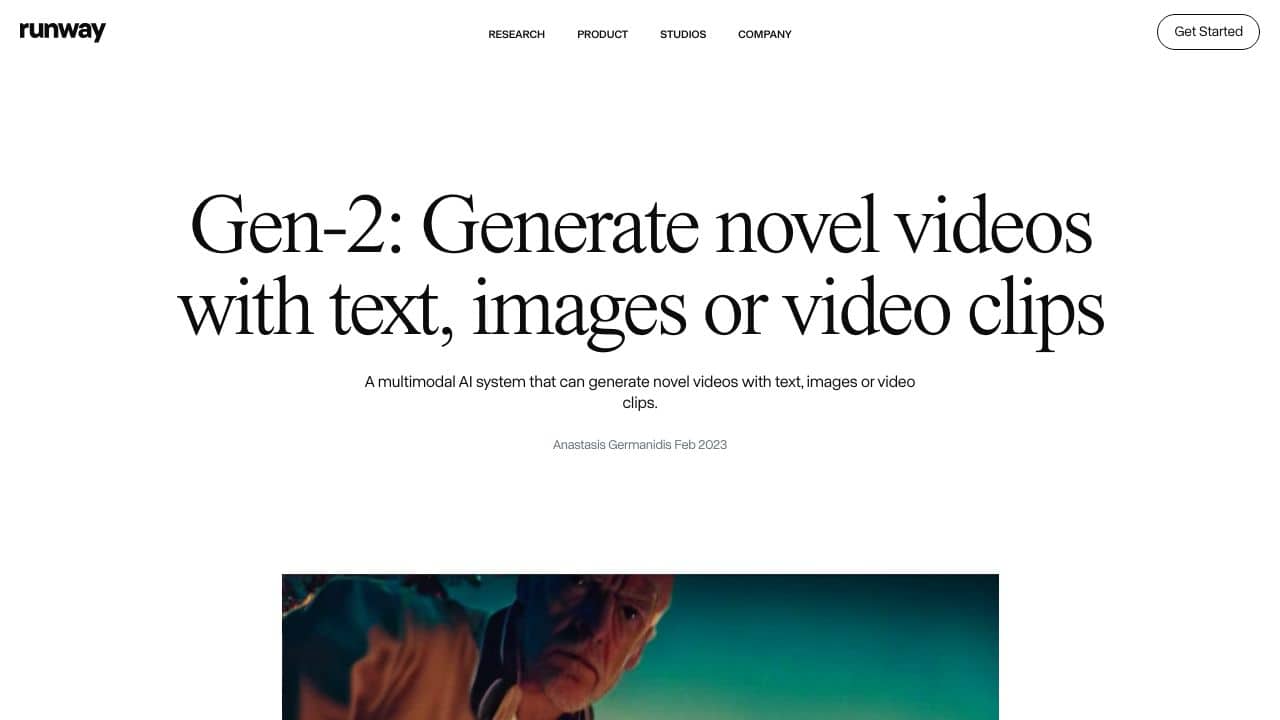
Gen-2 by Runwaymlis a notable AI tool that lets you create videos from scratch using just text, images, or video clips. Think of it as your personal film studio without the need for cameras, lights, or actors. Whether you’re a filmmaker, marketer, or just someone with a creative spark, Gen-2 turns your ideas into visually stunning videos. It’s like having a magic wand for video creation – no filming required, just your imagination.
Gen-2 by Runwayml Features
Here’s what makes Gen-2 a strong option:
- Text to Video: Turn any text prompt into a video. If you can describe it, Gen-2 can visualize it.
- Text + Image to Video: Combine a text prompt with an image to generate a video that blends both inputs smoothly.
- Image to Video: Transform a single image into a dynamic video.
- Stylization: Apply the style of any image or prompt to every frame of your video.
- Storyboard: Turn rough mockups into fully animated and stylized videos.
- Mask: Isolate and modify specific parts of your video using simple text prompts.
- Render: Convert untextured renders into realistic, high-quality videos.
- Customization: Fine-tune the model for even more precise and high-fidelity results.
Based on user studies, Gen-2’s results are preferred over existing methods for video and image translation, making it a reliable choice for professionals.
Gen-2 by Runwayml Use Cases
Gen-2 isn’t just for filmmakers – it’s for anyone who wants to bring their ideas to life. Here’s how different people can use it:
- Filmmakers: Create unique visual effects or entire scenes without expensive equipment.
- Marketers: Produce engaging promotional videos in minutes, tAIlored to your brand’s style.
- Designers: Use storyboarding to visualize concepts before committing to a final design.
- Educators: Teach students about digital creativity by showing how AI can transform ideas into visuals.
- Artists: Experiment with new forms of visual storytelling, blending AI with traditional art.
For example, imagine you’re a marketer launching a new product. Instead of hiring a production team, you can use Gen-2 to create a sleek, professional video using just a product image and a catchy tagline.
How Gen-2 by Runway – AI Text Image Video Creation Compares to Alternatives
When evaluating AI Design Generators tools, key factors include output format capabilities, input flexibility, and pricing structure. Gen-2 stands out for its direct text-to-video generation, while competitors often focus on static images or specialized niches.
| Tool | Best For | Pricing |
|---|---|---|
| Gen-2 by Runway | Creating complete videos from text descriptions or combining text with images for video generation. | Free trial available, paid plans for extended use. |
| BeYourCover | Generating professional book covers quickly using AI without design skills. | Freemium model with paid upgrades. |
| Wallpapers.fyi | Creating custom AI-generated wallpapers for desktop or mobile backgrounds. | Completely free platform. |
| ThumbnailAi | Testing and rating thumbnail effectiveness using AI analysis tools. | Free access to rating platform. |
Best For
- Social media marketers creating short video clips from campaign descriptions
- Content creators prototyping video concepts before full production
- Solopreneurs making explainer videos without filming equipment
- Designers needing quick video mockups for client presentations
Not Ideal For
- Teams requiring high-resolution commercial video production
- Users needing precise control over every frame and animation detail
- Projects requiring consistent character or brand elements across multiple videos
Getting Started
Start with simple, concrete text prompts like ‘a cat chasing a laser pointer in a living room’ rather than abstract concepts. Use the text+image feature by uploading a reference photo to guide the video style. Experiment with different prompt lengths to see how detail level affects results.
Key Limitations to Consider
- Video output quality may vary significantly based on prompt specificity and complexity
- Free trial restrictions limit the number or length of videos you can create
- Limited control over specific visual elements like character consistency across scenes
- Processing times can be longer for complex video generation requests
- May struggle with highly technical or niche subject matter visualization
Related Workflows and Tool Pairings
Gen-2 fits naturally into content creation pipelines where rapid visualization is needed. Use it early in the process to create video storyboards from written concepts, then refine outputs with video editing software. For social media workflows, pair it with caption generators to create complete posts. In marketing campaigns, combine it with analytics tools to test different visual concepts. The tool works well alongside image editing software for polishing individual frames, and complements scriptwriting tools by visualizing narrative elements before production.
Related tools to explore: 3DFY – AI 3D Model Creator, AI Background Generator – AI Custom Backgrounds, AI Character Generator – AI Storyboard Character Creation, AI Home Design – AI Virtual Staging Renovations, AI Interior Design – Smart Space Designer, AI Logo Generator – AI Logo Creator, Design Generators tools, Image Generators tools
Conclusion
Gen-2 by Runwaymlis more than just a tool – it’s a creative revolution. By turning text, images, and video clips into high-quality videos, it helps users to explore new possibilities in storytelling and visual expression. Whether you’re a professional or a hobbyist, Gen-2’s versatility and ease of use make it a useful in your creative toolkit. So, why stick to traditional methods when you can create something extraordinary with just a few clicks? Dive into the future of video creation with Gen-2 and let your imagination run wild.
Pricing
Gen-2 by Runway – AI Text Image Video Creation offers afree trial so you can test it before committing. Visit the official website for full pricing details.
Frequently Asked Questions
What is Gen-2 by Runway – AI Text Image Video Creation?
Gen-2 by Runwayml is a notable AI tool that lets you create videos from scratch using just text, images, or video clips. Think of it as your personal film studio without the need for cameras, lights, or actors. Whether you’re a filmmaker, marketer,.
Is Gen-2 by Runway – AI Text Image Video Creation free?
Gen-2 by Runway – AI Text Image Video Creation offers a free trial period. After the trial, a paid subscription is required for continued access.
What are the best Gen-2 by Runway – AI Text Image Video Creation alternatives?
There are many AI design generators tools available. Browse our AI Design Generators tools directory to compare features, pricing, and reviews for the best alternatives.
Last verified: April 2026
Explore more: Browse all AI Design Generators tools | Browse all AI Image Generators tools
