












Quick Verdict
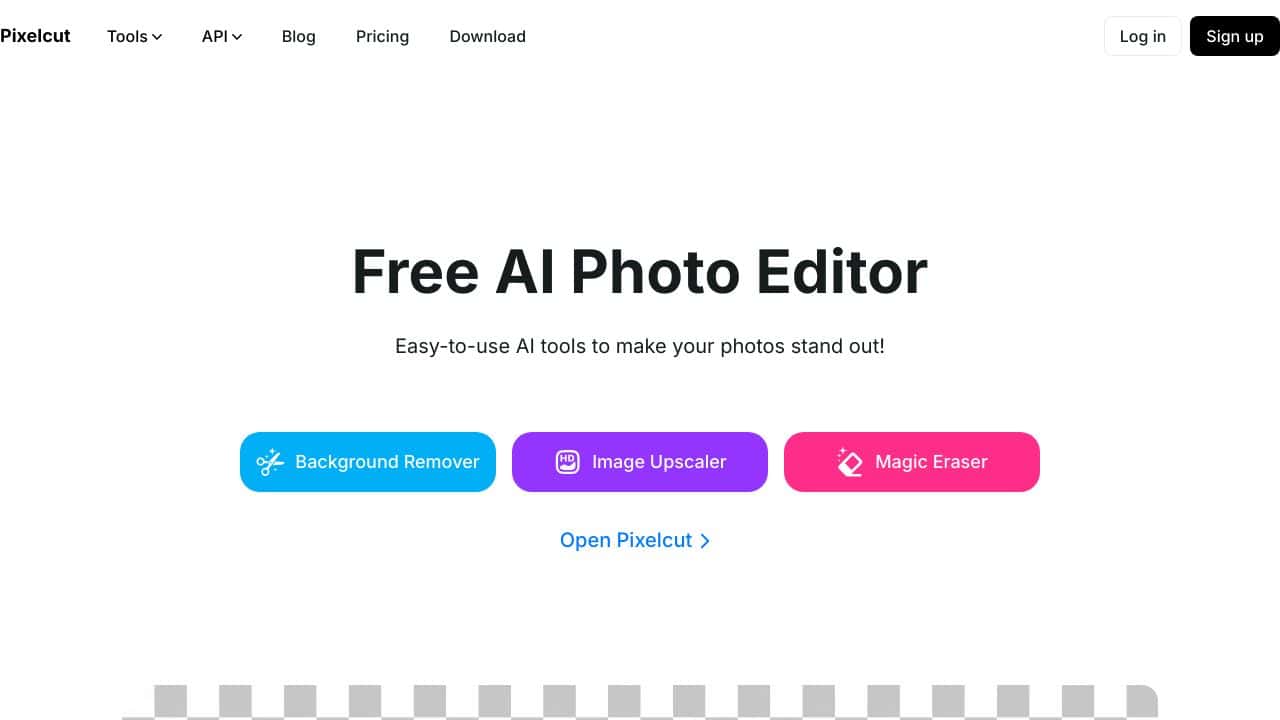
Pixelcut AI Product Image Generator excels at providing AI-powered image editing specifically for product photos, making it valuable for teams and businesses. Its freemium pricing model allows users to test basic features before committing financially. However, as a specialized product image tool, it may lack broader creative editing capabilities found in more general platforms. This tool is best suited for e-commerce teams, marketing agencies, and solopreneurs who need to quickly enhance product visuals without extensive design expertise.
Pixelcut AI Product Image Generator
- Category: Image Editing
- Pricing: Freemium
- Best for: Teams and businesses needing AI image editing capabilities
Background Check on Pixelcut AI Product Image Generator
We ran a background check on www.pixelcut.AI to verify its safety, security posture, hosting infrastructure, and web history. Here are the results as of April 18, 2026.
✓ Cross Origin Resource Sharing (CORS), Strict Transport Security (HSTS), X-Frame-Options
✗ Content Security Policy (CSP), Redirection, Subresource Integrity, X-Content-Type-Options
Source: Mozilla Observatory report
Are you tired of spending loads of time and money on product photos that don’t look great? I get it. As a small business owner, you know good pictures are super important for selling stuff online. But it’s not easy, right?
Well, I’ve got some good news for you. There’s this cool new tool called AI Product Gen. It’s changing how we do product photos, and it’s perfect for small businesses like yours.
What Can It Do?
Makes Pictures Like Magic
AI Product Gen uses smart computer stuff to make awesome product pictures in just a few minutes. You don’t need fancy cameras or be a pro photographer. It saves you time and money!
Works Everywhere
The pictures it makes look good on all your online shops and social media. Your stuff will look the same everywhere, which is great for your brand.
Super Fast
It makes pictures really quick. This means you can show off new stuff right away. Your online store will always have fresh, cool things to look at.
Different Sizes
You can choose how big you want your pictures. This is handy because different places need different sizes.
Use Them How You Want
You can use these pictures for anything in your business. Put them in ads, on your website, wherever you want. No need to worry about getting in trouble for using them.
How It Helps Real People
Let’s say you’re Sarah. You make pretty jewelry and sell it online. You just got some new necklaces and rings, but your usual picture-taker is busy for weeks. Normally, this would be a big problem.
But Sarah has AI Product Gen. She takes quick photos with her phone and puts them in the tool. In just a few minutes, it turns them into amazing pictures. The jewelry looks shiny and beautiful, just like in a fancy magazine.
Sarah puts these pictures on her website right away. Guess what? People love them! They start buying her new jewelry super fast. Everyone says how great her pictures look.
By using AI Product Gen, Sarah saved time and money. But the best part? Her little shop looks just as good as the big, famous stores now.
Wrapping It Up
AI Product Gen is a great helper for small businesses who want nice product photos without spending too much. It’s pretty cool, but you should think about if it’s right for your shop.
Remember, there are lots of new tools coming out all the time to help businesses like yours. It’s a good idea to look around and see what else is out there.
Hey, we’d love to hear what you think! Leave a comment below and tell us about your experience. Your stories can really help other shop owners like you.
Want to learn about more cool tools for your business? Check out our home page. We’ve got lots of info about AI stuff that can help you.
Don’t get left behind! Sign up for our newsletter and join our group. We talk about all the new AI tricks for businesses. Let’s make our shops awesome together!
Pricing
Pixelcut AI Product Image Generator offers a freemium plan with optional paid upgrades. Get started for free and upgrade as needed.
How Pixelcut AI Product Image Generator Compares to Alternatives
When evaluating AI Image Editing tools, key factors include specialization versus versatility, pricing transparency, and workflow integration. For product-focused businesses, tools that specifically handle product images often provide better results than general-purpose editors. Consider whether you need broad creative capabilities or targeted product enhancement features.
| Tool | Best For | Pricing |
|---|---|---|
| Pixelcut AI Product Image Generator | Teams and businesses needing specialized AI editing for product images specifically | Freemium model with free tier available |
| Pykaso | Creating viral AI influencer content rather than product image editing | Paid only, no free tier |
| AirBrush AI Headshots | Enhancing professional headshots and portrait photography specifically | Pricing not specified publicly |
| HeadshotGenerator.io | Generating professional headshots from existing photos using AI | Freemium model similar to Pixelcut |
| Photoroom | General AI photo editing across various image types and use cases | Freemium model with broader features |
Best For
- E-commerce businesses needing consistent product image backgrounds
- Marketing teams creating product catalogs with uniform styling
- Solopreneurs selling physical products online who lack design resources
- Agencies managing multiple client product photography projects
Not Ideal For
- Artists needing creative illustration or painting tools
- Photographers editing complex portrait or landscape images
- Users requiring advanced video editing capabilities
Getting Started
Begin by uploading a few product photos with clear backgrounds to understand how the AI handles different product types. Test both the free features and any premium options during your trial period to evaluate if the paid features justify the cost for your specific needs. Pay attention to how the tool maintains product details while editing backgrounds or applying effects.
Key Limitations to Consider
- Specialized only for product images, not versatile for other photo types
- May have usage limits or watermarks in the free tier version
- Could lack advanced creative controls found in professional editing software
- AI editing quality may vary with complex or unusual product shapes
- Limited integration options with other business tools in basic plans
Related Workflows and Tool Pairings
Pixelcut AI Product Image Generator fits naturally into e-commerce and marketing workflows where product visuals need quick enhancement. After creating product images, users typically need inventory management systems to organize the edited photos and analytics tools to track which images perform best. The tool pairs well with e-commerce platforms like Shopify or WooCommerce for direct image uploads, and with social media scheduling tools for distributing product visuals across channels. For complete marketing campaigns, users might combine Pixelcut with copywriting AI tools for product descriptions and email marketing platforms for promotional campaigns featuring the enhanced images. The specialized nature of Pixelcut makes it most effective when used as part of a focused product marketing pipeline rather than general creative work.
Related tools to explore: 1PX.AI – AI Image Editing Bulk, ACDSee – AI Photo Management, AI Character Generator – AI Storyboard Character Creation, AI Face Swap – Seamless Face Swapper, AI Facefy – Face Swap Creator, AI Filter – Photo Style Transformer, Image Editing tools
Frequently Asked Questions
What is Pixelcut AI Product Image Generator?
Are you tired of spending loads of time and money on product photos that don’t look great? I get it. As a small business owner, you know good pictures are super important for selling stuff online. But it’s not easy, right?
Is Pixelcut AI Product Image Generator free?
Pixelcut AI Product Image Generator offers a free plan with limited features. Paid plans are available for additional capabilities.
What are the best Pixelcut AI Product Image Generator alternatives?
There are many AI image editing tools available. Browse our AI Image Editing tools directory to compare features, pricing, and reviews for the best alternatives.
Last verified: April 2026
Explore more: Browse all AI Image Editing tools
