












Quick Verdict
SheetAI App excels at integrating AI-powered email assistance directly into spreadsheet workflows, making it ideal for teams that manage communications through Google Sheets or Excel. The tool’s limitation is its paid-only pricing, which may deter individual users or small teams on tight budgets. Businesses needing to automate email drafting, categorization, or response generation from spreadsheet data should consider this tool. It’s particularly valuable for marketing teams, sales operations, and customer support groups that rely on spreadsheets for communication tracking.
SheetAI App – Sheet Automation Tool
- Category: Email Assistant, Spreadsheets, Writing Generators
- Pricing: Paid
- Best for: Teams and businesses needing AI email assistant capabilities
Background Check on SheetAI App – Sheet Automation Tool
We ran a background check on www.sheetAI.app to verify its safety, security posture, hosting infrastructure, and web history. Here are the results as of April 19, 2026.
- Server: Vercel
- Hosting: AMAZON-02 – Amazon.com, Inc., US (US)
- SSL Certificate: R12 (certificate age: 2 days)
- Domain Age: ~3 years (1,247 days)
Source: urlscan.io scan report
✓ Cross Origin Resource Sharing (CORS), Redirection, Strict Transport Security (HSTS)
✗ Content Security Policy (CSP), Cookies, X-Content-Type-Options, X-Frame-Options
Source: Mozilla Observatory report
What is it?
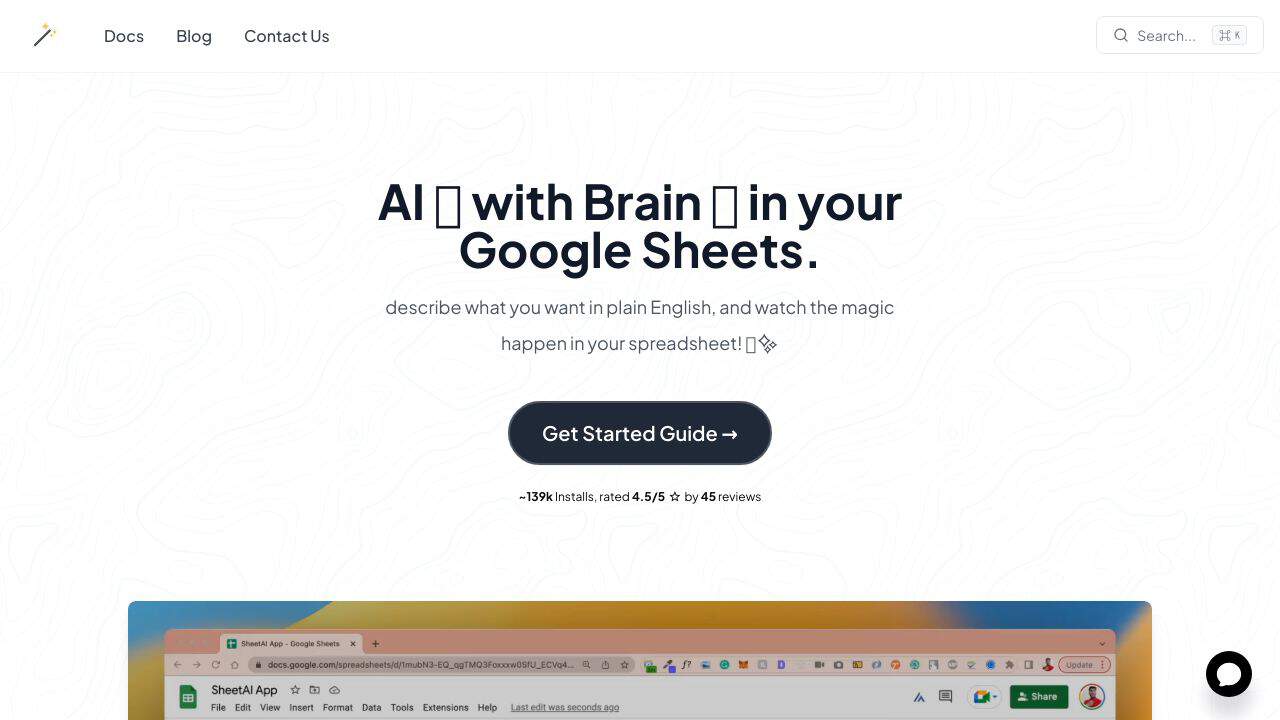
The SheetAI App is a versatile AI tool designed to enhance your Google Sheets experience. Utilizing the GPT-3 technology, it assists in generating tAIlored content based on your instructions, crafting copy from URLs and entered text, and filling tables with product descriptions, emAIls, and placeholder content. Essentially, it functions as a smart assistant that streamlines repetitive tasks and reduces your workload.
SheetAI App Features
This section highlights key functionalities of the SheetAI App that enhance productivity and creativity.
Feature 1: SheetAI BrAIn
This advanced feature specializes in copywriting tasks. By simply providing the URL of a webpage you wish to emulate or uploading the text directly, the AI will generate unique, plagiarism-free copy that resonates with a similar audience and mAIntAIns the intended tone. You can also use it to develop catchy taglines.
Feature 2: SheetAI List
Creating lists can be a valuable exercise in gathering ideas or refining concepts. However, generating distinct and innovative ideas can sometimes be difficult. The List function assists in generating a flawless list free from duplicates based on your specifications.
Feature 3: SheetAI Fill
Producing placeholder content or various versions of the same emAIl can be time-consuming. Writing descriptions for numerous products often becomes tedious as well. The Fill function enables you to delegate these monotonous tasks to the AI assistant, making the process far more efficient.
SheetAI App FAQ
How does SheetAI integrate with Google Sheets?
The SheetAI App smoothly connects with Google Sheets. Simply integrate it and activate it by typing =SHEETAI into the desired cell, choosing from the available functions that clearly indicate what input is necessary for optimal results.
What types of users benefit from SheetAI?
This tool is particularly useful for online marketers and entrepreneurs who manage extensive Google Sheet records. It becomes especially helpful during product launches on new platforms, ensuring you mAIntAIn diverse descriptions that meet varying standards.
Are there any developer options available?
Currently, there is no dedicated API for the SheetAI App. However, it does offer an intuitive browser extension that can be accessed from the Google Workspace Marketplace, enriching your capabilities within Google Sheets.
How SheetAI App – Sheet Automation Tool Compares to Alternatives
When evaluating AI Email Assistant toolss, key factors include integration with existing workflows, pricing structure, and specialized capabilities. For teams using spreadsheets extensively, the ability to work directly within Google Sheets or Excel becomes crucial. This comparison highlights how SheetAI App stacks up against alternatives with different focuses.
| Tool | Best For | Pricing |
|---|---|---|
| SheetAI App | Teams needing AI email assistance integrated directly into spreadsheet workflows for automation | Paid subscription required |
| Chorde | Users who want to send voice recordings directly from Gmail or Outlook interfaces | Paid service |
| Swift Missive | Individuals seeking free tools to boost email engagement through better writing | Free to use |
| CalBot | Executives needing AI assistance for scheduling and high-level email management | Paid subscription |
| Kirim.Email | Marketers requiring list management and email validation alongside sending capabilities | Paid service |
Best For
- Marketing teams managing email campaigns through spreadsheet data
- Sales operations automating follow-up emails from lead lists in sheets
- Customer support groups categorizing and responding to inquiries via spreadsheets
- Businesses needing AI-generated email content based on structured spreadsheet data
Not Ideal For
- Individual users seeking free AI email writing assistance
- Teams that don’t use spreadsheets for email management workflows
- Organizations needing voice-based email features or recording capabilities
Getting Started
Begin by identifying one repetitive email task in your spreadsheet workflow, such as drafting follow-up emails from a lead list. Install the SheetAI App extension and connect it to your spreadsheet. Test the AI email generation on a small sample of data before scaling to your entire dataset to ensure quality and relevance.
Key Limitations to Consider
- Requires paid subscription with no free tier for individual users
- Limited to spreadsheet environments rather than direct email client integration
- May have learning curve for teams unfamiliar with spreadsheet automation
- AI email generation quality depends on spreadsheet data structure and clarity
- No built-in voice recording or audio email features like some competitors
Related Workflows and Tool Pairings
SheetAI App fits naturally into data-driven communication workflows where spreadsheets serve as the central hub. Marketing teams can use it to generate personalized email content from customer data in their CRM exports, while sales teams can automate follow-up sequences based on lead status columns. This tool pairs well with CRM systems that export data to spreadsheets, allowing teams to add AI email generation to their existing data flow. It also complements email marketing platforms by providing AI-assisted content creation before bulk sending. For complete workflows, teams might combine SheetAI App with analytics tools to measure email performance and project management software to track communication tasks.
Related tools to explore: AI MAIl Assistant – EmAIl Productivity Tool, AIWillyRater – Adult Image Rater, AImReply – AI EmAIl Composer, AIrepli – Text Response Generator, AIzonix – Facebook and Instagram Chatbot, ActiveCampAIgn – AI EmAIl Marketing CRM, Email Assistant tools, Spreadsheets tools
Conclusion
In summary, the SheetAI App is an tool for those looking to optimize their Google Sheets processes. It is well-suited for marketers, entrepreneurs, and anyone needing assistance with generating content quickly and effectively. However, those who require intricate functionalities beyond what Google Sheets offers may find it less fitting.
Pricing
SheetAI App – Sheet Automation Tool is apaid AI email assistant tool. Visit the official website for current pricing plans and details.
Last verified: April 2026
Explore more: Browse all AI Email Assistant tools | Browse all AI Spreadsheets tools
