














Quick Verdict
SpreadSimple Yearly Review excels at turning Google Sheets into functional websites with real-time updates. Its tight integration means any spreadsheet edit instantly reflects on the live site, eliminating manual content management. The main limitation is its narrow focus, only working with Google Sheets data. Marketers, small business owners, and teams already using Google Sheets for content should consider this tool.
SpreadSimple Yearly Review – Google Sheets to Website
- Category: Low-Code/No-Code, Website Builders
- Pricing: Paid
- Best for: Businesses turning spreadsheets into websites
Background Check on SpreadSimple Yearly Review – Google Sheets to Website
We ran a background check on AItoolsmarketer.com to verify its safety, security posture, hosting infrastructure, and web history. Here are the results as of April 19, 2026.
✓ Cross Origin Resource Sharing (CORS), Redirection
✗ Content Security Policy (CSP), Strict Transport Security (HSTS), Subresource Integrity, X-Content-Type-Options
Source: Mozilla Observatory report
What is it?
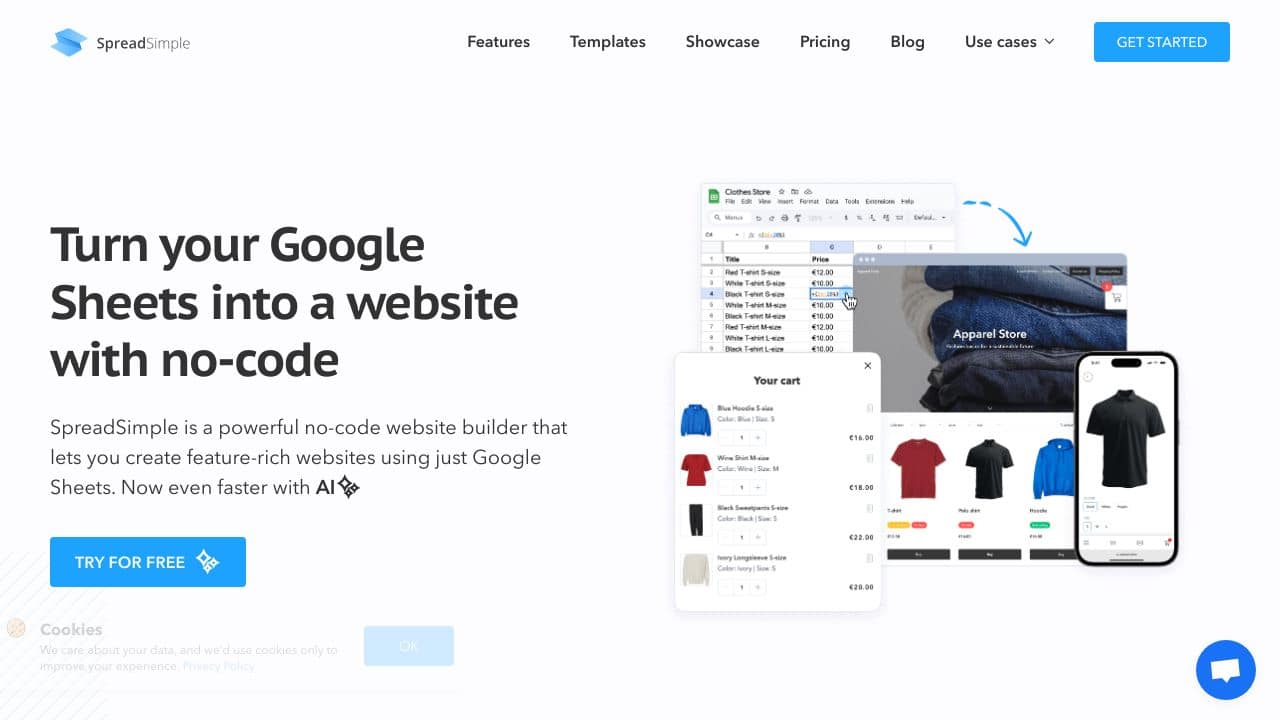
SpreadSimple is a strong no-code website builder that lets users build feature-packed websites using Google Sheets. It helps create good-looking, up-to-date websites without needing any coding skills or special know-how. With SpreadSimple, users can change their Google Sheets into working websites handling content right from the spreadsheet. Any edits made to the sheet show up on the website right away making it a useful fix for many kinds of online projects.

SpreadSimple Features
- Google Sheets Integration: Build and handle website content strAIght from Google Sheets
- Real-time Updates: Edits in the spreadsheet show up on the website right away
- No-code Builder: Make websites without typing any code
- Customizable Templates: Pick from many templates for different kinds of websites
- E-commerce Functionality: Set up online shops with stock tracking and handling orders
- SEO Optimization: Lots of tools and settings to boost your site’s ranking in search results
- Responsive Design: Your site looks good on phones and computers
- Item Variations: Show different versions of a product on one page
- Filtering and Search: Help visitors find what they want
- Lead Collection: Add forms to get visitor info
- Multi-language Support: Turn your website into more than 30 languages
- Add-ons and Integrations: Link up with different tools to analyze data, process payments, and automate tasks
How Can SpreadSimple Boost Your Business?
Picture yourself as a small business owner running a quAInt bookstore. You AIm to grow your customer base by building an online book catalog, but you lack the tech know-how or funds for a complex online shop. Here’s how SpreadSimple can lend a hand:
- Simple Start: Build a Google Sheet with columns listing book titles, authors, prices, and descriptions.
- Speedy Website Build: Use SpreadSimple to transform this sheet into a working website in just a few minutes.
- Easy Updates: When you get new books or change prices just update the Google Sheet. Your website will show these changes right away.
- Order Handling: People can look through your book list and buy books on the website. You’ll get alerts for new orders and can handle them right from your Google Sheet.
- Affordable Option: Skip high web development and hosting fees while still having a website that looks professional.
By using SpreadSimple, your bookstore can have an online catalog that’s simple to keep up, budget-friendly, and helps you reach more people without needing to be a tech expert.
SpreadSimple FAQ
What kinds of websites can I make with SpreadSimple?
SpreadSimple lets you make different kinds of websites. You can build online stores, directories, listings, portfolios, and sites focused on content. This tool works for many purposes and adapts to fit your needs.
Do I need to know how to code to use SpreadSimple?
No, you don’t need coding skills to use SpreadSimple. It’s a platform that doesn’t require coding. If you know the basics of Google Sheets, you’re ready to start.
How does SpreadSimple keep websites current?
SpreadSimple links your website to your Google Sheet. It updates your site right away when you change the sheet. This means your content stays fresh all the time.
Can I use my own domAIn with a SpreadSimple website?
SpreadSimple lets you use your own custom domAIn for your website. This gives your site a professional look and helps with branding.
Is SpreadSimple suitable for e-commerce websites?
For sure. SpreadSimple has an impact on e-commerce by offering features to list products, create order forms, integrate payments, and manage inventory. These tools make it easy to set up and run online stores.
How SpreadSimple Yearly Review – Google Sheets to Website Compares to Alternatives
When choosing Low-Code/No-Code tools that connect data to websites, key factors include data source compatibility, real-time update capabilities, and pricing transparency. SpreadSimple Yearly Review stands out for its direct Google Sheets integration, but alternatives may offer broader data sources or different pricing models.
| Tool | Best For | Pricing |
|---|---|---|
| SpreadSimple Yearly Review | Building websites directly from Google Sheets with automatic real-time content updates. | Paid subscription required. |
| scope.money | Sales teams needing AI-powered insights from various data sources beyond spreadsheets. | Freemium model with free basic tier. |
| Pega Systems | Large enterprises requiring complex AI-driven workflow automation across departments. | Contact for custom enterprise pricing. |
| Octoparse AI | Users who need to automate data extraction and workflow processes from websites. | Freemium model available. |
Best For
- Small businesses managing product catalogs or service listings in Google Sheets.
- Marketing teams creating landing pages that need frequent content updates.
- Event organizers building websites with real-time schedule or attendee updates.
- Consultants displaying portfolio case studies stored in spreadsheet format.
Not Ideal For
- Teams needing to integrate data from multiple non-Google sources.
- Developers requiring full custom code access or complex backend logic.
- Users who prefer visual drag-and-drop website builders over spreadsheet editing.
Getting Started
Before connecting your Google Sheet, structure it with clear column headers that will become your website sections. Create separate sheets for different content types, like products, testimonials, or blog posts. This organization makes the website building process much smoother.
Key Limitations to Consider
- Only works with Google Sheets, not Excel files or other spreadsheet platforms.
- Limited design customization compared to traditional website builders.
- No built-in e-commerce functionality beyond basic product displays.
- Requires paid subscription with no free tier for testing.
- Dependent on Google Sheets API limits for very large datasets.
Related Workflows and Tool Pairings
SpreadSimple Yearly Review fits into workflows where content originates in spreadsheets but needs web presentation. Marketing teams might use it to turn campaign data sheets into public dashboards. Sales teams could transform lead tracking sheets into client portals. This tool pairs well with analytics platforms that export data to Google Sheets, allowing automated reporting websites. It also complements form builders that collect data directly into spreadsheets, creating instant submission displays. For teams already using Google Workspace, it integrates naturally with their existing document and data management systems.
Related tools to explore: AI App Generator – AI Low-code App Development, AI Enhanced UI Kits – AI-Powered UI Kits, AI-Flow – Model Integration Hub, AI2page.com – One-Page Site Generator, AIcado – No-Code AI Integrator, ActiveBatch – AI No-code Automation Scheduling, Low-Code/No-Code tools, Website Builders tools
Conclusion
SpreadSimple provides a special and effective way to make websites using Google Sheets. Its no-code method and smooth connection with a tool you already know makes it a great pick for small companies, business owners, and people who want to quickly and set up a website. By using spreadsheets to manage content, SpreadSimple makes it simpler to build and keep up websites letting users pay attention to their mAIn business tasks.
To check out more AI-powered tools that can cause a revolution in your business tasks, head to https://AItoolsmarketer.com/ to see a full list of new business AI software.
Pricing
SpreadSimple Yearly Review – Google Sheets to Website is apaid AI low-code/no-code tool. Visit the official website for current pricing plans and details.
Last verified: April 2026
Explore more: Browse all AI Low-Code/No-Code tools | Browse all AI Website Builders tools
