














Quick Verdict
Qodo excels at integrating AI-powered code review directly into development workflows through its IDE plugin and Git agent. Its limitation is the freemium model, which may restrict advanced features for teams needing comprehensive CI/CD integration. This tool is best for developers and small teams who want real-time code quality feedback without leaving their existing coding environment.
Qodo – AI Code Review Tool
- Category: Code Assistant, Education
- Pricing: Freemium
- Best for: Developers seeking automated code feedback
Background Check on Qodo – AI Code Review Tool
We ran a background check on qodo.ai to verify its safety, security posture, hosting infrastructure, and web history. Here are the results as of April 20, 2026.
✓ Cookies, Cross Origin Resource Sharing (CORS), Referrer Policy, Strict Transport Security (HSTS), X-Content-Type-Options, X-Frame-Options
✗ Content Security Policy (CSP), Redirection
Source: Mozilla Observatory report
What is Qodo
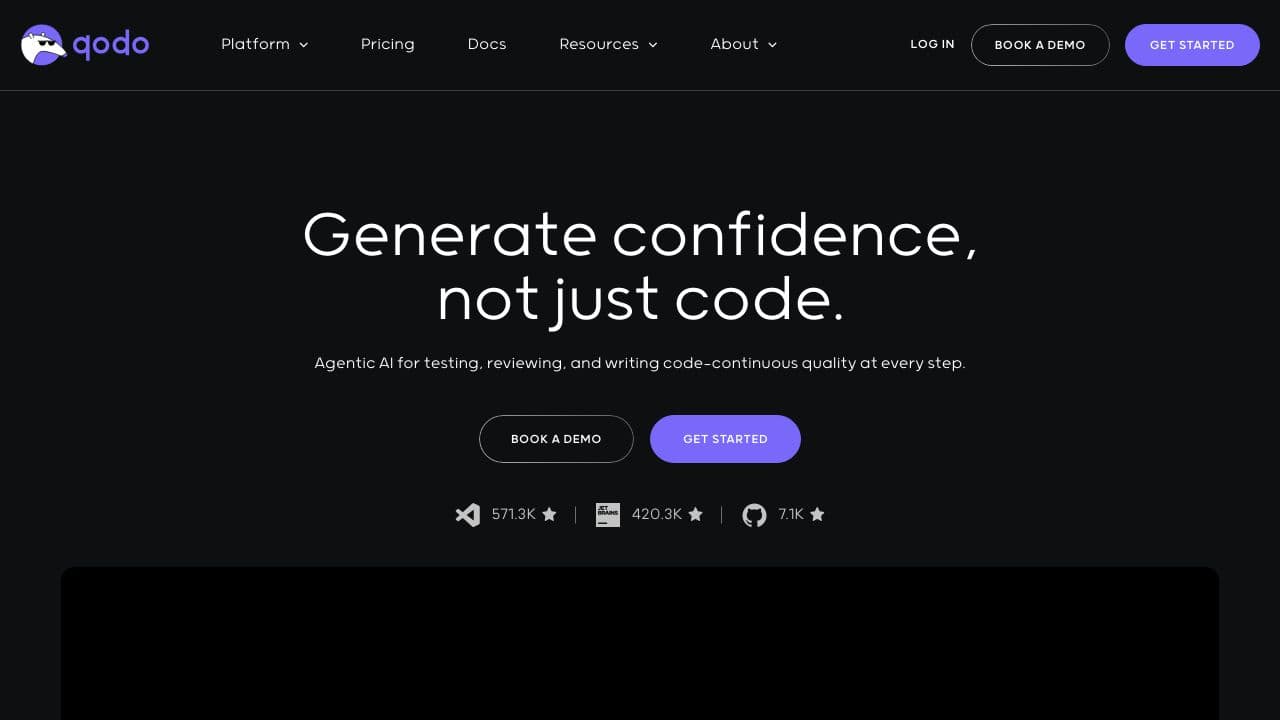
Qodo, formerly known as Codium, is a modern AI coding platform designed to transform how developers write, test, and review code. With a focus on quality, Qodo offers features like automated code reviews and contextual suggestions, ensuring high standards of code integrity throughout the development process. This tool is a strong option for developers looking to enhance efficiency and uncover bugs smoothly.
Qodo Features
- Qodo Gen: IDE Plugin– Generates quality code and meaningful tests directly within your favorite IDE, enhancing your coding experience.
- Qodo Merge: Git Agent– Streamlines pull requests by creating detailed descriptions and guiding reviewers through potential issues.
- Qodo Cover: CLI Agent– Automates testing solutions, improving code coverage with tests that align with best practices.
- Agentic AI for Continuous Quality– uses generative AI to maintain code integrity across the development pipeline, promoting reliability.
Qodo Usecases
Qodo can be utilized in various scenarios, making it a versatile tool for different users:
- Software Development Teams– Use Qodo for automated testing and code reviews to maintain high-quality codebases.
- Freelance Developers– uses Qodo for efficient code generation and testing, boosting productivity.
- Tech Startups– Employ Qodo to streamline development processes and accelerate product delivery.
- Educational Institutions– Adopt Qodo for teaching coding best practices and automated testing in programming courses.
- Research Institutions– Utilize Qodo for coding algorithm testing and cybersecurity firms for vulnerability assessments.
How Qodo – AI Code Review Tool Compares to Alternatives
When choosing AI code review tools, key factors include integration depth with existing workflows, real-time feedback capabilities, and pricing structure for team scaling. Qodo stands out with its dual approach of IDE integration and Git automation.
| Tool | Best For | Pricing |
|---|---|---|
| Qodo – AI Code Review Tool | Developers wanting real-time code review and test generation within their IDE and Git workflow. | Freemium model with basic features free. |
| Ninja AI | Teams needing comprehensive code analysis across multiple programming languages and frameworks. | Freemium with tiered team plans. |
| CICube – AI CI Process Tool | Organizations focusing on automating and optimizing continuous integration pipelines. | Free trial, then subscription based. |
| Pezzo – AI Development Collaboration Tool | Development teams requiring collaborative features and shared AI model management. | Completely free for basic use. |
Best For
- Individual developers who want automated code quality checks while coding in their IDE.
- Small teams using Git who need streamlined pull request reviews and merge assistance.
- Developers who prioritize generating meaningful tests alongside their code creation.
- Projects where maintaining coding standards without manual review overhead is crucial.
Not Ideal For
- Large enterprises needing deep CI/CD pipeline integration with existing DevOps tools.
- Teams requiring extensive collaboration features beyond code review and Git management.
- Projects where budget constraints require completely free tools with all features available.
Getting Started
Begin by installing the Qodo Gen IDE plugin for your preferred development environment. Test the code generation and review features on a small personal project before integrating Qodo Merge into your team’s Git workflow. This allows you to understand both components separately before combining them.
Key Limitations to Consider
- Freemium pricing may limit access to advanced features needed by growing development teams.
- Primarily focuses on code review rather than comprehensive CI/CD pipeline management.
- Integration depth may vary across different IDEs and Git hosting platforms.
- May not replace human code review for complex architectural decisions or security audits.
Related Workflows and Tool Pairings
Qodo fits naturally into modern development workflows by providing AI assistance at two key points: during active coding in the IDE and during code integration via Git. The IDE plugin (Qodo Gen) works alongside your coding process, suggesting improvements and generating tests as you work. The Git agent (Qodo Merge) then helps streamline the review process when code moves to version control. This tool pairs well with project management platforms that track development progress, as Qodo’s feedback can inform task completion and quality metrics. It also complements testing frameworks by generating initial test cases that developers can then expand and customize. For teams using continuous integration systems, Qodo’s output can feed into quality gates and deployment decisions, though it doesn’t replace full CI/CD tools.
Related tools to explore: AI Excel Bot – Formula Generator Tool, AI Magicx – AI Design Coding Enhancement, AI2sql – AI SQL Query Generator, AIJoel – Multi-Modal Generator, AITerm – Command Interpreter AI, Adsby – Keyword Generator Tool, Code Assistant tools, Education tools
Conclusion
In summary, Qodo is an invaluable tool for developers, enhancing the coding experience by ensuring quality and efficiency at every step. With its comprehensive suite of features, Qodo not only simplifies the development process but also elevates code integrity. Whether you’re an individual developer or part of a larger team, Qodo equips you with the necessary tools to advance your coding projects confidently.
- https://github.com/Codium-ai
- https://discord.gg/SgSxuQ65GF
- https://www.youtube.com/@QodoAI
- https://www.linkedin.com/company/qodoai
Pricing
Qodo – AI Code Review Tool offers afreemium plan with optional paid upgrades. Get started for free and upgrade as needed.
Frequently Asked Questions
What is Qodo – AI Code Review Tool?
Qodo, formerly known as Codium, is a modern AI coding platform designed to transform how developers write, test, and review code. With a focus on quality, Qodo offers features like automated code reviews and contextual suggestions, ensuring high.
Is Qodo – AI Code Review Tool free?
Qodo – AI Code Review Tool offers a free plan with limited features. Paid plans are available for additional capabilities.
What are the best Qodo – AI Code Review Tool alternatives?
There are many AI code assistant tools available. Browse our AI Code Assistant tools directory to compare features, pricing, and reviews for the best alternatives.
Last verified: April 2026
Explore more: Browse all AI Code Assistant tools | Browse all AI Education tools
