















Quick Verdict
Code to Flow excels at providing AI-powered code analysis for teams and businesses that need structured insights into their codebase. Its paid model suggests robust features but may lack a free tier for individual experimentation. This tool is best suited for organizations with dedicated development budgets seeking enterprise-level code assistance capabilities.
Code to Flow – Code Analyzer Tool
- Category: Code Assistant
- Pricing: Paid
- Best for: Teams and businesses needing AI code assistant capabilities
Background Check on Code to Flow – Code Analyzer Tool
We ran a background check on codetoflow.com to verify its safety, security posture, hosting infrastructure, and web history. Here are the results as of April 18, 2026.
✓ Cross Origin Resource Sharing (CORS), Redirection, Referrer Policy, X-Content-Type-Options, X-Frame-Options
✗ Content Security Policy (CSP), Cookies, Strict Transport Security (HSTS), Subresource Integrity
Source: Mozilla Observatory report
What is it?
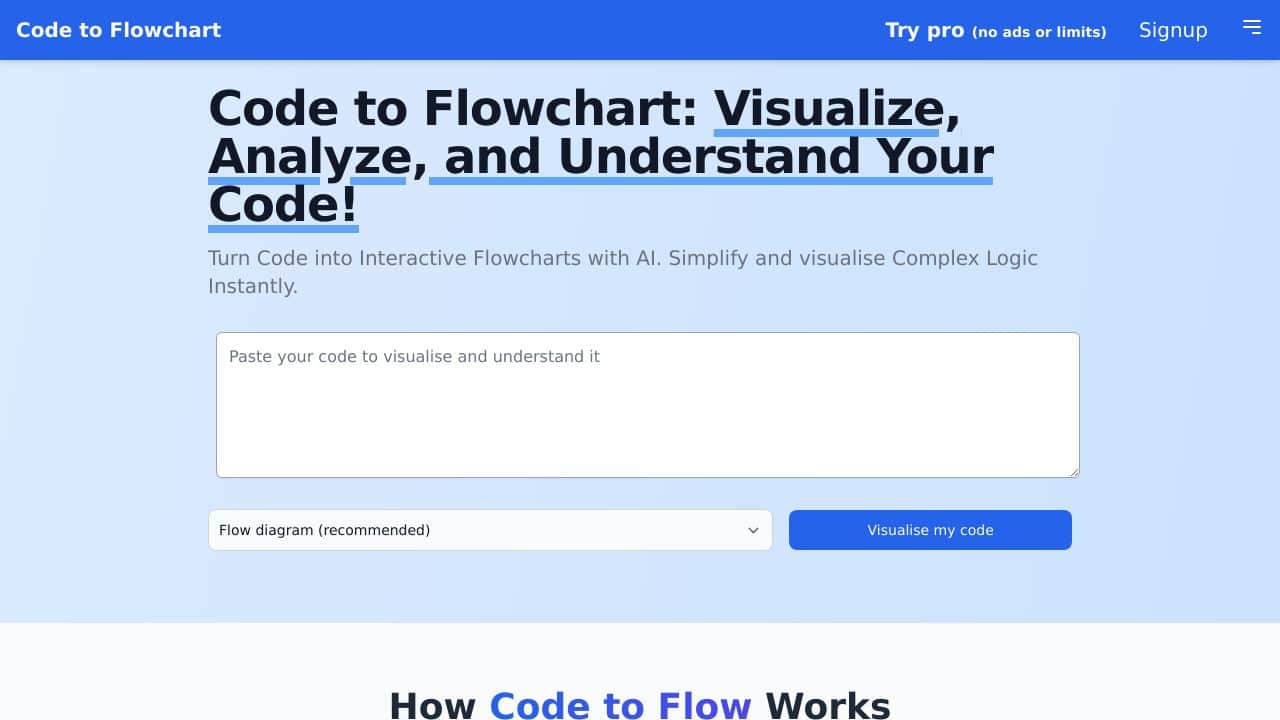
This product is an innovative platform designed to convert code into interactive flowcharts, helping to enhance the comprehension of complex logic through visual representation.
Features
Below are some key attributes of this platform that help streamline the coding process.
Support for Multiple Languages
This platform supports a variety of programming languages such as Python, JavaScript, TypeScript, Java, C, and C++. This makes it suitable for developers with different levels of expertise.
Visual Debugging and Analysis
It simplifies the analysis and debugging of code by transforming it into flowcharts and sequence diagrams that can be easily saved and shared, thus promoting better collaboration among development teams.
Intuitive Operation
The functionality allows users to paste code into the interface, choose the type of diagram desired, and generate a visual representation of the logic flow, which significantly eases the understanding of complex coding structures.
Flexible Subscription Options
The platform provides various subscription plans, including a Pro version that offers unlimited code flows and additional features, as well as a one-time payment option for lifetime access, making it appealing to both individuals and teams.
FAQ
How does this platform help with code comprehension?
It AIds in understanding code by visualizing logic flows, which allows developers to see the relationship between different components and reduces confusion regarding complex logic.
Is it suitable for educational purposes?
Yes, this tool is especially beneficial in educational contexts, as it helps students grasp coding concepts more easily, making it an effective learning AId.
Can this product assist during code reviews?
Absolutely! By providing clear visualizations of the logic, it simplifies discussions during code reviews and helps teams align on code quality and logic flow.
What types of users will benefit the most from this product?
The platform is ideal for software developers of all levels, educators, and teams that prioritize clarity in code logic, but it may not suit users who prefer traditional coding practices without visualization.
How Code to Flow – Code Analyzer Tool Compares to Alternatives
When evaluating AI Code Assistant toolss, key factors include pricing structure, team collaboration features, and the depth of code analysis provided. Code to Flow targets businesses willing to pay for comprehensive tools, while alternatives offer different entry points and specialized functions.
| Tool | Best For | Pricing |
|---|---|---|
| Code to Flow – Code Analyzer Tool | Teams and businesses needing structured AI code analysis with enterprise-level support. | Paid only, no free tier available. |
| Ninja AI | Individual developers or small teams wanting a freemium AI coding assistant. | Freemium model with paid upgrades. |
| CICube – AI CI Process Tool | Teams focusing on continuous integration with AI-enhanced pipeline analysis. | Free trial, then paid plans. |
| Pezzo – AI Development Collaboration Tool | Development teams needing AI-powered collaboration features for project management. | Free version available. |
Best For
- Development teams requiring automated code quality assessments across large projects.
- Businesses with dedicated budgets for AI-powered developer tooling and support.
- Organizations needing structured code analysis to maintain coding standards consistently.
- Teams looking to integrate AI insights into their existing code review workflows.
Not Ideal For
- Solo developers or hobbyists needing a free or low-cost code analysis tool.
- Projects requiring real-time API testing or debugging capabilities.
- Teams that prioritize open-source or community-driven tool development.
Getting Started
Begin by identifying a specific codebase module or project where you want to apply analysis. Review the tool’s documentation for integration steps with your version control system. Start with a small test to understand how the AI interprets your code patterns before scaling up.
Key Limitations to Consider
- No free tier available, which limits accessibility for individual developers.
- May require significant setup time for integration with complex existing workflows.
- Focus on code analysis might not include real-time debugging or testing features.
- Paid pricing could be prohibitive for very small teams or startups.
Related Workflows and Tool Pairings
Code to Flow fits into development workflows where code quality and maintainability are priorities. It works best when integrated early in the development cycle, providing AI-driven insights during code reviews or pre-commit stages. Complementary tool types include version control systems for managing code changes, continuous integration platforms for automated testing, and project management software for tracking analysis results. Together, these tools help teams maintain high code standards while streamlining development processes. For optimal use, pair Code to Flow with tools that handle deployment and monitoring to create a full-cycle development environment.
Related tools to explore: AI Excel Bot – Formula Generator Tool, AI Magicx – AI Design Coding Enhancement, AI2sql – AI SQL Query Generator, AIJoel – Multi-Modal Generator, AITerm – Command Interpreter AI, Adsby – Keyword Generator Tool, Code Assistant tools
Conclusion
This product effectively bridges the gap between complex code and its visual representation, making it a valuable asset for developers, educators, and teams focused on improving code comprehension and collaboration. However, it may not be as beneficial for those who prefer a more conventional approach to coding without visual AIds.
Pricing
Code to Flow – Code Analyzer Tool is apaid AI code assistant tool. Visit the official website for current pricing plans and details.
Last verified: April 2026
Explore more: Browse all AI Code Assistant tools
