











Quick Verdict
Onvo AI delivers exactly what it promises: a straightforward way to create AI-powered dashboards directly within spreadsheets. The free pricing makes it accessible for teams wanting to experiment with AI spreadsheet capabilities without financial commitment. However, as a free tool, it likely lacks the advanced features and support of paid alternatives. This is worth considering for small teams or businesses needing basic AI dashboard functionality in their spreadsheet workflows.
Onvo AI – AI Dashboard Creator
- Category: Spreadsheets
- Pricing: Free
- Best for: Teams and businesses needing AI spreadsheets capabilities
Background Check on Onvo AI – AI Dashboard Creator
We ran a background check on www.onvo.AI to verify its safety, security posture, hosting infrastructure, and web history. Here are the results as of April 19, 2026.
- Server: cloudflare
- Hosting: CLOUDFLARENET – Cloudflare, Inc., US
- SSL Certificate: WE1 (certificate age: 10 days)
- Domain Age: ~2 years (977 days)
Source: urlscan.io scan report
✓ Cross Origin Resource Sharing (CORS), Redirection, Subresource Integrity
✗ Content Security Policy (CSP), Strict Transport Security (HSTS), X-Content-Type-Options, X-Frame-Options
Source: Mozilla Observatory report
What is it?
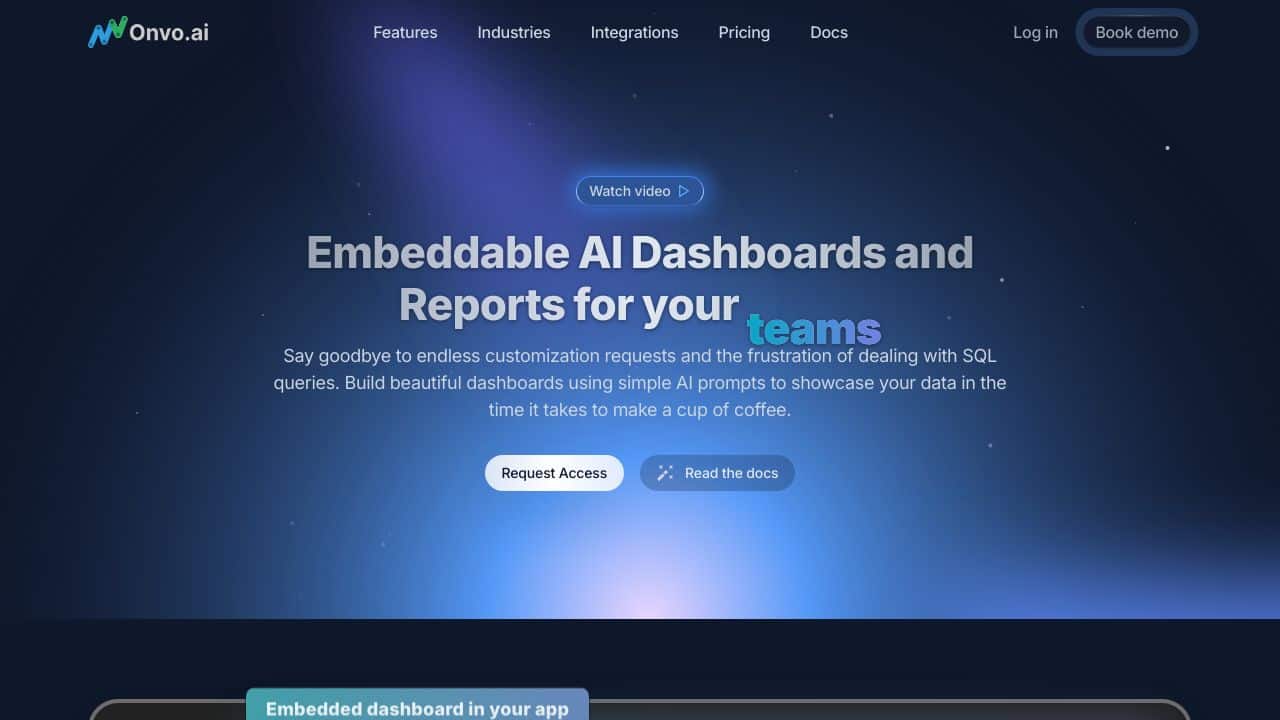
ONVO AI is a modern platform dedicated to the development of AI-driven dashboards and data visualizations. It AIms to simplify the creation and customization of dashboards, removing the necessity for complex coding or managing detAIled SQL queries.
Product Features
This innovative platform comes equipped with a variety of solid features designed to enhance user experience.
Feature 1
The platform allows users to link multiple data sources, including both SQL and NoSQL options, smoothly integrating them using an easy-to-use SDK. This functionality is intended to facilitate the deployment of integrations that make products AI-ready and user-friendly.
Feature 2
ONVO AI is perfect for rapidly generating customized dashboards and data visualizations. It’s suitable for numerous industries looking to analyze data, track performance, and display information in a clear and digestible manner.
Feature 3
Accessibility is a key focus of ONVO AI, which offers developer-friendly SDKs that enable smooth integration into various applications. This ensures that both internal and customer-oriented solutions benefit from ease of use while prioritizing data privacy.
Feature 4
The platform supports an extensive range of data sources, such as SQL and NoSQL databases, along with custom API endpoints. This flexibility allows it to serve diverse data integration requirements effectively.
Product FAQ
What types of businesses can benefit from ONVO AI?
Companies across different sectors can uses ONVO AI to improve their data analysis capabilities, whether it’s for sales tracking, website analytics, or visualizing intricate data sets.
Is coding knowledge required to use this platform?
No extensive coding skills are needed to utilize ONVO AI. Its design facilitates easy dashboard customization without delving into complex programming or SQL.
How does ONVO AI ensure data privacy?
Data privacy is a priority for ONVO AI, as it employs solid measures during integration and usage, allowing users to handle sensitive information securely.
Can I use ONVO AI for client-facing applications?
Yes, the platform is designed to support both internal and client-facing applications, making it adaptable for various business needs.
How Onvo AI – AI Dashboard Creator Compares to Alternatives
When evaluating AI spreadsheet tools, key factors include pricing transparency, specific AI capabilities, and integration with existing workflows. Free tools like Onvo AI offer low-risk entry points, while paid alternatives typically provide more advanced features and dedicated support.
| Tool | Best For | Pricing |
|---|---|---|
| Onvo AI – AI Dashboard Creator | Teams wanting free AI dashboard creation within spreadsheets | Completely free with no tier limitations |
| SheetXAI – AI for Google Sheets | Google Sheets users needing advanced AI integration and automation | Paid subscription with tiered pricing |
| Numra – AI Finance Automation Platform | Finance teams requiring specialized AI for financial data and reporting | Contact for custom enterprise pricing |
| Gigasheet – AI Data Analysis Platform | Users handling large datasets needing AI-powered analysis at scale | Freemium model with paid upgrades |
Best For
- Small teams experimenting with AI in spreadsheets without budget
- Businesses needing basic AI dashboard creation for internal reporting
- Spreadsheet users wanting to visualize data with AI assistance
- Organizations testing AI capabilities before investing in paid tools
Not Ideal For
- Enterprises requiring advanced AI features and dedicated support
- Teams needing specialized financial or accounting AI automation
- Users working with extremely large datasets requiring scalable solutions
Getting Started
Begin by identifying one specific spreadsheet dashboard you currently maintain manually. Import that data into Onvo AI and use the AI features to recreate the dashboard, focusing on how the AI suggestions differ from your manual approach. This hands-on comparison will quickly reveal the tool’s strengths for your particular use case.
Key Limitations to Consider
- Free pricing likely means limited advanced features compared to paid competitors
- May lack specialized AI capabilities for financial or accounting workflows
- Probably offers basic support options without dedicated account management
- Integration options with other business systems might be limited
- Scalability for large enterprise datasets could be constrained
Related Workflows and Tool Pairings
Onvo AI fits naturally into data analysis and reporting workflows where spreadsheets serve as the primary data source. Teams typically use it after collecting data from various sources and before presenting insights to stakeholders. This tool pairs well with data collection tools that export to spreadsheet formats, allowing users to bring raw data into Onvo AI for dashboard creation. It also complements visualization tools that can enhance the dashboards created, though Onvo AI handles the initial AI-powered structuring. For teams using multiple data sources, data integration platforms that consolidate information into spreadsheets work particularly well with Onvo AI’s dashboard creation capabilities.
Related tools to explore: 2Slash – Universal AI Assistant, AI Excel Bot – Formula Generator Tool, Arcwise – AI Spreadsheet Task Streamlining, Bettersheets – Formula Generator Tool, Booke AI – AI Bookkeeping Automation Accuracy, Botsheets – AI Chat Automation, Spreadsheets tools
Conclusion
In summary, ONVO AI is an exceptional solution for businesses looking to enhance their data visualization and dashboard capabilities. Its user-friendly interface makes it ideal for those who may lack extensive technical skills, while its powerful features cater to organizations AIming to streamline data analysis.
Pricing
Onvo AI – AI Dashboard Creator is afree AI spreadsheets tool. No payment required to get started.
Last verified: April 2026
Explore more: Browse all AI Spreadsheets tools
