













Quick Verdict
Charts Not Chapters excels at transforming spreadsheet data into clear, visually appealing infographics, saving teams significant design time. Its paid pricing means no free tier for testing, which could deter smaller users. This tool is best for business teams who regularly present data insights and need to move beyond basic spreadsheet charts.
Charts Not Chapters – Infographic Creation Tool
- Category: Spreadsheets
- Pricing: Paid
- Best for: Teams and businesses needing AI spreadsheets capabilities
Background Check on Charts Not Chapters – Infographic Creation Tool
We ran a background check on www.chartsnotchapters.com to verify its safety, security posture, hosting infrastructure, and web history. Here are the results as of April 18, 2026.
✓ Cross Origin Resource Sharing (CORS), Redirection, Strict Transport Security (HSTS)
✗ Content Security Policy (CSP), Subresource Integrity, X-Content-Type-Options, X-Frame-Options
Source: Mozilla Observatory report
What is it?
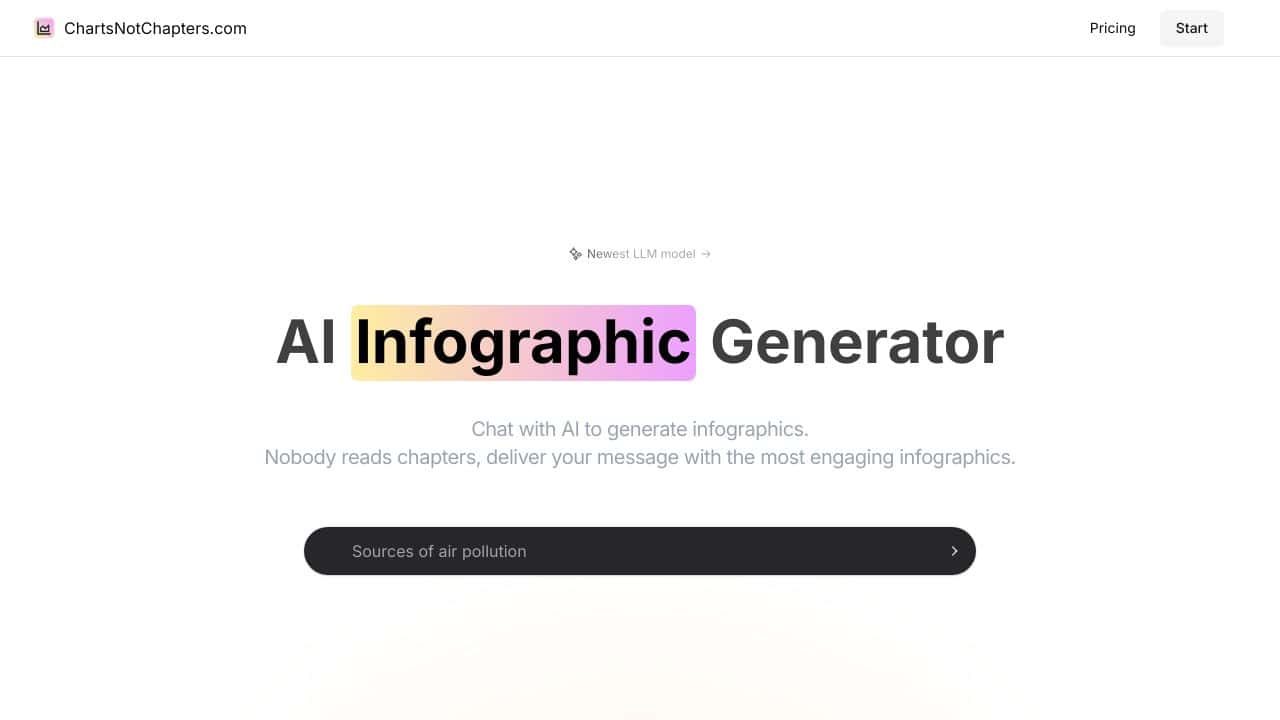
Charts Not Chapters is an AI-powered solution that transforms text, spreadsheet, or CSV information into visually engaging and informative graphics in a matter of seconds.
Features of Charts Not Chapters
This product boasts several remarkable capabilities designed to enhance the infographic creation process.
AI-Generated Infographics
This feature produces distinct visuals based on user input, without depending on any pre-existing templates. It allows users to create completely original infographics, offering strong design flexibility.
Customizable Design Elements
Users can make detAIled adjustments to aspects like layout, colors, and font styles through an intuitive chat interface. This level of customization ensures that every infographic aligns perfectly with the user’s specific vision.
Multiple Format Support
Charts Not Chapters accommodates a range of input formats, including plAIn text, spreadsheets, and CSV files, allowing users to easily integrate their data.
Interactive Feedback Loop
This functionality lets users make real-time modifications to their infographics, enhancing the final output to meet their expectations and requirements.
Charts Not Chapters FAQ
What types of data can I use?
You can upload text, spreadsheets, or CSV files, making it versatile for various data types.
Is there a software installation required?
No, the platform is entirely browser-based, meaning you can access it from any device with an internet connection.
Can I share my infographics easily?
Yes, the generated graphics are optimized for use across numerous platforms, including presentation tools and social media.
Who would benefit from using this tool?
Charts Not Chapters is ideal for marketers, educators, and professionals looking to create visually appealing content from complex data or insights.
How Charts Not Chapters – Infographic Creation Tool Compares to Alternatives
When evaluating AI spreadsheet tools, consider whether you need data visualization, financial automation, or raw analysis capabilities. Pricing models and team collaboration features also differentiate options in this competitive space.
| Tool | Best For | Pricing |
|---|---|---|
| Charts Not Chapters | Teams needing to turn spreadsheet data into professional infographics quickly. | Paid subscription with no free tier. |
| SheetXAI | Google Sheets users wanting AI enhancements directly within their spreadsheets. | Paid model, integrates with existing Sheets. |
| Numra | Finance teams automating complex financial reporting and modeling tasks. | Contact for custom enterprise pricing. |
| Gigasheet | Users analyzing large datasets without advanced spreadsheet skills. | Freemium model with paid upgrades. |
Best For
- Marketing teams creating data-driven content for reports and presentations.
- Business analysts who need to visualize spreadsheet findings for stakeholders.
- Consultants preparing client deliverables with clear, branded infographics.
- Internal communications teams simplifying complex data for company-wide sharing.
Not Ideal For
- Solo entrepreneurs needing a free tool for occasional chart creation.
- Teams requiring deep financial modeling or accounting automation.
- Users who only work with raw data analysis without visualization needs.
Getting Started
Begin by preparing your spreadsheet with clean, organized data in a logical structure. Import this into Charts Not Chapters and use the AI suggestions for chart types that best represent your data patterns. Experiment with the template library to match your brand colors before generating your first infographic.
Key Limitations to Consider
- Requires paid subscription with no free trial option for budget-conscious users.
- Focuses on infographic output rather than advanced spreadsheet analysis features.
- May not integrate directly with all spreadsheet platforms beyond basic imports.
- Limited customization for users needing highly specialized chart formats.
- Team collaboration features might be less robust than dedicated spreadsheet tools.
Related Workflows and Tool Pairings
Charts Not Chapters fits into workflows where data needs to be translated from analysis to communication. After analyzing data in spreadsheets or BI tools, users import it here to create shareable infographics for reports, presentations, or social media. This tool pairs well with data collection platforms that feed into spreadsheets, and with presentation software where the final infographics are displayed. For teams, it bridges the gap between data analysts who work in spreadsheets and designers or communicators who need polished visuals.
Related tools to explore: 2Slash – Universal AI Assistant, AI Excel Bot – Formula Generator Tool, Arcwise – AI Spreadsheet Task Streamlining, Bettersheets – Formula Generator Tool, Booke AI – AI Bookkeeping Automation Accuracy, Botsheets – AI Chat Automation, Spreadsheets tools
Conclusion
In summary, Charts Not Chapters offers a powerful and flexible means to create customized infographics swiftly. It is particularly suitable for those who require visually compelling representations of data, such as marketing professionals or educators. However, it may not be the best fit for users who prefer traditional templates or are not keen on using AI-driven solutions.
Pricing
Charts Not Chapters – Infographic Creation Tool is apaid AI spreadsheets tool. Visit the official website for current pricing plans and details.
Last verified: April 2026
Explore more: Browse all AI Spreadsheets tools
