









Quick Verdict
Animoto excels at providing AI-powered video editing capabilities specifically designed for teams and businesses. Its paid model ensures professional features, but the lack of a free tier might deter individual users or small startups. Marketing teams, content creators in organizations, and businesses needing polished video content without extensive editing expertise should consider this tool.
Animoto – Video Creation Tool
- Category: Video Editing
- Pricing: Paid
- Best for: Teams and businesses needing AI video editing capabilities
Background Check on Animoto – Video Creation Tool
We ran a background check on animoto.com to verify its safety, security posture, hosting infrastructure, and web history. Here are the results as of April 18, 2026.
✓ Cross Origin Resource Sharing (CORS), Redirection, Strict Transport Security (HSTS), X-Content-Type-Options, X-Frame-Options
✗ Referrer Policy, Content Security Policy (CSP)
Source: Mozilla Observatory report
What is it?
This product is a video editing platform that enables both individuals and companies to create high-quality videos effortlessly.
Features
Here are some key features that make video production easier and more efficient.
User-Friendly Interface
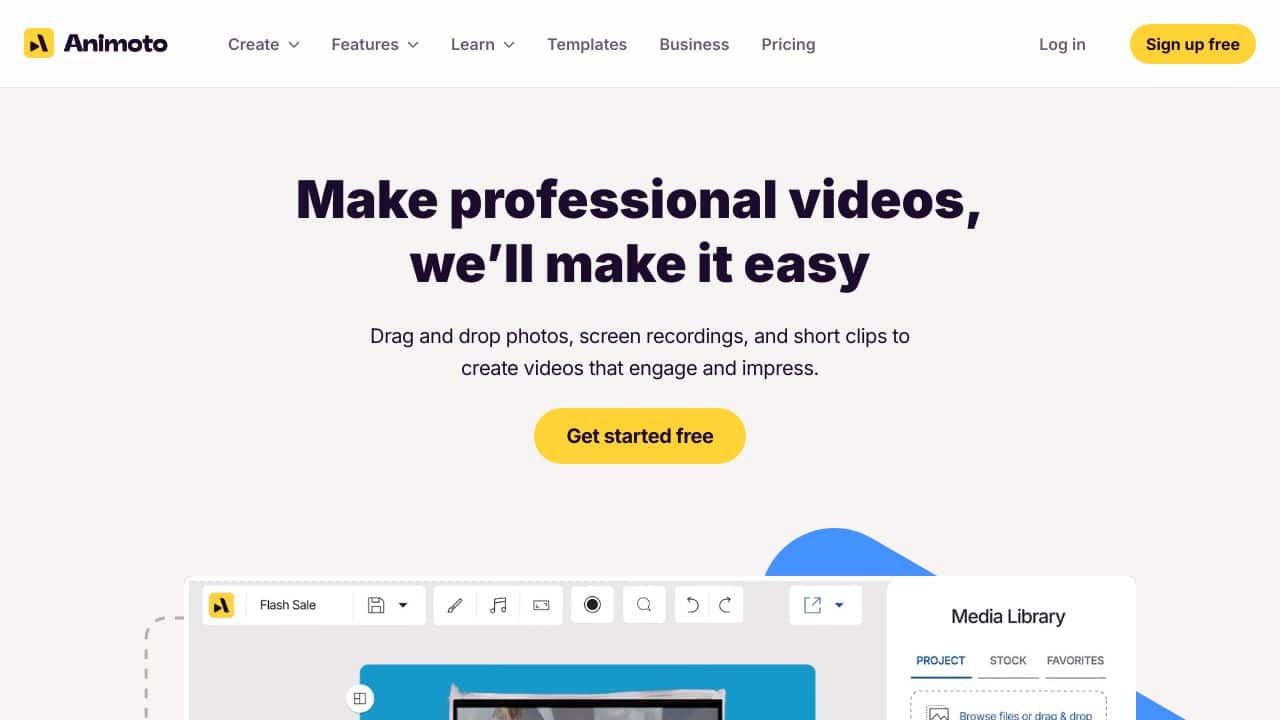
The platform offers a simple drag-and-drop interface, allowing users, even those with minimal experience, to navigate video creation with ease.
Customizable Templates
A diverse array of templates caters to various needs, ranging from marketing to personal events, ensuring that users can find the right fit for their projects.
Brand Consistency Tools
Animoto allows users to save specific brand elements like colors, fonts, and logos, which can be applied consistently across multiple projects, enhancing brand identity.
Collaboration Features
The platform also includes cloud storage for easy sharing and collaboration, coupled with tools for screen recording and time-stamped comments, facilitating teamwork during the editing process.
FAQ
How user-friendly is the platform?
The application is designed to be incredibly user-friendly, making it suitable for people with varying levels of experience in video editing.
What types of videos can I create?
With a wide range of customizable templates, users can produce videos for marketing, trAIning, personal celebrations, and educational purposes.
Can I share my videos easily?
Yes, it provides integrated social sharing and emAIl tools to simplify the distribution of your finished videos.
Is this suitable for businesses of all sizes?
Absolutely, whether you’re an entrepreneur or part of a large organization, the platform is equipped with the necessary tools to meet different business needs.
How Animoto – Video Creation Tool Compares to Alternatives
When choosing Video Editing tools, key factors include pricing structure, target audience, and specific AI capabilities. For teams and businesses, professional features and collaboration options often outweigh cost considerations.
| Tool | Best For | Pricing |
|---|---|---|
| Animoto – Video Creation Tool | Teams and businesses needing AI video editing capabilities for professional content creation | Paid subscription model |
| Pykaso – Get Your AI Influencer Viral | Creating viral influencer-style content with AI-generated personalities | Paid service |
| FraimeBot – AI Meme Generator Platform | Generating memes quickly with AI for social media engagement | Free platform available |
| ByteCap – AI Video Caption Tool | Adding accurate captions to videos automatically using AI technology | Paid captioning service |
Best For
- Marketing teams creating promotional videos for social media campaigns
- Businesses producing training videos for employee onboarding
- Content teams needing consistent branded video content regularly
- Organizations without dedicated video editors but requiring professional output
Not Ideal For
- Individual creators needing free video editing tools
- Users requiring advanced manual video editing controls
- Projects needing real-time collaborative editing features
Getting Started
Begin by exploring Animoto’s AI templates specifically designed for business use cases. Upload your brand assets early to maintain consistency across videos. Test the AI editing features with short clips before committing to longer projects.
Key Limitations to Consider
- Requires paid subscription with no free tier for testing
- Limited to AI-assisted editing rather than full manual control
- May not support complex multi-layer video projects
- Business focus might lack features for individual creators
- AI capabilities may not replace specialized video editors for complex tasks
Related Workflows and Tool Pairings
Animoto fits into content creation workflows where businesses need to produce regular video content efficiently. It works well after content planning stages, where scripts and assets are prepared. Complementary tool types include graphic design software for creating visual assets to import into Animoto, project management platforms for coordinating video production schedules, and social media scheduling tools for distributing finished videos. For businesses, it bridges the gap between raw footage and polished content, especially when paired with stock media libraries for additional visual elements. The AI capabilities help streamline editing that would otherwise require specialized skills, making it valuable in marketing and training departments.
Related tools to explore: 2short.AI – Shorts Clip Generator, AI Face Swap – Seamless Face Swapper, AI Facefy – Face Swap Creator, AI Storyboard Generator – AI Easy Storyboard Creation, AISaver – Video Downloader & Face Swap, AIvideocreator.com – Video Template Generator, Video Editing tools
Conclusion
In summary, this video editing platform is designed for anyone seeking to create impactful visual content without a steep learning curve. It’s especially beneficial for small business owners, HR professionals, and anyone AIming to elevate their content creation efforts. However, those seeking highly complex features may find it less suitable.
Pricing
Animoto – Video Creation Tool is apaid AI video editing tool. Visit the official website for current pricing plans and details.
Last verified: April 2026
Explore more: Browse all AI Video Editing tools
