


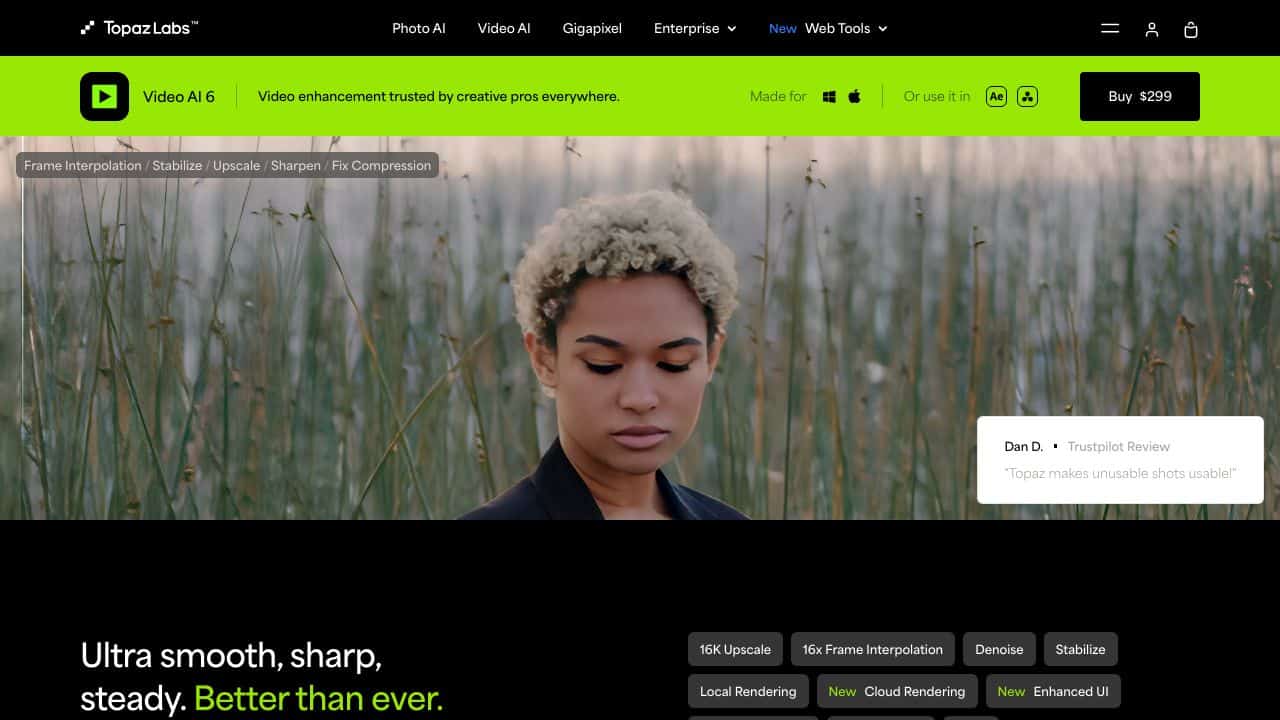









Quick Verdict
Topaz Video AI excels at ultra high-resolution video upscaling, delivering impressive 16K results while maintaining clarity. It also handles frame rate conversion well for creating smooth slow-motion effects. However, it’s primarily focused on enhancement rather than creative editing or generation. Marketers and creators who need to upscale archival footage or improve video quality should consider this tool.
Topaz Video AI – AI Video Enhancement System
- Category: Image Editing, Video Editing, Video Enhancer
- Pricing: Freemium
- Best for: Video creators restoring old or low-quality footage
Background Check on Topaz Video AI – AI Video Enhancement System
We ran a background check on www.topazlabs.com to verify its safety, security posture, hosting infrastructure, and web history. Here are the results as of April 20, 2026.
- Server: cloudflare
- Hosting: CLOUDFLARESPECTRUM Cloudflare London, LLC, US (US)
- SSL Certificate: WE1 (certificate age: 30 days)
- Domain Age: ~13 years (4,772 days)
Source: urlscan.io scan report
✓ Cookies, Cross Origin Resource Sharing (CORS), Redirection, X-Frame-Options
✗ Content Security Policy (CSP), Strict Transport Security (HSTS), Subresource Integrity, X-Content-Type-Options
Source: Mozilla Observatory report
What is Topaz Video AI
Topaz Video AI is an advanced AI-driven software designed to elevate your video editing experience. It transforms ordinary footage into stunning cinematic visuals with features like upscaling to 16K, noise reduction, and frame rate conversion. Whether you’re a professional filmmaker or a hobbyist, this tool simplifies video enhancement, making every shot not just better, but near perfect.
Topaz Video AI Features
- Ultra High-Resolution Upscaling: Upscale videos to an impressive 16K resolution while preserving clarity and minimizing artifacts.
- Frame Rate Conversion: Create smooth slow-motion effects or synchronize clips with different frame rates using AI to interpolate additional frames.
- Advanced Noise Reduction: uses AI to differentiate between noise and detail, significantly improving video quality, especially in low-light conditions.
- Stabilization: Smooth out shaky footage and recover lost details due to camera shake, ensuring a polished output.
- Temporal Facial Recognition: Automatically detect and enhance faces frame-by-frame for consistent quality and realism.
- Compatibility: Works as a standalone application or as a plugin for popular editing software like Adobe After Effects and DaVinci Resolve.
Topaz Video AI Usecases
Topaz Video AI can be utilized in various scenarios, making it a versatile tool for different users:
- Film Studios: Enhance footage for high-resolution outputs, ensuring cinematic quality.
- Content Creators: Use AI features to create engaging videos for platforms like YouTube and Vimeo.
- Post-Production Professionals: Clean up and stabilize footage for a polished final product.
- Photographers: Improve video segments of photo shoots for higher quality presentations.
- Academic Researchers: Analyze video data with enhanced clarity.
- Amateur Astronomers: Enhance celestial recordings for better visibility.
How Topaz Video AI – AI Video Enhancement System Compares to Alternatives
When choosing video enhancement tools, key factors include resolution capabilities, processing speed, and specific enhancement features like upscaling or frame interpolation. Topaz Video AI stands out for its high-end upscaling, but alternatives may offer different strengths in creative generation or specialized editing.
| Tool | Best For | Pricing |
|---|---|---|
| Topaz Video AI | Upscaling videos to 16K resolution and creating smooth slow-motion effects. | Freemium model with paid upgrades. |
| Pykaso | Creating viral AI influencer content with generated personalities. | Paid subscription required. |
| AirBrush AI Headshots | Enhancing professional headshots with AI retouching and background removal. | Pricing not specified. |
| HeadshotGenerator.io | Generating professional AI headshots from basic photos for profiles. | Freemium model available. |
| Photoroom | AI powered photo editing with background removal and enhancement tools. | Freemium model with premium features. |
Best For
- Upscaling archival footage or low resolution videos to modern standards.
- Creating smooth slow motion effects from standard frame rate footage.
- Video professionals needing high quality upscaling to 4K or 8K outputs.
- Content creators enhancing video quality for platforms like YouTube.
Not Ideal For
- Generating completely new video content from text prompts.
- Basic video editing tasks like cutting, trimming, or adding transitions.
- Real time video processing for live streaming applications.
Getting Started
Begin with the auto enhance feature on a short test clip to see the AI’s baseline improvements. Then experiment with the manual upscaling settings, starting with 2x upscale before attempting 4x or higher. Export a small segment first to check quality before processing entire videos.
Key Limitations to Consider
- Processing high resolution videos requires significant computing power and time.
- Limited creative editing features compared to full video editing suites.
- The freemium model restricts advanced features to paid tiers.
- Primarily enhancement focused, not designed for content generation.
- May struggle with extremely low quality source material.
Related Workflows and Tool Pairings
Topaz Video AI fits into post production workflows where video quality enhancement is needed after initial editing. It works well after basic editing in tools like DaVinci Resolve or Premiere Pro, where you’d export a finished edit then enhance it. For complete workflows, pair it with video editing software for cutting and arranging clips, color grading tools for final color correction, and compression tools for optimizing file sizes after enhancement. The tool serves as a specialized enhancement step rather than a complete editing solution.
Related tools to explore: 1PX.AI – AI Image Editing Bulk, ACDSee – AI Photo Management, AI Character Generator – AI Storyboard Character Creation, AI Face Swap – Seamless Face Swapper, AI Facefy – Face Swap Creator, AI Filter – Photo Style Transformer, Image Editing tools, Video Editing tools
Conclusion
In summary, Topaz Video AI excels at transforming everyday footage into high-quality cinematic content. With solid features like 16K upscaling and advanced noise reduction, it stands out as an essential tool for anyone serious about video quality. Its user-friendly interface, powerful AI capabilities, and comprehensive support make it a top choice for both professionals and enthusiasts alike.
Pricing
Topaz Video AI – AI Video Enhancement System offers afreemium plan with optional paid upgrades. Get started for free and upgrade as needed.
Frequently Asked Questions
What is Topaz Video AI – AI Video Enhancement System?
Topaz Video AI is an advanced AI-driven software designed to elevate your video editing experience. It transforms ordinary footage into stunning cinematic visuals with features like upscaling to 16K, noise reduction, and frame rate conversion..
Is Topaz Video AI – AI Video Enhancement System free?
Topaz Video AI – AI Video Enhancement System offers a free plan with limited features. Paid plans are available for additional capabilities.
What are the best Topaz Video AI – AI Video Enhancement System alternatives?
There are many AI image editing tools available. Browse our AI Image Editing tools directory to compare features, pricing, and reviews for the best alternatives.
Last verified: April 2026
Explore more: Browse all AI Image Editing tools | Browse all AI Video Editing tools
