


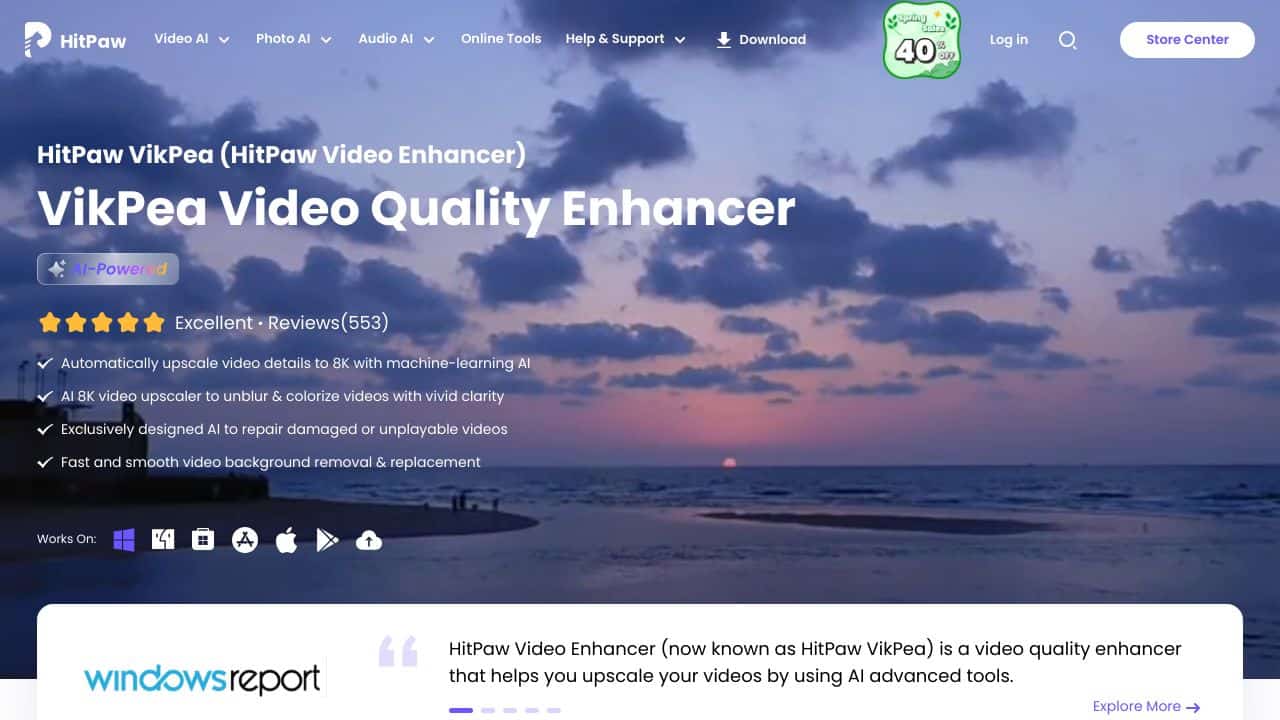





Quick Verdict
HitPaw Video Enhancer delivers solid AI-powered video quality improvement with straightforward processing. Its paid-only model means no free tier for testing. This tool works best for teams and businesses that need reliable enhancement without complex technical requirements. Consider it if you have a budget and want predictable results.
HitPaw Video Enhancer – Video Quality Enhancer
- Category: Video Enhancer
- Pricing: Paid
- Best for: Teams and businesses needing AI video enhancer capabilities
Background Check on HitPaw Video Enhancer – Video Quality Enhancer
We ran a background check on www.hitpaw.com to verify its safety, security posture, hosting infrastructure, and web history. Here are the results as of April 19, 2026.
✓ Cross Origin Resource Sharing (CORS), Redirection
✗ Content Security Policy (CSP), Cookies, Strict Transport Security (HSTS), Subresource Integrity
Source: Mozilla Observatory report
What is it?
HitPaw Video Enhancer is an advanced AI-driven software designed to improve and upscale video quality. It encompasses a variety of features AImed at boosting video resolution, transforming black and white clips into color, and converting low-resolution videos into enhanced formats like 1080P, 4K, and even 8K.
Features
This software boasts several impressive features tAIlored to meet diverse video enhancement requirements.
AI Upscaling
Offering a simple one-click solution, this feature allows users to upscale videos to higher resolutions such as SD, HD, 4K, and up to 8K, enhancing overall visual quality effortlessly.
Noise Reduction
The advanced noise reduction capability efficiently removes unwanted clarity issues, ensuring that the final output is pristine and visually appealing.
Specialized AI Models
HitPaw features various specialized models designed for distinct enhancement tasks, including general denoising, animation enhancement, face improvement, colorization and enhancement, as well as frame interpolation and stabilization.
Video RepAIr
This feature can mend damaged, corrupted, or otherwise problematic video files, making it essential for anyone dealing with video recovery needs.
Exclusive AI for Anime and Human Faces
Specifically tAIlored to enhance the quality of anime and face videos, this feature ensures that these types of content receive the specialized treatment they require for optimal viewing pleasure.
FAQ
How does the AI upscaling work?
The AI upscaling technology utilizes various sophisticated models designed to improve video quality dramatically, allowing users to achieve higher resolutions with minimal effort.
Can I use HitPaw Video Enhancer for old footage?
Yes, this software is exceptionally beneficial for restoring old footage, providing enhancement features that revitalize and refresh dated videos.
Is it suitable for professional video production?
Absolutely, the software is designed to serve both professionals in the video production field and amateurs, making it a versatile choice for various users.
What video formats are supported?
While specific format compatibility detAIls are not explicitly mentioned, it is expected that HitPaw Video Enhancer supports standard video formats commonly used in the industry.
How HitPaw Video Enhancer – Video Quality Enhancer Compares to Alternatives
When choosing a video enhancement tool, key factors include pricing structure, target audience, and specific AI capabilities. HitPaw Video Enhancer tools stands out for business users who prefer straightforward paid solutions over freemium models. Understanding these differences helps match the right tool to your workflow needs.
| Tool | Best For | Pricing |
|---|---|---|
| HitPaw Video Enhancer | Teams and businesses needing straightforward AI video enhancement without free tiers. | Paid only, no free version. |
| vidyo.ai | Users wanting to test AI video tools before committing financially. | Offers a free trial period. |
| Topaz Video AI | Advanced users who need granular control over enhancement parameters. | Freemium model with paid upgrades. |
| Shortimize | Marketers focused specifically on video content for promotional campaigns. | Pricing not specified publicly. |
Best For
- Business teams processing multiple videos for client deliverables.
- Content creators needing consistent quality improvement across projects.
- Marketing departments enhancing product demonstration videos.
- Small agencies without dedicated video editing specialists.
Not Ideal For
- Individual hobbyists wanting free video enhancement options.
- Users needing real-time video processing capabilities.
- Advanced editors requiring frame-by-frame control over AI parameters.
Getting Started
Begin with a single test video that represents your typical content. Process it through all available enhancement modes to see which works best for your material. This helps you understand the tool’s capabilities before committing to larger projects.
Key Limitations to Consider
- No free trial or freemium option to test before purchasing.
- Limited to enhancement features without broader editing capabilities.
- May not support all video formats or codecs without conversion.
- Processing speed depends on hardware and video length.
- AI enhancement can sometimes create artifacts in complex scenes.
Related Workflows and Tool Pairings
HitPaw Video Enhancer fits into video production workflows after initial editing but before final distribution. First, edit your raw footage in a standard video editor to fix composition and timing. Then use HitPaw to enhance resolution, reduce noise, and improve overall quality. Finally, pair it with compression tools to optimize file size for different platforms, and captioning tools to add accessibility features. This creates a complete pipeline from raw footage to polished, shareable content. The tool works particularly well when you need consistent quality improvements across multiple videos without manual tweaking for each file.
Related tools to explore: AIvideocreator.com – Video Template Generator, AVCLabs – Media Quality Enhancer, Capte – Video Transcription Enhancer, Clipchamp – AI Effortless Video Transformation, DaVinci Resolve – AI Unified Post-production, Deepshot AI – AI Multilingual Video Lip-sync, Video Enhancer tools
Conclusion
In summary, HitPaw Video Enhancer is a capable tool for those looking to elevate their video quality through advanced AI technologies. It is particularly suitable for video production professionals, social media influencers, and enthusiasts who want to enhance their visual content. However, it may not cater extensively to developers seeking integration options, focusing instead on delivering high-quality enhancement capabilities for users.
Pricing
HitPaw Video Enhancer – Video Quality Enhancer is apaid AI video enhancer tool. Visit the official website for current pricing plans and details.
Last verified: April 2026
Explore more: Browse all AI Video Enhancer tools
