







Quick Verdict
HitPaw Old Photos AI Animator excels at transforming static historical photos into animated videos with minimal technical effort. Its paid-only model means no free tier for testing, which could deter budget-conscious users. Marketing teams and businesses looking to create nostalgic video content from archival images should consider this tool, especially if they have a collection of old photos to revitalize.
HitPaw Old Photos AI Animator – Photo Animation Software
- Category: Video Generators
- Pricing: Paid
- Best for: Teams and businesses needing AI video generators capabilities
Background Check on HitPaw Old Photos AI Animator – Photo Animation Software
We ran a background check on online.hitpaw.com to verify its safety, security posture, hosting infrastructure, and web history. Here are the results as of April 19, 2026.
✓ Cross Origin Resource Sharing (CORS), Redirection
✗ Content Security Policy (CSP), Cookies, Strict Transport Security (HSTS), Subresource Integrity
Source: Mozilla Observatory report
What is it?
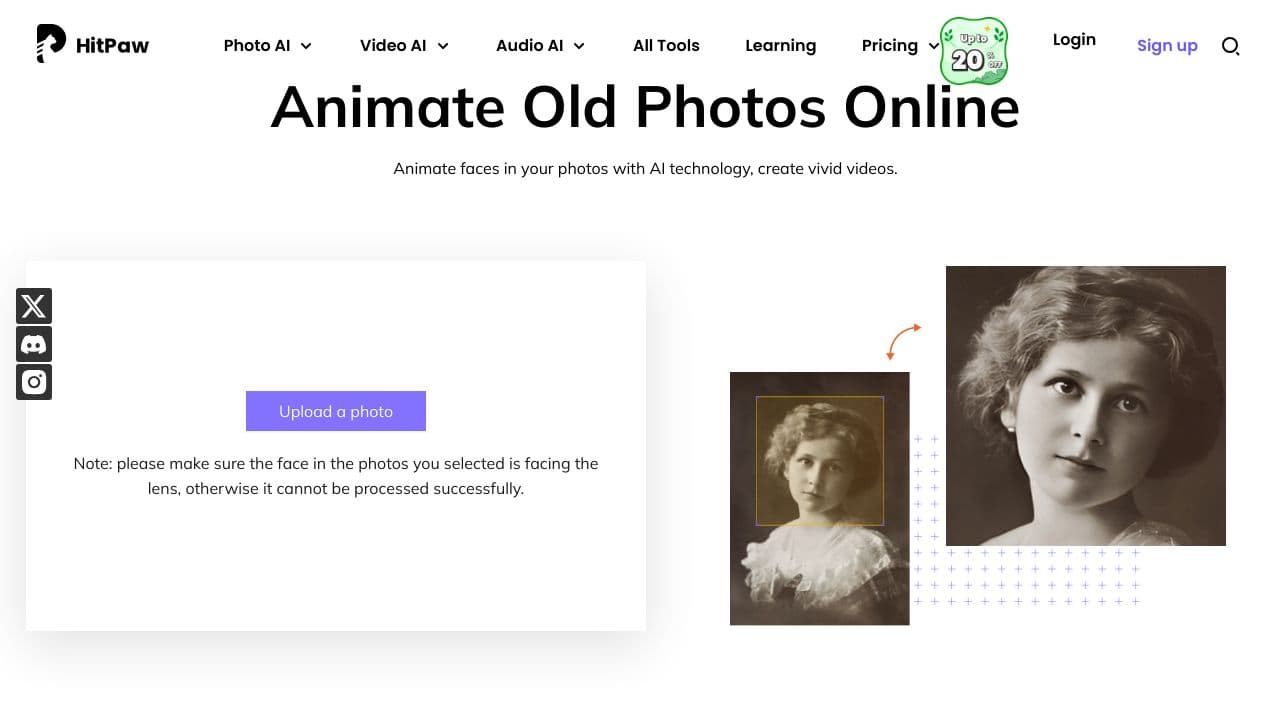
This product is an online application that employs modern AI technology to animate faces in historical photographs, transforming them into lively videos. Its purpose is to breathe new life into old images by incorporating dynamic movements to the faces, delivering a captivating visual experience.
Features Overview
The following features highlight the unique capabilities of this exciting tool.
AI-Driven Animation
using advanced AI, this tool animates the facial expressions in still photos, ensuring a mesmerizing and realistic result that captivates viewers.
Privacy Assurance
Users can feel confident knowing their data is secure as the tool guarantees complete privacy protection with no risk of leaks.
Revitalizing Historical Images
This application is excellent for breathing new life into vintage photos, making them more engaging through animation.
User-Friendly Interface
The process of animating photos is streamlined into three simple steps, making it accessible even for those who are not technically savvy.
Diverse Download Formats
Users have the flexibility to download their animated creations in either MP4 or GIF formats, allowing for versatile use across various platforms.
Frequently Asked Questions
How does the photo animation process work?
The animation process consists of three strAIghtforward steps: uploading the photo, selecting the animation area, and downloading the resultant animated video.
What types of photos work best?
For optimal results, it’s recommended that the face in the photo is clearly visible and facing the camera lens to ensure successful animation.
Can animated photos be shared on social media?
Absolutely! The animated videos can be effortlessly shared across popular social media channels such as TikTok, Instagram Stories, and Twitter, enhancing your online presence.
Is the tool accessible on different devices?
Yes, being a web-based application, it can be accessed from multiple devices and is compatible with a wide array of web browsers, ensuring ease of use for everyone.
How HitPaw Old Photos AI Animator – Photo Animation Software Compares to Alternatives
When choosing AI video generation tools, key factors include pricing structure, specific animation capabilities, and target use cases. For teams working with historical content, specialized photo animation features matter more than general video creation.
| Tool | Best For | Pricing |
|---|---|---|
| HitPaw Old Photos AI Animator | Teams needing to animate historical photos specifically, not general video creation. | Paid only, no free tier available. |
| Pippit AI | Users wanting both AI video and image creation in one platform. | Paid subscription model. |
| Tagshop AI | Marketers creating user-generated content style ads quickly. | Freemium model with free tier. |
| Wan 2.1 AI | Those needing general AI video generation with text-to-video capabilities. | Freemium model available. |
Best For
- Marketing teams creating nostalgic campaigns from company archive photos
- Historical societies animating old photographs for educational content
- Family businesses wanting to animate vintage product photos
- Content creators specializing in historical or retro themed videos
Not Ideal For
- Users needing to create videos from text prompts only
- Teams requiring extensive video editing features beyond photo animation
- Solo creators on tight budgets needing free trial options
Getting Started
Begin by selecting high-quality, well-scanned old photos with clear subjects and good contrast. The AI works best with portraits or images containing distinct human faces. Test with one photo first to understand the animation style before processing batches.
Key Limitations to Consider
- Specifically designed for old photos only, not general image animation
- No free trial option to test capabilities before purchasing
- Limited to photo animation rather than full video creation features
- May struggle with heavily damaged or low-quality source images
Related Workflows and Tool Pairings
HitPaw Old Photos AI Animator fits into content creation workflows where historical visuals need modernization. After animating photos, users typically export to video editing software for adding music, voiceovers, and transitions. This tool pairs well with archival photo scanning services to digitize physical collections first. For distribution, social media scheduling platforms help publish the animated content systematically. The animated videos also work as assets in presentation tools for educational or corporate training materials, bringing historical context to life in meetings and courses.
Related tools to explore: AI Anime Generator – Anime Art Creator, AI Hug – Virtual Hug Creator, AI Hugging – AI Hugging Creator, AIJoel – Multi-Modal Generator, AISaver – Video Downloader & Face Swap, AIcut – Faceless Video Creator, Video Generators tools
Conclusion
To summarize, this innovative application is perfect for individuals wanting to bring a fresh perspective to their cherished historical photographs, making them more striking and memorable. However, it may not suit those who prefer traditional photo editing methods without animation.
Pricing
HitPaw Old Photos AI Animator – Photo Animation Software is apaid AI video generators tool. Visit the official website for current pricing plans and details.
Last verified: April 2026
Explore more: Browse all AI Video Generators tools
