








Quick Verdict
Live PortrAIt AI excels at creating lifelike photo animations completely free, making it accessible for basic video generation needs. Its main limitation is the lack of advanced editing features compared to paid competitors. Teams and businesses needing simple, cost-effective animated portraits should consider this tool, especially for quick social media content or internal presentations where budget is a primary concern.
Live PortrAIt AI – Lifelike Photo Animation
- Category: Video Generators
- Pricing: Free
- Best for: Teams and businesses needing AI video generators capabilities
Background Check on Live PortrAIt AI – Lifelike Photo Animation
We ran a background check on liveportrAIt.org to verify its safety, security posture, hosting infrastructure, and web history. Here are the results as of April 19, 2026.
✓ Cross Origin Resource Sharing (CORS), Redirection, Strict Transport Security (HSTS), Subresource Integrity
✗ Content Security Policy (CSP), Cookies, X-Content-Type-Options, X-Frame-Options
Source: Mozilla Observatory report
What is it?
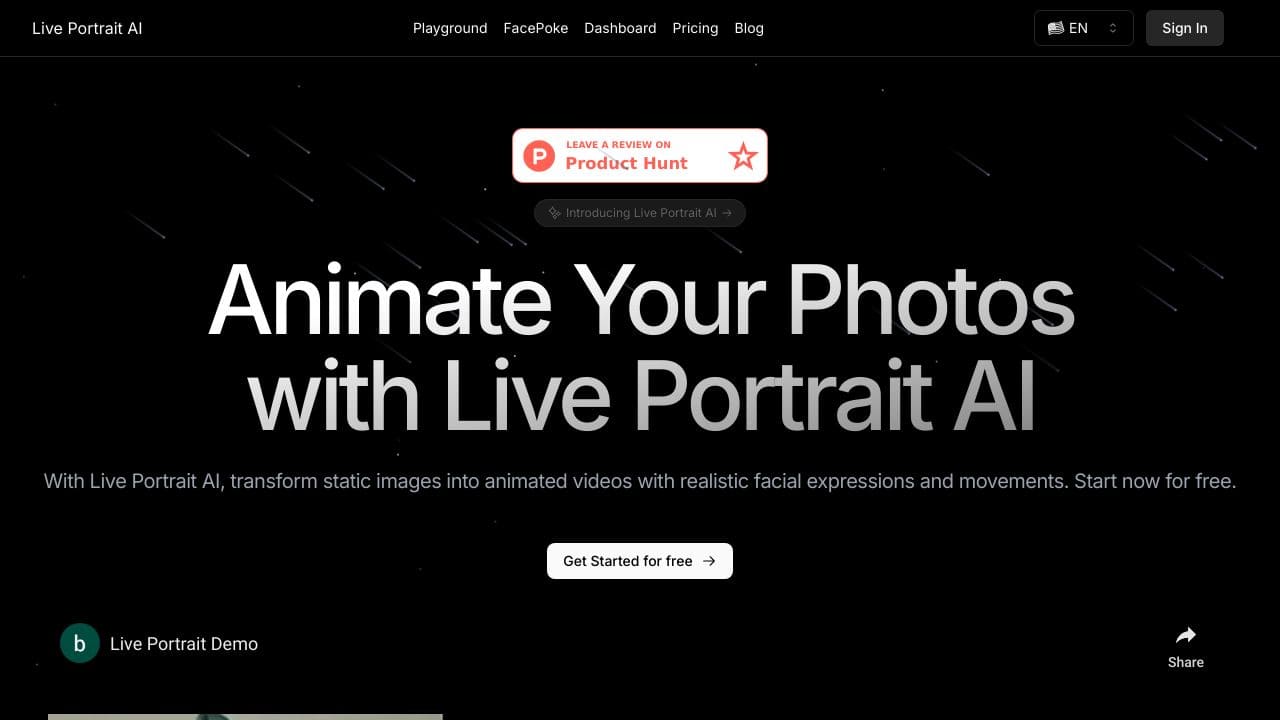
Live PortrAIt AI is a advanced artificial intelligence technology that animates static images, converting them into realistic videos. This tool enables users to generate captivating video content from still photos, making it an invaluable tool for multiple industries and applications.
Live PortrAIt AI Features
This product comes packed with powerful features designed to cater to a variety of user needs.
Realistic Animation
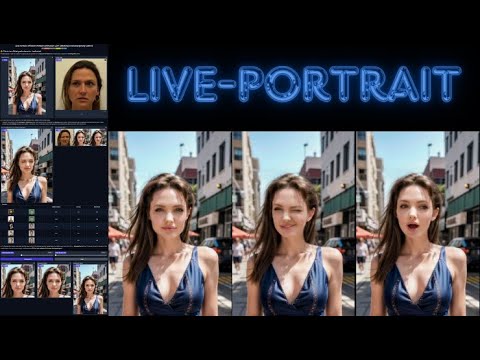
The primary feature of Live PortrAIt AI is its ability to perform lifelike animations of facial features. Upon uploading a still photo, the technology identifies key facial characteristics and applies a range of motion patterns to simulate natural expressions, including eye movements and mouth actions, resulting in a vivid animated portrayal.
Background and Ambient Effects
To enhance the overall realism of the generated video, Live PortrAIt AI incorporates background elements and ambient sounds. These additions create a more immersive experience, helping viewers to feel more connected to the animated content.
Versatile Use Cases
This technology serves a diverse array of applications, from personal video greetings to marketing campAIgns. Users can effectively tAIlor their communication for cultural relevance, making animations that resonate with different audiences.
Accessibility and Developer Options
Live PortrAIt AI also offers API access, enabling developers to embed the animation capabilities into their own platforms. This flexibility allows for wide-ranging applications, whether in mobile apps or web solutions.
Live PortrAIt AI FAQ
How does Live PortrAIt AI work?
The process begins when users upload a still image. The advanced algorithms analyze facial features and animate them realistically, ensuring the output video mimics genuine human emotions and movements.
What devices are compatible with Live PortrAIt AI?
Live PortrAIt AI is designed to work smoothly with various devices and operating systems, ensuring users can access its features regardless of their technology setup. This compatibility includes support for multiple photo formats and resolutions.
Can businesses use Live PortrAIt AI for marketing?
Absolutely! Businesses can uses this tool to create engaging marketing content that incorporates animated videos, providing a unique way to reach and connect with audiences effectively.
Is there a community for Live PortrAIt AI users?
Yes, users can participate in a vibrant community that shares tips, resources, and best practices for maximizing the potential of Live PortrAIt AI. The community also hosts forums and webinars to enhance user engagement.
How Live PortrAIt AI – Lifelike Photo Animation Compares to Alternatives
When choosing a video generation tool, key factors include pricing structure, output quality, and specific use case alignment. For teams evaluating Live PortrAIt AI, understanding how it stacks up against alternatives in features and cost helps determine the right fit.
| Tool | Best For | Pricing |
|---|---|---|
| Live PortrAIt AI | Teams needing free, basic lifelike photo animations without advanced editing requirements. | Completely free with no tier limitations. |
| Pippit AI | Users requiring both AI video and image creation with more comprehensive editing tools. | Paid subscription with likely advanced features. |
| Tagshop AI | Businesses focused specifically on generating user-generated content style ads. | Freemium model with basic free tier. |
| Wan 2.1 AI | Those needing general AI video generation beyond just portrait animation. | Freemium with limitations on free usage. |
Best For
- Small teams creating animated profile pictures for company websites.
- Marketing departments needing quick social media portrait animations.
- Startups with zero budget for basic video content creation.
- Internal presentations requiring simple animated employee photos.
Not Ideal For
- Professional video editors needing advanced timeline controls.
- Large campaigns requiring custom branding and watermarks.
- Users who need to animate multiple photos in batch processes.
Getting Started
Begin with a high-quality, well-lit portrait photo as your source image for best results. Test with different facial expressions to see how the animation interprets subtle details. Since it’s free, experiment with multiple uploads to understand the tool’s capabilities before committing to a final project.
Key Limitations to Consider
- Limited to portrait photo animation only, not full video generation.
- No advanced editing features like text overlays or background changes.
- Free model may have restrictions on output resolution or length.
- Lacks team collaboration features for shared project management.
- Animation styles are preset with limited customization options.
Related Workflows and Tool Pairings
Live PortrAIt AI fits well into content creation workflows where animated portraits serve as engaging elements. After generating animations, users typically need image editing tools to resize, crop, or adjust colors for different platforms. Video editing software complements this tool by allowing integration of animated portraits into larger video projects with transitions and audio. Social media scheduling platforms are also natural partners, as the animated portraits work well for profile updates, story content, or short promotional clips. The free nature makes it ideal for early-stage content testing before investing in more comprehensive video solutions.
Related tools to explore: AI Anime Generator – Anime Art Creator, AI Hug – Virtual Hug Creator, AI Hugging – AI Hugging Creator, AIJoel – Multi-Modal Generator, AISaver – Video Downloader & Face Swap, AIcut – Faceless Video Creator, Video Generators tools
Conclusion
In summary, Live PortrAIt AI is a modern solution ideal for individuals and businesses seeking to animate still photos into engaging videos. It offers a practical and cost-effective alternative to traditional video production methods. This product is especially suitable for content creators and marketers looking to enhance engagement, though it might not fully meet the needs of those seeking extreme customization in video editing.
Pricing
Live PortrAIt AI – Lifelike Photo Animation is afree AI video generators tool. No payment required to get started.
Last verified: April 2026
Explore more: Browse all AI Video Generators tools
