














Quick Verdict
Google Earth Studio excels at creating professional-looking earth imagery animations with its keyframe animation system that works like traditional animation software. The free pricing and quick-start templates make it accessible for beginners. However, it’s specifically tied to Google Earth imagery, limiting creative flexibility. Marketers, educators, and content creators who need geographic visualizations should consider this tool.
Google Earth Studio – AI Earth Imagery Animation
- Category: Education, Marketing, Video Generators
- Pricing: Free
- Best for: Animators and video creators needing dynamic maps
Background Check on Google Earth Studio – AI Earth Imagery Animation
We ran a background check on www.youtube.com to verify its safety, security posture, hosting infrastructure, and web history. Here are the results as of April 19, 2026.
✓ Cookies, Cross Origin Resource Sharing (CORS), Redirection, Strict Transport Security (HSTS), X-Content-Type-Options, X-Frame-Options
✗ Content Security Policy (CSP)
Source: Mozilla Observatory report
What is Google Earth Studio?
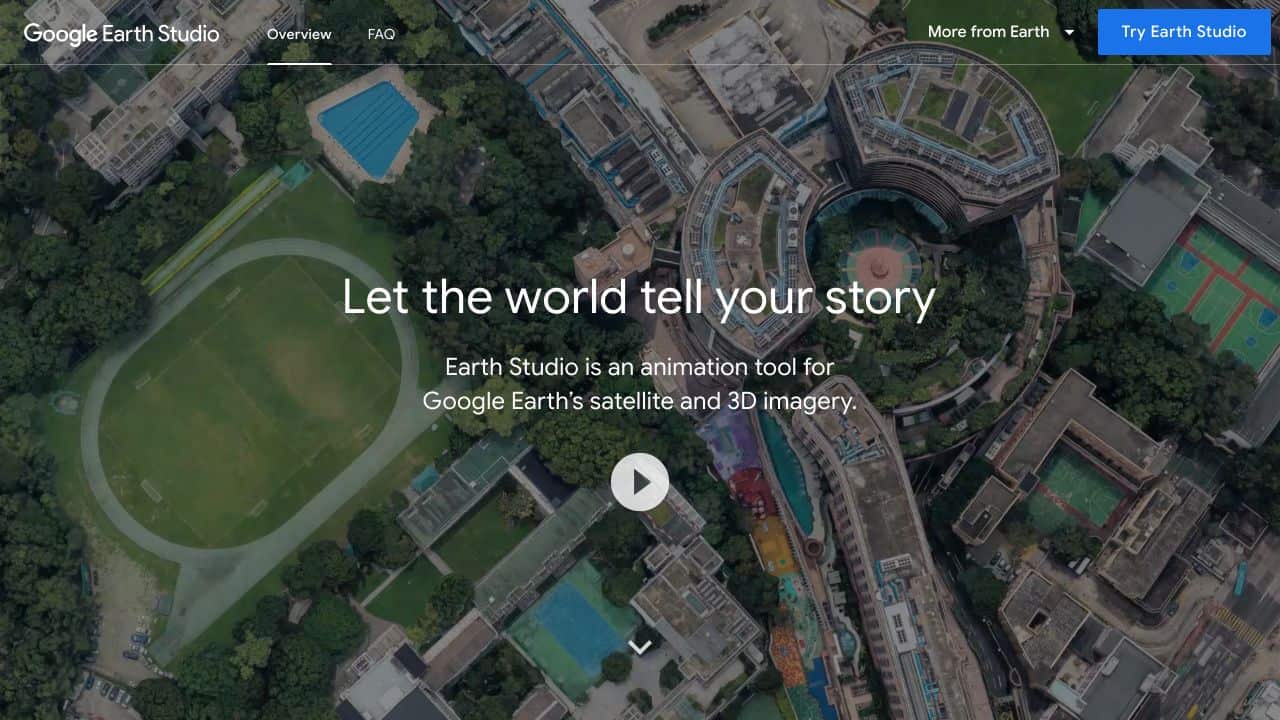
Google Earth Studiois a web-based animation tool that lets you create stunning, cinematic animations using Google Earth’s satellite and 3D imagery. Think of it as your personal storytelling canvas, where you can bring the world to life with smooth camera movements, dynamic effects, and professional-grade animations – all within your browser. Whether you’re a filmmaker, educator, or marketer, this tool makes it easy to craft visually compelling narratives with a geographic twist.
Google Earth Studio Features
Here’s what makes Google Earth Studio stand out:
- Keyframe Animation: Create smooth animations by setting keyframes, just like in professional animation software.
- Quick-Start Templates:Choose from up to five templates to jumpstart your project – no animation experience needed.
- Animatable Effects: Customize animations by adjusting the sun’s position, camera field of view, and more.
- 3D Camera Export: Export your camera data to Adobe After Effects for advanced post-production work.
- Free to Use: Access the tool at no cost, though you’ll need to request access with your Google account.
Google Earth Studio Use Cases
Wondering how you can use Google Earth Studio? Here are some ideas:
- Filmmakers: Create breathtaking establishing shots or dynamic backdrops for your films.
- Educators: Make geography and history lessons more engaging by animating real-world locations.
- Marketers: Craft visually stunning promotional videos that highlight locations or travel destinations.
- Urban Planners: Visualize city development projects with realistic 3D animations.
- Environmentalists: Showcase the impact of climate change by animating before-and-after scenarios.
For example, a travel agency could use Google Earth Studio to create a virtual tour of a destination, complete with smooth transitions and animated effects.
How Google Earth Studio – AI Earth Imagery Animation Compares to Alternatives
When choosing earth imagery animation tools, key factors include animation capabilities, data sources, and ease of use. Google Earth Studio stands out for its direct integration with Google’s extensive satellite imagery database and professional animation features.
| Tool | Best For | Pricing |
|---|---|---|
| Google Earth Studio | Creating smooth geographic animations using Google Earth’s satellite imagery database | Completely free with no usage limits |
| PathwiseAI | Generating customized cover letters and job application documents automatically | Freemium model with paid upgrades |
| Utobo | Building and selling complete online courses with teaching tools | Paid subscription required |
| Acadle | Managing employee training programs and customer education portals | Enterprise pricing structure |
Best For
- Marketing teams creating location-based promotional videos
- Educators developing geography or environmental science lessons
- Documentary filmmakers needing aerial location transitions
- Real estate professionals showcasing property locations
Not Ideal For
- Creating animations with custom 3D models or buildings
- Users needing real-time satellite imagery updates
- Projects requiring animation of non-earth celestial bodies
Getting Started
Begin with the quick-start templates to understand the animation workflow before creating custom projects. Practice setting keyframes at different zoom levels and camera angles to master smooth transitions. Export your first animation at a lower resolution to test the rendering process quickly.
Key Limitations to Consider
- Limited to Google Earth’s available imagery, which may not cover all locations
- No ability to import custom 3D models or alternative map data sources
- Requires stable internet connection for accessing imagery database
- Animation exports are video files only, no interactive formats
- Advanced camera movements may require significant keyframe adjustments
Related Workflows and Tool Pairings
Google Earth Studio fits into content creation workflows where geographic visualization enhances storytelling. After creating earth animations, users typically import them into video editing software for polishing with titles, music, and additional footage. Screen recording tools can capture live presentations incorporating these animations, while presentation software allows embedding them into slideshows. The tool works well alongside graphic design software for adding custom overlays and data visualization tools for highlighting specific geographic patterns. For educational content, learning management systems can host the final videos alongside supplementary materials.
Related tools to explore: 100DaysOfAI – DAIly AI Lessons, 3DFY – AI 3D Model Creator, AI Detector – AI Generated Content Detection, AI Experiments – AI Experiment Platform, AI LMS by Coursebox – AI Education Course Creator, AI Quiz Generator – AI Interactive Course Creator, Education tools, Marketing tools
Conclusion
Google Earth Studio is a strong option for anyone looking to create professional, geography-based animations. With its intuitive interface, powerful features, and smooth integration with Google Earth and Adobe After Effects, it’s a tool that’s both accessible and versatile. Whether you’re telling a story, teaching a lesson, or promoting a product, Google Earth Studio gives you the tools to make your vision come to life. Best of all? It’s free to use. So why not give it a try and see where your creativity takes you?
- https://www.youtube.com/user/googleearthweb
- https://facebook.com/googleearth
- https://twitter.com/googleearth
Pricing
Google Earth Studio – AI Earth Imagery Animation is afree AI education tool. No payment required to get started.
Frequently Asked Questions
What is Google Earth Studio – AI Earth Imagery Animation?
Google Earth Studio is a web-based animation tool that lets you create stunning, cinematic animations using Google Earth’s satellite and 3D imagery. Think of it as your personal storytelling canvas, where you can bring the world to life with.
Is Google Earth Studio – AI Earth Imagery Animation free?
Yes, Google Earth Studio – AI Earth Imagery Animation is completely free to use.
What are the best Google Earth Studio – AI Earth Imagery Animation alternatives?
There are many AI education tools available. Browse our AI Education tools directory to compare features, pricing, and reviews for the best alternatives.
Last verified: April 2026
Explore more: Browse all AI Education tools | Browse all AI Marketing tools
