













Quick Verdict
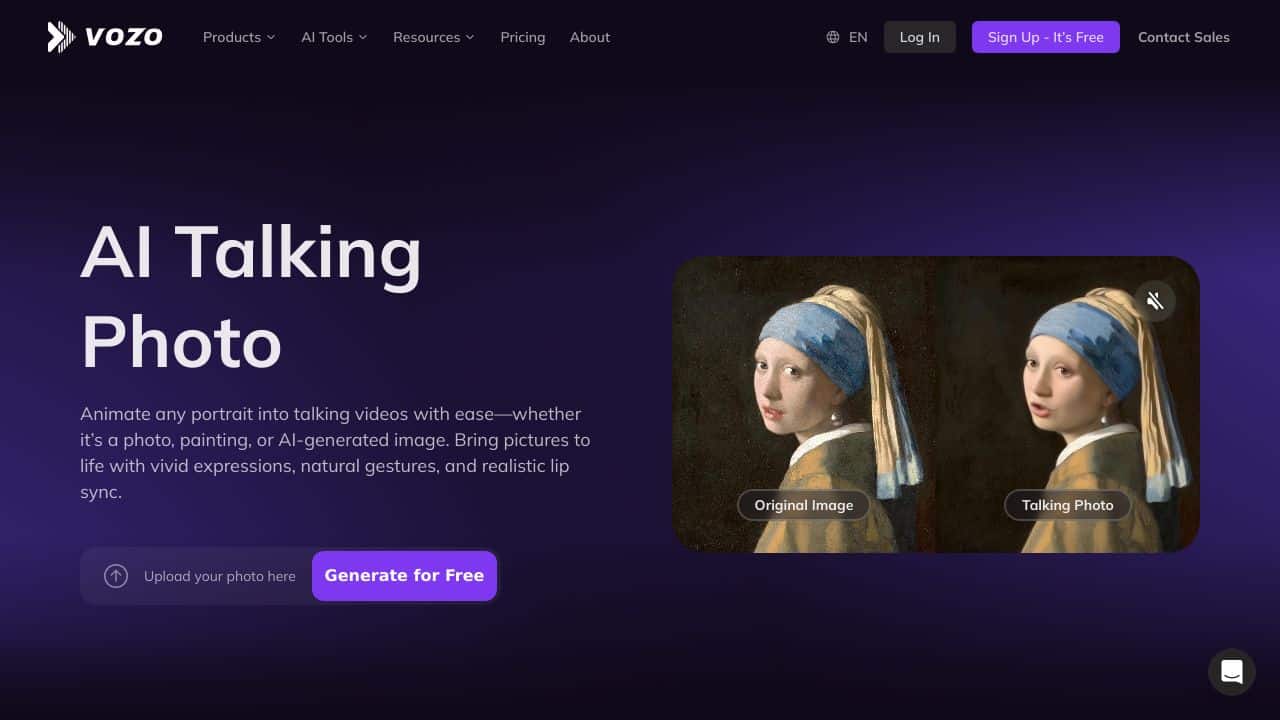
AI Talking Photo excels at animating static photos with voice integration, making images talk in a surprisingly realistic way. Its free pricing removes financial barriers for experimentation. However, the tool’s capabilities appear limited compared to more comprehensive AI image editing platforms. Teams and businesses needing basic animated talking photos for social media or presentations should consider this tool.
AI Talking Photo – Dynamic Photo Animator
- Category: Image Editing, Voice
- Pricing: Free
- Best for: Teams and businesses needing AI image editing capabilities
Background Check on AI Talking Photo – Dynamic Photo Animator
We ran a background check on www.vozo.AI to verify its safety, security posture, hosting infrastructure, and web history. Here are the results as of April 18, 2026.
✓ Cross Origin Resource Sharing (CORS), Redirection, Referrer Policy, Strict Transport Security (HSTS), X-Content-Type-Options, X-Frame-Options
✗ Content Security Policy (CSP), Subresource Integrity
Source: Mozilla Observatory report
What is it?
AI Talking Photo is a modern, AI-powered solution designed to convert images into lifelike, animated avatars that can convey personalized messages based on the text provided. It offers a selection of avatars, along with the option to upload a unique photo, allowing users to generate captivating videos where avatars appear to articulate the supplied script. This functionality makes it an exceptional resource for crafting interactive and tAIlored video messages, marketing visuals, educational content, or virtual presentations, presenting a distinct method for businesses, educators, and individuals to connect with their target audience.
AI Talking Photo Features
This tool is packed with impressive features that elevate video content creation.
Pre-Generated and Customizable Avatars
The platform provides an extensive library of pre-made avatars, enabling users to quickly select an animated figure for their videos. Moreover, users have the flexibility to upload their own images to craft distinctive avatars, enhancing the diversity of their creations.
Text-to-Video Conversion
After selecting or uploading an avatar, users can type any desired message, and the AI technology aligns the avatar’s lip movements with the text, creating the illusion that the avatar is articulating the scripted message smoothly.
User-Friendly Interface
The strAIghtforward setup guides users through the process of choosing avatars, inputting text, and generating videos, ensuring that AI Talking Photo remAIns accessible to individuals without technical skills.
Focused on Accessibility
The design prioritizes a simple user experience, allowing individuals from various backgrounds and expertise levels to produce talking-head videos efficiently. The tool’s streamlined nature ensures professional outcomes within just a few steps.
AI Talking Photo FAQ
How does AI Talking Photo create video content?
AI Talking Photo utilizes advanced artificial intelligence to synchronize the lip movements of avatars with the text input by users, resulting in realistic video outputs where the avatar speaks the provided script.
Can I use my own images for avatars?
Yes, users have the option to upload their custom photos, which can then be transformed into personalized avatars, making it suitable for various applications.
Is technical knowledge required to use AI Talking Photo?
No, the platform is designed to be user-friendly, guiding users through each step, thus requiring no prior technical expertise to create engaging videos.
What potential uses does AI Talking Photo have?
This tool can be utilized across multiple sectors such as marketing, education, and corporate trAIning, enhancing communication and engagement through animated, personalized content.
How AI Talking Photo – Dynamic Photo Animator Compares to Alternatives
When choosing AI Image Editing tools, key factors include animation capabilities, voice integration, pricing structure, and output quality. This comparison focuses on how AI Talking Photo stacks up against alternatives that offer different feature sets and business models.
| Tool | Best For | Pricing |
|---|---|---|
| AI Talking Photo – Dynamic Photo Animator | Teams and businesses needing free animated talking photos with voice integration | Completely free with no cost barriers |
| Pykaso – Get Your AI Influencer Viral | Marketers creating viral AI influencer content with advanced animation features | Paid service with premium features |
| HeadshotGenerator.io – AI Headshot Generator Kit | Professionals needing high-quality AI-generated headshots for business profiles | Freemium model with free and paid tiers |
| Photoroom – AI Photo Editing Platform | Users requiring comprehensive photo editing beyond just animation capabilities | Freemium model with advanced paid features |
Best For
- Social media managers creating engaging animated content for platforms
- Presentation designers adding talking photos to business slides
- Small teams with limited budgets needing basic photo animation
- Educators creating interactive learning materials with animated characters
Not Ideal For
- Professional photographers needing advanced image editing tools
- Users requiring high-resolution commercial quality animations
- Teams needing batch processing for large volumes of images
Getting Started
Start with a clear, well-lit headshot photo for best results. Record your voiceover separately in a quiet environment before uploading. Experiment with different facial expressions in your source photo to see how the animation responds.
Key Limitations to Consider
- Limited to animating faces rather than full body movements or scenes
- Voice integration may have quality constraints compared to professional audio tools
- No advanced editing features beyond basic photo animation capabilities
- Free model likely means limited customer support and documentation
Related Workflows and Tool Pairings
AI Talking Photo fits into content creation workflows where static images need dynamic enhancement. After creating your talking photo, you’ll typically export it to video editing software for further refinement, adding background music or integrating with other visual elements. This tool pairs well with screen recording software for capturing the animated output, basic audio editing tools for voiceover preparation, and social media scheduling platforms for distributing the final content. The free nature makes it ideal for testing concepts before investing in more expensive animation solutions, serving as a gateway tool in the content production pipeline.
Related tools to explore: 1PX.AI – AI Image Editing Bulk, ACDSee – AI Photo Management, AI Character Generator – AI Storyboard Character Creation, AI Face Swap – Seamless Face Swapper, AI Facefy – Face Swap Creator, AI Filter – Photo Style Transformer, Image Editing tools, Voice tools
Conclusion
In summary, AI Talking Photo is an innovative tool ideal for anyone looking to enhance their communication through dynamic video content. It particularly suits marketers, educators, and individuals wanting to create personable messages without the need for complex video production skills. However, it may not be suitable for users seeking advanced video editing capabilities beyond animation and simple text integration.
Pricing
AI Talking Photo – Dynamic Photo Animator is afree AI image editing tool. No payment required to get started.
Last verified: April 2026
Explore more: Browse all AI Image Editing tools | Browse all AI Voice tools
