









Quick Verdict
Wave.Video excels at providing AI-powered video editing capabilities specifically designed for team collaboration and business use. Its main limitation is the paid pricing model, which may deter individual creators or those on tight budgets. Marketing teams, content agencies, and businesses needing to produce professional video content efficiently should strongly consider this tool.
Wave.Video – Video Creation Suite
- Category: Video Editing, Video Generators
- Pricing: Paid
- Best for: Teams and businesses needing AI video editing capabilities
Background Check on Wave.Video – Video Creation Suite
We ran a background check on wave.video to verify its safety, security posture, hosting infrastructure, and web history. Here are the results as of April 20, 2026.
- Server: nginx
- Hosting: AMAZON-02 – Amazon.com, Inc., US (US)
- SSL Certificate: Amazon RSA 2048 M02 (certificate age: 249 days)
- Domain Age: ~8 years (2,922 days)
Source: urlscan.io scan report
✓ Cross Origin Resource Sharing (CORS), Redirection
✗ Content Security Policy (CSP), Strict Transport Security (HSTS), Subresource Integrity, X-Content-Type-Options
Source: Mozilla Observatory report
What is it?
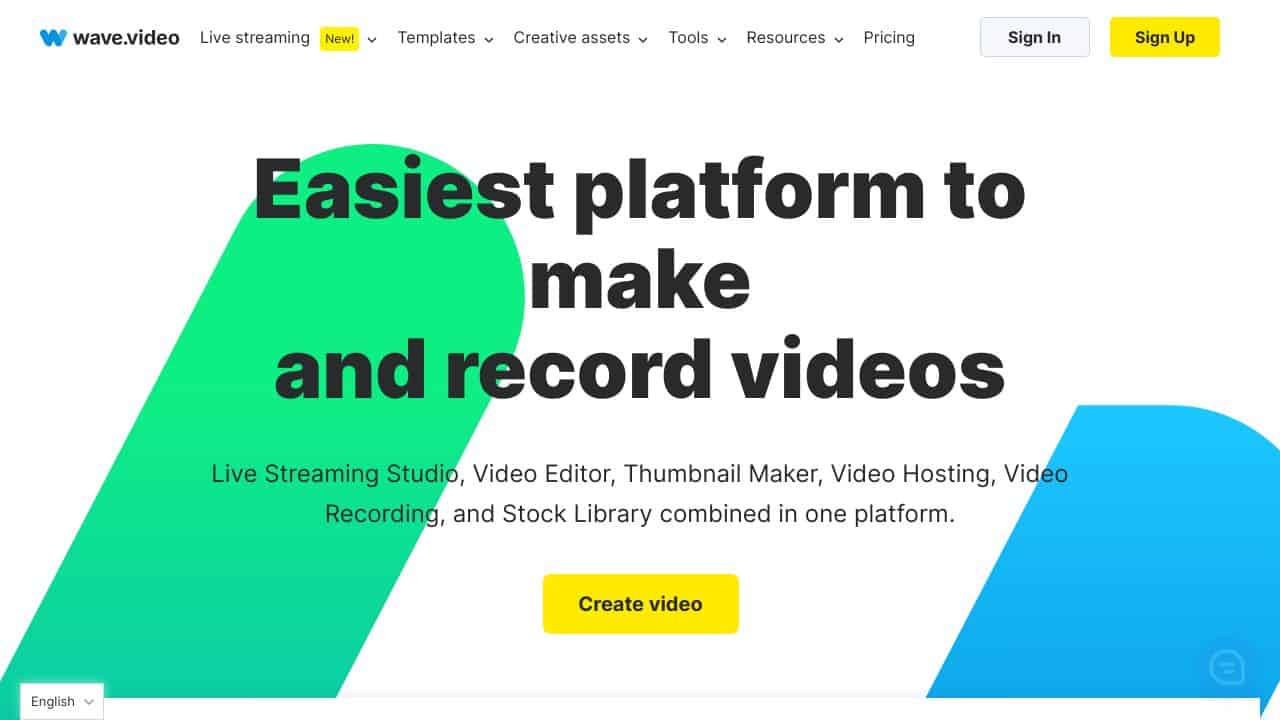
Wave.video is an all-encompassing video recording and editing platform that facilitates live streaming on multiple channels simultaneously, along with features like video editing and thumbnAIl generation. It employs advanced technologies to enhance the creative workflow and makes it available through your web browser.
Wave.video Features
This platform offers an array of innovative tools designed to simplify various aspects of video production.
Online Video Editor
Editing videos often involves cumbersome tasks like resizing, trimming, or adding text, which can be overwhelming for many users. The Online Video Editor from Wave.video alleviates this burden by providing a user-friendly interface that shortcuts the time-consuming tasks typically associated with video editing.
Customizable Live Streaming Studio
Create engaging live streams with other content creators and broadcast your sessions to selected streaming platforms. This feature allows you to publish pre-recorded material and adjust the arrangement of face cams to suit your preferences.
Free ThumbnAIl Maker
Say goodbye to complicated image editing software. The Free ThumbnAIl Maker lets you effortlessly remove backgrounds, adjust layouts, and add attention-grabbing text to create stunning thumbnAIls.
Online Video Recording Tool
Now you can produce impressive videos directly from the Wave.video application at your convenience. The layout and scenes can be customized entirely to fit your vision.
Built-in Stock Library
Incorporating stock footage into your videos can be a daunting task unless you utilize Wave.video’s built-in library, which offers a selection of stock images, videos, and audio tracks for easy integration.
Wave.video FAQ
How do I get started with Wave.video?
To begin, simply create an account and log into the dashboard. From there, you can access all the tools available for live streaming, recording, editing, and more.
Can I integrate with other platforms?
Yes, Wave.video allows smooth integrations with platforms such as Google Drive, YouTube, Facebook, and more, making it a versatile choice for content creators.
Is there a mobile app available?
The entire Wave.video service operates online, which means you can easily use it from any device with an internet connection, although there may not be a designated mobile application.
What kind of support does Wave.video offer?
The company provides support through various social media channels and offers resources for users looking to utilize the platform effectively.
How Wave.Video – Video Creation Suite Compares to Alternatives
When evaluating Video Editing tools, key factors include AI capabilities, collaboration features, and pricing structure. Wave.Video stands out for teams needing integrated AI editing, while alternatives may focus on specific niches like viral content or basic captioning.
| Tool | Best For | Pricing |
|---|---|---|
| Wave.Video – Video Creation Suite | Teams and businesses requiring AI video editing with collaboration tools for professional content. | Paid subscription model. |
| Pykaso – Get Your AI Influencer Viral | Creating viral social media content using AI-generated influencer personas and trends. | Paid, focused on viral marketing. |
| FraimeBot – AI Meme Generator Platform | Generating memes quickly with AI for casual or humorous social media posts. | Free, limited to meme creation. |
| ByteCap – AI Video Caption Tool | Adding accurate captions and subtitles to videos using AI transcription technology. | Paid, specialized for captioning. |
Best For
- Marketing teams producing regular video content for campaigns and social media.
- Businesses needing collaborative video editing with AI-assisted features for efficiency.
- Content agencies that require a unified platform for client video projects.
- Organizations creating training or educational videos with professional editing tools.
Not Ideal For
- Individual hobbyists or solo creators on a zero budget seeking free tools.
- Users who only need basic meme generation or simple captioning without full editing.
- Teams requiring advanced 3D animation or complex visual effects beyond AI editing.
Getting Started
Begin by exploring the AI video templates to quickly create a draft, then use the collaboration features to share it with your team for feedback. Focus on one core project first to learn the interface before scaling up to multiple videos.
Key Limitations to Consider
- No free tier available, which limits accessibility for budget-conscious users.
- AI features may not replace advanced manual editing for highly customized projects.
- Primarily designed for business use, potentially overwhelming for casual individual creators.
- Integration with certain third-party tools or platforms might be limited compared to standalone editors.
Related Workflows and Tool Pairings
Wave.Video fits into a content creation workflow where teams produce and refine video content for marketing, training, or social media. Start by using its AI editing to draft videos based on templates or raw footage. Then, pair it with project management tools to track revisions and deadlines, and social media schedulers to plan and publish the final content. For enhanced results, combine it with graphic design software for custom assets and analytics platforms to measure video performance. This integrated approach streamlines production from ideation to distribution, making it efficient for business environments.
Related tools to explore: 2short.AI – Shorts Clip Generator, AI Face Swap – Seamless Face Swapper, AI Facefy – Face Swap Creator, AI Storyboard Generator – AI Easy Storyboard Creation, AISaver – Video Downloader & Face Swap, AIvideocreator.com – Video Template Generator, Video Editing tools, Video Generators tools
Conclusion
In summary, Wave.video serves as a powerful platform for both beginners and seasoned creators looking to streamline their video production process. It’s particularly beneficial for content creators and marketers who seek a comprehensive solution, though it may not be as suitable for those requiring advanced, standalone software options.
Pricing
Wave.Video – Video Creation Suite is apaid AI video editing tool. Visit the official website for current pricing plans and details.
Last verified: April 2026
Explore more: Browse all AI Video Editing tools | Browse all AI Video Generators tools
