









Quick Verdict
InVideo excels at providing marketers with an accessible AI video creation platform featuring a massive 16 million+ stock media library and natural-sounding AI voiceovers. The freemium model makes it easy to test before committing, though advanced users might find some editing features limited compared to professional software. This tool is ideal for solopreneurs and small marketing teams who need to create engaging social media videos quickly without extensive video editing experience.
InVideo – AI Video Creation Tool
- Category: Social Media, Video Editing, Video Generators
- Pricing: Freemium
- Best for: Content creators needing fast video production
Background Check on InVideo – AI Video Creation Tool
We ran a background check on www.youtube.com to verify its safety, security posture, hosting infrastructure, and web history. Here are the results as of April 19, 2026.
✓ Cookies, Cross Origin Resource Sharing (CORS), Redirection, Strict Transport Security (HSTS), X-Content-Type-Options, X-Frame-Options
✗ Content Security Policy (CSP)
Source: Mozilla Observatory report
What is InVideo AI?
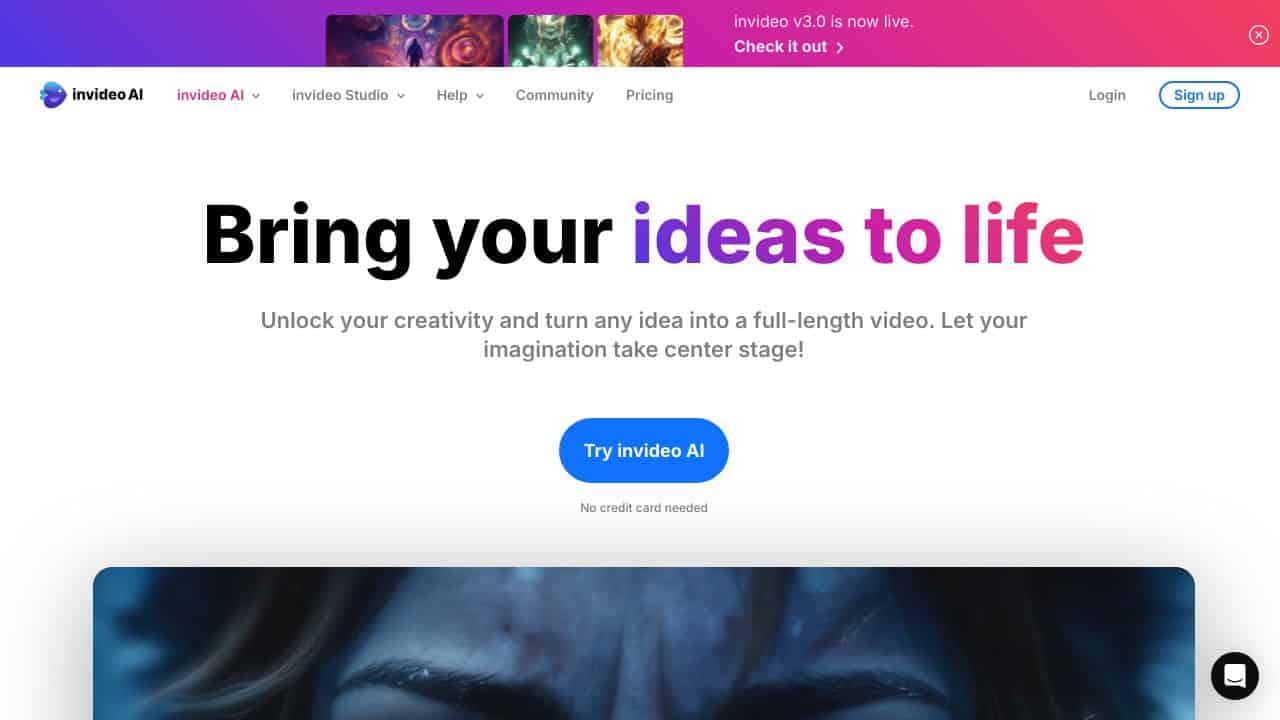
InVideo AI is an all-in-one AI video creation tool designed to bring your ideas to life effortlessly. Whether you’re a beginner or a pro, this tool lets you create stunning videos with just a few clicks. With access to 16M+ stock media, true-to-life voiceovers, and real-time multiplayer editing, InVideo AI is the future of video creation. It’s perfect for anyone with a story to tell, offering endless possibilities to create inspiring videos without constrAInts.
InVideo AI Features
- 16M+ Stock Media: Access a massive library of stock videos, images, and music to elevate your content.
- AI-Generated Voiceovers: Create natural-sounding voiceovers in multiple languages and accents.
- Real-Time Collaboration: Work with your team smoothly using multiplayer editing.
- Effortless Editing: Drag-and-drop interface makes editing as simple as pie.
- Mobile App: Edit on the go with the InVideo AI mobile app.
- Customizable Templates: Choose from thousands of templates tAIlored for social media, ads, and more.
InVideo AI Use Cases
- Social Media Content: Create eye-catching Instagram Reels, TikTok videos, or YouTube shorts in minutes.
- Marketing CampAIgns: Businesses can craft professional ads without hiring a video editor.
- Educational Videos: Teachers and trAIners can make engaging tutorials or presentations.
- Personal Projects: Bloggers or freelancers can turn their ideas into polished videos for their audience.
- Non-Profit Storytelling: Share impactful stories to inspire and drive action.
How InVideo – AI Video Creation Tool Compares to Alternatives
When choosing a Social Media tools AI tool, consider your primary content format, budget constraints, and specific platform needs. Video-focused tools like InVideo offer different value than text-based or multi-platform automation solutions.
| Tool | Best For | Pricing |
|---|---|---|
| InVideo | Creating AI-powered social media videos with extensive stock media and voiceovers | Freemium model with free tier available |
| LinkedGrow | AI-powered LinkedIn content creation and platform-specific optimization | Paid subscription required |
| BrandMov | Lifetime access to brand motion graphics and animated content creation | One-time lifetime payment |
| Social 360 Suite | Comprehensive social media management across multiple platforms simultaneously | Lifetime deal pricing available |
Best For
- Solopreneurs creating weekly social media video content on a budget
- Marketing teams needing quick promotional videos with stock assets
- Content creators who want AI voiceovers without hiring voice talent
- Small businesses producing regular video content for multiple platforms
Not Ideal For
- Professional video editors needing advanced timeline editing features
- Enterprises requiring custom branding and strict compliance controls
- Users who primarily create text-based content without video elements
Getting Started
Begin by exploring the 16 million+ stock media library to understand what assets are available for your projects. Create a simple 30-second video using the AI voiceover feature to test the natural-sounding capabilities. Use the freemium tier to experiment with different templates before upgrading for more advanced features.
Key Limitations to Consider
- The AI voiceovers may lack emotional nuance compared to professional human voice actors
- Advanced video editing features are limited compared to professional desktop software
- Stock media library access might require premium subscription for full usage
- Export options and resolution may be restricted on free tier plans
- Custom branding options could be limited for enterprise-level requirements
Related Workflows and Tool Pairings
InVideo fits naturally into content creation workflows where video is a primary engagement tool. Start by using social media listening tools to identify trending topics, then create responsive videos in InVideo using relevant stock media and AI voiceovers. After creation, pair InVideo with social media scheduling tools to plan and distribute content across platforms efficiently. For analytics, combine InVideo videos with social media monitoring tools to track engagement metrics and refine future video content based on performance data. This creates a complete cycle from ideation to distribution to measurement.
Related tools to explore: AI Image to Caption Generator – AI Photo Caption Generator, AI Logo Maker – Logo Design Creator, AI Meme Maker – Meme Creation Tool, AI Social Media Post Generator – AI Timely Content Publishing, AI Sticker Generator – AI Sticker Creator, AI SuitUp – AI Professional Headshot Creation, Social Media tools, Video Editing tools
Conclusion
InVideo AI is a strong option for anyone looking to create videos quickly and professionally. With its AI-powered features, vast media library, and user-friendly interface, it’s perfect for all skill levels. Whether you’re a business, educator, or content creator, InVideo AI gives you the tools to tell your story your way. Ready to bring your ideas to life? Give InVideo AI a try and see the magic unfold!
- https://www.youtube.com/channel/UCgxMiiBKk-xYskc2KNLiBTg
- https://www.instagram.com/invideo.io/
- mAIlto:[email protected]
- https://twitter.com/@InVideoOfficial
- https://www.facebook.com/invideo.io/
- https://www.linkedin.com/company/invideoio
Pricing
InVideo – AI Video Creation Tool offers afreemium plan with optional paid upgrades. Get started for free and upgrade as needed.
Frequently Asked Questions
What is InVideo – AI Video Creation Tool?
InVideo AI is an all-in-one AI video creation tool designed to bring your ideas to life effortlessly. Whether you’re a beginner or a pro, this tool lets you create stunning videos with just a few clicks. With access to 16M+ stock media,.
Is InVideo – AI Video Creation Tool free?
InVideo – AI Video Creation Tool offers a free plan with limited features. Paid plans are available for additional capabilities.
What are the best InVideo – AI Video Creation Tool alternatives?
There are many AI social media tools available. Browse our AI Social Media tools directory to compare features, pricing, and reviews for the best alternatives.
Last verified: April 2026
Explore more: Browse all AI Social Media tools | Browse all AI Video Editing tools
