












Quick Verdict
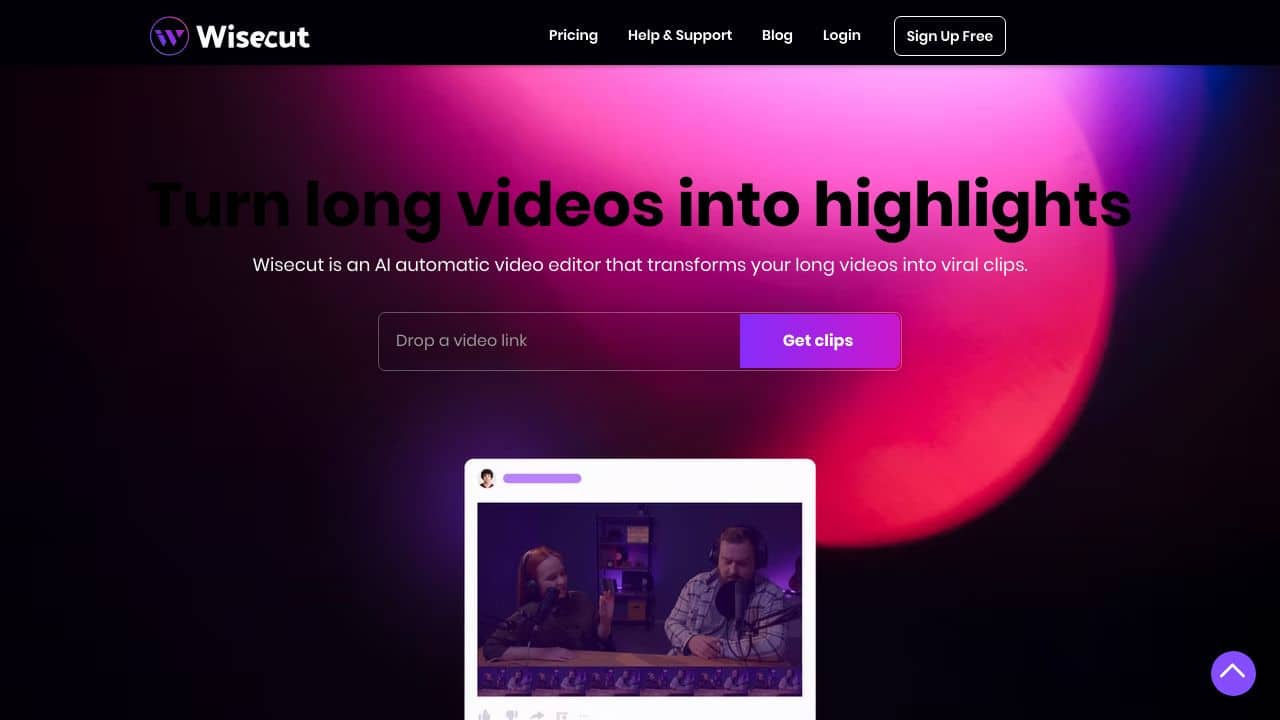
Wisecut excels at automating video clip creation for teams and businesses, saving significant editing time. Its AI-driven approach to video enhancement makes it stand out in basic editing tasks. However, as a paid tool, it may not suit budget-conscious solopreneurs. Marketing teams, content agencies, and businesses needing efficient video production should consider it.
Wisecut – Automatic Video Clip Creator
- Category: Video Editing, Video Enhancer
- Pricing: Paid
- Best for: Teams and businesses needing AI video editing capabilities
Background Check on Wisecut – Automatic Video Clip Creator
We ran a background check on www.wisecut.AI to verify its safety, security posture, hosting infrastructure, and web history. Here are the results as of April 20, 2026.
- Server: Pepyaka
- Hosting: GOOGLE-CLOUD-PLATFORM – Google LLC, US (US)
- SSL Certificate: R12 (certificate age: 10 days)
- Domain Age: ~2 years (922 days)
Source: urlscan.io scan report
✓ Cross Origin Resource Sharing (CORS), Redirection, Strict Transport Security (HSTS), X-Content-Type-Options
✗ Content Security Policy (CSP), Cookies, Subresource Integrity, X-Frame-Options
Source: Mozilla Observatory report
What is it?
This product is an innovative video editing application that utilizes artificial intelligence and voice recognition to automate the editing process.
Video Editing Software Features
Here are some of the standout characteristics of this modern platform.
AI-Powered Video Editing
The software uses AI and voice recognition technology to facilitate automatic cutting and editing of videos. This function is particularly valuable for various types of video content such as YouTube uploads, tutorials, and podcasts.
Automatic Subtitle Generation
This platform supports automatic subtitle creation in multiple languages including English, Spanish, and French, enhancing accessibility for a wider audience.
Auto Cut Silences
The tool can detect and remove extended silences within videos, ensuring a more engaging viewing experience. This feature is useful for getting rid of awkward pauses in longer recordings.
Smart Background Music
Adding background music is made easier, as the software automatically chooses appropriate tracks and syncs them with the video. This eliminates the hassle of manual adjustments.
Automatic Audio Ducking
To keep your audio clear, this tool automatically adjusts the volume levels, lowering background music when someone speaks and rAIsing it during quiet moments.
Product FAQ
What types of videos can I create with this software?
You can create a wide variety of videos, from educational content to social media clips, utilizing its powerful features designed for diverse formats.
Can I generate subtitles in multiple languages?
Yes, the platform supports subtitle generation in several languages and even allows for translations with just one click, enhancing the reach of your content.
Is prior editing experience necessary?
No previous editing experience is required, as the storyboard feature allows for intuitive editing based on the video’s transcribed content.
How does it help with social media marketing?
The software enables users to create short, engaging clips tAIlored for platforms like TikTok and Instagram, making it easier to promote content effectively.
How Wisecut – Automatic Video Clip Creator Compares to Alternatives
When choosing AI Video Editing tools, key factors include automation depth, output quality, and cost efficiency. Wisecut focuses on automatic clip creation and enhancement, while alternatives may prioritize different aspects like captions or meme generation. Consider your primary video editing needs before selecting.
| Tool | Best For | Pricing |
|---|---|---|
| Wisecut | Teams and businesses needing AI-powered automatic video clip creation and enhancement. | Paid subscription model. |
| Pykaso | Creating viral AI influencer content with automated editing features. | Paid service. |
| FraimeBot | Generating memes quickly with AI, ideal for social media engagement. | Free platform available. |
| ByteCap | Adding AI-generated captions to videos to improve accessibility. | Paid tool for captioning. |
Best For
- Marketing teams producing regular social media video clips.
- Content agencies needing fast video editing for client projects.
- Businesses enhancing training or promotional videos automatically.
- Teams without dedicated video editors seeking AI assistance.
Not Ideal For
- Solopreneurs on tight budgets requiring free tools.
- Users needing advanced manual video editing controls.
- Projects focused solely on meme or caption creation.
Getting Started
Upload a raw video file directly to Wisecut and let its AI analyze the content for automatic clip creation. Review the AI-generated clips and use the enhancement features to polish them. Export the final clips in your preferred format for immediate use.
Key Limitations to Consider
- Limited to automatic clip creation and basic enhancement, not full editing suites.
- Paid pricing may exclude individual users or very small teams.
- AI may not perfectly interpret complex editing intentions without manual tweaks.
- Focuses on clip creation, so other video needs require additional tools.
Related Workflows and Tool Pairings
Wisecut fits into video production workflows by handling the initial editing stage, where raw footage is transformed into usable clips. After using Wisecut for automatic clip creation, pair it with a video storage platform to organize assets, and a social media scheduler to distribute clips efficiently. For final touches, a graphic design tool can add overlays or text, while an analytics tool tracks video performance. This integration streamlines content creation from editing to publication, saving time for teams focused on scaling video output.
Related tools to explore: 2short.AI – Shorts Clip Generator, AI Face Swap – Seamless Face Swapper, AI Facefy – Face Swap Creator, AI Storyboard Generator – AI Easy Storyboard Creation, AISaver – Video Downloader & Face Swap, AIvideocreator.com – Video Template Generator, Video Editing tools, Video Enhancer tools
Conclusion
In summary, this innovative video editing software greatly simplifies the editing process, making it an excellent choice for content creators, educators, and professionals. However, it may not be suitable for individuals looking for highly specialized editing capabilities.
Pricing
Wisecut – Automatic Video Clip Creator is apaid AI video editing tool. Visit the official website for current pricing plans and details.
Last verified: April 2026
Explore more: Browse all AI Video Editing tools | Browse all AI Video Enhancer tools
