










Quick Verdict
Guidde excels at creating AI-generated video guides quickly, making it valuable for teams needing visual documentation. One limitation is its paid-only pricing, which may deter individual users or small startups. Businesses with consistent video guide needs should consider it, especially if they prioritize speed over customization. Marketers and training departments will find it most useful for standardized content.
Guidde – AI Video Guide Creator
- Category: Writing Generators
- Pricing: Paid
- Best for: Teams and businesses needing AI writing generators capabilities
Background Check on Guidde – AI Video Guide Creator
We ran a background check on www.guidde.com to verify its safety, security posture, hosting infrastructure, and web history. Here are the results as of April 19, 2026.
✓ Cookies, Cross Origin Resource Sharing (CORS), Redirection, Strict Transport Security (HSTS)
✗ Content Security Policy (CSP), Subresource Integrity, X-Content-Type-Options, X-Frame-Options
Source: Mozilla Observatory report
What is it?
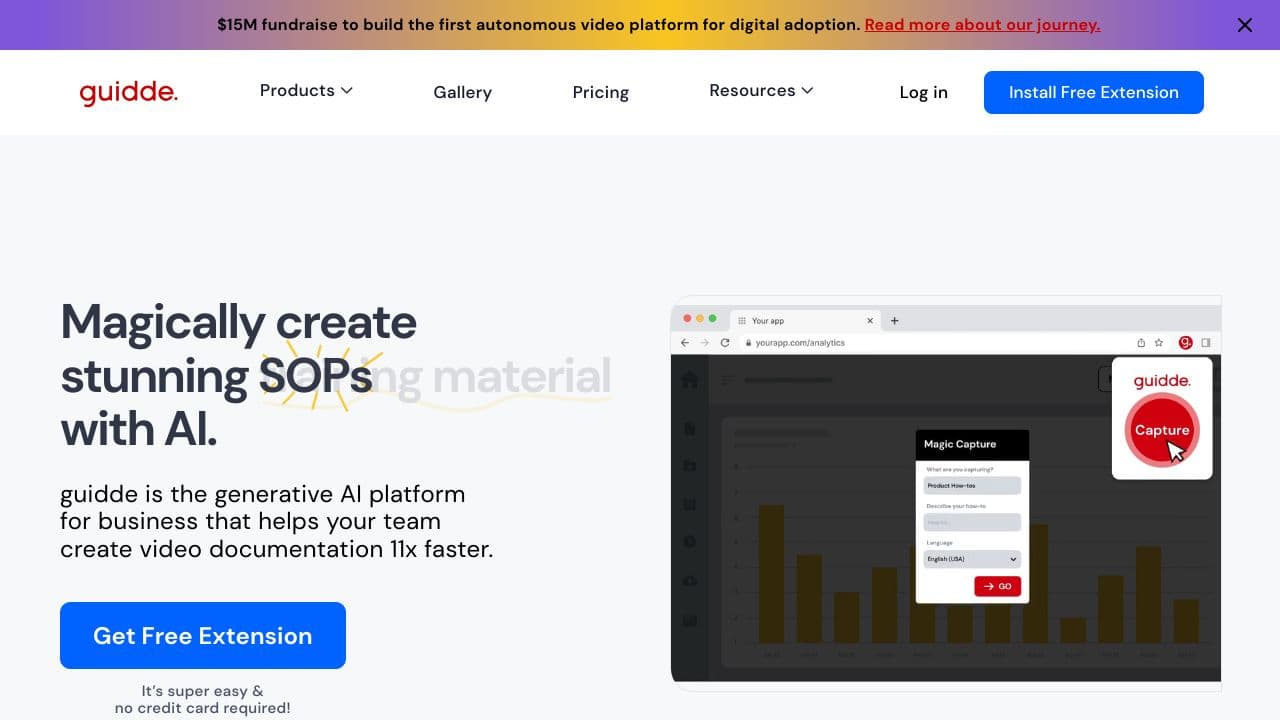
Guidde is a modern solution tAIlored for your video documentation requirements. This AI-enhanced platform, recognized with multiple awards, helps you to create ideal videos, incorporate workflows, add voiceovers, and customize them to suit your preferences.
Guidde Features
Guidde offers a variety of innovative features designed to enhance your video creation process.
Magic Capture
This remarkable AI tool captures your browser effortlessly, breaks your actions into a structured workflow, and includes an appealing description that attracts viewers. Additionally, you have the option to add a voiceover in your preferred language using your chosen AI speaker, making it a great alternative to traditional voice recording.
AI-Generated Voiceover
Amplify your screen recordings with a customized voiceover, adjusting tone, direction, and AI character to create the desired experience for your audience. You can also record voiceovers in multiple languages, allowing you to connect with a wider audience and boost your market reach.
Visual Designer
Enhance your video content by integrating graphics and other visuals that can be tAIlored to meet your specific requirements. This feature ensures that your videos remAIn engaging and eye-catching.
Accessibility and Developer Options
Guidde integrates flawlessly with various platforms such as GitLab, GitHub, Clickup, Webflow, SharePoint, WordPress, and Slack, among others. This interoperability allows for a smooth workflow across different applications.
Guidde FAQ
How does Magic Capture work?
Magic Capture operates by effortlessly recording your browser activity, converting it into a coherent workflow, while simultaneously generating a descriptive narrative that enhances the viewer’s understanding.
Can I use Guidde on different operating systems?
Yes, Guidde is compatible with both Windows and macOS, making it accessible on your preferred device thanks to its extensive integrations.
Is there a community for Guidde users?
Absolutely! You can find communities associated with Guidde on platforms such as LinkedIn, Facebook, Twitter, TikTok, and YouTube, providing numerous opportunities for networking and support.
What third-party applications can I integrate with Guidde?
Guidde provides smooth integration with a variety of applications including GitLab, GitHub, Clickup, Webflow, SharePoint, WordPress, and Slack, facilitating enhanced collaboration and productivity.
How Guidde – AI Video Guide Creator Compares to Alternatives
When choosing AI Writing Generators tools, consider factors like output format, pricing flexibility, and target use cases. Guidde focuses specifically on video guides, while competitors may offer broader content types or different pricing models. Evaluate based on whether video creation is your primary need or if you require more diverse writing capabilities.
| Tool | Best For | Pricing |
|---|---|---|
| Guidde – AI Video Guide Creator | Teams needing quick AI-generated video guides for training or documentation. | Paid only, no free tier. |
| XXAI: 15 Top AI Models All-in-One Place | Users wanting multiple AI models for various writing tasks beyond video. | Freemium model with basic free access. |
| IELTSWritingPro – AI IELTS Writing Assistant | Individuals preparing for IELTS exams with specific writing feedback. | Free trial available, then paid. |
| Prompt Refine – AI Prompt Optimization Tool | Advanced users optimizing prompts for better AI writing outputs. | Paid tool focused on prompt engineering. |
| LongShot – AI Content Creation Platform | Content teams needing diverse formats like blogs, ads, and social posts. | Freemium with scalable paid plans. |
Best For
- Internal training teams creating standardized video tutorials for employees.
- SaaS companies documenting product features with quick video guides.
- Marketing departments producing explainer videos for customer onboarding.
- Businesses needing consistent video content without extensive editing time.
Not Ideal For
- Solo creators needing free AI writing tools for text content.
- Users requiring highly customized video editing beyond AI generation.
- Teams that primarily need written blogs or social media posts.
Getting Started
Begin by outlining a simple video guide script with clear steps before using Guidde. This helps the AI generate more accurate visual sequences. Test with a short tutorial first to understand how it structures content, then scale to longer guides.
Key Limitations to Consider
- Paid pricing only, with no free trial mentioned for initial testing.
- Focuses solely on video guides, lacking text or audio-only output options.
- May have limited customization for advanced video editing or branding.
- Best for standardized content, not highly creative or unique video projects.
Related Workflows and Tool Pairings
Guidde fits into workflows where video guides supplement written documentation or training materials. For example, use it after creating text manuals in a document editor to add visual tutorials. Pair it with project management tools to track video guide assignments and deadlines. Complementary tool types include screen recording software for capturing raw footage, and video editing platforms for post-production tweaks. It also works well with knowledge base systems to embed guides directly into help centers. For broader content creation, combine it with AI writing tools for generating scripts or supporting text content.
Related tools to explore: AI Detector Pro – AI Detection Suite, AI Diary – Intelligent Diary Assistant, AI Image to Caption Generator – AI Photo Caption Generator, AI Letter Generator – AI Letter Creator, AI Poem Generator – Poetry Crafting Tool, AI Undetect – Undetectable Writing Assistant, Writing Generators tools
Conclusion
In summary, Guidde stands out as a versatile tool for those in need of efficient video documentation solutions. It suits users who require high-quality video content tAIlored to specific audiences, while it may not be the best fit for those seeking a basic video editing tool without advanced features.
Pricing
Guidde – AI Video Guide Creator is apaid AI writing generators tool. Visit the official website for current pricing plans and details.
Last verified: April 2026
Explore more: Browse all AI Writing Generators tools
