












Quick Verdict
Scribe excels at automatically capturing web and desktop processes to create documentation guides, saving significant time compared to manual methods. One limitation is that it doesn’t generate automatic step instructions, requiring some manual input. Marketers documenting campaign workflows, founders creating standard operating procedures, and solopreneurs building client onboarding materials should consider this tool.
Scribe – AI Documentation Generation Tool
- Category: Education, Human Resources, Workflows
- Pricing: Freemium
- Best for: Teams automating their process documentation
Background Check on Scribe – AI Documentation Generation Tool
We ran a background check on scribehow.com to verify its safety, security posture, hosting infrastructure, and web history. Here are the results as of April 20, 2026.
✓ Cross Origin Resource Sharing (CORS), Strict Transport Security (HSTS), X-Content-Type-Options, X-Frame-Options
✗ Content Security Policy (CSP), Redirection, Subresource Integrity
Source: Mozilla Observatory report
What is Scribe
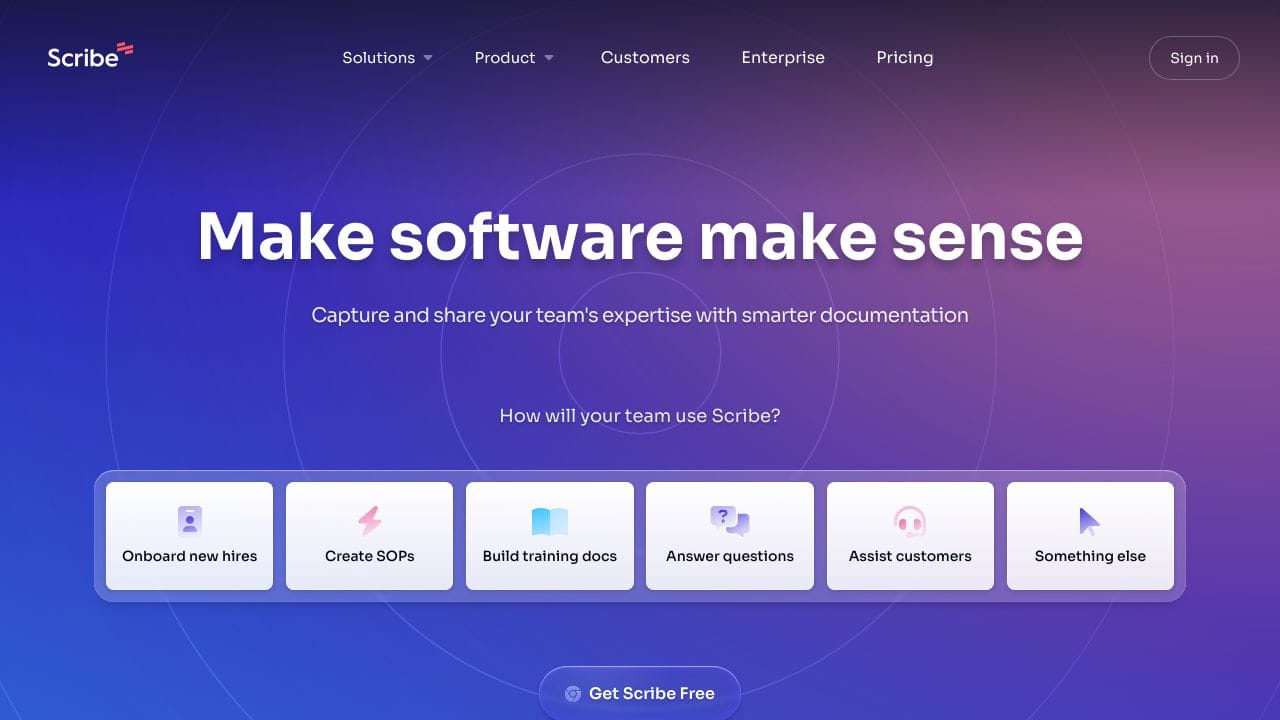
Scribe is an innovative AI-powered tool designed to simplify the process of creating and sharing documentation. With over 1,000,000 installs, it allows users to effortlessly transform any process into detailed, step-by-step guides. Whether you’re onboarding new hires or creating Standard Operating Procedures (SOPs), Scribe makes documentation fast and efficient.
Scribe Features
- Web & Desktop Process Capture: Automatically create guides for any web or desktop process.
- Automatic Step Instructions: No more manual typing; Scribe generates instructions for you.
- AI-generated Process Documents: Create SOPs and training manuals with ease.
- Sensitive Data Redaction: Automatically redact sensitive information to ensure compliance.
- Shareable Links & PDF Export: Easily share guides via email or embed them in wikis.
- Custom Branding: Personalize guides with your company logo and colors.
Scribe Usecases
Scribe can be utilized in various scenarios, making it a versatile tool for different professionals:
- Onboarding New Hires: Create comprehensive training documents to help new employees get up to speed.
- Building SOPs: Streamline operations by documenting standard procedures for your team.
- Training Documentation: Develop training materials that are easy to follow and visually engaging.
- Customer Support: Provide step-by-step guides to assist customers in using your product effectively.
- Educational Institutions: Create course materials that enhance learning experiences.
How Scribe – AI Documentation Generation Tool Compares to Alternatives
When choosing documentation tools, consider whether you need automated process capture versus content generation. Key factors include pricing model, target use cases, and integration with existing workflows.
| Tool | Best For | Pricing |
|---|---|---|
| Scribe | Automatically capturing web and desktop processes to create visual guides and documentation. | Freemium model with free basic features. |
| PathwiseAI | Generating AI-powered cover letters for job applications and career development. | Freemium model available. |
| Utobo | Creating, teaching, and selling complete online courses with built-in platforms. | Paid subscription required. |
| Acadle | Employee and customer training through a comprehensive learning management system. | Paid plans only. |
Best For
- Marketing teams documenting campaign setup processes and workflows
- Startup founders creating standard operating procedures for new hires
- Customer support teams building troubleshooting guides for common issues
- Solopreneurs recording software workflows for client onboarding materials
Not Ideal For
- Users needing AI-generated written instructions without process capture
- Teams requiring advanced learning management system features
- Organizations needing legal research or compliance documentation
Getting Started
Begin by recording one simple, repetitive task you perform daily, like logging into a dashboard or generating a report. This lets you test Scribe’s automatic capture feature without overwhelming complexity. Review the generated guide to understand what edits you’ll need to make since it doesn’t create automatic step instructions.
Key Limitations to Consider
- Does not automatically generate written step-by-step instructions, requiring manual text input
- Limited to web and desktop processes, not mobile app workflows
- Freemium model may restrict advanced features needed by larger teams
- Focuses on process capture rather than comprehensive training platform features
Related Workflows and Tool Pairings
Scribe fits naturally into documentation and training workflows where visual process guides are valuable. After capturing processes with Scribe, users typically need content management systems to organize and distribute the guides across teams. Video editing tools complement Scribe well for creating multimedia tutorials that combine screen recordings with voiceovers. Project management platforms help track documentation tasks and assign guide creation responsibilities. For teams using Scribe for employee training, learning management systems can integrate these visual guides into broader training programs, though Scribe itself focuses specifically on the capture and documentation phase rather than full course delivery.
Related tools to explore: 100DaysOfAI – DAIly AI Lessons, 3DFY – AI 3D Model Creator, AI Detector – AI Generated Content Detection, AI Experiments – AI Experiment Platform, AI LMS by Coursebox – AI Education Course Creator, AI Quiz Generator – AI Interactive Course Creator, Education tools, Human Resources tools
Conclusion
In a world where time is of the essence, Scribe stands out as a strong option for documentation. Its ability to automatically generate guides, coupled with features like sensitive data redaction and custom branding, makes it an invaluable tool for any team. Whether you’re in operations, HR, or customer support, Scribe helps you save time and enhance productivity. Ready to transform your documentation process? Give Scribe a try!
- https://www.twitter.com/ScribeHow
- https://www.linkedin.com/company/scribehow/
- https://www.youtube.com/@scribehow
Pricing
Scribe – AI Documentation Generation Tool offers afreemium plan with optional paid upgrades. Get started for free and upgrade as needed.
Frequently Asked Questions
What is Scribe – AI Documentation Generation Tool?
Scribe is an innovative AI-powered tool designed to simplify the process of creating and sharing documentation. With over 1,000,000 installs, it allows users to effortlessly transform any process into detailed, step-by-step guides. Whether.
Is Scribe – AI Documentation Generation Tool free?
Scribe – AI Documentation Generation Tool offers a free plan with limited features. Paid plans are available for additional capabilities.
What are the best Scribe – AI Documentation Generation Tool alternatives?
There are many AI education tools available. Browse our AI Education tools directory to compare features, pricing, and reviews for the best alternatives.
Last verified: April 2026
Explore more: Browse all AI Education tools | Browse all AI Human Resources tools
