











Quick Verdict
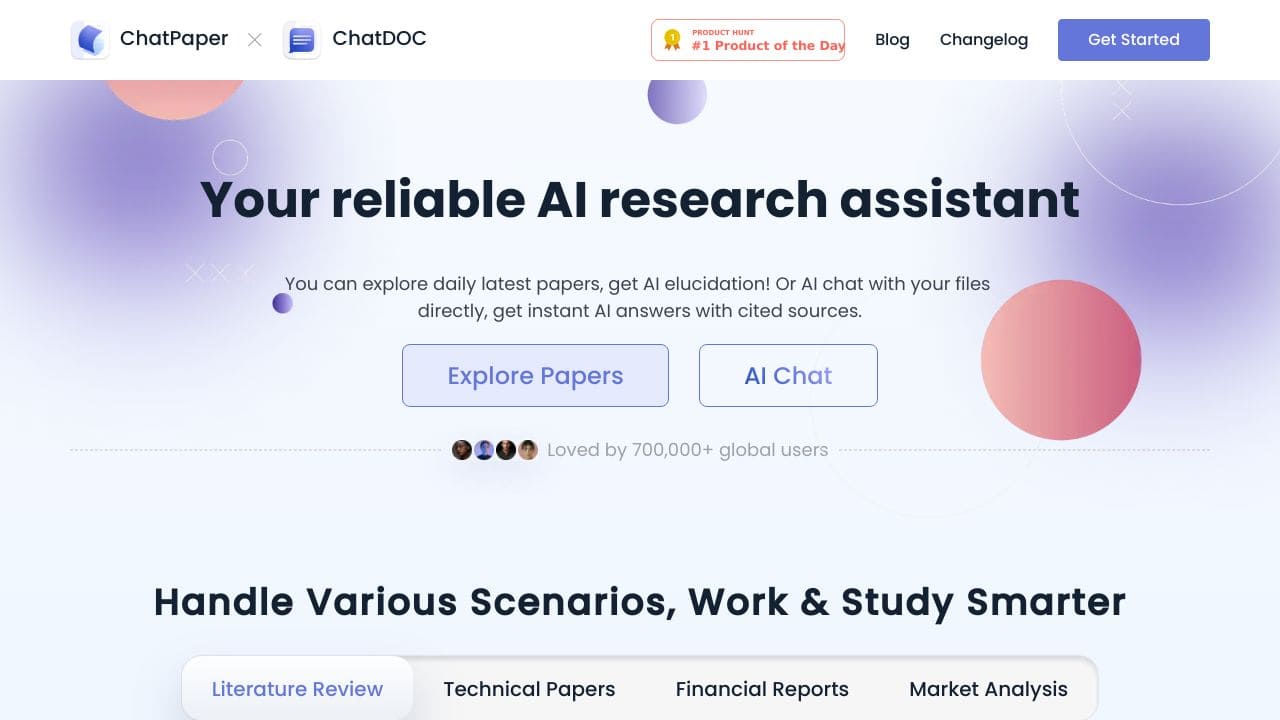
ChatPaper excels as a free PDF chat assistant that lets you interact with documents conversationally, making it valuable for quick document analysis. Its main limitation is the lack of advanced features like voice agents or CRM integration found in paid alternatives. Teams and businesses needing basic AI chatbot capabilities for PDFs should consider it, especially those on a tight budget who prioritize simplicity over comprehensive functionality.
ChatPaper – PDF Chat Assistant
- Category: AI Chatbots, Education, Research
- Pricing: Free
- Best for: Teams and businesses needing AI ai chatbots capabilities
Background Check on ChatPaper – PDF Chat Assistant
We ran a background check on chatpaper.com to verify its safety, security posture, hosting infrastructure, and web history. Here are the results as of April 18, 2026.
✓ Cookies, Cross Origin Resource Sharing (CORS), Redirection, X-Frame-Options
✗ Content Security Policy (CSP), Strict Transport Security (HSTS), Subresource Integrity, X-Content-Type-Options
Source: Mozilla Observatory report
What is it?
This innovative product allows users to interact with PDF documents in a revolutionary way. By simply uploading a file or multiple files, you can inquire about content and receive immediate answers accompanied by reliable references.
Features
Here are some key functionalities that enhance the user experience with this product.
Instant Answers
This feature lets users ask specific questions regarding the content of their uploaded PDFs and offers rapid, accurate responses, thereby facilitating efficient information retrieval.
AI Summarization
With the help of artificial intelligence, lengthy documents can be condensed into brief summaries. This proves especially useful for quickly grasping essential points without having to read every line.
Complex Concept Clarification
If you encounter intricate ideas, the product can clarify and simplify these concepts, making it easier for anyone to understand challenging material.
Efficient Information Discovery
The capability to pinpoint crucial data in seconds makes this tool invaluable for both students and professionals, allowing them to save time while accessing relevant information swiftly.
FAQ
How does the upload process work?
Users can conveniently drag and drop files into the interface or select them through the upload button, making the initiation of their queries strAIghtforward and hassle-free.
Are there limitations on file types or sizes?
Currently, the platform supports a wide variety of PDF files; however, it’s advisable to check specific size restrictions for optimal performance.
Can it handle multiple documents at once?
Yes, the product allows for the simultaneous upload of several documents, streamlining the research process across multiple files.
Is there a way to cite the sources used in responses?
The platform ensures that all answers provided include cited sources, enabling users to verify information and explore topics further.
How ChatPaper – PDF Chat Assistant Compares to Alternatives
When choosing an AI chatbot tool, key factors include pricing, specific features like document handling or voice agents, and whether it serves individual or team needs. ChatPaper stands out for its free access and PDF focus, but alternatives offer broader capabilities at different price points.
| Tool | Best For | Pricing |
|---|---|---|
| ChatPaper | Teams and businesses needing free AI chatbot capabilities for PDF document interaction and analysis. | Free, no cost for basic features. |
| Hawil AI | Businesses requiring AI-native CRM with voice agents and chat for customer relationship management. | Paid, with subscription costs. |
| Amallo | Users who want to chat with multiple top AI models for diverse tasks beyond PDFs. | Paid, premium access required. |
| Evolbot | Individuals or teams seeking personalized AI assistants with a freemium model for scalability. | Freemium, free tier with paid upgrades. |
Best For
- Small teams analyzing research papers or reports without budget for paid tools.
- Students or educators needing quick Q&A with academic PDFs for study or teaching.
- Businesses conducting initial document reviews before investing in advanced AI solutions.
- Solo entrepreneurs handling client documents who value free, straightforward AI assistance.
Not Ideal For
- Large enterprises requiring CRM integration or voice agents for customer support.
- Users needing access to multiple AI models for tasks beyond PDF chat.
- Teams that prioritize advanced customization or personalized AI assistants over basic functionality.
Getting Started
Upload a PDF document directly to the tool and start asking specific questions about its content, such as summarizing key points or extracting data. Test it with a short document first to see how it handles different formats, and use clear, concise queries for best results. This helps you quickly gauge its utility for your needs without any setup cost.
Key Limitations to Consider
- Limited to PDF documents only, not supporting other file types like Word or images.
- No advanced features such as voice agents or CRM integration found in competitors.
- Free pricing may mean slower updates or fewer support options compared to paid tools.
- Best for basic chat interactions, lacking deep customization or personalization options.
- May not handle very large or complex PDFs as efficiently as specialized enterprise tools.
Related Workflows and Tool Pairings
ChatPaper fits into workflows centered on document analysis and research, where quick insights from PDFs are needed. For example, in academic or business research, you can use it to extract key points from papers before diving into deeper analysis with complementary tools. Pair it with reference management software to organize documents, or data visualization tools to present findings from the chat interactions. In team settings, combine it with collaboration platforms to share insights, but note it lacks built-in CRM or voice features for broader customer engagement tasks.
Related tools to explore: 123GPT.AI – Intelligent Support Chatbots, AI Charfriend – NSFW Chatbot Platform, AI LMS by Coursebox – AI Education Course Creator, AI Yacht Chat – Yachting Industry Assistant, AI.LS – Enhanced Chatbot Interface, AI21 Studio – AI Professional Headshot Creation, AI Chatbots tools, Education tools
Conclusion
In summary, this product offers a transformative approach to engaging with PDF files, making it an ideal solution for students, researchers, and professionals alike. Its features are designed for those who seek efficient learning and quick access to information, but it may not be as beneficial for users who prefer traditional reading methods.
Pricing
ChatPaper – PDF Chat Assistant is afree AI ai chatbots tool. No payment required to get started.
Last verified: April 2026
Explore more: Browse all AI AI Chatbots tools | Browse all AI Education tools
