













Quick Verdict
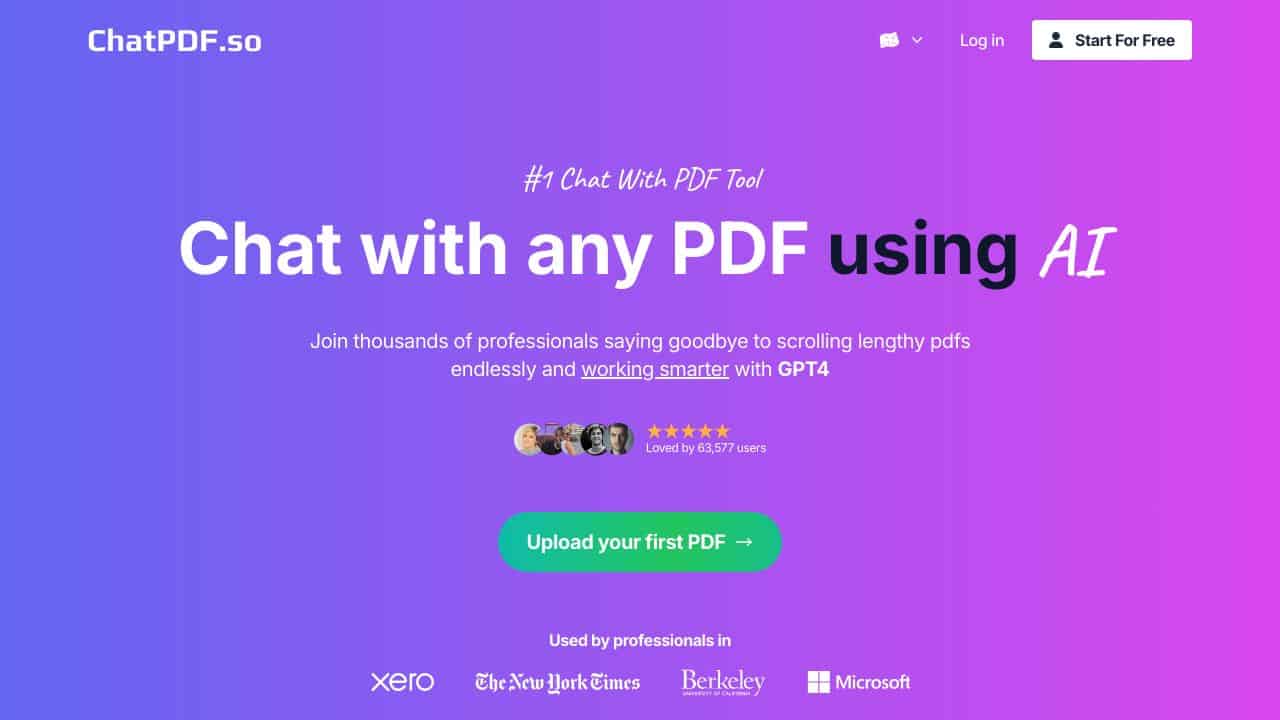
Chatpdf.so excels at providing AI-powered interaction with PDF documents, allowing users to query, summarize, and extract information from PDFs through natural conversation. One limitation is its paid-only pricing model, which may deter individual users or small teams on tight budgets. Teams and businesses that regularly work with PDF documents for research, analysis, or information retrieval should consider this tool. It’s particularly valuable for organizations needing to process multiple PDFs efficiently without manual reading.
Chatpdf.so – PDF Interaction Assistant
- Category: AI Chatbots, Research
- Pricing: Paid
- Best for: Teams and businesses needing AI ai chatbots capabilities
Background Check on Chatpdf.so – PDF Interaction Assistant
We ran a background check on chatpdf.so to verify its safety, security posture, hosting infrastructure, and web history. Here are the results as of April 18, 2026.
✓ Cross Origin Resource Sharing (CORS)
✗ Content Security Policy (CSP), Redirection, Strict Transport Security (HSTS), Subresource Integrity
Source: Mozilla Observatory report
What is it?
This product is a advanced chat tool specifically crafted for interactive engagement with PDF files. It enables users to uncover fresh insights, generate reports, pose inquiries, and brAInstorm directly with their PDF documents.
Features
The platform includes several essential features designed to improve document interaction.
Engage in Conversations
Users can converse with multiple PDFs at once, leading to a deeper understanding of the material. This interactive feature allows for a more thorough exploration of documents, facilitating nuanced discussions around the content.
Bulk Uploads
The system supports the simultaneous upload of thousands of documents, greatly reducing the time required to manage large quantities of information. This functionality is particularly beneficial for users handling extensive data sets.
Document Management
Users can efficiently organize their PDFs into various folders, enhancing accessibility and making it simpler to locate specific documents. This feature streamlines the process of managing numerous files.
Summarization
The tool quickly distills lengthy documents into concise summaries, allowing users to grasp essential information at a glance. This capability is invaluable for those needing quick insights without wading through extensive text.
Custom AI Algorithm
Utilizing the latest AI technology, the platform’s custom chat algorithm enhances user interactions by providing smarter, more responsive conversations with the documents.
Integration and Sharing
The product allows for easy integration into websites and offers users the ability to share their chatbots with peers through unique links, encouraging collaboration without requiring user registration.
FAQ
How does it work?
The platform allows for uploading and engaging with numerous PDF documents concurrently, facilitating effective document management. A sophisticated algorithm underpins its functionality, enabling users to extract pertinent insights effortlessly.
Who can benefit from this tool?
This tool is particularly useful for researchers, educators, and business professionals who need to analyze and manage various reports and educational materials efficiently.
Is it suitable for educational purposes?
Yes, it significantly AIds students and teachers in interacting with academic resources by summarizing content and enabling inquiries into the material.
Can I use it for business documentation?
Absolutely! It is designed for quick overviews of business documents such as contracts and reports, making it a valuable asset for professionals.
How Chatpdf.so – PDF Interaction Assistant Compares to Alternatives
When choosing AI chatbot tools for PDF interaction, key factors include pricing structure, integration capabilities, and specific features for document processing. The right tool depends on whether you need specialized PDF handling or broader AI model access.
| Tool | Best For | Pricing |
|---|---|---|
| Chatpdf.so | Teams and businesses needing AI-powered interaction with PDF documents for research and analysis | Paid subscription model only |
| Hawil AI | Businesses requiring AI-native CRM with voice agents and chat capabilities | Paid subscription required |
| Amallo | Users wanting to chat with multiple top AI models through a single interface | Paid access to premium models |
| Evolbot | Individuals or teams needing customizable AI assistants with freemium options | Freemium model with paid upgrades |
Best For
- Research teams analyzing multiple academic papers or reports in PDF format
- Business analysts extracting data from financial reports or market research PDFs
- Legal professionals reviewing contracts and legal documents in PDF form
- Educational institutions processing course materials and research papers
Not Ideal For
- Individual users needing free PDF tools for occasional personal use
- Teams requiring CRM integration or voice agent capabilities
- Developers needing API access to multiple AI models beyond PDF processing
Getting Started
Start by uploading a complex PDF document you’re already familiar with, such as a research paper or business report. Ask specific questions about content you know well to test the AI’s accuracy and response quality. This helps you understand the tool’s capabilities before using it on unfamiliar documents.
Key Limitations to Consider
- Paid-only pricing excludes users needing free or trial options for occasional use
- Specialized for PDF documents only, not other file formats like Word or Excel
- No mentioned integration with existing document management or CRM systems
- Limited information about batch processing capabilities for multiple PDFs
- Unclear about data retention policies and document security measures
Related Workflows and Tool Pairings
Chatpdf.so fits naturally into document research and analysis workflows where PDFs are the primary information source. After extracting insights from PDFs using Chatpdf.so, users typically need to organize findings in knowledge management systems or share them through collaboration platforms. Complementary tool types include document management systems for storing and organizing processed PDFs, data visualization tools for presenting extracted information, and project management platforms for tracking research tasks. The tool works best when paired with cloud storage solutions for accessing PDFs from various locations, and note-taking applications for documenting AI-generated insights. For teams, integration with communication tools helps share PDF findings efficiently across departments.
Related tools to explore: 123GPT.AI – Intelligent Support Chatbots, AI Charfriend – NSFW Chatbot Platform, AI LMS by Coursebox – AI Education Course Creator, AI Yacht Chat – Yachting Industry Assistant, AI.LS – Enhanced Chatbot Interface, AI21 Studio – AI Professional Headshot Creation, AI Chatbots tools, Research tools
Conclusion
In summary, this innovative product effectively bridges document management and conversational AI, making it ideal for researchers, educators, and business professionals alike. However, it may not be suitable for individuals who work primarily with non-PDF formats or prefer traditional document interaction methods.
Pricing
Chatpdf.so – PDF Interaction Assistant is apaid AI ai chatbots tool. Visit the official website for current pricing plans and details.
Last verified: April 2026
Explore more: Browse all AI AI Chatbots tools | Browse all AI Research tools
