















Quick Verdict
Warp AI excels at making terminal commands more accessible through natural language input and error explanations. Its main limitation is the lack of transparent pricing, requiring users to contact for details. This tool is particularly valuable for developers who want to reduce command-line friction without memorizing complex syntax. Teams or individuals needing clear cost structures upfront should evaluate alternatives.
Warp AI – AI Terminal Enhancement Tool
- Category: Code Assistant, Workflows
- Pricing: Contact for Pricing
- Best for: Developers seeking a smarter command line
Background Check on Warp AI – AI Terminal Enhancement Tool
We ran a background check on www.warp.dev to verify its safety, security posture, hosting infrastructure, and web history. Here are the results as of April 20, 2026.
- Server: cloudflare
- Hosting: CLOUDFLARENET – Cloudflare, Inc., US
- SSL Certificate: E7 (certificate age: 82 days)
- Domain Age: ~5 years (2,014 days)
Source: urlscan.io scan report
✓ Cross Origin Resource Sharing (CORS), Redirection, Strict Transport Security (HSTS), X-Content-Type-Options, X-Frame-Options
✗ Content Security Policy (CSP), Subresource Integrity
Source: Mozilla Observatory report
What is Warp AI
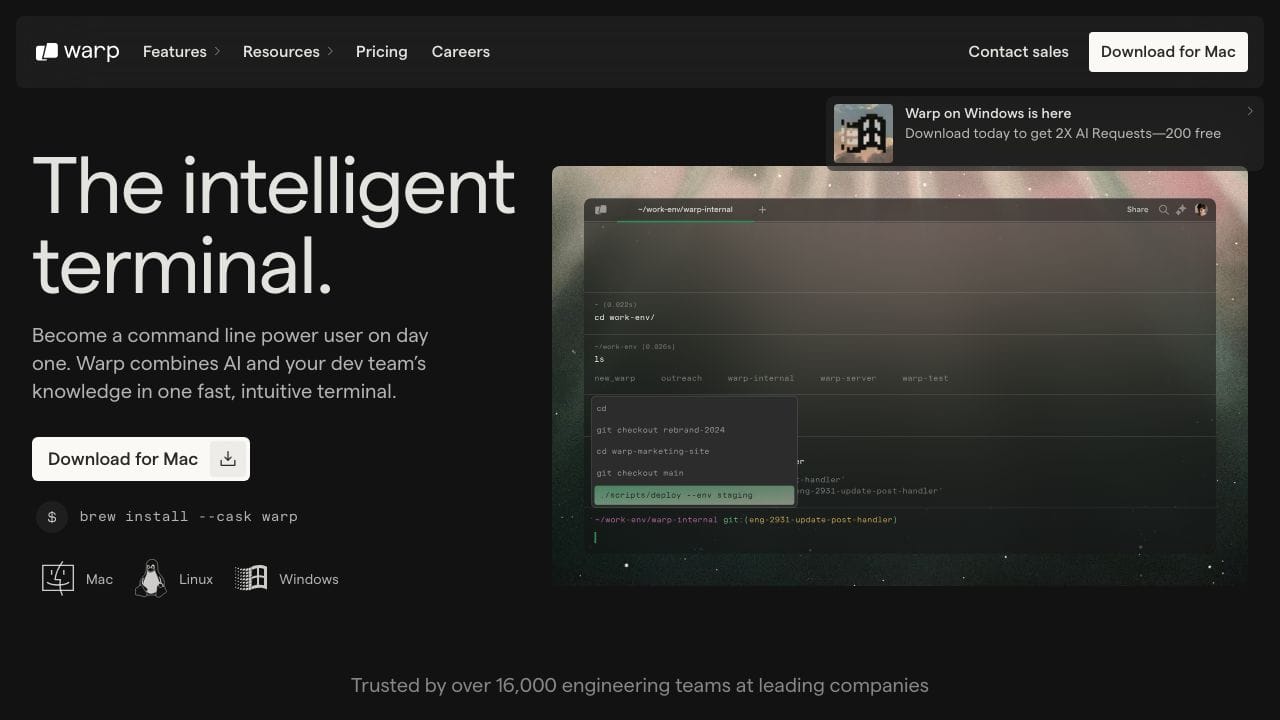
Warp AI is a revolutionary tool that integrates artificial intelligence directly into your command line terminal. Designed to enhance the developer experience, it simplifies coding and debugging by providing AI-driven command suggestions, error explanations, and workflow automation. With over 16,000 engineering teams trusting it, Warp AI is a strong option for both novice and experienced developers alike.
Warp AI Features
- AI Command Suggestions: Type natural language commands and receive instant suggestions tailored to your needs.
- Error Explanation: Right-click to get AI-generated explanations for errors, making troubleshooting a breeze.
- Workflow Automation: Save and share your most-used workflows with Warp Drive, streamlining complex command executions.
- Modern UX: Enjoy an IDE-like input editor that allows for faster navigation and editing in the terminal.
- Cross-Platform Compatibility: Available on macOS, Linux, and Windows, ensuring accessibility for all developers.
- Privacy and Security: Zero data retention policy ensures your terminal input and output data remains private.
Warp AI Usecases
- Software Developers: Use Warp AI to streamline coding and debugging processes, enhancing productivity.
- System Administrators: Automate routine terminal tasks, saving time and reducing errors.
- Data Scientists: Enhance data manipulation and analysis commands with AI-driven suggestions.
- AI Researchers: Integrate AI capabilities into development environments for more efficient workflows.
- Academic Institutions: Teach coding effectively by utilizing Warp AI’s intuitive features.
- IT Professionals: Manage network configurations and tasks with ease using AI assistance.
How Warp AI – AI Terminal Enhancement Tool Compares to Alternatives
When choosing a Code Assistant tools tool, key factors include pricing transparency, specific workflow enhancements, and integration ease. Warp AI focuses on terminal command simplification, while competitors may target different development stages or collaboration needs.
| Tool | Best For | Pricing |
|---|---|---|
| Warp AI | Converting natural language to terminal commands and explaining errors with right-click functionality. | Contact for pricing, no public plans. |
| Ninja AI | Users seeking a freemium model with basic AI coding assistance at no initial cost. | Freemium with paid upgrades available. |
| CICube | Teams needing AI-enhanced continuous integration processes with a trial period. | Free trial, then subscription likely. |
| Pezzo | Developers collaborating on AI projects who want free basic collaboration tools. | Free tier, paid features possible. |
| Kusho | API testing automation with AI assistance, similar opaque pricing structure. | Contact for pricing details. |
Best For
- Developers who frequently use terminals but struggle with command syntax memorization.
- Teams debugging terminal errors who need instant explanations via right-click.
- Solopreneurs building projects who want faster command-line workflows.
- Marketers with technical tasks requiring occasional terminal use without deep expertise.
Not Ideal For
- Users who require transparent, upfront pricing before tool evaluation.
- Teams needing full-featured IDE integrations beyond terminal enhancement.
- Developers working exclusively in graphical interfaces without terminal use.
Getting Started
Begin by typing a simple natural language command like ‘list all files in this directory’ to see instant AI suggestions. Right-click on any terminal error message to activate the explanation feature immediately. Experiment with common workflows to gauge time savings before inquiring about pricing.
Key Limitations to Consider
- Pricing is not publicly available, requiring contact for details, which delays evaluation.
- Focuses solely on terminal enhancement, lacking broader code editing or IDE features.
- Natural language input may struggle with highly specific or obscure command requests.
- No mention of offline functionality, potentially limiting use in restricted environments.
- Right-click error explanations depend on clear error messages to be effective.
Related Workflows and Tool Pairings
Warp AI integrates into development workflows by streamlining terminal operations, reducing time spent on command lookup and error debugging. It pairs well with version control systems like Git, where natural language commands can simplify complex branching or merging tasks. Complementary tool types include code editors for writing scripts that Warp AI executes, and project management platforms where terminal outputs are logged. For full-stack development, combine it with API testing tools to automate backend checks via terminal commands. In DevOps pipelines, use it to quickly generate deployment or monitoring commands, enhancing efficiency without deep memorization.
Related tools to explore: AI Excel Bot – Formula Generator Tool, AI Magicx – AI Design Coding Enhancement, AI2sql – AI SQL Query Generator, AIJoel – Multi-Modal Generator, AITerm – Command Interpreter AI, Adsby – Keyword Generator Tool, Code Assistant tools, Workflows tools
Conclusion
In summary, Warp AI is a powerful tool that transforms the terminal experience for developers. With its unique integration of AI-driven commands and workflows, it not only boosts productivity but also enhances the overall coding experience. Whether you’re a solo developer or part of a larger team, Warp AI offers the functionality and flexibility needed to streamline operations and tackle complex tasks with confidence.
- https://discord.com/invite/warpdotdev
- https://github.com/warpdotdev/Warp
- https://twitter.com/warpdotdev
Pricing
Warp AI – AI Terminal Enhancement Tool uses custom pricing.Contact their sales team for a quote tailored to your needs.
Frequently Asked Questions
What is Warp AI – AI Terminal Enhancement Tool?
Warp AI is a revolutionary tool that integrates artificial intelligence directly into your command line terminal. Designed to enhance the developer experience, it simplifies coding and debugging by providing AI-driven command suggestions, error.
Is Warp AI – AI Terminal Enhancement Tool free?
Warp AI – AI Terminal Enhancement Tool uses custom pricing. Contact their sales team directly for a personalized quote.
What are the best Warp AI – AI Terminal Enhancement Tool alternatives?
There are many AI code assistant tools available. Browse our AI Code Assistant tools directory to compare features, pricing, and reviews for the best alternatives.
Last verified: April 2026
Explore more: Browse all AI Code Assistant tools | Browse all AI Workflows tools
