









Quick Verdict
Inngest excels at building reliable, event-driven workflows with durable execution that automatically retries failed functions and handles complex timing. Its main limitation is being a code-focused tool rather than a visual no-code platform. Developers and teams building backend systems with parallel processing, throttling needs, or long-running tasks should strongly consider it.
Inngest – AI Event-driven Workflows
- Category: Code Assistant, Low-Code/No-Code, Workflows
- Pricing: Freemium
- Best for: Developers building reliable AI automation
Background Check on Inngest – AI Event-driven Workflows
We ran a background check on www.inngest.com to verify its safety, security posture, hosting infrastructure, and web history. Here are the results as of April 19, 2026.
✓ Cross Origin Resource Sharing (CORS), Redirection, Strict Transport Security (HSTS)
✗ Content Security Policy (CSP), X-Content-Type-Options, X-Frame-Options
Source: Mozilla Observatory report
What is Inngest?
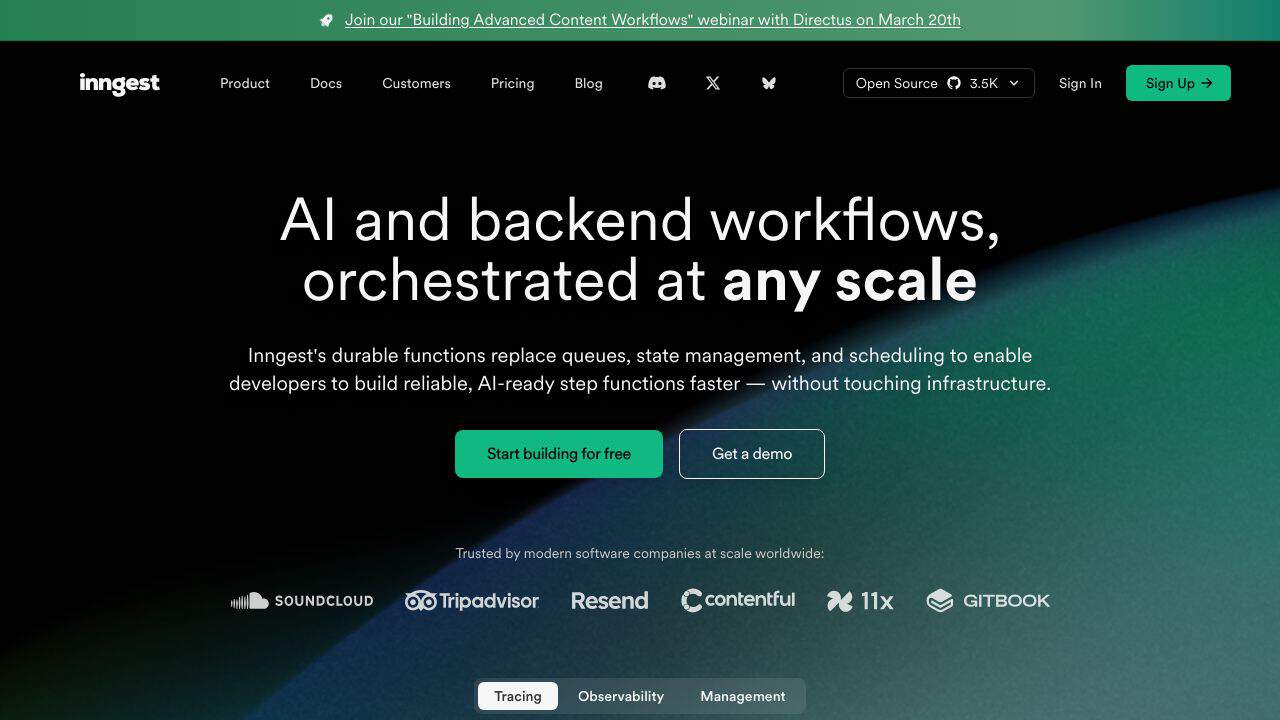
Inngest is a developer-first platform that simplifies the creation of reliable, AI-ready workflows without the need for managing queues, state, or infrastructure. It’s designed to help developers build durable, fault-tolerant systems with ease, enabling them to focus on writing code rather than configuring complex backend systems. Trusted by modern software companies worldwide, Inngest handles billions of functions per month, making it a powerhouse for scalable, event-driven applications.
Inngest Features
- Durable Execution: Automatically retries fAIled functions, runs tasks in parallel, and pauses for days or wAIts for additional input.
- Flow Control: Built-in tools for throttling, rate-limiting, batching, and prioritization to ensure resilient systems.
- Step Orchestration: Create complex workflows with step functions, managing state and retries effortlessly.
- Local Development: Open-source Dev Server for instant feedback, visual debugging, and production parity.
- Multi-Tenant Concurrency: FAIr resource allocation to prevent noisy neighbor issues.
- Observability: Full traces, metrics, and bulk replay for debugging and recovery.
- Enterprise-Ready: SOC 2 compliant, HIPAA BAA available, and end-to-end encryption.
- Flexible Deployment: Run on serverless, servers, or edge platforms like Vercel, AWS, and GCP.
Inngest Use Cases
- AI Workflows: Build multi-step AI agents with automatic retries, timeouts, and traceability. For example, orchestrate complex AI pipelines like AutoGPT systems.
- E-commerce: Handle high-volume order processing with throttling and prioritization to ensure pAId customers get faster service.
- Data Processing: Batch and debounce requests to reduce costs and improve efficiency in data-intensive applications.
- Background Jobs: Schedule tasks, sleep functions, or wAIt for events without managing queues or workers.
- Developer Productivity: Replace clunky local setups with Inngest’s Dev Server for faster iteration and debugging.
- Enterprise Systems: Migrate from tools like Kafka or AIrflow to reduce costs and simplify infrastructure.
How Inngest – AI Event-driven Workflows Compares to Alternatives
When choosing workflow automation tools, key factors include execution reliability, development approach (code vs. visual), and pricing transparency. Inngest stands out for developers who need durable, event-driven systems with built-in retries and flow control.
| Tool | Best For | Pricing |
|---|---|---|
| Inngest | Developers needing durable event-driven workflows with automatic retries and parallel execution. | Freemium model with free tier available. |
| Ninja AI | Users seeking AI-powered workflow automation with a freemium pricing structure. | Freemium model similar to Inngest. |
| CICube | Teams focused on continuous integration processes with AI assistance. | Free trial available before purchase. |
| Pezzo | Development teams needing collaboration features for AI project workflows. | Completely free to use. |
Best For
- Backend developers building resilient systems with automatic failure recovery.
- Teams implementing complex workflows with parallel task execution needs.
- Projects requiring flow control features like throttling for API management.
- Applications with long-running processes that pause for days between steps.
Not Ideal For
- Non-technical users wanting drag-and-drop visual workflow builders.
- Simple one-time automation tasks without retry or timing requirements.
- Frontend-only projects without backend integration needs.
Getting Started
Begin by identifying one critical workflow in your application that needs reliable execution, such as user onboarding or payment processing. Use Inngest’s SDK to define this workflow as a series of functions with retry logic, then test the durable execution with intentional failures to see how it recovers.
Key Limitations to Consider
- Requires coding knowledge rather than offering visual no-code interface.
- Primarily backend-focused with less support for frontend workflow integration.
- Freemium model may have usage limits on parallel execution features.
- Learning curve for developers new to event-driven architecture patterns.
- Limited built-in AI capabilities compared to some specialized AI workflow tools.
Related Workflows and Tool Pairings
Inngest serves as the reliable backbone for event-driven systems, handling the execution layer between triggers and actions. It pairs naturally with monitoring tools that track workflow performance and error rates, since its durable execution generates valuable reliability metrics. API testing tools complement Inngest by verifying that external services it interacts with function correctly. For teams building complete systems, Inngest integrates well with CI/CD tools that deploy workflow code changes, creating a full development-to-production pipeline. The tool’s strength lies in orchestrating complex sequences where timing, retries, and parallel processing matter most.
Related tools to explore: AI Excel Bot – Formula Generator Tool, AI Magicx – AI Design Coding Enhancement, AI2sql – AI SQL Query Generator, AIJoel – Multi-Modal Generator, AITerm – Command Interpreter AI, Adsby – Keyword Generator Tool, Code Assistant tools, Low-Code/No-Code tools
Conclusion
Inngest is a strong option for developers looking to build reliable, scalable, and AI-ready workflows without the headache of managing infrastructure. With features like durable execution, flow control, and step orchestration, it simplifies complex backend tasks while offering strong local development and observability tools. Whether you’re building AI pipelines, processing high-volume data, or scheduling background jobs, Inngest helps you to focus on what matters most: writing great code. Ready to ditch the queues and state management? Inngest is here to make your life easier.
Pricing
Inngest – AI Event-driven Workflows offers afreemium plan with optional paid upgrades. Get started for free and upgrade as needed.
Frequently Asked Questions
What is Inngest – AI Event-driven Workflows?
Inngest is a developer-first platform that simplifies the creation of reliable, AI-ready workflows without the need for managing queues, state, or infrastructure. It’s designed to help developers build durable, fault-tolerant systems with ease,.
Is Inngest – AI Event-driven Workflows free?
Inngest – AI Event-driven Workflows offers a free plan with limited features. Paid plans are available for additional capabilities.
What are the best Inngest – AI Event-driven Workflows alternatives?
There are many AI code assistant tools available. Browse our AI Code Assistant tools directory to compare features, pricing, and reviews for the best alternatives.
Last verified: April 2026
Explore more: Browse all AI Code Assistant tools | Browse all AI Low-Code/No-Code tools
