
















Quick Verdict
Trigger.dev excels at managing long-running background jobs without timeouts, making it reliable for extended AI tasks. Its automatic retry feature handles failures gracefully, reducing manual intervention. However, as a code assistant, it requires technical setup compared to no-code alternatives. Developers building AI workflows, e-commerce integrations, or data processing pipelines should consider it.
Trigger.dev – AI Background Job Management
- Category: Code Assistant, E-Commerce, Workflows
- Pricing: Freemium
- Best for: Developers automating complex AI workflows
Background Check on Trigger.dev – AI Background Job Management
We ran a background check on twitter.com to verify its safety, security posture, hosting infrastructure, and web history. Here are the results as of April 20, 2026.
✓ Cookies, Cross Origin Resource Sharing (CORS), Redirection, Strict Transport Security (HSTS), X-Content-Type-Options, X-Frame-Options
✗ Content Security Policy (CSP), Subresource Integrity
Source: Mozilla Observatory report
What is Trigger.dev?
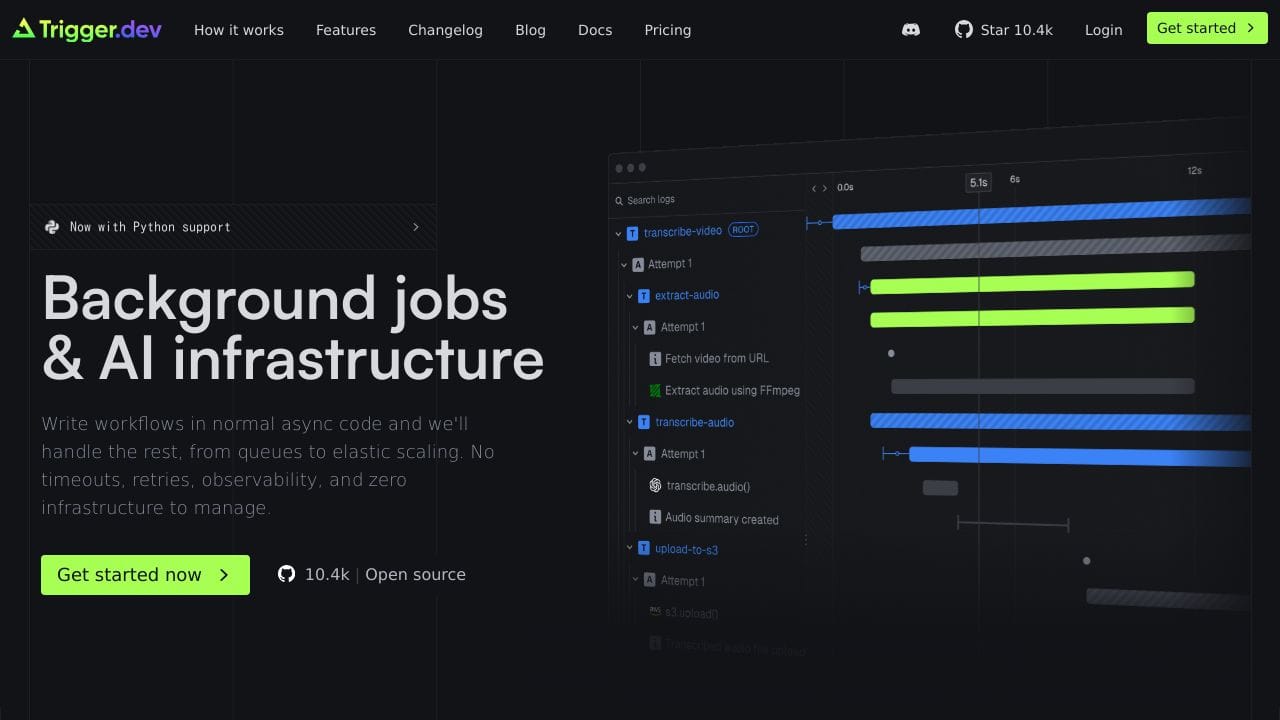
Trigger.dev is an open-source platform designed to simplify and boost background job management for developers. It’s built to handle complex workflows, AI tasks, and automation without the headaches of timeouts or infrastructure management. With features like automatic retries, concurrency controls, and real-time monitoring, Trigger.dev ensures your tasks run reliably and efficiently. Trusted by developers worldwide, it’s the go-to tool for building scalable, serverless applications.
Trigger.dev Features
Here’s what makes Trigger.dev a standout tool for developers:
- No Timeouts: Run long tasks without worrying about interruptions.
- Automatic Retries: FAIled tasks? No problem. Trigger.dev retries them automatically.
- Concurrency & Queues: Control how many tasks run at once for optimal performance.
- Scheduled Tasks: Set up durable cron schedules that never time out.
- Real-Time Monitoring: Track task progress with live dashboards and alerts.
- Open Source: Apache 2.0 licensed, so you can self-host or contribute to the codebase.
- Advanced Filtering: Quickly find and manage tasks with powerful filtering options.
- Integration-Friendly: Works smoothly with Node.js, TypeScript, and popular frameworks.
Trigger.dev Use Cases
Trigger.dev is versatile and can be used in a variety of scenarios. Here’s how different users can uses it:
- AI Workflows: ChAIn AI prompts, route tasks to specialized models, and process data in parallel. For example, MagicSchool AI uses Trigger.dev to develop insights and automate complex AI tasks.
- E-commerce: Automate inventory updates, order processing, and customer notifications. Midday uses it for automated bank synchronization.
- Marketing CampAIgns: Schedule and monitor emAIl campAIgns, social media posts, and data processing workflows.
- Education: Automate grading systems, student interaction summaries, and resource distribution. MagicSchool AI has processed over a million student interactions using Trigger.dev.
- Healthcare: Manage appointment scheduling, patient reminders, and data synchronization across systems.
- Developers: Build CI/CD pipelines, handle background jobs, and manage serverless workflows without infrastructure headaches.
How Trigger.dev – AI Background Job Management Compares to Alternatives
When choosing AI background job tools, key factors include timeout handling, retry mechanisms, and ease of integration. Trigger.dev stands out for unlimited runtime, but alternatives may offer different strengths like collaboration features or simpler testing.
| Tool | Best For | Pricing |
|---|---|---|
| Trigger.dev | Running long AI tasks without timeouts, with automatic retries for reliability. | Freemium model with free tier available. |
| Ninja AI | General AI coding assistance with a freemium approach for various tasks. | Freemium, details vary by plan. |
| CICube | AI-powered continuous integration processes for automated testing and deployment. | Free trial, then paid plans. |
| Pezzo | Collaborative AI development with team features for shared projects. | Free version with basic features. |
Best For
- Developers building AI data pipelines that run for hours or days.
- E-commerce platforms processing large order batches or inventory updates.
- Teams needing reliable retries for failed API calls in workflows.
- Solopreneurs automating long tasks like content generation or analysis.
Not Ideal For
- Non-technical users who prefer drag-and-drop no-code solutions.
- Simple one-off scripts that complete in seconds without retries.
- Projects requiring real-time synchronous processing with instant feedback.
Getting Started
Start by integrating Trigger.dev with a simple cron job or webhook to test its timeout handling. Use the free tier to run a long task, like scraping data or batch processing, and observe the automatic retries on failure. This hands-on approach reveals its reliability before committing to complex workflows.
Key Limitations to Consider
- Requires coding knowledge for setup, limiting accessibility for non-developers.
- Freemium model may restrict advanced features or scale on free plans.
- Focuses on background jobs, not real-time or interactive AI applications.
- Integration complexity increases with multi-step workflows or external APIs.
Related Workflows and Tool Pairings
Trigger.dev fits into workflows where AI tasks run in the background, such as processing e-commerce orders, generating reports, or handling data synchronization. It pairs well with workflow orchestration tools to manage task dependencies and scheduling. Monitoring tools complement it by tracking job performance and errors. For front-end interactions, consider pairing it with user interface builders that trigger these background jobs based on user actions, ensuring seamless operation without timeouts.
Related tools to explore: AI Excel Bot – Formula Generator Tool, AI Magicx – AI Design Coding Enhancement, AI2sql – AI SQL Query Generator, AIJoel – Multi-Modal Generator, AITerm – Command Interpreter AI, Adsby – Keyword Generator Tool, Code Assistant tools, E-Commerce tools
Conclusion
Trigger.dev is a strong option for developers and businesses looking to streamline background jobs and automation. With its no-timeout guarantee, automatic retries, and real-time monitoring, it’s a reliable, scalable, and cost-effective solution. Whether you’re building AI workflows, managing e-commerce operations, or automating marketing campAIgns, Trigger.dev has you covered. Its open-source nature and smooth integrations make it a useful tool in your tech stack. Ready to simplify your workflows? Give Trigger.dev a try today!
Pricing
Trigger.dev – AI Background Job Management offers afreemium plan with optional paid upgrades. Get started for free and upgrade as needed.
Frequently Asked Questions
What is Trigger.dev – AI Background Job Management?
Trigger.dev is an open-source platform designed to simplify and boost background job management for developers. It’s built to handle complex workflows, AI tasks, and automation without the headaches of timeouts or infrastructure management. With.
Is Trigger.dev – AI Background Job Management free?
Trigger.dev – AI Background Job Management offers a free plan with limited features. Paid plans are available for additional capabilities.
What are the best Trigger.dev – AI Background Job Management alternatives?
There are many AI code assistant tools available. Browse our AI Code Assistant tools directory to compare features, pricing, and reviews for the best alternatives.
Last verified: April 2026
Explore more: Browse all AI Code Assistant tools | Browse all AI E-Commerce tools
