

















Quick Verdict
ImgCreator excels at generating AI images from text prompts, making it a solid choice for teams and businesses needing visual content. One limitation is its paid-only pricing, which may deter individual users or those on tight budgets. This tool is best suited for organizations that require consistent image editing capabilities without extensive manual design work. Consider it if you need reliable AI image generation for marketing materials or internal communications.
ImgCreator – AI Image Generator
- Category: Image Editing, Image Generators, Text To Image
- Pricing: Paid
- Best for: Teams and businesses needing AI image editing capabilities
Background Check on ImgCreator – AI Image Generator
We ran a background check on imgcreator.zmo.AI to verify its safety, security posture, hosting infrastructure, and web history. Here are the results as of April 19, 2026.
What is it?
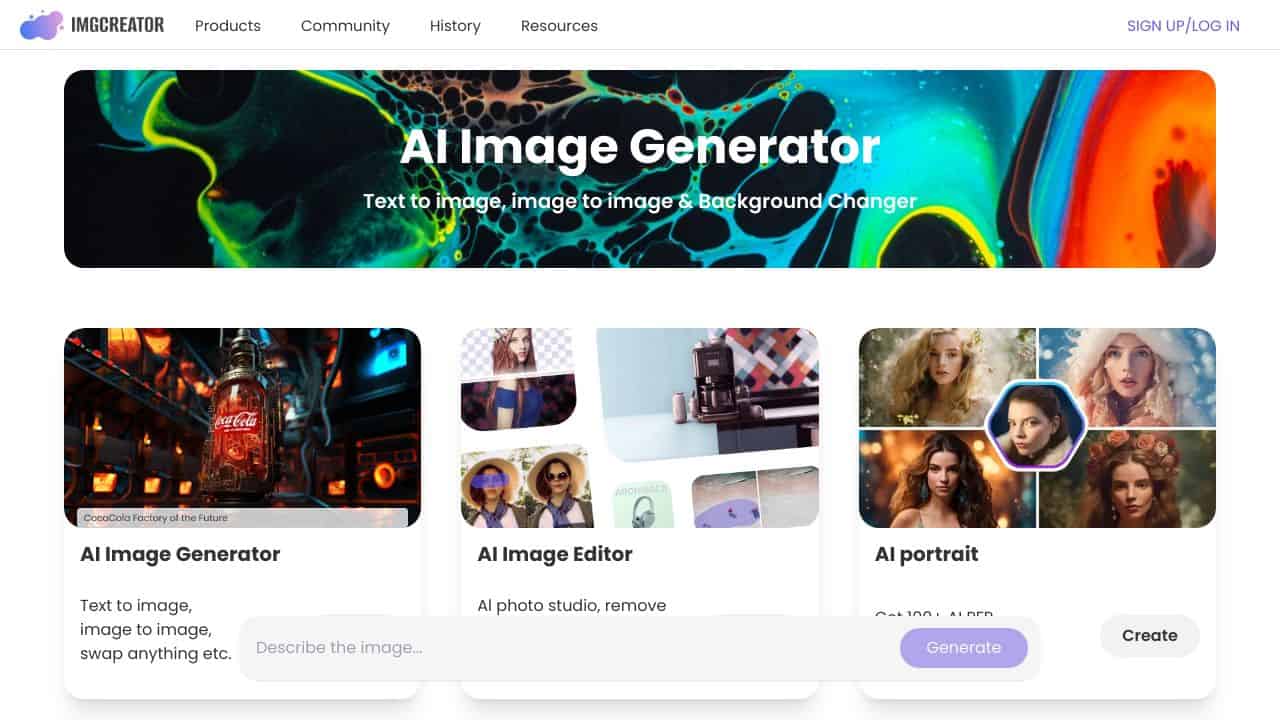
ImgCreator.AI is a dynamic AI image generator that enables users to smoothly convert text into striking visuals, edit photographs with a single click, and explore a variety of unique models for creative projects.
ImgCreator.AI Features
This platform offers an impressive set of features designed for solid image creation and editing.
AI Image Generation
ImgCreator.AI enables users to quickly transform text descriptions into remarkable images. Whether you wish to design illustrations, anime figures, or conceptual artworks, this tool can realize your visions, also providing options for image editing through text-based instructions, similar to a text-centric Photoshop.
Free Credits
Upon registration, ImgCreator.AI grants users 30 complimentary image credits, allowing individuals to begin without upfront expenses. Extra credits are available for purchase for continued image generation.
Background Changer
The platform features a background modification tool that makes it easy to generate new backgrounds, eliminate unwanted aspects from images, and offers AI-powered photo editing functionalities.
Explore Latest Models
ImgCreator.AI provides access to a rich selection of suggested models, each boasting its own distinct style. Users can investigate models like “maturemalemix,” “CamelliaMIx_2,” and “DisneyPixarCartoon” for inspiration in their creative endeavors.
AI Photo Editor
With the AI photo editing feature, users can enhance images effortlessly with just one click, streamlining the editing experience and improving image quality.
Get Inspired
ImgCreator.AI features a gallery filled with inspirational samples, offering users creative prompts to ignite their imagination and produce unique visuals.
Monetizing Opportunities
Users have the potential to earn income from AI-generated images created in ImgCreator.AI, as they can sell their artwork or utilize them on print-on-demand merchandise such as mugs, t-shirts, and posters through various platforms. ImgCreator.AI provides users full rights to their creations, including the chance to monetize their imagery.
ImgCreator.AI FAQ
What can I create with ImgCreator.AI?
The platform allows you to create a wide variety of images, from illustrations and designs to complex art pieces, all derived from text prompts.
Is there a cost to use ImgCreator.AI?
While you can start using ImgCreator.AI with 30 free credits upon signing up, additional credits can be purchased for further image generation.
Can I sell the images I create?
Yes, users retAIn full rights to the images created through ImgCreator.AI, allowing for commercial use and sale of their work.
What kind of models can I explore?
ImgCreator.AI features a diverse array of models to choose from, each showcasing a different artistic style, providing ample inspiration for creative projects.
How ImgCreator – AI Image Generator Compares to Alternatives
When choosing an AI Image Editing tools tool, key factors include pricing structure, specific features like text-to-image generation, and target audience suitability. This comparison highlights how ImgCreator stacks up against alternatives in the image editing and generation space.
| Tool | Best For | Pricing |
|---|---|---|
| ImgCreator – AI Image Generator | Teams and businesses needing AI image editing and text-to-image generation capabilities. | Paid only, no free tier available. |
| Pykaso – Get Your AI Influencer Viral | Creating AI influencer content for social media and viral marketing campaigns. | Paid, focused on influencer content. |
| HeadshotGenerator.io – AI Headshot Generator Kit | Generating professional headshots for individuals or corporate teams. | Freemium model with basic free options. |
| Photoroom – AI Photo Editing Platform | General photo editing with AI enhancements and background removal. | Freemium, offers free basic editing. |
Best For
- Marketing teams creating visual content for campaigns from text descriptions.
- Businesses needing custom images for presentations or internal documents.
- Design departments supplementing workflows with AI generated graphics.
- Content creators who require unique images without stock photo licenses.
Not Ideal For
- Individual hobbyists seeking free AI image generation tools.
- Users needing only headshot enhancement or specific portrait editing.
- Projects requiring extensive manual photo retouching beyond AI generation.
Getting Started
Begin by writing clear, descriptive text prompts that specify style, subject, and mood for your desired image. Test with a few variations to understand how the AI interprets different inputs. This helps you quickly learn what prompt structures yield the best results for your specific needs.
Key Limitations to Consider
- Paid pricing only, with no free trial or freemium option mentioned.
- Focuses on image generation, not advanced editing like retouching or compositing.
- May not specialize in niche areas like headshots or influencer content.
- Requires clear text prompts, which can have a learning curve for optimal results.
Related Workflows and Tool Pairings
ImgCreator fits into content creation workflows by generating initial images from text ideas, saving time on manual design. It pairs well with graphic design software for further refinement, such as vector editors to polish AI outputs or layout tools to integrate images into documents. For teams, project management platforms can help organize prompts and track generated assets. Additionally, stock photo libraries might complement it for sourcing base images that the AI can modify, though ImgCreator itself creates from scratch. This tool streamlines the early visual concept stage, allowing marketers and designers to focus on execution rather than initial asset creation.
Related tools to explore: 1PX.AI – AI Image Editing Bulk, ACDSee – AI Photo Management, AI Character Generator – AI Storyboard Character Creation, AI Face Swap – Seamless Face Swapper, AI Facefy – Face Swap Creator, AI Filter – Photo Style Transformer, Image Editing tools, Image Generators tools
Conclusion
ImgCreator.AI is a versatile and user-friendly AI image generator with extensive capabilities, making it suitable for both creative individuals and those interested in monetizing their artwork. With its blend of innovative features and no-cost entry through free credits, it appeals to a wide audience, although those seeking highly specialized editing tools may find some limitations.
Pricing
ImgCreator – AI Image Generator is apaid AI image editing tool. Visit the official website for current pricing plans and details.
Last verified: April 2026
Explore more: Browse all AI Image Editing tools | Browse all AI Image Generators tools
