













Quick Verdict
ImageCreator excels at turning text prompts into visuals directly within Photoshop, making it convenient for designers already working in that environment. Its free pricing removes financial barriers, but it lacks the specialized features of dedicated AI image platforms. This plugin is best for Photoshop users who need quick text-to-image generation without switching applications.
ImageCreator – AI Professional Ps Plugin
- Category: Image Editing, Image Generators
- Pricing: Free
- Best for: Graphic designers seeking quick AI image generation
Background Check on ImageCreator – AI Professional Ps Plugin
We ran a background check on imagecreator.alkAIdvision.com to verify its safety, security posture, hosting infrastructure, and web history. Here are the results as of April 19, 2026.
What is ImageCreator?
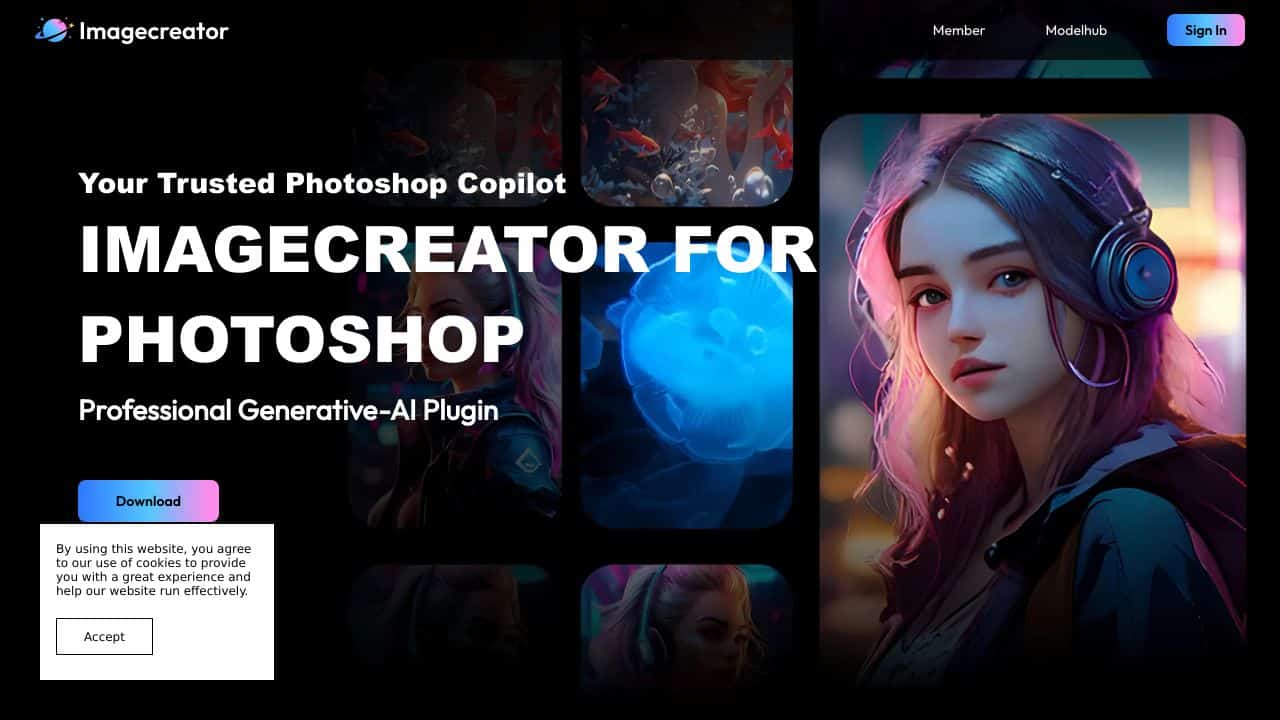
ImageCreatoris a impressive Adobe Photoshop plugin that brings the power of AI-driven image generation and enhancement right into your workflow. Think of it as your Photoshop copilot, designed to make your creative process faster, smarter, and more intuitive. With features like Stable Diffusion, LoRA, and ControlNet, it allows you to generate high-quality images from text prompts, transform existing photos, and fill in missing detAIls smoothly – all without needing a GPU. Whether you’re a professional designer or a hobbyist, ImageCreator is here to elevate your artistry.
ImageCreator Features
- TXT2IMG: Turn your text prompts into stunning visuals with just a few clicks.
- IMG2IMG: Transform existing images into artistic masterpieces with AI-powered enhancements.
- Generative Fill: Intelligently fill in gaps or missing areas in your images, saving you hours of manual work.
- ControlNet: Customize AI outputs to achieve specific artistic effects, giving you full creative control.
- smooth Photoshop Integration: Works directly within Photoshop, making it a natural extension of your editing toolkit.
- Supports SDXL 1.0: uses the latest AI models for even more precise and high-quality results.
ImageCreator Use Cases
- Digital Artists: Create unique, AI-generated artwork from scratch using text prompts or enhance existing pieces with advanced tools like IMG2IMG.
- Photographers: Restore old photos, remove unwanted elements, or add creative effects to your shots with Generative Fill and ControlNet.
- Graphic Designers: Speed up your workflow by generating custom visuals for branding, marketing, or social media campAIgns.
- Hobbyists: Experiment with AI to bring your creative ideas to life, even if you’re not a Photoshop expert.
- Content Creators: Produce eye-catching visuals for blogs, videos, or presentations without spending hours on manual edits.
How ImageCreator – AI Professional Ps Plugin Compares to Alternatives
When choosing AI image tools, consider whether you need specialized outputs like headshots or general creative generation. Integration with existing workflows and pricing models also matter significantly for professional use.
| Tool | Best For | Pricing |
|---|---|---|
| ImageCreator – AI Professional Ps Plugin | Photoshop users needing text-to-image generation within their existing design workflow | Completely free with no usage limits |
| Pykaso – Get Your AI Influencer Viral | Creating viral social media content with influencer-style AI personas | Paid subscription required |
| HeadshotGenerator.io – AI Headshot Generator Kit | Professional headshot creation for corporate profiles and personal branding | Freemium model with paid upgrades |
| Photoroom – AI Photo Editing Platform | Background removal and product photo editing for e-commerce | Freemium with advanced features locked |
Best For
- Photoshop designers who want AI image generation without leaving their workspace
- Marketers creating visual content for campaigns directly within design files
- Freelancers needing quick concept visuals for client presentations
- Small teams with limited budgets who already use Photoshop regularly
Not Ideal For
- Users needing professional AI headshots for corporate profiles
- Teams requiring collaborative AI image editing platforms
- Creators who primarily work outside the Adobe ecosystem
Getting Started
Start by installing the plugin through Photoshop’s extension manager. Create a new document and use simple, descriptive text prompts like ‘modern logo design’ or ‘landscape photography’ to test the image generation. Experiment with different prompt lengths to see how detail level affects results.
Key Limitations to Consider
- Only works within Photoshop, requiring Adobe Creative Cloud subscription for full access
- Lacks advanced image editing features found in standalone AI platforms
- No collaborative features for team-based creative workflows
- Limited to text-to-image generation without specialized output options
Related Workflows and Tool Pairings
ImageCreator fits naturally into design workflows where Photoshop is the primary tool. Designers can generate concept visuals directly within their working files, then refine them using Photoshop’s native editing tools. This plugin pairs well with stock photo libraries for combining AI-generated elements with existing assets. It also complements color grading tools for final adjustments and social media scheduling platforms for content distribution. The workflow becomes seamless when you need to iterate quickly between AI generation and manual refinement without switching applications.
Related tools to explore: 1PX.AI – AI Image Editing Bulk, ACDSee – AI Photo Management, AI Character Generator – AI Storyboard Character Creation, AI Face Swap – Seamless Face Swapper, AI Facefy – Face Swap Creator, AI Filter – Photo Style Transformer, Image Editing tools, Image Generators tools
Conclusion
ImageCreatoris more than just a plugin – it’s a creative revolution. By combining the power of AI with the versatility of Photoshop, it opens up a world of possibilities for artists, designers, and creators of all kinds. Whether you’re generating images from text, enhancing photos, or customizing AI outputs, this tool delivers high-quality results with ease and precision. If you’re looking to take your digital artistry to the next level, ImageCreator is the ultimate copilot you need. Ready to unleash your creativity? Give it a try and see the difference for yourself!
Pricing
ImageCreator – AI Professional Ps Plugin is afree AI image editing tool. No payment required to get started.
Frequently Asked Questions
What is ImageCreator – AI Professional Ps Plugin?
ImageCreator is a impressive Adobe Photoshop plugin that brings the power of AI-driven image generation and enhancement right into your workflow. Think of it as your Photoshop copilot, designed to make your creative process faster, smarter, and more.
Is ImageCreator – AI Professional Ps Plugin free?
Yes, ImageCreator – AI Professional Ps Plugin is completely free to use.
What are the best ImageCreator – AI Professional Ps Plugin alternatives?
There are many AI image editing tools available. Browse our AI Image Editing tools directory to compare features, pricing, and reviews for the best alternatives.
Last verified: April 2026
Explore more: Browse all AI Image Editing tools | Browse all AI Image Generators tools
