













Quick Verdict
Kaedim excels at rapidly converting 2D images into 3D models, dramatically reducing production time from hours to minutes. Its artist review and refinement process ensures quality control for each generated model. The paid pricing model may deter casual users or those with tight budgets. This tool is best for 3D artists, game developers, and educators who need fast 3D model generation from existing 2D assets.
Kaedim – AI Data Analytic Development
- Category: 3D, Education, Gaming
- Pricing: Paid
- Best for: Developers creating AI data analytics tools
Background Check on Kaedim – AI Data Analytic Development
We ran a background check on twitter.com to verify its safety, security posture, hosting infrastructure, and web history. Here are the results as of April 19, 2026.
✓ Cookies, Cross Origin Resource Sharing (CORS), Redirection, Strict Transport Security (HSTS), X-Content-Type-Options, X-Frame-Options
✗ Content Security Policy (CSP), Subresource Integrity
Source: Mozilla Observatory report
What is Kaedim?
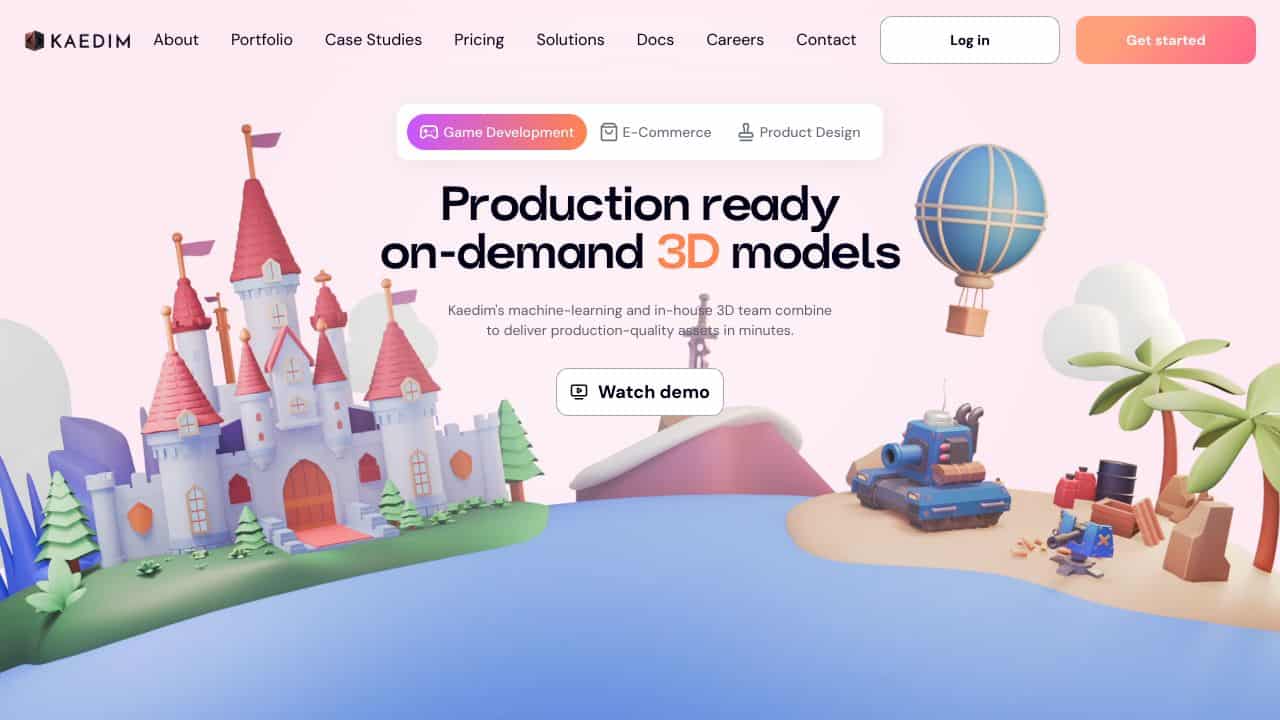
Kaedim is a strong option in the world of 3D modeling. Imagine turning a simple 2D image into a fully-fledged, production-quality 3D model in just minutes. That’s exactly what Kaedim does. Designed for game developers, graphic designers, and digital artists, this AI-powered tool combines modern machine learning with the expertise of professional artists to deliver game-ready assets at lightning speed. Whether you’re looking to save time, cut costs, or simply speed up your creative workflow, Kaedim is here to improves how you create 3D content.
Kaedim Features
- Rapid Conversion: Turn 2D images into 3D models in minutes, slashing production time.
- Artist Review and Refinement: Every model is reviewed and polished by Kaedim’s in-house artists for high-quality quality.
- Production-Ready Assets:No n-gons, no broken meshes – just clean, quad topology models ready for use.
- Diverse Asset Marketplace: Access over 10,000 assets across multiple categories for instant generation.
- Optimized for Industry Standards: Built with input from 3D artists to ensure professional-grade outputs.
Kaedim Use Cases
So, who’s using Kaedim and how? Let’s break it down:
- Game Development Studios: Speed up asset creation and reduce game development cycles. Think faster prototyping and quicker launches.
- Graphic Designers: Add a 3D edge to your visuals, making presentations and designs pop like never before.
- Educational Institutions: Teach students the ropes of 3D modeling with a tool that’s both powerful and easy to use.
- Digital Artists: Push creative boundaries by experimenting with 3D models derived from your 2D art.
- Uncommon Use Cases: Indie game developers prototyping ideas in record time, or marketing pros creating 3D product demos that wow clients.
How Kaedim – AI Data Analytic Development Compares to Alternatives
When choosing a 3D tools AI tool, key factors include output quality, speed, pricing transparency, and specific workflow integration. Kaedim focuses on rapid 2D-to-3D conversion, while alternatives may offer different strengths like scene creation or interior design.
| Tool | Best For | Pricing |
|---|---|---|
| Kaedim | Rapid conversion of 2D images into 3D models with artist review for refinement. | Paid subscription with no free tier. |
| PrometheanAI | Digital art creation and AI-assisted artistic workflows across multiple mediums. | Freemium model with basic free access. |
| InteriorAI | Generating interior design concepts and room visualizations from simple inputs. | Free trial available before payment. |
| Assemblio | Creating CAD instructions and technical documentation from design files. | Contact required for pricing details. |
Best For
- Game developers needing quick 3D assets from concept art or sketches.
- 3D artists who want to accelerate model creation from reference images.
- Educators teaching 3D modeling who need rapid demonstration materials.
- Small studios with tight deadlines for 3D content production.
Not Ideal For
- Users needing free 3D tools for occasional personal projects.
- Architects requiring precise CAD models with exact measurements.
- Teams that need collaborative 3D scene building with multiple objects.
Getting Started
Start with high-contrast, well-lit 2D images with clear outlines for best conversion results. Test with simple objects first before moving to complex scenes. Review the artist-refined outputs carefully to understand the tool’s strengths and limitations.
Key Limitations to Consider
- Requires paid subscription with no free trial for testing capabilities.
- Quality depends heavily on input image clarity and contrast levels.
- Primarily converts single objects rather than complex multi-object scenes.
- Limited control over specific 3D parameters during automatic conversion.
- Output may need additional refinement in traditional 3D software.
Related Workflows and Tool Pairings
Kaedim fits into 3D content creation pipelines by accelerating the initial modeling phase. Users typically start with 2D concept art or reference images, convert them to 3D models with Kaedim, then refine the results in traditional 3D modeling software. This tool pairs well with 3D sculpting applications for detailed refinement of generated models. It also complements texture painting tools for adding surface details to the basic 3D meshes. For game developers, the generated models can be exported to game engines for further optimization and integration into scenes. The rapid conversion capability makes it particularly valuable in iterative design processes where multiple concepts need quick 3D visualization.
Related tools to explore: 3D AI Studio – AI 3D Model Generator, 3DFY – AI 3D Model Creator, ARCHITEChTURES – Generative Building Design, Alpha3D – AI 2d To 3d Assets, Architecture Helper – Architectural Style Generator, Assemblio – AI CAD Instruction Generator, 3D tools, Education tools
Conclusion
In a nutshell, Kaedimis a powerhouse for anyone involved in 3D content creation. Its ability to transform 2D images into high-quality 3D models in minutes is nothing short of revolutionary. With features like artist-reviewed models, a vast asset library, and industry-standard outputs, Kaedim is not just a tool – it’s a strong option. Whether you’re a seasoned game developer or a digital artist exploring new horizons, Kaedim offers the speed, quality, and efficiency you need to stay ahead of the curve. Ready to enhances? Kaedim has got your back.
- https://twitter.com/kaedim3d
- https://www.linkedin.com/company/kaedim
- https://www.facebook.com/kaedim.ltd/
- https://www.instagram.com/kaedim3d/
Pricing
Kaedim – AI Data Analytic Development is apaid AI 3d tool. Visit the official website for current pricing plans and details.
Frequently Asked Questions
What is Kaedim – AI Data Analytic Development?
Kaedim is a strong option in the world of 3D modeling. Imagine turning a simple 2D image into a fully-fledged, production-quality 3D model in just minutes. That’s exactly what Kaedim does. Designed for game developers, graphic designers, and digital.
Is Kaedim – AI Data Analytic Development free?
No, Kaedim – AI Data Analytic Development is a paid tool. Visit the official website for current pricing and plan options.
What are the best Kaedim – AI Data Analytic Development alternatives?
There are many AI 3d tools available. Browse our AI 3D tools directory to compare features, pricing, and reviews for the best alternatives.
Last verified: April 2026
Explore more: Browse all AI 3D tools | Browse all AI Education tools
