


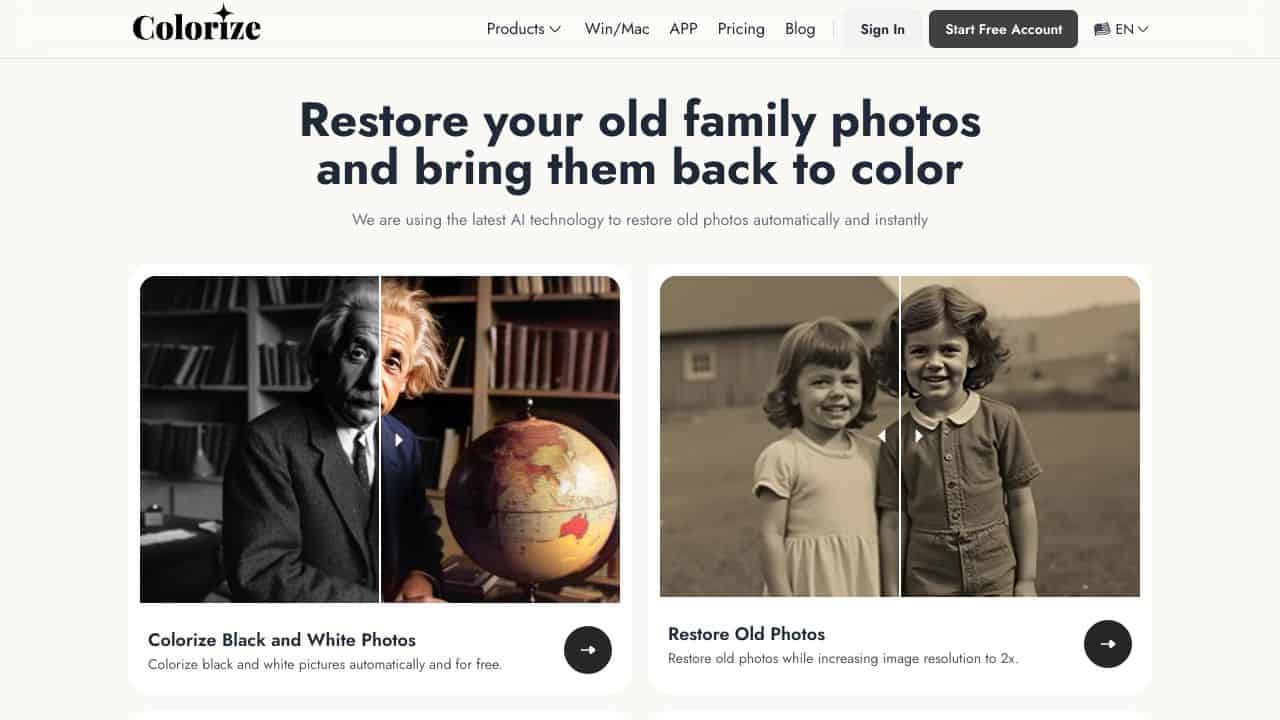











Quick Verdict
Imagecolorizer excels at adding natural, realistic colors to black-and-white photos using AI, with a straightforward free interface. Its restoration features for scratches and tears are useful but basic compared to professional software. Marketers and solopreneurs looking to quickly revive old photos for content or personal projects should consider it, though those needing advanced editing may find it limited.
Imagecolorizer – AI Photo Colorization Restoration
- Category: Fun Tools, Image Editing
- Pricing: Free
- Best for: Photographers restoring old family photos
Background Check on Imagecolorizer – AI Photo Colorization Restoration
We ran a background check on imagecolorizer.com to verify its safety, security posture, hosting infrastructure, and web history. Here are the results as of April 19, 2026.
✓ Cross Origin Resource Sharing (CORS), Redirection
✗ Content Security Policy (CSP), Strict Transport Security (HSTS), X-Content-Type-Options, X-Frame-Options
Source: Mozilla Observatory report
What is ImageColorizer?
ImageColorizeris an AI-powered online tool designed to breathe new life into your old, faded, or black-and-white photos. Using advanced AI algorithms, it automatically colorizes, restores, and enhances images, making them look vibrant and detAIled. Whether it’s a cherished family portrAIt or a historical snapshot, ImageColorizer can transform it into a high-quality, color-rich masterpiece in seconds. No technical skills are needed – just upload your photo, and let the AI do the rest.
ImageColorizer Features
- AI-Powered Colorization: Adds natural, realistic colors to black-and-white photos.
- Photo Restoration: RepAIrs scratches, tears, and other damages while enhancing clarity.
- Image Enhancement: Fixes blurry or pixelated images, boosting resolution and sharpness.
- PortrAIt Retouching: Smooths skin, brightens eyes, and sharpens facial features for polished portrAIts.
- AI Object Remover: Eliminates unwanted objects or imperfections from photos effortlessly.
- Batch Processing: Restore or colorize multiple photos at once, saving time.
- Free and Premium Options: Offers free dAIly credits for basic use, with premium plans for advanced features.
ImageColorizer Use Cases
- Family Historians: Restore and colorize old family photos to preserve memories for future generations.
- Genealogy Enthusiasts: Bring historical family portrAIts to life for research or storytelling.
- Artists and Designers: Add color to vintage illustrations or create unique artworks from old photos.
- Real Estate Professionals: Revitalize old property photos to showcase historical charm.
- Educators: Use colorized historical images to make lessons more engaging and relatable.
- Social Media Users: Enhance and retouch old selfies or portrAIts for a fresh, modern look.
- Photographers: RepAIr and upscale damaged or low-resolution images for professional use.
How Imagecolorizer – AI Photo Colorization Restoration Compares to Alternatives
When choosing AI Fun Tools tools like photo colorizers, key factors include pricing, ease of use, and specific features like restoration capabilities. Imagecolorizer stands out for its free access and focus on realistic colorization, but alternatives may offer different creative or functional angles.
| Tool | Best For | Pricing |
|---|---|---|
| Imagecolorizer – AI Photo Colorization Restoration | Adding natural colors to black-and-white photos and basic restoration of scratches or tears. | Free to use with no cost. |
| Action Figure Generator – Create Personalized Action Figures | Creating custom action figures from photos, ideal for novelty gifts or branding. | Paid service with variable costs. |
| AiForNames – AI-Powered Name Generator | Generating creative names for projects, products, or characters using AI. | Free tool available online. |
| What’s My Cat Breed: AI-Powered Breed Identification | Identifying cat breeds from photos, useful for pet owners or content creators. | Free access for basic features. |
Best For
- Marketers reviving historical photos for social media campaigns or blog content.
- Genealogy enthusiasts colorizing old family photos for personal archives.
- Small business owners restoring product images from vintage catalogs.
- Content creators adding visual appeal to black-and-white stock images.
Not Ideal For
- Professional photographers needing advanced color grading or high-resolution edits.
- Users requiring batch processing for large volumes of photos quickly.
- Projects demanding precise control over color palettes or complex retouching.
Getting Started
Start by uploading a clear, high-contrast black-and-white photo to see the best colorization results. Use the restoration feature on images with minor scratches first to understand its capabilities. Experiment with different photo types, like portraits versus landscapes, to gauge the AI’s consistency.
Key Limitations to Consider
- Limited to basic restoration features, such as scratch repair, without advanced editing tools.
- May produce less accurate colors on low-quality or blurry original photos.
- No batch processing option, requiring manual uploads for multiple images.
- Free version might have usage limits or slower processing times during peak hours.
- Lacks customization options for adjusting color intensity or specific hues post-processing.
Related Workflows and Tool Pairings
Imagecolorizer fits into workflows focused on visual content enhancement, particularly for historical or nostalgic projects. After colorizing a photo, users often pair it with graphic design tools like Canva or Adobe Express to add text, overlays, or layouts for social media posts or marketing materials. For more comprehensive editing, image enhancement software such as GIMP or Lightroom can refine details post-colorization. In archival or storytelling contexts, this tool complements digital asset management systems to organize and catalog revived images, making it a valuable step in creating engaging visual narratives without extensive manual effort.
Related tools to explore: AI Bingo – AI Art Guessing Game, AI Emoji Generator – Emoji Transformation Tool, AI Experiments – AI Experiment Platform, AI Hugging – AI Hugging Creator, AI Meme Maker – Meme Creation Tool, AI Memes Generator – Meme Creator Tool, Fun Tools tools, Image Editing tools
Conclusion
ImageColorizer is a strong option for anyone looking to restore, colorize, or enhance old photos. Its AI-driven tools make the process quick, easy, and accessible, even for beginners. Whether you’re preserving family memories, creating art, or enhancing historical images, ImageColorizer delivers stunning results with minimal effort. With its free options and powerful features, it’s the ultimate tool for bringing your cherished memories back to life. Give it a try and see how it transforms your photos into vibrant, high-quality masterpieces!
Pricing
Imagecolorizer – AI Photo Colorization Restoration is afree AI fun tools tool. No payment required to get started.
Frequently Asked Questions
What is Imagecolorizer – AI Photo Colorization Restoration?
ImageColorizer is an AI-powered online tool designed to breathe new life into your old, faded, or black-and-white photos. Using advanced AI algorithms, it automatically colorizes, restores, and enhances images, making them look vibrant and detAIled..
Is Imagecolorizer – AI Photo Colorization Restoration free?
Yes, Imagecolorizer – AI Photo Colorization Restoration is completely free to use.
What are the best Imagecolorizer – AI Photo Colorization Restoration alternatives?
There are many AI fun tools tools available. Browse our AI Fun Tools tools directory to compare features, pricing, and reviews for the best alternatives.
Last verified: April 2026
Explore more: Browse all AI Fun Tools tools | Browse all AI Image Editing tools
