











Quick Verdict
Unstudio delivers solid AI-powered product photography editing that can streamline visual content creation for teams. Its paid model means predictable costs but no free tier for testing. This tool is best for businesses and marketing teams that need consistent, professional product images without extensive manual editing.
Unstudio – AI Product Photography Tool
- Category: Image Editing
- Pricing: Paid
- Best for: Teams and businesses needing AI image editing capabilities
Background Check on Unstudio – AI Product Photography Tool
We ran a background check on www.unstudio.AI to verify its safety, security posture, hosting infrastructure, and web history. Here are the results as of April 20, 2026.
- Server: Vercel
- Hosting: AMAZON-02 – Amazon.com, Inc., US (US)
- SSL Certificate: R13 (certificate age: 58 days)
- Domain Age: ~3 years (1,231 days)
Source: urlscan.io scan report
✓ Cross Origin Resource Sharing (CORS), Redirection, Strict Transport Security (HSTS)
✗ Content Security Policy (CSP), X-Content-Type-Options, X-Frame-Options
Source: Mozilla Observatory report
What is it?
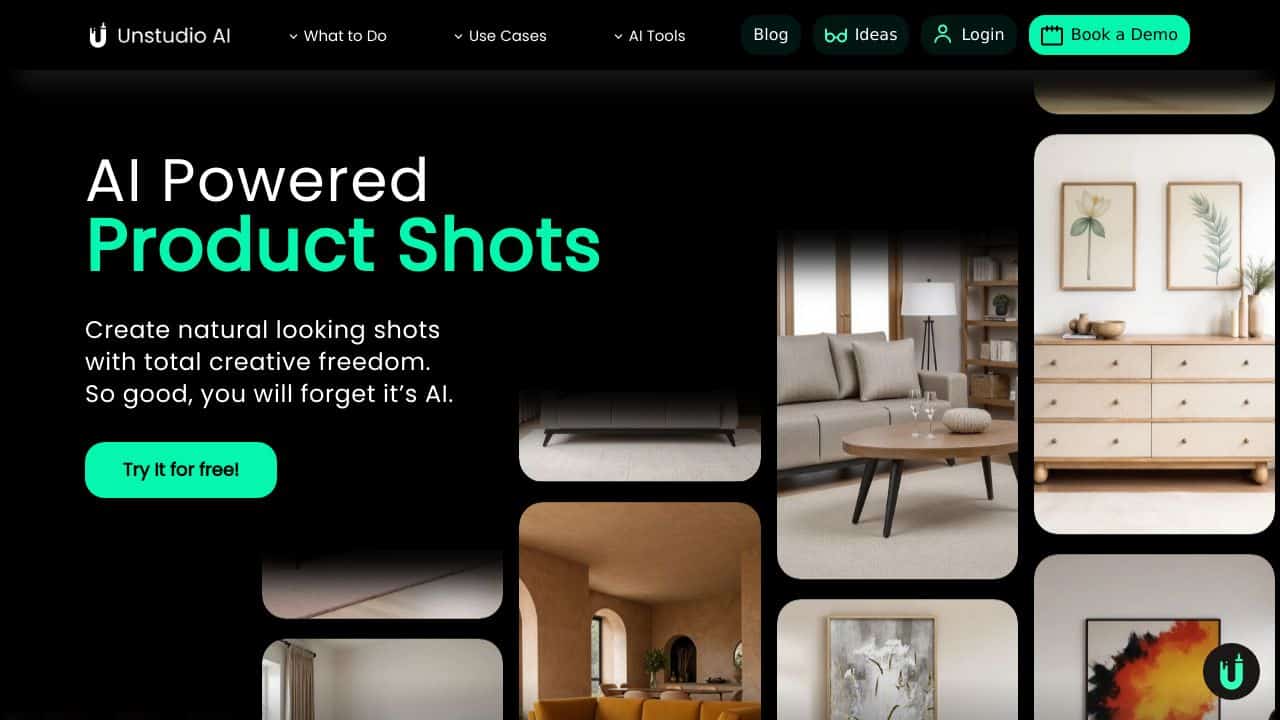
Unstudio is an innovative artificial intelligence platform created to transform the process of generating product visuals. It utilizes AI technology to swiftly produce eye-catching images for products, ideal for marketing, social media, websites, and more, eliminating the requirement for conventional photoshoots.
Product Features
Below are some key functionalities that enhance the user experience and output quality.
Background Removal
This feature allows users to easily upload a product image, which Unstudio can then automatically process to eliminate the background. This provides users with the flexibility to place their products in various templates or unique environments.
Scene Creation
Users have the option to describe their desired scene using simple language, and Unstudio converts these descriptions into visually appealing imagery. This capability enables the rapid design of photo-realistic settings, dramatically cutting down the time and resources needed for producing high-quality product images.
High-Definition Rendering
The platform features real-time rendering directly in the browser, allowing for the creation of high-definition visuals that are ready for immediate use. This allows users to quickly generate professional-grade images without extensive setups.
User-Friendly Interface
Designed for ease of use, Unstudio provides a strAIghtforward drag-and-drop interface that doesn’t require advanced technical expertise. This accessibility means users from various backgrounds can efficiently utilize the platform.
Product FAQ
Who can benefit from using Unstudio?
Unstudio is particularly advantageous for entrepreneurs, designers, and content creators who seek to enhance their visual content quickly. It helps users to scale their visual outputs efficiently, especially in e-commerce and digital marketing.
What types of visuals can be created?
Users can create a diverse variety of visuals, including product images for social media, e-commerce platforms, and digital advertising campAIgns. The platform’s versatility allows for a wide range of creative applications.
Is any prior experience required to use Unstudio?
No prior technical expertise is necessary to navigate Unstudio. The intuitive user interface enables individuals of all skill levels to create professional-quality visuals easily.
How does Unstudio perform in terms of compatibility?
Being a web-based platform, Unstudio is compatible with a multitude of devices and operating systems, provided they support modern web browsers, allowing for a broad user base.
How Unstudio – AI Product Photography Tool Compares to Alternatives
When choosing an AI Image Editing tools tool, consider your primary use case, budget constraints, and whether you need specialized features like headshots or general editing. Unstudio focuses specifically on product photography, which sets it apart from more general or niche alternatives.
| Tool | Best For | Pricing |
|---|---|---|
| Unstudio – AI Product Photography Tool | Teams and businesses needing AI-powered product image editing for e-commerce or marketing. | Paid subscription with no free tier. |
| Pykaso – Get Your AI Influencer Viral | Creating viral social media content with AI-generated influencer personas. | Paid model, focused on influencer marketing. |
| AirBrush AI Headshots – AI Headshot Enhancement Tool | Enhancing professional headshots for individuals or corporate teams. | Pricing not specified, likely paid. |
| HeadshotGenerator.io – AI Headshot Generator Kit | Generating multiple AI headshot variations from a few input photos. | Freemium model with free and paid tiers. |
| Photoroom – AI Photo Editing Platform | General AI photo editing with background removal and enhancement features. | Freemium model, broader editing capabilities. |
Best For
- E-commerce teams creating consistent product images for online stores.
- Marketing agencies producing visual content for client product campaigns.
- Small businesses needing professional product photos without hiring a photographer.
- Brands that require batch editing of product images with AI enhancements.
Not Ideal For
- Individuals looking for free AI image editing tools for personal use.
- Users who need AI-generated headshots or influencer content specifically.
- Teams that require advanced video editing or 3D modeling capabilities.
Getting Started
Begin by uploading a batch of product photos to test Unstudio’s AI editing features on different items. Focus on understanding how the tool handles background removal, lighting adjustments, and consistency across images. This will help you gauge its fit for your workflow before committing to regular use.
Key Limitations to Consider
- No free tier available, which limits testing without financial commitment.
- Specialized for product photography, not suitable for other image types like portraits.
- May lack advanced editing features found in comprehensive photo editing platforms.
- Requires clear product images as input for optimal AI processing results.
Related Workflows and Tool Pairings
Unstudio fits into product marketing and e-commerce workflows by handling the image editing stage after product photography. It pairs well with inventory management systems that track product catalogs, allowing teams to edit images in batches. For broader content creation, combine it with graphic design tools for adding text or graphics to edited product photos. Social media scheduling platforms can then distribute the final images across channels. This integration streamlines the process from raw photos to published marketing materials, saving time on manual edits.
Related tools to explore: 1PX.AI – AI Image Editing Bulk, ACDSee – AI Photo Management, AI Character Generator – AI Storyboard Character Creation, AI Face Swap – Seamless Face Swapper, AI Facefy – Face Swap Creator, AI Filter – Photo Style Transformer, Image Editing tools
Conclusion
In summary, Unstudio serves as a capable tool for generating product visuals through modern AI technology. Its features are tAIlored for entrepreneurs, designers, and marketers who need to produce high-quality images rapidly. However, those looking for intricate, traditional photoshoot processes may find this platform less suitable.
Pricing
Unstudio – AI Product Photography Tool is apaid AI image editing tool. Visit the official website for current pricing plans and details.
Last verified: April 2026
Explore more: Browse all AI Image Editing tools
