








Quick Verdict
TubeArchiver excels at comprehensive video archiving with its one-click downloads for entire channels and playlists, plus robust organization features. Its paid-only model might deter casual users who only need occasional downloads. Marketers, researchers, and content creators who need reliable, high-quality archives of YouTube content should seriously consider this tool.
TubeArchiver: Archive Your Favorite Videos Forever
- Category: Video AI Tools
- Pricing: Paid
- Best for: Download individual videos, entire playlists, and, up to 8k (4320p) video quality with audio
Background Check on TubeArchiver: Archive Your Favorite Videos Forever
We ran a background check on tubearchiver.com to verify its safety, security posture, hosting infrastructure, and web history. Here are the results as of April 20, 2026.
✓ Cookies, Cross Origin Resource Sharing (CORS), Redirection, Referrer Policy, Strict Transport Security (HSTS)
✗ Content Security Policy (CSP), Subresource Integrity, X-Content-Type-Options, X-Frame-Options
Source: Mozilla Observatory report
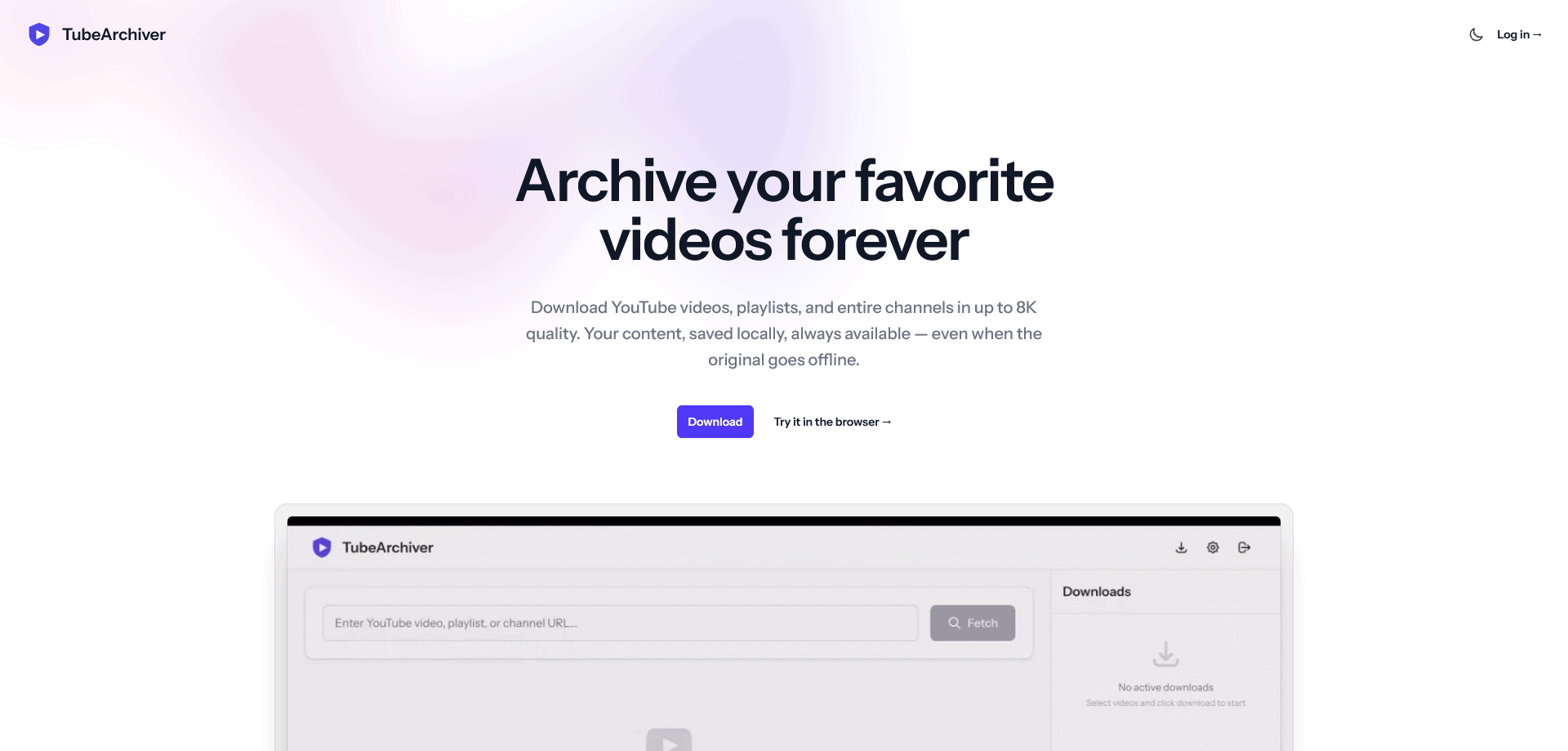
TubeArchiveris a desktop application for Windows and macOS that makes downloading and archiving YouTube videos effortless. Whether you want to save a single video, an entire playlist, or a full channel, TubeArchiver handles it all with a clean, intuitive interface that requires zero technical knowledge. Unlike command-line tools or self-hosted solutions, TubeArchiver is a simple download-and-run app. Videos are automatically organized into folders by channel name, and built-in duplicate detection ensures you never download the same video twice. With support for up to 8K video quality, subtitle downloads, and concurrent downloading, TubeArchiver is the most capable and user-friendly YouTube archiving tool available. Your videos stay on your machine – no cloud storage, no data collection, complete privacy.
Product Highlights
- Download individual videos, entire playlists, and full channels with one click
- Up to 8K (4320p) video quality with audio extraction and subtitle support
- Automatic folder organization by channel with built-in duplicate detection
- Pause, resume, cancel, and retry downloads with real-time progress tracking
- Up to 5 concurrent downloads for fast bulk archiving
- Privacy-first – all videos stay on your local machine, nothing is stored in the cloud
TubeArchiver Features
Effortless Downloading
Paste a YouTube link, and TubeArchiver takes care of the rest. It supports individual videos, entire playlists, and full channels. Choose your preferred quality from 360p to 8K, and the app downloads everything while showing real-time progress with speed, file size, and estimated time remaining.
Smart Organization
Every download is automatically sorted into folders by channel name, so your video library stays clean and browsable without any manual effort. Built-in duplicate detection lets you safely re-import a playlist or channel at any time without downloading videos you already have.
Full Download Control
TubeArchiver gives you complete control over your downloads. Pause and resume at any time, retry failed downloads, or cancel ones you no longer need. On the Pro plan, you can run up to 5 downloads simultaneously, and the app automatically checks your available disk space before starting.
Subtitle and Cookie Support
Download subtitles in SRT format that are automatically recognized by media players. Use browser cookie integration to access age-restricted and private videos that require authentication – no workarounds needed.
Privacy by Design
TubeArchiver stores everything locally on your machine. We do not collect, store, or have access to any of the videos you download. The only data we handle is your account information for authentication and license management.
How TubeArchiver: Archive Your Favorite Videos Forever Compares to Alternatives
When choosing a video archiving tool, key factors include download capabilities, organization features, and pricing structure. This comparison looks at how TubeArchiver stacks up against alternatives in these areas.
| Tool | Best For | Pricing |
|---|---|---|
| TubeArchiver | Archiving entire YouTube channels and playlists with automatic organization and duplicate detection. | Paid only, no free tier. |
| 4K Video Downloader+ Lifetime Deal | Users who want a one-time payment for lifetime access to basic video downloading features. | One-time lifetime payment, no subscription. |
| AI Video Cut – Create Viral Content with AI-Prompts | Creating edited viral clips from existing videos using AI prompts, not comprehensive archiving. | Freemium model with paid upgrades. |
| Free YouTube Downloader (hypothetical) | Casual users who only need to download individual videos occasionally without advanced features. | Completely free, ad-supported. |
Best For
- Marketers archiving competitor YouTube channels for content analysis.
- Researchers building video datasets from specific YouTube creators.
- Content creators backing up their own channel content in high quality.
- Educators compiling playlists of educational videos for offline use.
Not Ideal For
- Users who only need to download a few videos per month.
- People who want free tools for basic video downloading.
- Those needing to edit or repurpose videos after downloading.
Getting Started
Start by testing with a small playlist before committing to large channel downloads. Use the duplicate detection feature to avoid wasting storage on videos you already have. Monitor the real-time progress tracker during your first download to understand how pause and resume functions work.
Key Limitations to Consider
- No free tier available, requiring payment for all usage.
- Limited to YouTube content, not supporting other video platforms.
- Requires sufficient storage space for high-quality 8K video archives.
- Lacks built-in editing features for downloaded content.
- Depends on YouTube’s availability and may break if their API changes.
Conclusion
TubeArchiver was built for anyone who has ever lost access to a YouTube video they relied on. Creators delete content, channels disappear, and videos get taken down without warning. With TubeArchiver, you can preserve the content that matters to you before it is gone. The app is available as a free download with a generous free tier, so you can try it risk-free. For power users, the Start and Pro plans unlock higher quality, faster speeds, and more daily downloads – with lifetime license options so you pay once and use it forever. Whether you are a content creator building a reference library, an educator saving instructional videos, or simply someone who wants to keep their favorite content safe, TubeArchiver is the simplest way to archive YouTube videos on your own terms.
Related Workflows and Tool Pairings
TubeArchiver serves as the foundation for video content preservation workflows. After archiving videos, users typically move to editing tools for content repurposing, such as video editing software to create clips or compilations. Transcription tools work well with TubeArchiver’s subtitle support to convert archived videos into text for analysis or content creation. Storage management tools become essential as archives grow, helping organize and backup large video collections. For marketers, this creates a complete pipeline: archive competitor content, transcribe for SEO analysis, edit highlights for social media, and manage the growing media library efficiently.
Related tools to explore: 4K Video Downloader+ Lifetime Deal, AI Video Cut – Create Viral Content with AI-Prompts, Video AI Tools tools
FAQs
Q: Is TubeArchiver free to use?
A: Yes. The free plan includes 10 video downloads per day at up to 720p quality. Paid plans (Start and Pro) unlock higher quality, more daily downloads, and concurrent downloading.
Q: What platforms does TubeArchiver support?
A: TubeArchiver is available on Windows and macOS as a native desktop application.
Q: Do I need any technical knowledge to use TubeArchiver?
A: Not at all. Download the app, install it, paste a YouTube link, and click download. No command line, no configuration, no setup required.
Q: Is there a lifetime license option?
A: Yes. The Start plan is available at €49 lifetime, and the Pro plan at €99 lifetime. Lifetime licenses include all future updates and never expire.
Q: Where are my downloaded videos stored?
A: All videos are stored locally on your computer in a folder you choose. Nothing is uploaded to the cloud. You have complete control over your files.
Pricing
TubeArchiver: Archive Your Favorite Videos Forever is a paid AI video ai tools tool. Visit the official website for current pricing plans and details.
Last verified: April 2026
Explore more: Browse all AI Video AI Tools tools
