












Quick Verdict
Topaz Labs excels at AI-powered video and photo enhancement with its Video AI 6 and Photo AI 3 modules, delivering ultra-sharp, smooth, and steady results. A key limitation is the lack of transparent pricing, requiring users to contact the company directly. This tool is best for professional videographers, photographers, and content creators who need advanced AI upscaling, noise reduction, and stabilization without needing social media or headshot-specific features.
Topaz Labs – AI Photo Video Editing
- Category: Image Editing, Video Editing, Video Enhancer
- Pricing: Contact for Pricing
- Best for: Photographers and videographers enhancing image quality
Background Check on Topaz Labs – AI Photo Video Editing
We ran a background check on www.topazlabs.com to verify its safety, security posture, hosting infrastructure, and web history. Here are the results as of April 20, 2026.
- Server: cloudflare
- Hosting: CLOUDFLARENET – Cloudflare, Inc., US (US)
- SSL Certificate: WE1 (certificate age: 30 days)
- Domain Age: ~13 years (4,772 days)
Source: urlscan.io scan report
✓ Cookies, Cross Origin Resource Sharing (CORS), Redirection, X-Frame-Options
✗ Content Security Policy (CSP), Strict Transport Security (HSTS), Subresource Integrity, X-Content-Type-Options
Source: Mozilla Observatory report
What is Project Starlight?
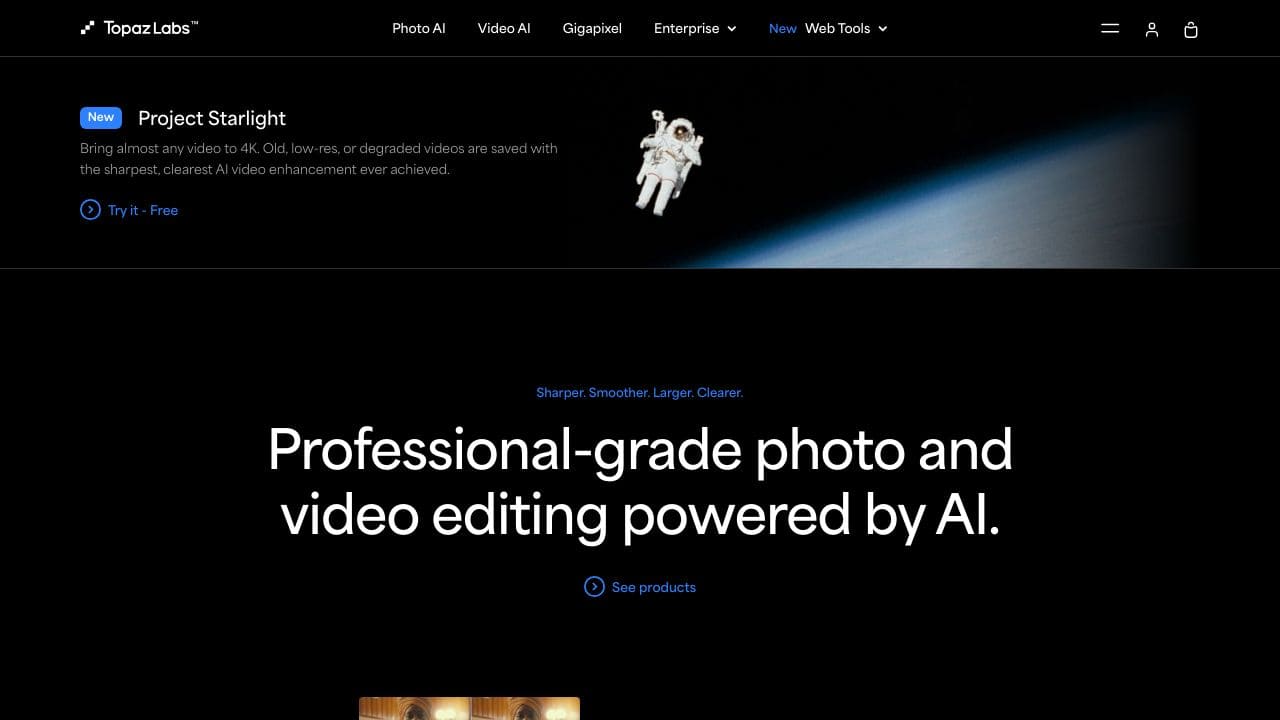
Project Starlight is a professional-grade AI-powered photo and video editing tool designed to elevate your visual content to cinematic levels. With millions of users and billions of files processed, it’s trusted by professionals worldwide. Whether you’re enhancing photos, stabilizing shaky videos, or upscaling images to stunning resolutions, Project Starlight delivers strong quality and detAIl. Think of it as your creative sidekick, turning ordinary shots into extraordinary masterpieces.
Project Starlight Features
- Video AI 6: Transform your videos with ultra-sharp, ultra-smooth, and ultra-steady results. Perfect for bringing old, low-res, or degraded footage back to life in 4K.
- Photo AI 3: Fine-tune detAIls, reduce noise, and sharpen images with AI-driven precision. Create new pixels to upscale photos without losing quality.
- Gigapixel 8: Super-scale any image to almost any size, making it ideal for printing, displaying, or sharing high-resolution visuals.
- Local Processing: All editing happens directly on your device, ensuring lightning-fast performance and high-quality security.
- smooth Integration: Use it as a standalone app or integrate it into your existing workflow with plugins for popular software like Photoshop and DaVinci Resolve.
Project Starlight Use Cases
- Photographers: Fix common photo issues like noise, blur, or low resolution. Turn “almost great” shots into gallery-worthy masterpieces.
- Videographers: Stabilize shaky footage, enhance clarity, and upscale videos to 4K for a professional finish.
- Digital Artists: Refine artwork with AI-powered tools that add detAIl and depth to your creations.
- Film Production: Enhance and stabilize film footage, ensuring every frame is crisp and cinematic.
- Real Estate Agents: Improve property photos to make listings more appealing and professional.
- Academic Researchers: Enhance images for detAIled analysis, making it easier to spot critical detAIls.
How Topaz Labs – AI Photo Video Editing Compares to Alternatives
When choosing AI editing tools, consider whether you need video enhancement, photo editing, or specialized features like headshot generation. Pricing transparency and workflow integration are also crucial factors for marketers and creators evaluating these solutions.
| Tool | Best For | Pricing |
|---|---|---|
| Topaz Labs AI Photo Video Editing | Professional video upscaling, stabilization, and photo detail enhancement using AI algorithms. | Contact for pricing, no public plans. |
| Pykaso | Creating viral AI influencer content for social media marketing campaigns. | Paid plans, exact pricing unspecified. |
| AirBrush AI Headshots | Enhancing professional headshots specifically for LinkedIn or corporate profiles. | Pricing not specified publicly. |
| Photoroom | Quick AI background removal and basic photo editing for e-commerce or social media. | Freemium model with paid upgrades. |
Best For
- Videographers needing to stabilize shaky footage and upscale resolution for professional projects.
- Photographers who want to reduce noise and fine-tune details in high-resolution images.
- Content creators restoring old videos with AI-powered sharpening and smoothing.
- Marketing teams producing polished video content without extensive manual editing time.
Not Ideal For
- Users who need transparent, upfront pricing before downloading or testing software.
- Solopreneurs looking for all-in-one social media content creation with templates.
- Teams that require collaborative editing features or cloud-based workflow integration.
Getting Started
Begin by testing the Video AI 6 module on a short, challenging clip with motion blur or low resolution to see the stabilization and sharpening results. Use the preview function before processing full videos to save time. For photos, start with Photo AI 3 on noisy images to evaluate the automatic detail enhancement.
Key Limitations to Consider
- No transparent pricing requires contacting sales, which delays budget planning.
- Focuses on enhancement rather than creative editing features like filters or text overlays.
- May have a steeper learning curve compared to simpler, template-based AI tools.
- Lacks built-in social media optimization or direct publishing capabilities.
- Requires separate processing for video and photo modules without unified workflow.
Related Workflows and Tool Pairings
Topaz Labs fits into post-production workflows where raw footage or photos need quality enhancement before final editing. After using Video AI 6 for stabilization and upscaling, editors typically move to timeline-based video editing software like DaVinci Resolve or Premiere Pro for cutting, color grading, and effects. For photos enhanced with Photo AI 3, users often export to Photoshop or Lightroom for further retouching and composition. Complementary tool types include cloud storage for managing large video files, color calibration hardware for accurate previews, and project management software to track enhancement batches across teams. This tool specializes in the technical improvement phase, leaving creative assembly to other platforms.
Related tools to explore: 1PX.AI – AI Image Editing Bulk, ACDSee – AI Photo Management, AI Character Generator – AI Storyboard Character Creation, AI Face Swap – Seamless Face Swapper, AI Facefy – Face Swap Creator, AI Filter – Photo Style Transformer, Image Editing tools, Video Editing tools
Conclusion
Project Starlight is a strong option for anyone working with visual content. Its AI-powered tools make it easy to achieve professional-grade results, whether you’re editing photos, videos, or digital art. With features like local processing, smooth integration, and strong upscaling capabilities, it’s no wonder millions of users trust this tool. Ready to enhances? Project Starlight is here to help you shine.
Pricing
Topaz Labs – AI Photo Video Editing uses custom pricing.Contact their sales team for a quote tailored to your needs.
Frequently Asked Questions
What is Topaz Labs – AI Photo Video Editing?
Project Starlight is a professional-grade AI-powered photo and video editing tool designed to elevate your visual content to cinematic levels. With millions of users and billions of files processed, it’s trusted by professionals worldwide. Whether.
Is Topaz Labs – AI Photo Video Editing free?
Topaz Labs – AI Photo Video Editing uses custom pricing. Contact their sales team directly for a personalized quote.
What are the best Topaz Labs – AI Photo Video Editing alternatives?
There are many AI image editing tools available. Browse our AI Image Editing tools directory to compare features, pricing, and reviews for the best alternatives.
Last verified: April 2026
Explore more: Browse all AI Image Editing tools | Browse all AI Video Editing tools
