











Quick Verdict
QuickMagic excels at real-time AI motion capture with impressive accuracy for human movements. Its user-friendly interface makes it accessible even for beginners in 3D animation. The freemium model provides a low-risk entry point, though advanced features may require payment. This tool is worth considering for indie game developers, video editors, and content creators who need quick motion data without complex setups.
QuickMagic – AI Human Motion Capture
- Category: 3D, Gaming, Video Editing
- Pricing: Freemium
- Best for: Animators seeking realistic character movement
Background Check on QuickMagic – AI Human Motion Capture
We ran a background check on twitter.com to verify its safety, security posture, hosting infrastructure, and web history. Here are the results as of April 19, 2026.
✓ Cookies, Cross Origin Resource Sharing (CORS), Redirection, Strict Transport Security (HSTS), X-Content-Type-Options, X-Frame-Options
✗ Content Security Policy (CSP), Subresource Integrity
Source: Mozilla Observatory report
What is QuickMagic?
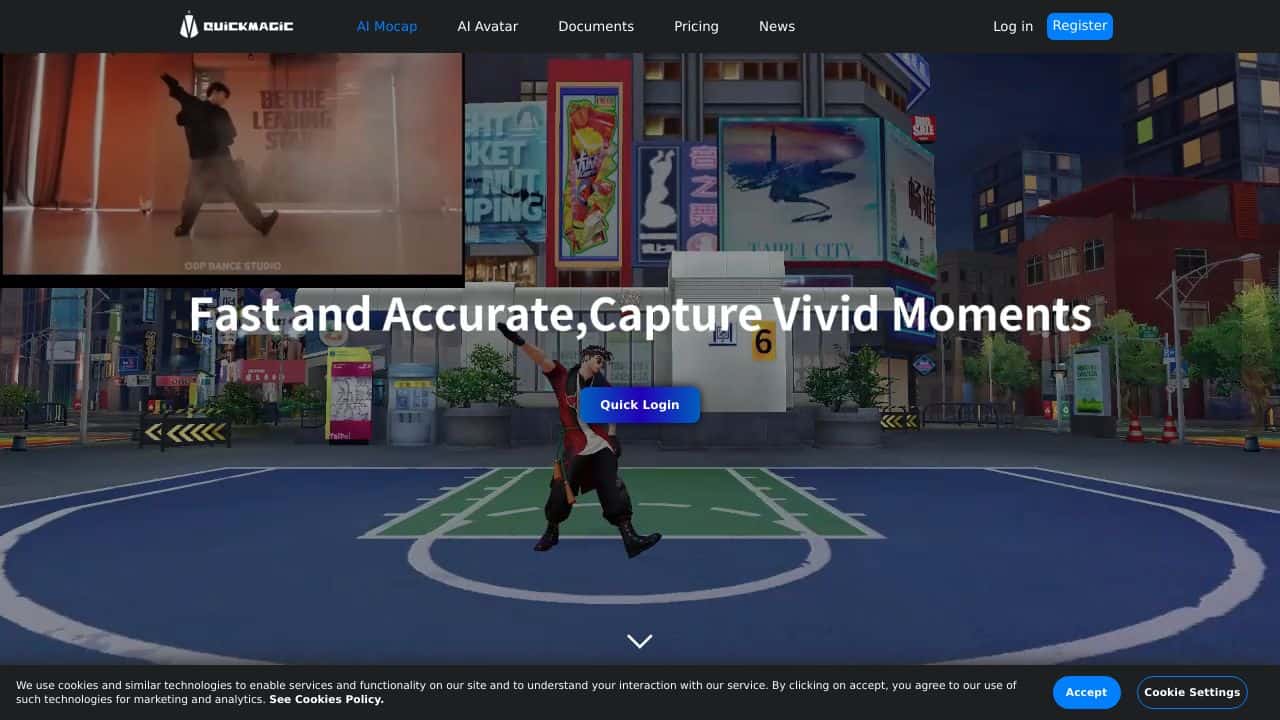
QuickMagic is an AI-powered motion capture tool designed to transform how 3D animations are created. By simply uploading a video through a web browser, the tool uses advanced AI algorithms to perform 3D motion capture and generate lifelike animations. It’s a strong option for animators, game developers, and digital content creators, offering a cost-effective and efficient alternative to traditional motion capture methods. With its high precision and user-friendly interface, QuickMagic is redefining the animation workflow.
QuickMagic Features
- AI-Powered Motion Tracking: Captures human movements in real-time with incredible accuracy.
- User-Friendly Interface: Easy to navigate, even for beginners.
- High Precision: Captures subtle detAIls for realistic animations.
- Cloud Storage: Securely stores data for easy access and collaboration.
- Integration Friendly: Works smoothly with Unity, Unreal Engine, and Blender.
- API Access: Allows custom integrations for advanced users.
QuickMagic Usecases
- Animators: Create lifelike character animations for films, TV, or commercials. For example, animating a character’s dance moves from a reference video.
- Game Developers: Design realistic character movements for video games, like a hero’s combat sequences.
- Film Studios: Enhance CGI and special effects, such as creating a dragon’s flight path based on real-world motion.
- Virtual Reality Creators: Build immersive VR experiences, like simulating a user’s movements in a virtual environment.
- Sports Scientists: Analyze athletes’ movements to improve performance or prevent injuries.
- Medical Researchers: Study human biomechanics for rehabilitation or prosthetics development.
How QuickMagic – AI Human Motion Capture Compares to Alternatives
When choosing motion capture tools, key factors include real-time capability, accuracy, ease of use, and cost structure. QuickMagic stands out for its balance of these elements, particularly for users who prioritize accessibility and immediate results over enterprise-level features.
| Tool | Best For | Pricing |
|---|---|---|
| QuickMagic – AI Human Motion Capture | Real-time human motion capture with an easy interface for beginners and pros | Freemium model with free basic access |
| PrometheanAI – AI Digital Art Platform | Digital artists creating AI-assisted artwork beyond just motion capture | Freemium, focus on broader art creation |
| InteriorAI – AI Interior Design Tool | Designers visualizing interior spaces, not human motion applications | Free trial, then subscription likely |
| Assemblio – AI CAD Instruction Generator | CAD users needing assembly instructions rather than motion data | Contact for pricing, enterprise focus |
| Playbook – AI 3D Scene Creator | Creating full 3D environments, not specialized for motion capture | Contact for pricing, scene building focus |
Best For
- Indie game developers animating characters without expensive mocap suits
- Video editors adding realistic human movement to short films or ads
- Content creators producing animated social media videos quickly
- Small studios prototyping animations before investing in high-end tools
Not Ideal For
- Large studios needing cinematic-quality motion data for feature films
- Users requiring non-human or animal motion capture capabilities
- Projects demanding millimeter precision for scientific or medical applications
Getting Started
Begin by testing the free version with a simple webcam to capture basic movements like walking or gesturing. Focus on understanding how the AI interprets your motions in real-time before attempting complex sequences. This helps you gauge accuracy and decide if paid features are necessary for your projects.
Key Limitations to Consider
- Accuracy may decrease with poor lighting or low-quality camera inputs
- Freemium version likely restricts export formats or resolution options
- Real-time processing requires stable internet connection for cloud features
- Limited to human motion, not suitable for objects or animals
- Advanced editing tools probably require upgrading to paid tiers
Related Workflows and Tool Pairings
QuickMagic fits into 3D animation pipelines by providing motion data that can be imported into game engines or video editing software. After capturing movements, users typically refine the data in 3D modeling tools to adjust timing or fix minor glitches. This tool pairs well with game development platforms like Unity or Unreal Engine for character animation. It also complements video editing software for adding motion to pre-rendered scenes. For best results, combine it with rendering tools to finalize visuals after motion integration.
Related tools to explore: 3D AI Studio – AI 3D Model Generator, 3DFY – AI 3D Model Creator, ARCHITEChTURES – Generative Building Design, Alpha3D – AI 2d To 3d Assets, Architecture Helper – Architectural Style Generator, Assemblio – AI CAD Instruction Generator, 3D tools, Gaming tools
Conclusion
QuickMagicis a revolutionary tool that brings professional-grade motion capture within reach for creators of all levels. Its AI-powered tracking, ease of use, and smooth integrations make it a standout choice for animators, game developers, and beyond. Whether you’re crafting a blockbuster film, designing a video game, or analyzing athletic performance, QuickMagic delivers precision, efficiency, and affordability. It’s not just a tool – it’s a strong option for anyone working with motion capture.
Pricing
QuickMagic – AI Human Motion Capture offers afreemium plan with optional paid upgrades. Get started for free and upgrade as needed.
Frequently Asked Questions
What is QuickMagic – AI Human Motion Capture?
QuickMagic is an AI-powered motion capture tool designed to transform how 3D animations are created. By simply uploading a video through a web browser, the tool uses advanced AI algorithms to perform 3D motion capture and generate lifelike.
Is QuickMagic – AI Human Motion Capture free?
QuickMagic – AI Human Motion Capture offers a free plan with limited features. Paid plans are available for additional capabilities.
What are the best QuickMagic – AI Human Motion Capture alternatives?
There are many AI 3d tools available. Browse our AI 3D tools directory to compare features, pricing, and reviews for the best alternatives.
Last verified: April 2026
Explore more: Browse all AI 3D tools | Browse all AI Gaming tools
