


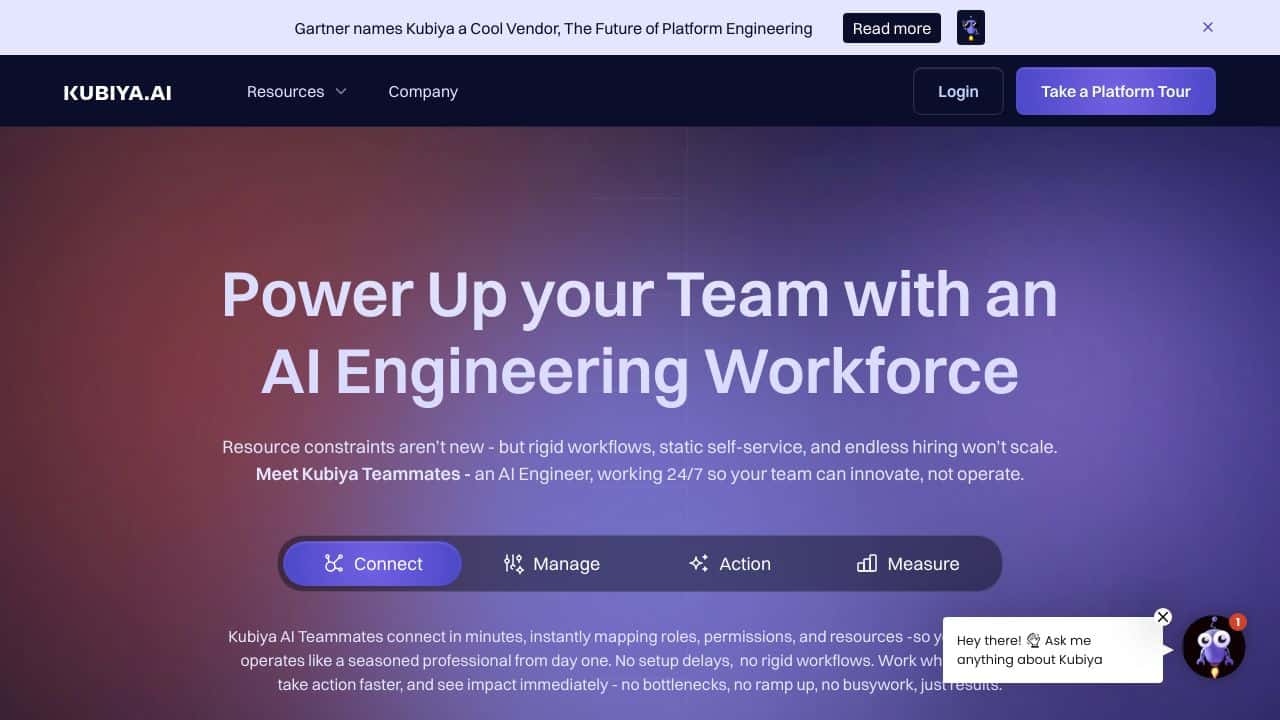















Quick Verdict
Kubiya excels at streamlining DevOps workflows through conversational AI interfaces in Slack, Teams, or CLI, requiring no coding. Its limitation is the lack of transparent pricing, requiring direct contact for quotes. DevOps teams and technical managers should consider it if they want to automate routine tasks through natural language commands.
Kubiya – AI Devops Workflow Streamlining
- Category: AI Chatbots
- Pricing: Contact for Pricing
- Best for: DevOps teams automating routine workflows
Background Check on Kubiya – AI Devops Workflow Streamlining
We ran a background check on www.youtube.com to verify its safety, security posture, hosting infrastructure, and web history. Here are the results as of April 19, 2026.
✓ Cookies, Cross Origin Resource Sharing (CORS), Redirection, Strict Transport Security (HSTS), X-Content-Type-Options, X-Frame-Options
✗ Content Security Policy (CSP)
Source: Mozilla Observatory report
What is Kubiya?
Kubiyais an AI-powered teammate designed to improves DevOps and engineering workflows. Think of it as your 24/7 virtual engineer, handling repetitive tasks, automating workflows, and enabling self-service operations. It integrates smoothly with tools like Slack, Teams, and Jira, allowing teams to delegate tasks effortlessly. With Kubiya, you can offload undifferentiated heavy lifting – like ticket queues, incident response, and infrastructure provisioning – so your team can focus on innovation, not operations. It’s like having a seasoned professional on your team, ready to execute tasks autonomously and adapt to your existing workflows.
Kubiya Features
- Conversational AI:Interact with Kubiya through natural language in Slack, Teams, or CLI – no coding required.
- smooth Integration: Works with tools like Terraform, Jenkins, Backstage, and HashiCorp Cloud Platform.
- Autonomous Execution: Handles end-to-end tasks, from self-service requests to incident resolution, without bottlenecks.
- Real-Time Insights: Tracks execution, workload trends, and productivity gAIns, offering actionable metrics like DORA.
- JIT Permissions: Ensures resources are available only when needed, with automated budget enforcement and TTL management.
- Agentic-Native: Adapts dynamically to workflows, making context-aware decisions and refining actions in real time.
- On-Prem Deployment: Supports on-premise setups for enhanced security and compliance.
Kubiya Usecases
- DevOps Teams: Automate infrastructure provisioning, incident response, and ticket queues, freeing up time for strategic work.
- Platform Engineers: Use Kubiya to manage JIT cloud permissions and enforce budgets without manual oversight.
- Help Desk Support: Resolve inquiries faster by using AI-powered assistance that taps into your knowledge base.
- Incident Management: Detect, triage, and resolve issues in real time, ensuring minimal downtime and smooth communication.
- Project Managers: Track project progress and team efficiency with real-time insights and automated reporting.
- Example:Imagine your team is swamped with Jira tickets. Kubiya steps in, reviews, resolves, and updates tickets autonomously – consider it done.
How Kubiya – AI Devops Workflow Streamlining Compares to Alternatives
When evaluating AI chatbot tools for DevOps, key factors include integration capabilities with existing platforms, ease of use without coding, and pricing transparency. Kubiya stands out for its focus on DevOps workflows through conversational interfaces in Slack, Teams, or CLI.
| Tool | Best For | Pricing |
|---|---|---|
| Kubiya | DevOps teams wanting to streamline workflows through natural language in Slack, Teams, or CLI. | Contact for pricing, no public plans. |
| Hawil AI | Businesses needing AI-native CRM with voice agents and chat for customer interactions. | Paid plans, specific pricing not detailed. |
| Amallo | Users who want to chat with multiple top AI models through one interface. | Paid service, costs vary by usage. |
| Evolbot | Creating personalized AI assistants with a freemium model for testing. | Freemium with paid upgrades available. |
Best For
- DevOps engineers automating routine tasks via Slack or Teams commands.
- Technical managers overseeing cloud infrastructure without deep coding skills.
- Teams using tools like Jenkins or Docker wanting conversational control.
- Organizations with established Slack or Microsoft Teams workflows.
Not Ideal For
- Solo developers needing a free or low-cost AI chatbot solution.
- Non-technical users seeking general-purpose AI chat for creative tasks.
- Businesses requiring transparent, upfront pricing without contact.
Getting Started
Begin by integrating Kubiya with your existing Slack or Teams workspace to test basic commands. Try simple DevOps tasks like checking server status or deploying code through natural language. This helps gauge its fit before committing to pricing discussions.
Key Limitations to Consider
- Pricing requires direct contact, lacking transparency for budget planning.
- Limited to DevOps workflows, not suitable for general AI chat needs.
- Relies on integration with specific platforms like Slack or Teams.
- No coding required may limit advanced customization for complex setups.
- Competitors offer freemium models, while Kubiya has no free tier.
Related Workflows and Tool Pairings
Kubiya fits into DevOps workflows by acting as a conversational layer between teams and their infrastructure tools. It complements monitoring systems by allowing quick status checks via chat, and pairs well with CI/CD pipelines for deployment commands. For broader use, consider adding project management tools to track tasks initiated through Kubiya, or data analytics platforms to log and analyze command patterns. This creates a seamless loop where chat commands trigger actions, with results fed back into management systems for oversight.
Related tools to explore: 123GPT.AI – Intelligent Support Chatbots, AI Charfriend – NSFW Chatbot Platform, AI LMS by Coursebox – AI Education Course Creator, AI Yacht Chat – Yachting Industry Assistant, AI.LS – Enhanced Chatbot Interface, AI21 Studio – AI Professional Headshot Creation, AI Chatbots tools
Conclusion
Kubiyais more than just an automation tool – it’s a strong option for DevOps and engineering teams. By combining conversational AI with autonomous execution, it transforms how teams operate, enabling them to delegate tasks, streamline workflows, and focus on what truly matters. Whether you’re managing ticket queues, enforcing budgets, or responding to incidents, Kubiya acts as your trusted AI teammate, delivering results without the hassle. Ready to boost your team’s productivity? Kubiya is here to make delegation the new automation.
- https://www.youtube.com/watch
- https://twitter.com/KubiyaDevOps
- https://www.linkedin.com/company/kubiya
Pricing
Kubiya – AI Devops Workflow Streamlining uses custom pricing.Contact their sales team for a quote tailored to your needs.
Frequently Asked Questions
What is Kubiya – AI Devops Workflow Streamlining?
Kubiya is an AI-powered teammate designed to improves DevOps and engineering workflows. Think of it as your 24/7 virtual engineer, handling repetitive tasks, automating workflows, and enabling self-service operations. It integrates smoothly with.
Is Kubiya – AI Devops Workflow Streamlining free?
Kubiya – AI Devops Workflow Streamlining uses custom pricing. Contact their sales team directly for a personalized quote.
What are the best Kubiya – AI Devops Workflow Streamlining alternatives?
There are many AI ai chatbots tools available. Browse our AI AI Chatbots tools directory to compare features, pricing, and reviews for the best alternatives.
Last verified: April 2026
Explore more: Browse all AI AI Chatbots tools
