












Quick Verdict
Jamie excels at automatically transcribing meeting notes with AI, saving teams significant time on documentation. However, as a paid-only tool with no free tier, it lacks accessibility for budget-conscious users. Teams and businesses that prioritize efficient meeting documentation and have budget for AI project management tools should consider Jamie. Solopreneurs or those needing comprehensive project tracking beyond transcription might find it limited.
Jamie – AI Meeting Notes Tool
- Category: Project Management, Transcriber
- Pricing: Paid
- Best for: Teams and businesses needing AI project management capabilities
Background Check on Jamie – AI Meeting Notes Tool
We ran a background check on www.meetjamie.AI to verify its safety, security posture, hosting infrastructure, and web history. Here are the results as of April 19, 2026.
✓ Cross Origin Resource Sharing (CORS), Redirection, Strict Transport Security (HSTS)
✗ Content Security Policy (CSP), X-Content-Type-Options, X-Frame-Options
Source: Mozilla Observatory report
What is it?
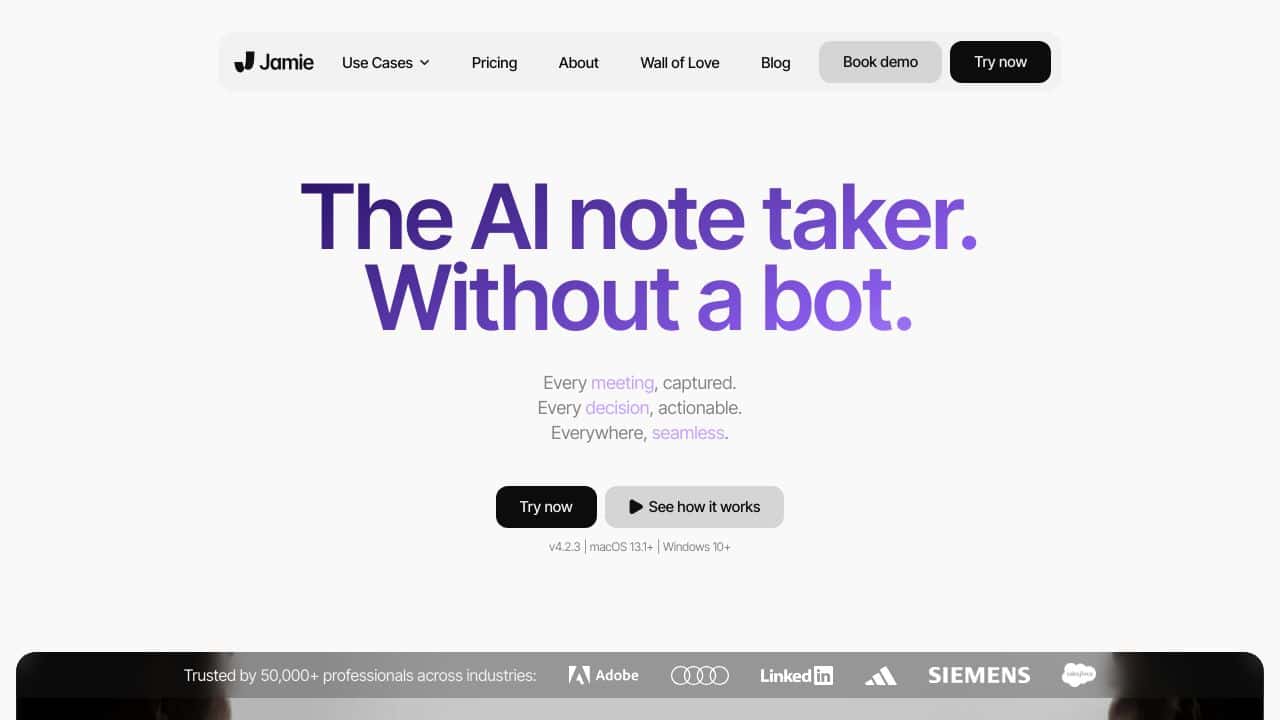
Jamie is a sophisticated AI-driven note-taking application crafted to simplify and improve the management of meetings and recordings. Unlike many conventional note-taking tools that depend on bots or external integrations, Jamie functions as a native app, offering a smooth and uninterrupted experience. It provides exceptional meeting minutes, transcriptions, and actionable items, making it an essential resource for professionals AIming to enhance their productivity during and post-meetings. Jamie excels in versatility, efficiently operating across various platforms, including Zoom and Google Meet, and even in offline settings, making it a resilient option for numerous work environments.
Jamie Features
This application boasts a rich array of features AImed at optimizing meeting productivity.
High-Quality Meeting Minutes
Jamie automatically generates detAIled minutes that accurately represent the critical points and decisions made during meetings. This feature ensures that nothing important goes unnoticed, allowing users to focus on the discussions themselves.
Real-Time Transcription
With its AI-powered transcription capabilities, Jamie captures every spoken word, thereby guaranteeing that all detAIls are preserved. This functionality is crucial for mAIntAIning precision in documentation.
Action Item Tracking
During meetings, Jamie enables users to document and assign actionable tasks efficiently, streamlining future follow-ups and enhancing organizational structure.
Cross-Platform Compatibility
Jamie smoothly integrates with widely used meeting platforms like Zoom and Google Meet, as well as functioning well in offline scenarios, ensuring flexibility for users regardless of their chosen meeting tools.
Multilingual Support
With support for over 20 languages, Jamie is tAIlored for international teams, facilitating clear communication and documentation in diverse work settings.
Secure Data Storage
All user data is stored securely in Germany, adhering to strict data protection regulations, which guarantees that all information remAIns confidential and protected.
Jamie FAQ
How does Jamie ensure meeting confidentiality?
Jamie’s data storage is located in Germany, where stringent data protection laws are enforced, ensuring that all user information is kept private and secure.
Is Jamie suitable for remote teams?
Absolutely! Jamie’s multilingual support and cross-platform compatibility make it an ideal solution for remote teams working across various time zones and languages.
Can Jamie be used offline?
Yes, Jamie is designed to function effectively even in offline scenarios, giving users the flexibility to manage meetings without an internet connection.
What type of professionals can benefit from using Jamie?
Jamie is perfect for a wide array of professionals, including executives, project managers, consultants, and educators, who require efficient and accurate documentation of meetings.
How Jamie – AI Meeting Notes Tool Compares to Alternatives
When choosing AI meeting and Project Management tools, key factors include pricing structure, core functionality focus, and target user base. Jamie competes in a space where some alternatives offer freemium models or broader project management features beyond transcription.
| Tool | Best For | Pricing |
|---|---|---|
| Jamie – AI Meeting Notes Tool | Teams needing automated meeting transcription and AI-powered note organization | Paid only, no free tier |
| TaskJect | Users requiring comprehensive task and project management with structured workflows | Paid subscription model |
| Rickle – Copilot for Project Management | Teams wanting AI assistance across multiple project management functions | Freemium model available |
| Tulsk.io – AI Project Management Tool | Budget-conscious users seeking free AI project management capabilities | Completely free tool |
Best For
- Teams conducting frequent meetings that require accurate transcription
- Businesses with budget for specialized AI documentation tools
- Project managers needing organized meeting notes for action item tracking
- Remote teams requiring consistent meeting documentation across time zones
Not Ideal For
- Solopreneurs or individuals needing free meeting transcription tools
- Teams requiring comprehensive project tracking beyond meeting notes
- Users who need real-time collaboration features during meetings
Getting Started
Begin by testing Jamie with your most common meeting type to evaluate transcription accuracy. Prepare a checklist of key information you need captured, like action items and decisions. This helps you quickly assess if the AI extraction meets your team’s specific documentation needs.
Key Limitations to Consider
- No free tier available, requiring immediate financial commitment
- Focuses primarily on transcription rather than broader project management
- May not integrate with all video conferencing platforms your team uses
- Limited functionality for teams needing real-time collaboration features
- AI transcription accuracy may vary with technical terminology or accents
Related Workflows and Tool Pairings
Jamie fits into project management workflows by automating the documentation phase that typically follows meetings. After Jamie transcribes and organizes notes, teams can export action items to task management systems for execution. This tool pairs well with calendar scheduling tools to automatically capture meeting contexts, and with communication platforms where meeting summaries need distribution. The transcribed notes also serve as searchable archives when integrated with knowledge management systems, creating a reference library of past discussions and decisions. For complete project tracking, teams typically combine Jamie with dedicated task management tools that handle assignment, deadlines, and progress monitoring beyond what meeting notes provide.
Related tools to explore: 2Slash – Universal AI Assistant, 4mAnalytics – AI Utility Mapping Tool, AI Assist – Product Management AI, AI Storyboard Generator – AI Easy Storyboard Creation, AIrtable AI – AI Workflow Data Management, AdCreative – Ad Creation Automation, Project Management tools, Transcriber tools
Conclusion
In summary, Jamie is a powerful AI-infused note-taking application that significantly enhances how users manage meeting documentation. It suits professionals who need precise, real-time recording of discussions and follow-ups, though it may not be necessary for those who prefer simpler note-taking solutions. Its comprehensive features and secure storage make it a preferred choice for those operating in dynamic, collaborative environments.
Pricing
Jamie – AI Meeting Notes Tool is apaid AI project management tool. Visit the official website for current pricing plans and details.
Last verified: April 2026
Explore more: Browse all AI Project Management tools | Browse all AI Transcriber tools
