
















Quick Verdict
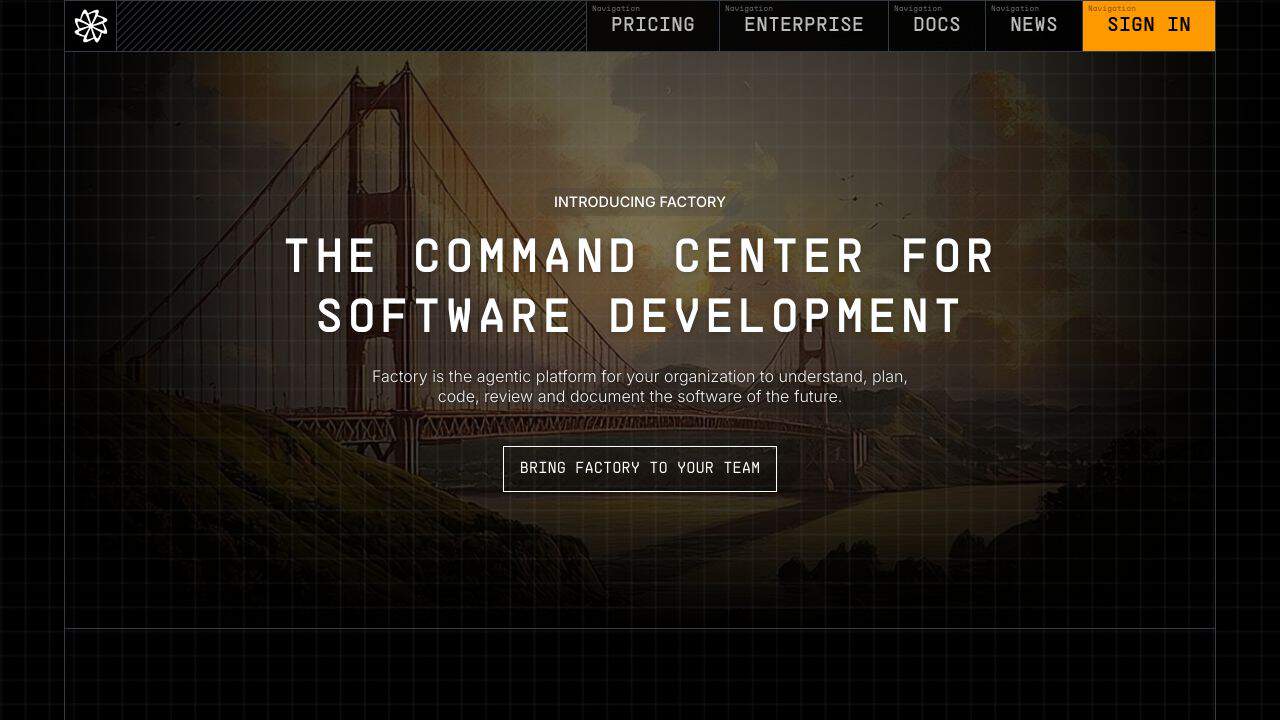
Factory excels at consolidating development context by bringing code, documentation, tickets, and discussions into a single intelligent workspace. Its enterprise-grade security with SOC 2 compliance makes it suitable for regulated environments. However, the lack of transparent pricing requires direct contact, which may deter smaller teams. This tool is best for enterprise development teams needing secure, unified context management across their software projects.
Factory – AI Autonomous Software Droids
- Category: Code Assistant
- Pricing: Contact for Pricing
- Best for: Teams automating repetitive software tasks
Background Check on Factory – AI Autonomous Software Droids
We ran a background check on twitter.com to verify its safety, security posture, hosting infrastructure, and web history. Here are the results as of April 19, 2026.
✓ Cookies, Cross Origin Resource Sharing (CORS), Redirection, Strict Transport Security (HSTS), X-Content-Type-Options, X-Frame-Options
✗ Content Security Policy (CSP), Subresource Integrity
Source: Mozilla Observatory report
What is Factory?
Factory is an AI-powered platform designed to improves the software development lifecycle (SDLC). It brings autonomy to your development process by integrating AI-driven tools that handle everything from planning and coding to testing and documentation. Think of it as your personal AI assistant that understands your codebase, streamlines workflows, and ensures your team stays productive. With features like Unified Context and Enterprise-Grade Security, Factory is built to scale with your organization while keeping your data safe and your workflows efficient.
Factory Features
- Unified Context: Brings code, documentation, tickets, and discussions into one intelligent workspace.
- Enterprise-Grade Security: Compliant with SOC 2, ISO 42001, and GDPR to protect your intellectual property.
- Team Collaboration: Share workflows, context, and guidance across your team smoothly.
- Codebase Q&A: AI systems that deeply understand your codebase, helping with reviews and issue resolution.
- Document Creation: Automates the generation, mAIntenance, and enhancement of project documentation.
- Native Workflows: Integrates with premier dev tools for a smooth development experience.
- Migrations: Simplifies large-scale codebase migrations with AI-driven insights.
Factory Use Cases
- Software Development Teams: Automate repetitive tasks like code reviews, debugging, and documentation to focus on innovation.
- Enterprise Organizations: uses Factory’s security and compliance features to meet industry standards while scaling development efforts.
- Tech Startups: Accelerate product launches by streamlining development workflows and reducing time-to-market.
- Educational Institutions: Use Factory to teach students advanced software development practices with real-world tools.
- Example: A startup uses Factory to onboard new developers faster by providing instant access to codebase context and documentation.
How Factory – AI Autonomous Software Droids Compares to Alternatives
When evaluating AI Code Assistant toolss, key factors include how well they integrate context, their security features, and pricing transparency. Factory stands out for its unified workspace approach, but alternatives offer different strengths in collaboration, CI processes, or API testing.
| Tool | Best For | Pricing |
|---|---|---|
| Factory – AI Autonomous Software Droids | Enterprise teams needing unified code, documentation, and ticket context with SOC 2 compliance. | Contact for pricing, no public tiers. |
| Ninja AI | Teams wanting a freemium AI code assistant with basic features at no cost. | Freemium model with free entry tier. |
| CICube – AI CI Process Tool | Developers focusing on AI-enhanced continuous integration and deployment workflows. | Free trial available, then paid plans. |
| Pezzo – AI Development Collaboration Tool | Teams prioritizing collaborative AI development and real-time teamwork features. | Completely free to use. |
| Kusho – AI API Testing Tool | Developers requiring specialized AI tools for automated API testing and validation. | Contact for pricing, enterprise focus. |
Best For
- Enterprise development teams requiring SOC 2 compliant tools for secure projects.
- Teams managing complex codebases with scattered documentation and tickets.
- Organizations needing a single workspace to unify code, docs, and discussions.
- Projects where context aggregation across multiple sources is critical.
Not Ideal For
- Solo developers or small startups needing transparent, low-cost pricing.
- Teams focused solely on API testing without broader context needs.
- Projects requiring freemium or free collaboration tools for basic tasks.
Getting Started
Begin by mapping all your existing code repositories, documentation sources, and ticket systems to understand what context Factory will unify. Contact their sales team early to discuss pricing and SOC 2 requirements, as this isn’t self-service. Prepare examples of how scattered information currently slows your development process to demonstrate need.
Key Limitations to Consider
- Pricing requires direct contact with no public tiers, making cost evaluation difficult.
- Focuses on context unification rather than specific coding assistance or API testing.
- May be overkill for small teams with simple, well-documented codebases.
- Enterprise security features like SOC 2 compliance add complexity for non-regulated use.
Related Workflows and Tool Pairings
Factory fits into development workflows where context fragmentation causes inefficiencies. It serves as the central intelligence layer that pulls together code from version control, documentation from wikis, tickets from project management tools, and discussions from chat platforms. This unified context then feeds into downstream processes. Complementary tool types include dedicated AI coding assistants for specific programming tasks, CI/CD platforms for automated testing and deployment, and project management tools for task tracking and sprint planning. Together, these create a cohesive environment where Factory provides the contextual understanding while specialized tools handle execution.
Related tools to explore: AI Excel Bot – Formula Generator Tool, AI Magicx – AI Design Coding Enhancement, AI2sql – AI SQL Query Generator, AIJoel – Multi-Modal Generator, AITerm – Command Interpreter AI, Adsby – Keyword Generator Tool, Code Assistant tools
Conclusion
Factoryis more than just an AI tool – it’s a strong option for software development. By automating tedious tasks, enhancing collaboration, and ensuring high-quality security, it helps teams to build better software faster. Whether you’re a startup looking to scale or an enterprise AIming to optimize, Factory’sautonomous Droids and unified workflows make it the ultimate partner for modern software engineering. Ready to transform your SDLC? Factory is here to help you build the future.
Pricing
Factory – AI Autonomous Software Droids uses custom pricing.Contact their sales team for a quote tailored to your needs.
Frequently Asked Questions
What is Factory – AI Autonomous Software Droids?
Factory is an AI-powered platform designed to improves the software development lifecycle (SDLC). It brings autonomy to your development process by integrating AI-driven tools that handle everything from planning and coding to testing and.
Is Factory – AI Autonomous Software Droids free?
Factory – AI Autonomous Software Droids uses custom pricing. Contact their sales team directly for a personalized quote.
What are the best Factory – AI Autonomous Software Droids alternatives?
There are many AI code assistant tools available. Browse our AI Code Assistant tools directory to compare features, pricing, and reviews for the best alternatives.
Last verified: April 2026
Explore more: Browse all AI Code Assistant tools
