














Quick Verdict
Erase.bg excels at fast, automated background removal with strong high-resolution support up to 5000 x 5000 px. Its bulk processing capability makes it efficient for handling multiple images at once. The main limitation is its specialized focus, which means it doesn’t offer broader image editing features. Marketers, e-commerce sellers, and designers who need clean product shots or portrait backgrounds removed should consider this tool.
Erase.bg – AI Background Removal Tool
- Category: Design Generators, E-Commerce, Image Editing
- Pricing: Freemium
- Best for: Online sellers removing backgrounds from product images
Background Check on Erase.bg – AI Background Removal Tool
We ran a background check on www.erase.bg to verify its safety, security posture, hosting infrastructure, and web history. Here are the results as of April 20, 2026.
✓ Cookies, Cross Origin Resource Sharing (CORS), Redirection, Referrer Policy, X-Content-Type-Options, X-Frame-Options
✗ Content Security Policy (CSP), Strict Transport Security (HSTS), Subresource Integrity
Source: Mozilla Observatory report
What is Erase.bg
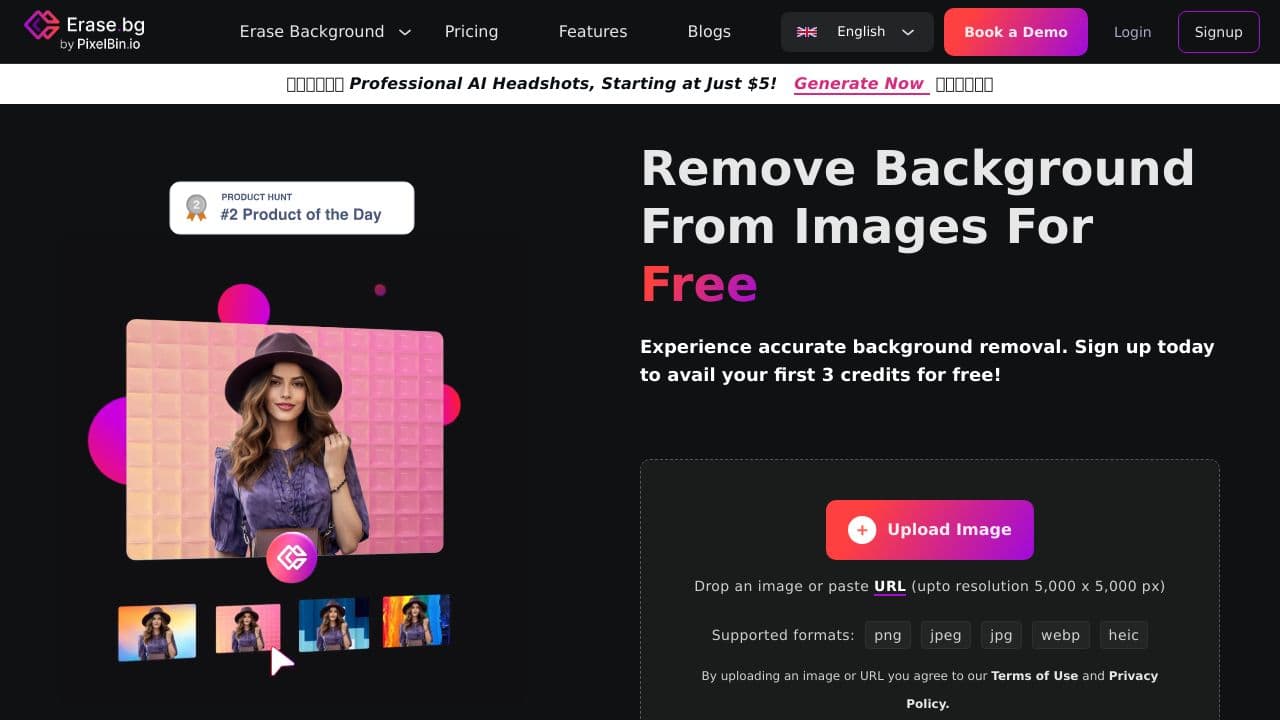
Erase.bg is an AI-powered tool designed to effortlessly remove backgrounds from images in seconds. Whether you’re a professional photographer or just someone looking to enhance personal photos, this tool simplifies the process, delivering high-quality results without the need for complex software. With support for images up to 5000 x 5000 pixels, it caters to a wide range of users and industries.
Erase.bg Features
- High-Resolution Support: Handles images up to 5000 x 5000 px, ensuring high-quality quality.
- Bulk Processing: Allows simultaneous processing of multiple images, saving time and boosting productivity.
- API Integration: smoothly integrates into existing workflows, ideal for businesses and developers.
- Cross-Platform Compatibility: Works on various operating systems and devices, ensuring accessibility.
- Diverse File Type Support: Accepts and exports images in formats like PNG, JPG, JPEG, WEBP, and HEIC.
Erase.bg Usecases
Erase.bg can be utilized in various scenarios:
- E-commerce: Create clean product images that attract customers and boost sales.
- Graphic Design: Streamline design processes by quickly removing backgrounds from images.
- Photography: Enhance photo quality by eliminating distracting backgrounds, making subjects stand out.
- Marketing: Develop visually appealing campaign materials with polished images.
- Real Estate: Improve property photos for listings, making them more appealing to potential buyers.
How Erase.bg – AI Background Removal Tool Compares to Alternatives
When choosing background removal tools, key factors include resolution limits, batch processing capabilities, and integration with design workflows. Erase.bg stands out for its specific focus on background removal rather than broader image generation or editing.
| Tool | Best For | Pricing |
|---|---|---|
| Erase.bg | Automated background removal with high-resolution support and bulk processing for e-commerce and marketing images. | Freemium model with free basic removal. |
| BeYourCover | Generating complete book cover designs with integrated background elements and text layouts. | Freemium model for cover generation. |
| Wallpapers.fyi | Creating original wallpaper designs from scratch using AI generation prompts. | Completely free wallpaper platform. |
| ThumbnailAi | Analyzing and rating thumbnail effectiveness rather than creating or editing images. | Free thumbnail rating service. |
Best For
- E-commerce sellers needing clean product photos against white backgrounds
- Marketers creating social media graphics with transparent-background portraits
- Designers preparing images for composite work or mockups
- Photographers offering quick background removal services to clients
Not Ideal For
- Users needing complete image generation from text descriptions
- Projects requiring advanced photo editing beyond background removal
- Teams needing collaborative design features or version control
Getting Started
Start by uploading your highest resolution images first to test the 5000 x 5000 px limit. Use the bulk upload feature with similar images to establish consistent processing times. Save your processed images in PNG format to preserve transparency for design workflows.
Key Limitations to Consider
- Specialized only for background removal, no broader editing tools like filters or adjustments
- Freemium model may limit resolution or batch size in free tier
- Requires separate tools for any image editing beyond background removal
- No built-in collaboration features for team design projects
- Processing complex backgrounds with fine details like hair may need manual touch-ups
Related Workflows and Tool Pairings
Erase.bg fits into design workflows where clean image preparation is the first step. After removing backgrounds, users typically move images to graphic design software for layout creation. This pairs well with vector editing tools for logo placement, mockup generators for product presentation, and social media schedulers for content planning. The transparent PNG outputs work seamlessly with platforms like Canva or Adobe Creative Suite for further design work. For e-commerce, the processed images integrate directly with product page builders and marketplace upload tools.
Related tools to explore: 3DFY – AI 3D Model Creator, AI Background Generator – AI Custom Backgrounds, AI Character Generator – AI Storyboard Character Creation, AI Home Design – AI Virtual Staging Renovations, AI Interior Design – Smart Space Designer, AI Logo Generator – AI Logo Creator, Design Generators tools, E-Commerce tools
Conclusion
In summary, Erase.bg is a powerful and user-friendly tool that improves background removal. Its AI-driven precision, bulk processing capabilities, and support for high-resolution images make it an invaluable asset for anyone looking to enhance their visuals. Whether for personal use or professional projects, Erase.bg delivers quality results that can elevate your images to the next level.
- https://www.producthunt.com/posts/erase-bg?utm_source=badge-top-post-badge&utm_medium=badge&utm_souce=badge-erase-bg
- https://www.facebook.com/Eraseimagebg
- https://twitter.com/erase_bg
- https://www.instagram.com/erase.bg/
Pricing
Erase.bg – AI Background Removal Tool offers afreemium plan with optional paid upgrades. Get started for free and upgrade as needed.
Frequently Asked Questions
What is Erase.bg – AI Background Removal Tool?
Erase.bg is an AI-powered tool designed to effortlessly remove backgrounds from images in seconds. Whether you’re a professional photographer or just someone looking to enhance personal photos, this tool simplifies the process, delivering.
Is Erase.bg – AI Background Removal Tool free?
Erase.bg – AI Background Removal Tool offers a free plan with limited features. Paid plans are available for additional capabilities.
What are the best Erase.bg – AI Background Removal Tool alternatives?
There are many AI design generators tools available. Browse our AI Design Generators tools directory to compare features, pricing, and reviews for the best alternatives.
Last verified: April 2026
Explore more: Browse all AI Design Generators tools | Browse all AI E-Commerce tools
