














Quick Verdict
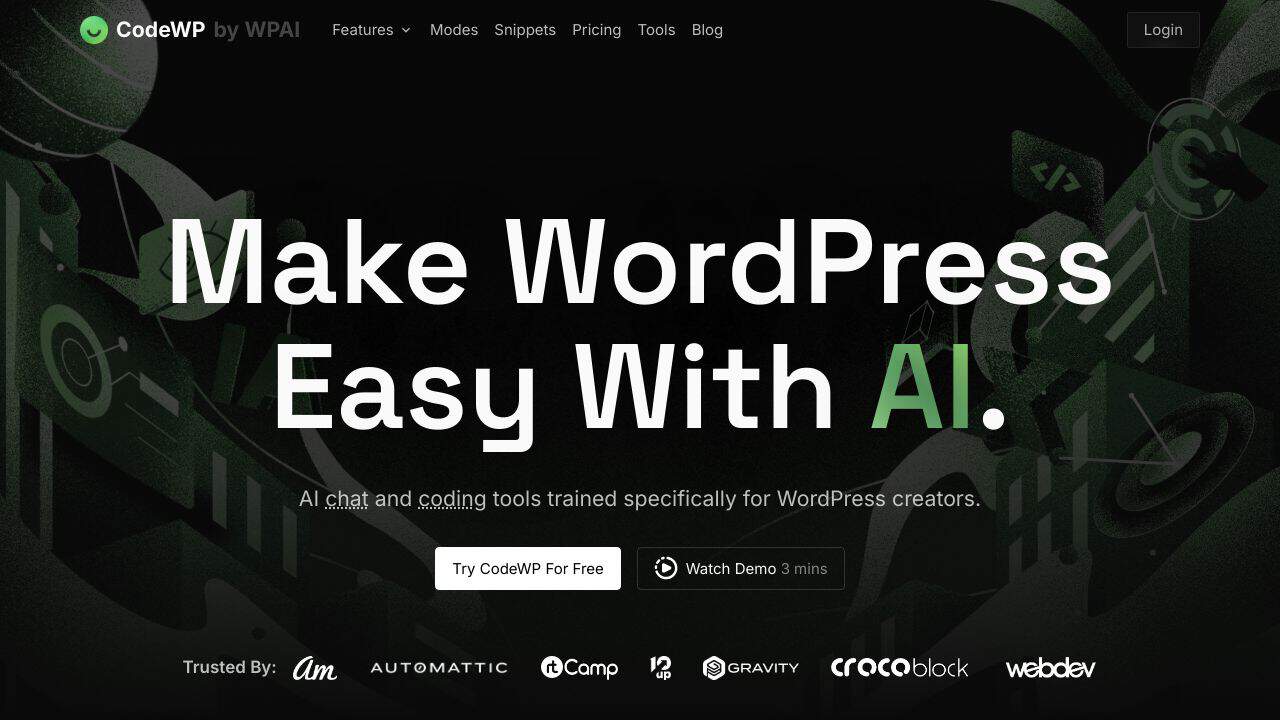
CodeWP excels at generating WordPress-specific code snippets and functions using AI, saving developers time on common tasks like custom post types or plugin hooks. Its paid-only model means no free tier for testing, which could deter individual developers. This tool is best for teams and businesses that regularly build or maintain WordPress sites and need consistent, reliable code assistance.
CodeWP – WordPress Code Builder
- Category: Code Assistant, Website Builders
- Pricing: Paid
- Best for: Teams and businesses needing AI code assistant capabilities
Background Check on CodeWP – WordPress Code Builder
We ran a background check on codewp.AI to verify its safety, security posture, hosting infrastructure, and web history. Here are the results as of April 18, 2026.
✓ Cross Origin Resource Sharing (CORS), Redirection, Referrer Policy, Strict Transport Security (HSTS), X-Content-Type-Options, X-Frame-Options
✗ Content Security Policy (CSP)
Source: Mozilla Observatory report
What is it?
CodeWP is an innovative coding assistant designed to help you rapidly understand programming concepts, generate intricate code snippets through simple prompts, and enhance your WordPress development significantly. It provides vectored development for WooCommerce, WordPress, and various online solutions. Discover how this AI can elevate your current coding practices and streamline the creation of new applications.
CodeWP Features
This product offers a range of features that enhance your coding experience. Below are some notable functionalities.
Snippet Generator
The core of this AI solution is its snippet generator, which allows you to input prompts and receive a functional script that adds your desired feature to your WordPress site. You can enter prompts in over 11 languages, with English providing the best results. This tool helps you to generate custom code efficiently and effectively.
Snippet Editor
The snippet editor offers a similar interface to the generator, enabling you to refine your scripts. This includes enhancing the security of your code agAInst potentially harmful inputs, safeguarding your site’s integrity. Additionally, a public library of snippets reviewed by professional developers is available, helping you address specific coding challenges while ensuring safety and efficiency.
Accessibility and Developer Options
CodeWP supports the creation of custom plugins tAIlored to popular solutions such as WordPress, PHP, and WooCommerce. This functionality is made possible through the online editor, which streamlines the plugin development process.
Community Support
As part of its offerings, CodeWP provides access to an extensive collection of informative blogs and tutorials on platforms like YouTube. There’s also a vibrant Facebook community ready to assist you with your coding projects, making learning and problem-solving a collaborative effort.
CodeWP FAQ
How does CodeWP operate?
The process is strAIghtforward; simply enter your desired solution or requirements into the online interface. After submitting your prompt, the AI generates a corresponding code snippet that meets your specifications, which you can then upload and activate on your WordPress site.
Can I enhance my existing code?
Yes! CodeWP allows you to select and highlight existing code for improvements regarding safety, efficiency, or readability. This feature makes it an excellent tool for refining your website’s codebase.
Is there an API for CodeWP?
Currently, there is no API available for CodeWP, which limits its integration capabilities with third-party applications outside its provided services.
What platforms is CodeWP compatible with?
CodeWP is fully compatible with Windows and PC devices. However, due to its code-centric focus, it does not support mobile device usage at this time.
How CodeWP – WordPress Code Builder Compares to Alternatives
When choosing a Code Assistant tools for WordPress development, consider factors like WordPress-specific knowledge, integration with your workflow, and cost structure. CodeWP stands out for its dedicated focus on WordPress, while alternatives may offer broader programming support or different pricing models.
| Tool | Best For | Pricing |
|---|---|---|
| CodeWP | Teams and businesses building WordPress sites who need AI-generated WordPress-specific code. | Paid only, no free tier available. |
| Ninja AI | Developers who want a freemium AI coding assistant for general programming tasks. | Freemium model with free basic features. |
| CICube | Teams needing AI assistance specifically for continuous integration processes and automation. | Free trial available, then paid. |
| Pezzo | Development teams looking for AI tools focused on collaboration and project management. | Free version with limited features. |
Best For
- WordPress agencies developing custom themes or plugins for clients.
- Businesses maintaining large WordPress sites with frequent code updates.
- Developers who need quick WordPress code snippets for hooks or filters.
- Teams that want consistent AI-generated code across multiple projects.
Not Ideal For
- Solo developers or hobbyists who need a free coding assistant.
- Projects not using WordPress, like React or mobile app development.
- Users who only need basic HTML or CSS without WordPress integration.
Getting Started
Start by using CodeWP for common WordPress tasks you already understand, like creating a custom post type or adding a shortcode. This lets you verify the AI output matches your expectations. Then, gradually try more complex requests, such as custom database queries or plugin modifications.
Key Limitations to Consider
- Only supports WordPress development, not other frameworks or languages.
- Paid pricing with no free plan for testing or small projects.
- May require manual review of generated code for complex logic.
- Limited to code generation, without built-in testing or deployment features.
Related Workflows and Tool Pairings
CodeWP fits into a WordPress development workflow by handling the initial code generation phase, allowing developers to focus on customization and debugging. It pairs well with version control systems like Git for managing code changes, and local development environments such as Docker or Local by Flywheel for testing. For a complete process, combine it with debugging tools to check generated code and deployment services to push updates to live sites. This integration streamlines building and maintaining WordPress projects efficiently.
Related tools to explore: AI Excel Bot – Formula Generator Tool, AI Magicx – AI Design Coding Enhancement, AI2sql – AI SQL Query Generator, AIJoel – Multi-Modal Generator, AITerm – Command Interpreter AI, Adsby – Keyword Generator Tool, Code Assistant tools, Website Builders tools
Conclusion
In summary, CodeWP is an essential tool for developers seeking to streamline their coding processes and enhance WordPress functionality. It is suited for both novice and experienced programmers who wish to generate and refine code efficiently. However, it may not be ideal for complete beginners without any coding background or those seeking mobile compatibility.
Pricing
CodeWP – WordPress Code Builder is apaid AI code assistant tool. Visit the official website for current pricing plans and details.
Last verified: April 2026
Explore more: Browse all AI Code Assistant tools | Browse all AI Website Builders tools
