










Quick Verdict
CloudPDF excels as a dedicated cloud-based PDF manager with AI workflow capabilities, making it strong for teams handling PDF-heavy processes. Its paid-only model means no free tier for testing, which could deter small teams or individuals. Businesses with established PDF workflows and budget for specialized tools should consider it, especially if they need AI-enhanced document management.
CloudPDF – Cloud PDF Manager
- Category: Workflows
- Pricing: Paid
- Best for: Teams and businesses needing AI workflows capabilities
Background Check on CloudPDF – Cloud PDF Manager
We ran a background check on cloudpdf.io to verify its safety, security posture, hosting infrastructure, and web history. Here are the results as of April 18, 2026.
✓ Cross Origin Resource Sharing (CORS), Redirection, Strict Transport Security (HSTS)
✗ Content Security Policy (CSP), Subresource Integrity, X-Content-Type-Options, X-Frame-Options
Source: Mozilla Observatory report
What is it?
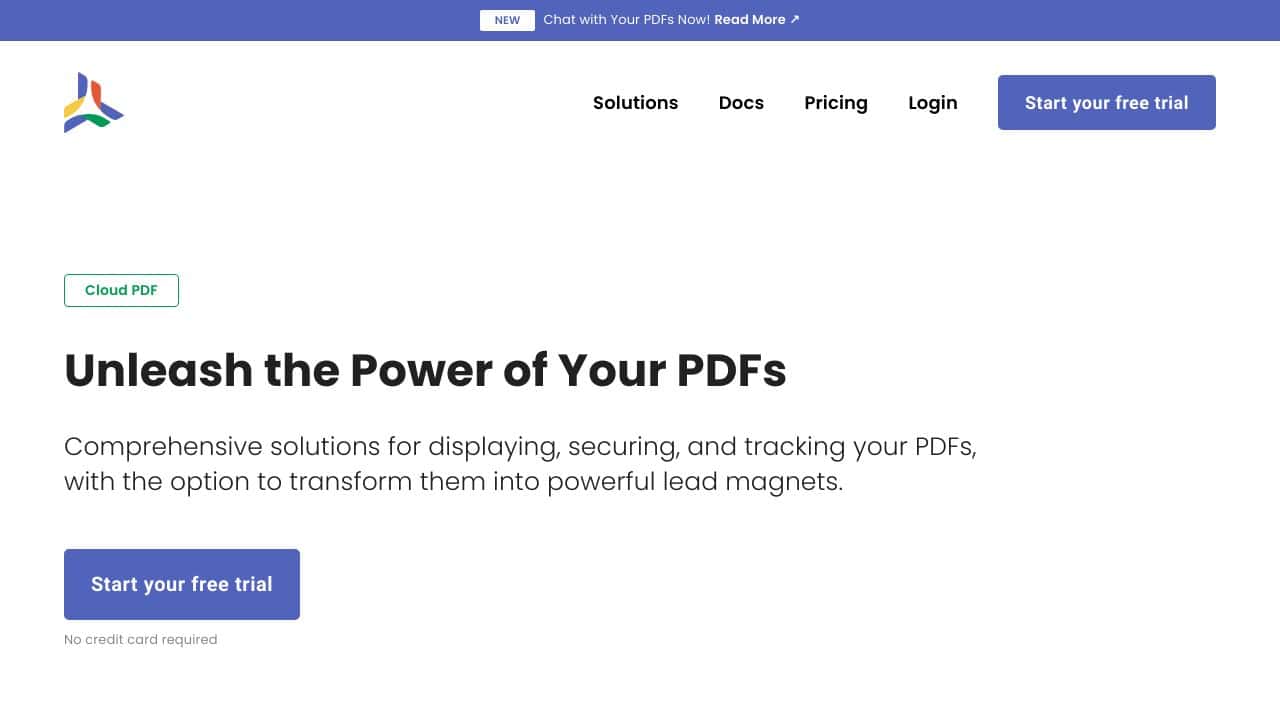
CloudPDF is an advanced tool designed for managing PDF files across various functions, catering to a wide array of professionals such as sales representatives, marketers, digital content creators, and developers.
CloudPDF Features
This platform offers a powerful combination of features tAIlored for efficient PDF management and enhanced user engagement.
Lead Capture
For marketers, CloudPDF acts as an effective lead acquisition tool, gathering visitor information before granting access to important documents, ensuring that every interaction is valuable.
Document Engagement Monitoring
Sales professionals can track document interactions in real-time, helping them recognize the best times for follow-up, ultimately boosting their sales efficiency.
Security Features
Digital publishers can benefit from solid security measures, which prevent unauthorized access to documents by restricting sharing and downloading capabilities.
Customizable PDF Viewer Integration
Developers appreciate CloudPDF for its smooth integration options, allowing them to embed a secure and tAIlor-made PDF viewer directly within their websites.
CloudPDF FAQ
How does CloudPDF enhance PDF interaction?
One of the standout features is the innovative “Chat with Your PDF” option, which allows users to engage more dynamically with their documents, transforming how information is accessed and interpreted.
What are the security measures in place?
CloudPDF employs secure tokens that dictate access duration and download permissions, thereby ensuring that your documents remAIn protected from unauthorized access.
Can I integrate CloudPDF into my existing website?
Yes, getting started is simple; you just need to create a free account, upload your files, and incorporate the viewer into your site using a strAIghtforward three-step process.
Are there different plans available for various needs?
Indeed, CloudPDF offers a variety of pricing plans and additional options like API access and priority support, allowing users to select a plan that best fits their requirements.
How CloudPDF – Cloud PDF Manager Compares to Alternatives
When choosing a workflow tool for PDF management, key factors include pricing flexibility, AI features, and integration with existing systems. CloudPDF stands out for its AI focus, but alternatives may offer freemium models or different specializations.
| Tool | Best For | Pricing |
|---|---|---|
| CloudPDF – Cloud PDF Manager | Teams needing AI-powered PDF management and workflow automation in the cloud. | Paid only, no free tier. |
| Ashdeck: Focus Timer & Site Blocker for Chrome | Individuals seeking productivity tools to block distractions while working with PDFs. | Paid, Chrome extension focused. |
| Box | Businesses wanting a broad cloud storage solution with basic PDF features. | Freemium model available. |
| WMaster ZipKing – File Compression Tool | Users prioritizing file size reduction for PDFs and other documents. | Freemium, compression focused. |
Best For
- Teams managing high volumes of PDF documents in collaborative projects.
- Businesses automating PDF-based workflows with AI for efficiency gains.
- Organizations needing secure cloud storage specifically for PDF files.
Not Ideal For
- Solo users or startups needing a free PDF tool for basic editing.
- Teams that require extensive non-PDF file type support in workflows.
- Users seeking offline PDF management without cloud dependency.
Getting Started
Begin by uploading a sample PDF to test the AI features, like automated tagging or extraction. Set up a simple workflow, such as routing invoices for approval, to see how the automation handles your documents. Check the integration options early to ensure it fits with your existing tools.
Key Limitations to Consider
- No free tier available, which limits trial options for budget conscious users.
- Focus on PDFs only may not suit teams managing diverse file types.
- Paid pricing could be prohibitive for very small teams or individual users.
- Cloud only access means no offline functionality for PDF management.
Related Workflows and Tool Pairings
CloudPDF fits into document management workflows by centralizing PDF handling with AI enhancements. It pairs well with project management tools to streamline document approvals and task assignments. For broader file handling, integrate it with cloud storage platforms to manage non-PDF files separately. In data processing, use it alongside OCR or data extraction tools to enhance PDF content analysis. This creates a seamless flow from document upload to actionable insights, ideal for teams in legal, finance, or administrative roles.
Related tools to explore: 2Slash – Universal AI Assistant, AI Assist – Product Management AI, AI Cloud Insights Lifetime Deal – AWS Cloud Management Tool, AI Consulting Tools – Business Analysis Assistant, AIHelperBot – Data Analysis Assistant, AIMLAPI – Unified AI Solutions, Workflows tools
Conclusion
In summary, CloudPDF stands out not only as a PDF management tool but as a versatile solution that enhances PDFs into significant business assets. It is well-suited for organizations looking to capture leads, safeguard content, or integrate a PDF viewer, though it may not be a fit for those seeking a basic document viewing experience.
Pricing
CloudPDF – Cloud PDF Manager is apaid AI workflows tool. Visit the official website for current pricing plans and details.
Last verified: April 2026
Explore more: Browse all AI Workflows tools
