














Quick Verdict
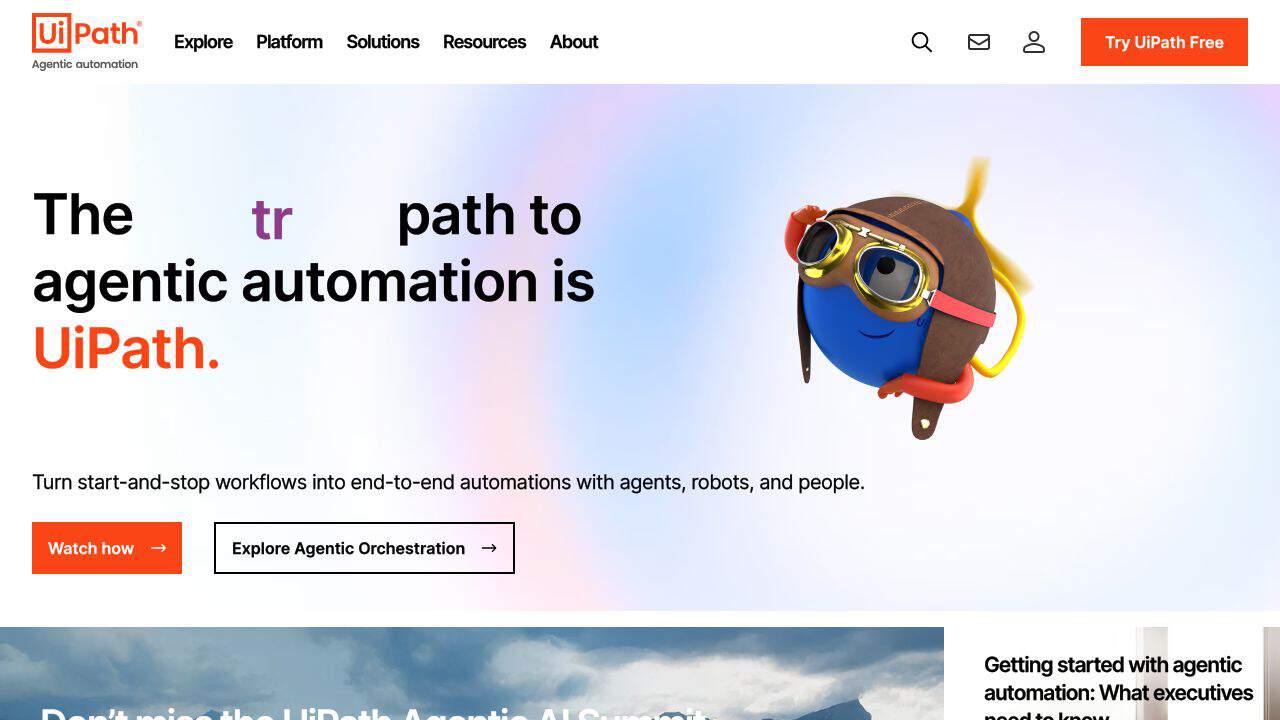
UiPath excels at AI-powered workflow automation using process mining and task mining to identify repetitive tasks for automation. A significant limitation is the lack of transparent pricing, requiring direct contact for quotes. This tool is best suited for enterprises and large organizations that need to automate complex business processes at scale with minimal coding requirements.
UiPath – AI Workflow Integration Tool
- Category: AI Agents, Low-Code/No-Code, Workflows
- Pricing: Contact for Pricing
- Best for: Businesses automating complex digital processes
Background Check on UiPath – AI Workflow Integration Tool
We ran a background check on www.uipath.com to verify its safety, security posture, hosting infrastructure, and web history. Here are the results as of April 20, 2026.
✓ Cross Origin Resource Sharing (CORS), Redirection, Referrer Policy, X-Content-Type-Options
✗ Content Security Policy (CSP), Strict Transport Security (HSTS), Subresource Integrity, X-Frame-Options
Source: Mozilla Observatory report
What is UiPath
UiPath is a powerful automation platform that combines AI and robotic process automation (RPA) to transform business processes. Designed to enhance operational efficiency, it simplifies complex workflows and integrates smoothly with existing systems. With a focus on optimizing work processes, UiPath is ideal for enterprises looking to uses automation for significant productivity gains.
UiPath Features
- AI-Powered Automation: Utilizes advanced AI algorithms to automate repetitive tasks, minimizing human error.
- Process Mining and Task Mining: Identifies high-value automation opportunities by analyzing business processes.
- Low-Code Development: Offers an intuitive environment for users to develop automation solutions without extensive programming knowledge.
- Intelligent Document Processing: Processes unstructured data from documents, enhancing data accuracy and speed.
- Scalability: Provides enterprise-grade scalability for expanding automation efforts.
- Comprehensive Analytics: Real-time insights into automation performance and ROI for data-driven decisions.
- Wide Integration Capabilities: Supports integration with numerous third-party applications for enhanced flexibility.
- User-Centric Design: Features a user-friendly interface accessible to both technical and non-technical users.
UiPath Usecases
UiPath can be utilized across various sectors and by different professionals:
- Financial Institutions: Automate back-office operations and compliance tasks to improve efficiency.
- Healthcare Providers: Streamline patient data management and billing processes for better service delivery.
- Manufacturing Companies: Enhance supply chain automation and inventory management for smoother operations.
- Telecommunications Firms: Improve customer service operations and reduce downtime through automation.
- Legal Firms: Automate contract management to save time and reduce errors.
- Educational Institutions: Streamline administrative tasks to focus more on student engagement.
How UiPath – AI Workflow Integration Tool Compares to Alternatives
When evaluating AI workflow integration tools, key factors include automation capabilities, ease of implementation, and pricing transparency. UiPath competes in a space where alternatives range from specialized business automation platforms to broader content management systems with automation features.
| Tool | Best For | Pricing |
|---|---|---|
| UiPath | Enterprise-scale AI workflow automation with process mining and task identification capabilities | Contact for pricing, enterprise-focused |
| YourGPT | Business automation through AI platform with structured workflows and integration options | Paid plans with transparent pricing |
| Box | Content management with basic workflow automation and collaboration features | Freemium model with tiered upgrades |
| Heex Technologies | Specialized workflow solutions with custom AI integration requirements | Contact for pricing, custom solutions |
Best For
- Large enterprises automating complex, repetitive business processes across departments
- Organizations needing AI-powered process mining to identify automation opportunities
- Teams requiring low-code/no-code workflow automation with advanced AI algorithms
- Companies minimizing human error in data-intensive, rule-based operations
Not Ideal For
- Small businesses or startups needing transparent, predictable pricing models
- Teams requiring simple, one-off automation without enterprise-scale features
- Organizations with minimal repetitive tasks or highly variable workflows
Getting Started
Begin by using UiPath’s process mining capabilities to identify the most repetitive, time-consuming tasks in your workflow. Focus on automating one high-impact process first to demonstrate ROI before scaling. Leverage the low-code interface to build initial automations without extensive technical expertise.
Key Limitations to Consider
- Lack of transparent pricing requires direct contact and negotiation for all plans
- Enterprise focus may create complexity for small to medium-sized businesses
- Advanced AI features require significant process analysis and setup time
- Integration with legacy systems may need additional customization and development
Related Workflows and Tool Pairings
UiPath functions as the central automation engine within larger business process ecosystems. It typically integrates with data management systems to process structured information and business intelligence platforms to feed automation insights. Complementary tool types include CRM systems for customer process automation and ERP software for back-office operations. The tool’s AI capabilities work best when paired with robust data sources and monitoring dashboards to track automation performance and identify new optimization opportunities. This creates a continuous improvement cycle where automated workflows generate data that informs further automation.
Related tools to explore: 11x – AI 24/7 Sales Outreach, AIzon – AI Pharma Manufacturing Analytics, APEX – AI Security Compliance Platform, AUI – AI Data Insight Tool, ActiveLoop.AI – AI Professional Headshot Generator, Adept – AI Workflow Automation Platform, AI Agents tools, Low-Code/No-Code tools
Conclusion
In summary, UiPath stands out as a leading automation platform that helps businesses to harness the power of AI and RPA. With its solid features, user-friendly design, and wide-ranging applications, it enables organizations to transform their operations and achieve significant efficiency gains. Whether you’re in finance, healthcare, or any other sector, UiPath provides the tools necessary to drive meaningful change and stay ahead in today’s fast-paced digital landscape.
- https://facebook.com/uipath
- https://www.linkedin.com/company/uipath
- https://twitter.com/uipath
- https://youtube.com/uipath
Pricing
UiPath – AI Workflow Integration Tool uses custom pricing.Contact their sales team for a quote tailored to your needs.
Frequently Asked Questions
What is UiPath – AI Workflow Integration Tool?
UiPath is a powerful automation platform that combines AI and robotic process automation (RPA) to transform business processes. Designed to enhance operational efficiency, it simplifies complex workflows and integrates smoothly with existing.
Is UiPath – AI Workflow Integration Tool free?
UiPath – AI Workflow Integration Tool uses custom pricing. Contact their sales team directly for a personalized quote.
What are the best UiPath – AI Workflow Integration Tool alternatives?
There are many AI ai agents tools available. Browse our AI AI Agents tools directory to compare features, pricing, and reviews for the best alternatives.
Last verified: April 2026
Explore more: Browse all AI AI Agents tools | Browse all AI Low-Code/No-Code tools
