














Quick Verdict
TypingMind excels at providing a clean, intuitive interface for ChatGPT interactions, making conversations easier to track and manage. Its freemium model offers accessible entry, but it lacks the advanced CRM or multi-model access some competitors provide. This tool is best for users who prioritize a streamlined chat experience over complex integrations or specialized AI functions.
TypingMind – AI Chatgpt Interaction Enhancement
- Category: AI Chatbots, Education, Personal Assistant
- Pricing: Freemium
- Best for: ChatGPT users wanting a better interface
Background Check on TypingMind – AI Chatgpt Interaction Enhancement
We ran a background check on www.typingmind.com to verify its safety, security posture, hosting infrastructure, and web history. Here are the results as of April 20, 2026.
- Server: Vercel
- Hosting: AMAZON-02 – Amazon.com, Inc., US (US)
- SSL Certificate: R12 (certificate age: 51 days)
- Domain Age: ~3 years (1,144 days)
Source: urlscan.io scan report
✓ Cross Origin Resource Sharing (CORS), Redirection, Strict Transport Security (HSTS)
✗ Content Security Policy (CSP), X-Content-Type-Options, X-Frame-Options
Source: Mozilla Observatory report
What is TypingMind
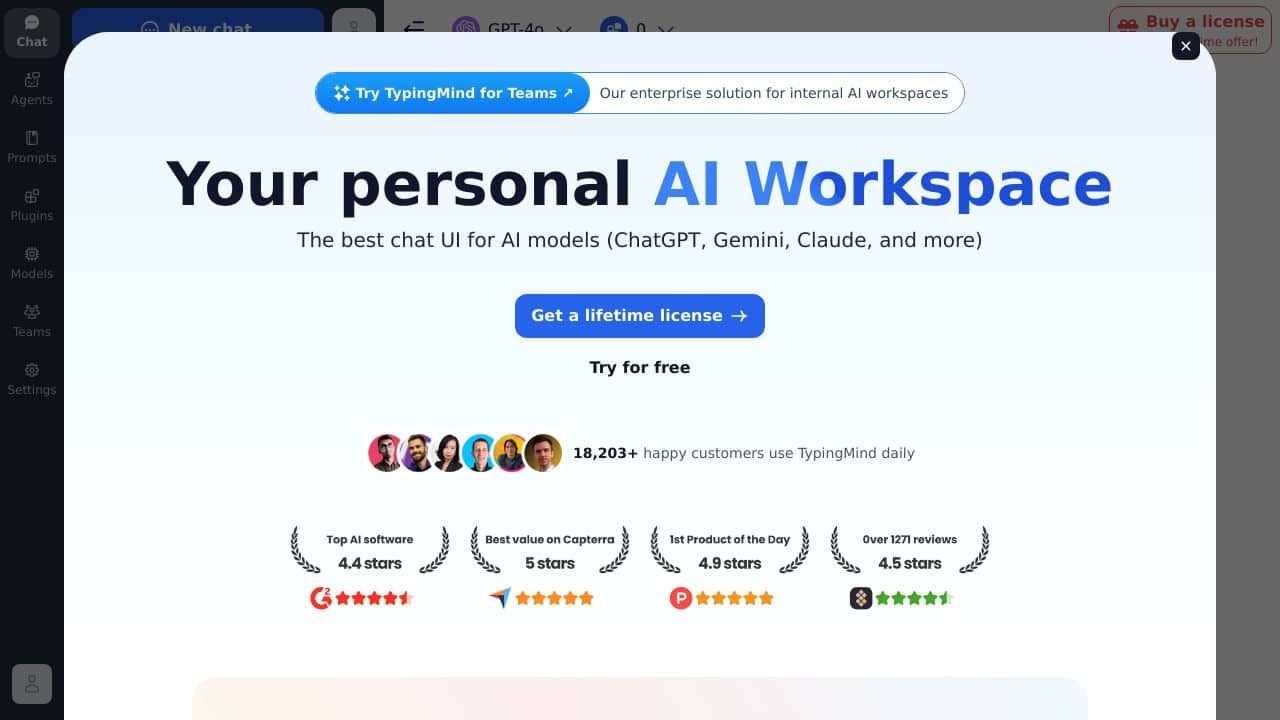
TypingMind is an innovative LLM frontend chat UI designed to enhance your interaction with ChatGPT and other AI models like GPT-4, Gemini, and Claude. It streamlines the process of communicating with advanced language models by offering a clean, intuitive interface that suits personal, professional, and educational needs. With TypingMind, managing and generating AI responses becomes a breeze, letting you focus on creativity and productivity without unnecessary complications.
TypingMind Features
- Enhanced User Interface: Enjoy a sleek, well-organized layout that makes chatting with AI intuitive and engaging.
- Conversation Management: Easily track and manage your interactions for a smooth communication experience.
- Customization Options: Personalize the UI to match your preferences, ensuring a tAIlored experience.
- Accessibility Features: Designed to be inclusive, making it usable for everyone, including those with disabilities.
- API Key Integration: Chat with multiple AI models using your own API keys, paying only for what you use.
TypingMind Usecases
- Students: Utilize TypingMind for research, homework help, and interactive learning with ChatGPT.
- Professionals: Draft emAIls, documents, and manage professional correspondence efficiently using a refined chat interface.
- Educators: Create dynamic teaching materials and engage students with AI-powered insights.
- Content Creators: BrAInstorm ideas, generate creative content, and fine-tune your message with a more responsive chat UI.
- Uncommon Use Cases: Therapists and hobbyists can simulate conversational scenarios and explore creative writing with ease.
Conclusion
TypingMind redefines your AI interaction by combining a user-centric design with solid customization and efficient conversation management. Its intuitive interface not only enhances usability but also opens up new avenues for productivity and creativity. Whether you’re a student, professional, educator, or content creator, TypingMind offers a smooth, accessible way to tap into the advanced capabilities of ChatGPT and other LLMs, transforming your digital conversations into powerful tools for success.
Pricing
TypingMind – AI Chatgpt Interaction Enhancement offers afreemium plan with optional paid upgrades. Get started for free and upgrade as needed.
How TypingMind – AI Chatgpt Interaction Enhancement Compares to Alternatives
When choosing an AI chatbot tool, key factors include interface usability, pricing structure, and specific features like conversation management or model access. TypingMind focuses on enhancing the core ChatGPT experience, while alternatives may offer broader AI model support or specialized business functions.
| Tool | Best For | Pricing |
|---|---|---|
| TypingMind | Users wanting a sleek, organized interface to improve ChatGPT conversations and track chats easily. | Freemium model with free access available. |
| Hawil AI | Businesses needing AI-native CRM with voice agents and chat for customer relationship management. | Paid only, no free tier. |
| Amallo | Those seeking to chat with multiple top AI models beyond just ChatGPT in one platform. | Paid service, likely subscription-based. |
| Evolbot | Users looking to create and customize personalized AI assistants with specific roles or tasks. | Freemium, similar to TypingMind’s model. |
Best For
- Marketers drafting and refining content with ChatGPT in a clean, distraction-free interface.
- Solopreneurs managing multiple AI conversations for brainstorming or customer support efficiently.
- Educators or students organizing chat histories for learning or research purposes.
- Anyone frustrated with ChatGPT’s default interface who wants better conversation tracking.
Not Ideal For
- Teams needing advanced CRM integrations or voice agent capabilities for sales.
- Users requiring access to 500+ AI models through a single API for diverse tasks.
- Businesses that prioritize deep AI model customization over interface simplicity.
Getting Started
Start by exploring the conversation management features to organize your chats into folders or tags. Use the sleek interface to test different query styles, and check the freemium limits to understand what advanced features might require payment. This helps you maximize the tool’s core strength right away.
Key Limitations to Consider
- Limited to enhancing ChatGPT interactions, not supporting other AI models like some competitors.
- Freemium model may restrict advanced features, requiring payment for full functionality.
- No built-in CRM or voice agent tools, focusing solely on chat interface improvement.
- May lack integrations with specialized business software compared to paid alternatives.
Related Workflows and Tool Pairings
TypingMind fits into workflows centered on content creation, research, or personal assistance by streamlining ChatGPT interactions. For example, a marketer might use it to draft blog posts, then pair it with a content management system to publish and a social media scheduler to promote. Complementary tool types include project management software for task tracking and data analysis tools to interpret chat insights. This creates a seamless flow from AI brainstorming to execution, leveraging TypingMind’s organized interface to keep conversations productive and accessible.
Related tools to explore: 123GPT.AI – Intelligent Support Chatbots, AI Charfriend – NSFW Chatbot Platform, AI LMS by Coursebox – AI Education Course Creator, AI Yacht Chat – Yachting Industry Assistant, AI.LS – Enhanced Chatbot Interface, AI21 Studio – AI Professional Headshot Creation, AI Chatbots tools, Education tools
Frequently Asked Questions
What is TypingMind – AI Chatgpt Interaction Enhancement?
TypingMind is an innovative LLM frontend chat UI designed to enhance your interaction with ChatGPT and other AI models like GPT-4, Gemini, and Claude. It streamlines the process of communicating with advanced language models by offering a clean,.
Is TypingMind – AI Chatgpt Interaction Enhancement free?
TypingMind – AI Chatgpt Interaction Enhancement offers a free plan with limited features. Paid plans are available for additional capabilities.
What are the best TypingMind – AI Chatgpt Interaction Enhancement alternatives?
There are many AI ai chatbots tools available. Browse our AI AI Chatbots tools directory to compare features, pricing, and reviews for the best alternatives.
Last verified: April 2026
Explore more: Browse all AI AI Chatbots tools | Browse all AI Education tools
