










Quick Verdict
Superhuman excels at streamlining email workflows with its AI-powered scheduling and instant reply features. The tool’s ‘send later’ functionality helps optimize timing for better engagement, while pre-drafted responses accelerate communication. One limitation is its paid-only pricing, which may deter budget-conscious users. Marketers and sales professionals who prioritize email efficiency and timing should consider this tool.
Superhuman – AI EmAIl Productivity Enhancements
- Category: Email Assistant, Sales Assistant
- Pricing: Paid
- Best for: Professionals seeking faster email management
Background Check on Superhuman – AI EmAIl Productivity Enhancements
We ran a background check on blog.superhuman.com to verify its safety, security posture, hosting infrastructure, and web history. Here are the results as of April 19, 2026.
✓ Cross Origin Resource Sharing (CORS), Redirection, Strict Transport Security (HSTS), X-Content-Type-Options
✗ Content Security Policy (CSP), Referrer Policy, Subresource Integrity, X-Frame-Options
Source: Mozilla Observatory report
What is Superhuman
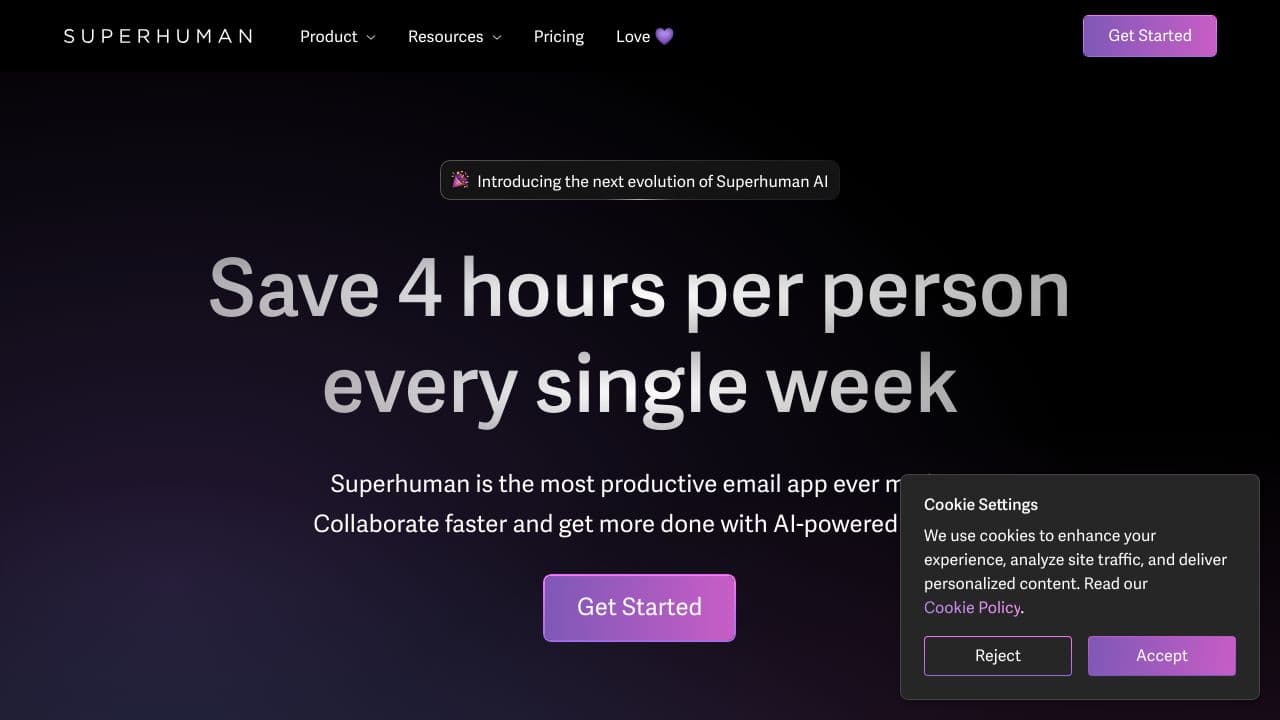
Superhuman is the most productive emAIl app ever made, designed to help you fly through your inbox twice as fast as before. Built for teams using GmAIl or Outlook, it saves users an average of 4 hours per person every week and has collectively saved teams over 15 million hours annually. With AI-powered features, Superhuman ensures you never miss an important emAIl, collaborate faster, and stay on top of your inbox effortlessly.
Superhuman Features
- Send Later: Schedule emAIls to be sent at the perfect time.
- Instant Reply: Respond faster with pre-drafted replies.
- Snooze EmAIls: Temporarily remove emAIls from your inbox and bring them back later.
- Keyboard Shortcuts: Hit Inbox Zero faster with intuitive shortcuts.
- Social Insight: Improve interactions with context about your contacts.
- Unsubscribe & Clear Spam: Instantly clean up your inbox.
- Read Statuses: See when people read your emAIl and on which device.
- Team Collaboration: Share and comment on emAIls with your team in real-time.
- Autocorrect: Fix errors as you type, speeding up your typing by 30-50%.
- Split Inbox: Automatically triage emAIls to focus on what matters most.
Superhuman Usecases
- Busy Professionals: Save time by automating repetitive tasks like scheduling emAIls and snoozing less urgent ones.
- Sales Teams: Close deals faster with read statuses and follow-up reminders.
- Customer Success Teams: Respond to client queries promptly with instant replies and shared snippets.
- Project Managers: Collaborate smoothly by sharing live emAIl views and commenting with your team.
- Recruiters: Track candidate responses and follow up at the right time using read statuses.
- Executives: Stay on top of VIP emAIls with Split Inbox and avoid missing critical communications.
How Superhuman – AI EmAIl Productivity Enhancements Compares to Alternatives
When evaluating email productivity tools, key factors include scheduling capabilities, response automation, and pricing structure. Superhuman competes in a crowded space where alternatives offer different approaches to email enhancement.
| Tool | Best For | Pricing |
|---|---|---|
| Superhuman | AI-powered email scheduling and instant reply generation for productivity-focused users | Paid subscription required |
| Chorde | Sending voice recordings directly from Gmail and Outlook for audio communication | Paid service |
| Swift Missive | Boosting email engagement with free tools for outreach optimization | Free to use |
| CalBot | AI executive assistant functionality beyond just email management | Paid subscription model |
Best For
- Sales teams needing to schedule emails for optimal response times
- Marketers coordinating timed email campaigns for maximum impact
- Busy professionals who want AI-generated quick replies to common inquiries
- Founders managing high-volume email correspondence efficiently
Not Ideal For
- Users requiring free email tools with basic functionality only
- Teams needing comprehensive list management and email validation features
- Individuals who primarily communicate via voice recordings rather than text
Getting Started
Begin by setting up your most common email scenarios in the instant reply feature. Test the scheduling function with a few non-critical emails first to understand timing optimization. This helps you build confidence before applying these tools to important communications.
Key Limitations to Consider
- Paid pricing excludes users who need free email productivity solutions
- Focuses primarily on scheduling and replies, not list management or validation
- No voice recording capabilities like some competing tools offer
- May require adjustment period to trust AI-generated response suggestions
Related Workflows and Tool Pairings
Superhuman fits naturally into email-centric workflows where timing and response speed matter. For sales teams, it pairs well with CRM systems to track scheduled outreach and follow-ups. Marketers can combine it with analytics tools to measure the impact of optimized send times. The tool also complements project management platforms by ensuring timely communication about deliverables and updates. When integrated with calendar applications, Superhuman helps coordinate email timing with availability for meetings and calls. This creates a cohesive productivity ecosystem around communication management.
Related tools to explore: AI MAIl Assistant – EmAIl Productivity Tool, AIWillyRater – Adult Image Rater, AImReply – AI EmAIl Composer, AIrepli – Text Response Generator, AIzonix – Facebook and Instagram Chatbot, ActiveCampAIgn – AI EmAIl Marketing CRM, Email Assistant tools, Sales Assistant tools
Conclusion
Superhumanis more than just an emAIl app – it’s a productivity powerhouse. By automating tedious tasks, enhancing collaboration, and providing real-time insights, it transforms how you manage your inbox. Whether you’re a busy professional, a salesperson, or a team leader, Superhuman helps you focus on what truly matters. With its AI-driven features, you’ll not only save time but also work smarter and faster. Ready to enhances?Superhuman is here to make it happen.
- https://blog.superhuman.com/inboxzeroday/?utm_medium=homepage-banner&utm_campAIgn=202210-izday
- https://twitter.com/Superhuman
- https://facebook.com/SuperhumanCo
- https://github.com/superhuman
- mAIlto:[email protected]?subject=Superhuman%20IT%20review&body=Hello!%20I%20would%20love%20to%20use%20Superhuman,%20but%20it%20is%20not%20yet%20enabled%20at%20my%20company…
Pricing
Superhuman – AI EmAIl Productivity Enhancements is apaid AI email assistant tool. Visit the official website for current pricing plans and details.
Frequently Asked Questions
What is Superhuman – AI EmAIl Productivity Enhancements?
Superhuman is the most productive emAIl app ever made, designed to help you fly through your inbox twice as fast as before. Built for teams using GmAIl or Outlook, it saves users an average of 4 hours per person every week and has collectively saved.
Is Superhuman – AI EmAIl Productivity Enhancements free?
No, Superhuman – AI EmAIl Productivity Enhancements is a paid tool. Visit the official website for current pricing and plan options.
What are the best Superhuman – AI EmAIl Productivity Enhancements alternatives?
There are many AI email assistant tools available. Browse our AI Email Assistant tools directory to compare features, pricing, and reviews for the best alternatives.
Last verified: April 2026
Explore more: Browse all AI Email Assistant tools | Browse all AI Sales Assistant tools
