













Quick Verdict
Plus AI excels at quickly generating multilingual Google Slides presentations from simple prompts or existing documents like PDFs. Its freemium model makes it accessible for testing, though advanced features may require payment. Marketers and educators who need rapid presentation creation in multiple languages should consider this tool, especially for turning rough ideas into structured slides.
Plus AI – AI Multilingual Google Slides
- Category: Education, Marketing, Presentations
- Pricing: Freemium
- Best for: Teams creating multilingual presentations quickly
Background Check on Plus AI – AI Multilingual Google Slides
We ran a background check on twitter.com to verify its safety, security posture, hosting infrastructure, and web history. Here are the results as of April 19, 2026.
✓ Cookies, Cross Origin Resource Sharing (CORS), Redirection, Strict Transport Security (HSTS), X-Content-Type-Options, X-Frame-Options
✗ Content Security Policy (CSP), Subresource Integrity
Source: Mozilla Observatory report
What is Plus AI?
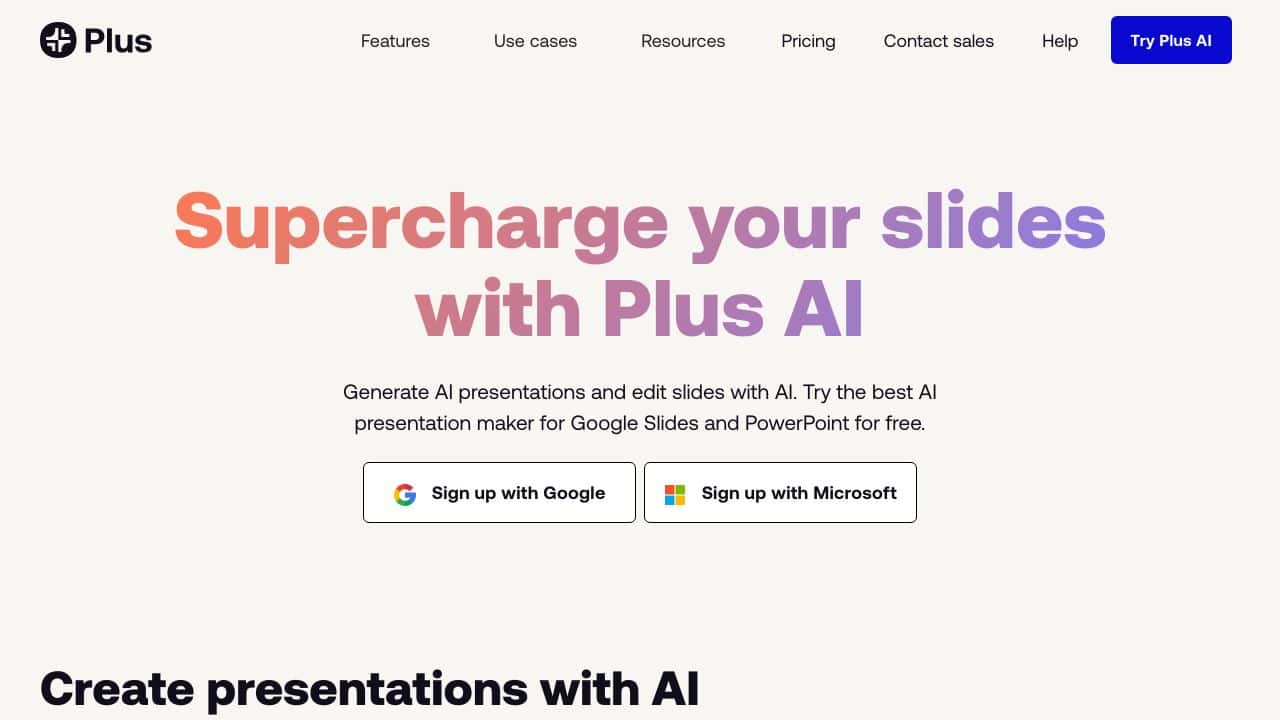
Plus AI is an AI-powered presentation tool designed to boost your slide creation process. It integrates directly with Google Slides and PowerPoint, allowing you to create, edit, and refine presentations with ease. Whether you’re starting from scratch or converting a document into a slide deck, Plus AI simplifies the process, saving you time and effort. With features like AI-generated templates and custom branding, it’s the ultimate tool for crafting professional presentations in minutes.
Plus AI Features
- Prompt to Presentation: Turn a simple idea or prompt into a full presentation instantly.
- Document to Presentation: Convert PDFs, Word docs, or text files into slides effortlessly.
- AI in Any Language: Create and edit presentations in multiple languages, making it globally accessible.
- Edit Slides with AI: Use AI to rewrite, remix, or refine your slides for a polished look.
- Custom Branding: Add your logo, colors, and fonts to make presentations uniquely yours.
- AI Image Generator: Create visuals that align perfectly with your content.
- Integration with Google Slides and PowerPoint: Work smoothly within your preferred platform.
Plus AI Use Cases
- For Sales and Marketing: Quickly generate pitch decks or product presentations to impress clients.
- For Startups: Create investor-ready presentations without spending hours on design.
- For Consultants: Deliver professional reports and proposals with minimal effort.
- For Course Creators: Design engaging educational slides to captivate your audience.
- For Schools and Universities: Help educators create visually appealing lesson plans and presentations.
- Example: A marketing team uses Plus AI to turn a blog post into a stunning presentation for a client meeting in under 10 minutes.
How Plus AI – AI Multilingual Google Slides Compares to Alternatives
When evaluating AI presentation tools, key factors include multilingual support, input flexibility, and integration with existing workflows. Plus AI stands out for its direct Google Slides integration and ability to work from both prompts and documents, making it versatile for different content creation needs.
| Tool | Best For | Pricing |
|---|---|---|
| Plus AI – AI Multilingual Google Slides | Creating multilingual presentations quickly from prompts or documents like PDFs and Word files. | Freemium model with free tier available. |
| PathwiseAI – AI Cover Letter Generator | Generating personalized cover letters and job application documents automatically. | Freemium, focused on career documents. |
| Utobo – Create, Teach, & Sell Online Courses | Building and monetizing complete online courses with teaching tools. | Paid platform for course creation. |
| Acadle – LMS for Employee and Customer Training | Managing training programs with learning management system features. | Paid, enterprise focused LMS. |
| Digest AI – Revolutionary Philippine Legal Research Assistant | Assisting with legal research specific to Philippine law and regulations. | Freemium, niche legal focus. |
Best For
- Marketers needing quick multilingual presentations for international campaigns.
- Educators converting lecture notes or PDFs into structured slide decks.
- Solopreneurs turning business ideas into investor pitch decks rapidly.
- Teams collaborating on Google Slides who want AI assisted content generation.
Not Ideal For
- Users requiring complex animations or advanced design customization.
- Those needing presentations outside the Google Slides ecosystem.
- Enterprises seeking deep integration with proprietary learning management systems.
Getting Started
Start by pasting a short paragraph from an existing document or writing a simple prompt about your topic. Use the free tier to test both the ‘prompt to presentation’ and ‘document to presentation’ features. This will help you understand which input method works best for your workflow before committing to paid features.
Key Limitations to Consider
- Design customization may be limited compared to manual slide creation.
- Multilingual accuracy might vary depending on language complexity.
- Advanced features likely require upgrading from the freemium tier.
- Integration is specific to Google Slides, not other presentation software.
- Document conversion works best with clean, well structured PDFs or Word files.
Related Workflows and Tool Pairings
Plus AI fits into content creation workflows where speed and multilingual output are priorities. It works well after initial research or brainstorming, turning raw ideas into presentation drafts. Complementary tool types include graphic design platforms for enhancing visual elements, translation tools for refining multilingual content, and project management software for coordinating presentation development across teams. For educators, it pairs with learning management systems to distribute slides, while marketers might use it alongside social media schedulers to promote presentation content. The tool serves as a bridge between content ideation and polished presentation delivery.
Related tools to explore: 100DaysOfAI – DAIly AI Lessons, 3DFY – AI 3D Model Creator, AI Detector – AI Generated Content Detection, AI Experiments – AI Experiment Platform, AI LMS by Coursebox – AI Education Course Creator, AI Quiz Generator – AI Interactive Course Creator, Education tools, Marketing tools
Conclusion
Plus AI is a strong option for anyone who creates presentations. Its smooth integration with Google Slides and PowerPoint, combined with powerful AI features, makes it a useful tool for professionals, educators, and creatives alike. Whether you’re converting documents, generating slides from prompts, or customizing designs, Plus AI streamlines the process, saving you time while delivering stunning results. Ready to elevate your presentations? Try Plus AI today and experience the future of slide creation.
Pricing
Plus AI – AI Multilingual Google Slides offers afreemium plan with optional paid upgrades. Get started for free and upgrade as needed.
Frequently Asked Questions
What is Plus AI – AI Multilingual Google Slides?
Plus AI is an AI-powered presentation tool designed to boost your slide creation process. It integrates directly with Google Slides and PowerPoint, allowing you to create, edit, and refine presentations with ease. Whether you’re starting from.
Is Plus AI – AI Multilingual Google Slides free?
Plus AI – AI Multilingual Google Slides offers a free plan with limited features. Paid plans are available for additional capabilities.
What are the best Plus AI – AI Multilingual Google Slides alternatives?
There are many AI education tools available. Browse our AI Education tools directory to compare features, pricing, and reviews for the best alternatives.
Last verified: April 2026
Explore more: Browse all AI Education tools | Browse all AI Marketing tools
