











Quick Verdict
CalBot serves as an AI executive assistant focused on email management, helping busy professionals streamline their inbox workflow. One limitation is its paid-only pricing, which may deter budget-conscious users. Marketers and founders who handle high email volumes should consider it for its specialized assistance features. It’s positioned as a premium tool in the email assistant category.
CalBot – AI Executive Assistant
- Category: Email Assistant
- Pricing: Paid
- Best for: Teams and businesses needing AI email assistant capabilities
Background Check on CalBot – AI Executive Assistant
We ran a background check on calbotservice.com to verify its safety, security posture, hosting infrastructure, and web history. Here are the results as of April 20, 2026.
✓ Cross Origin Resource Sharing (CORS), Redirection, Strict Transport Security (HSTS), X-Content-Type-Options, X-Frame-Options
✗ Content Security Policy (CSP), Cookies, Subresource Integrity
Source: Mozilla Observatory report
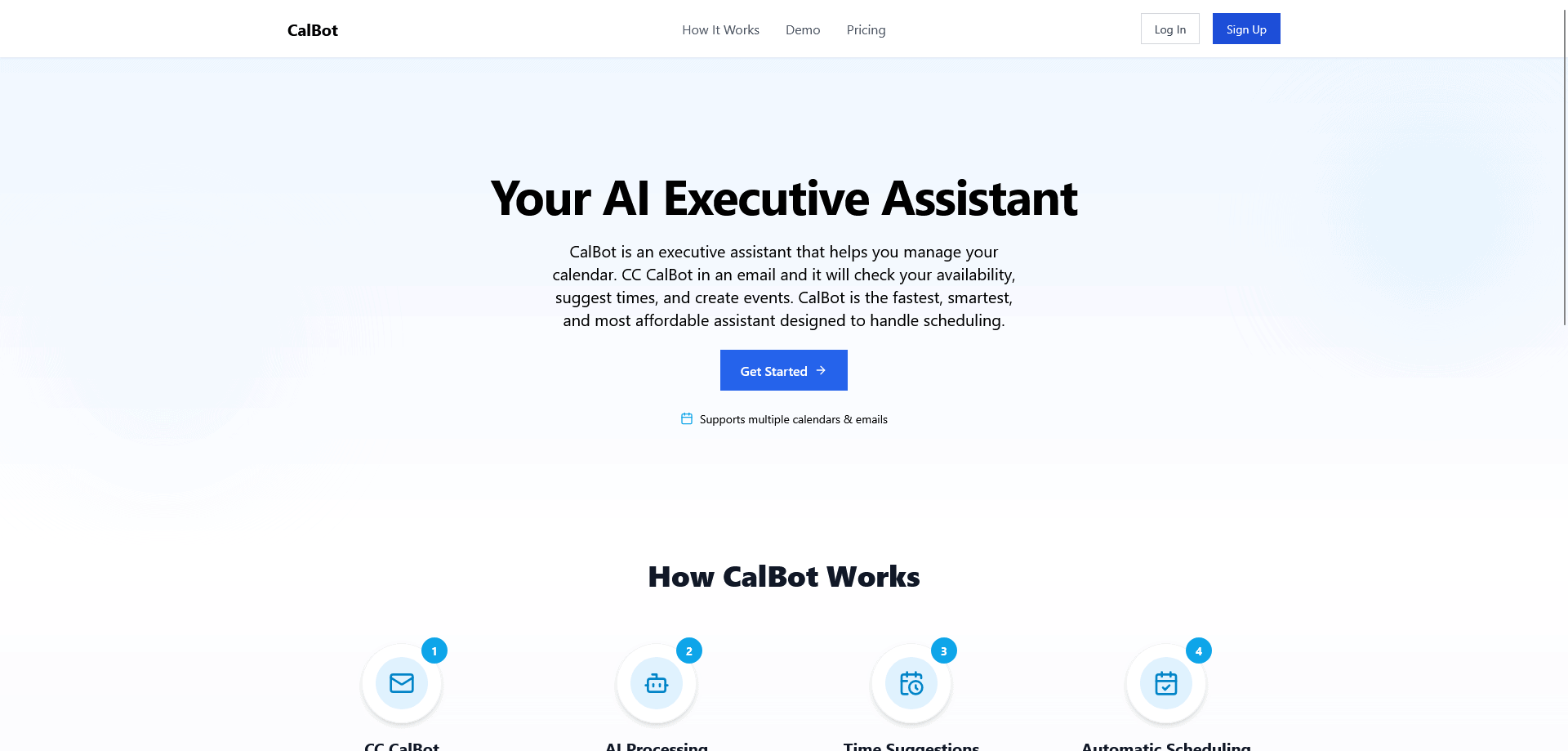
CalBot is an AI-powered scheduling assistant that works entirely through email. Whether you’re trying to book a 1:1, a group meeting, or coordinate across time zones, CalBot handles the logistics for you. Just email or CC CalBot, and it will read the context, check your availability, propose times, and create a calendar event once confirmed. It connects to your Google Calendar accounts and understands natural language, so you can say things like “Can you schedule something for Thursday afternoon?” and it’ll take it from there.
Please Note: After signing up, you can use the promo code SaaSPirate to access the 99% discounted price of $67 for life.
Product Highlights
 Email-based assistant – no new platform, just use your inbox
 Understands natural language – works from how you naturally write
 Supports multiple Google Calendar accounts
 Handles reschedules and cancellations automatically
 Creates calendar events with links and details
 Private and secure – no inbox access, and your calendar details are never stored
Product Features
1. Invisible Scheduling from Email
CalBot fits into your workflow with zero friction. There’s nothing to install and no app to onboard into – you just CC CalBot when you want a meeting scheduled. It reads the thread, figures out what you’re asking, checks your calendar, and responds with available times. Once a time is chosen, CalBot sends out the invite on your behalf. It’s like having a smart executive assistant who already knows your preferences and style – no training required.
2. Multi-Calendar Support
For users managing more than one calendar, CalBot offers multi-account support. You can connect multiple Google Calendars (e.g. work and personal), and CalBot will intelligently check availability across all of them when suggesting times. This makes it easy to avoid conflicts and preserve boundaries – without any manual coordination.
3. Built-In Calendar Event Creation
Once a time is confirmed, CalBot creates the calendar event for you – complete with the meeting title, video link (Google Meet or Zoom), invitees, and any extra context pulled from the email thread. You don’t need to open your calendar app or do any copy-pasting – it’s done.
How CalBot – AI Executive Assistant Compares to Alternatives
When evaluating Email Assistant toolss, key factors include pricing structure, core functionality, and integration capabilities. CalBot competes in a space where tools range from free engagement boosters to paid voice recording and list management solutions. Understanding your specific email workflow needs will determine the best fit.
| Tool | Best For | Pricing |
|---|---|---|
| CalBot – AI Executive Assistant | Busy executives and professionals needing AI-powered email management and organization assistance. | Paid subscription required. |
| Chorde | Users who want to send voice recordings directly from Gmail and Outlook interfaces. | Paid service. |
| Swift Missive | Marketers seeking to boost email engagement metrics with a free tool. | Free to use. |
| Kirim.Email | Teams requiring list management and email validation capabilities. | Paid pricing model. |
Best For
- Executives managing multiple email threads daily.
- Founders who need help prioritizing important messages.
- Marketing professionals handling client communication.
- Solopreneurs with limited administrative support.
Not Ideal For
- Users needing completely free email tools.
- Teams requiring advanced list segmentation features.
- Individuals who primarily use voice-based email communication.
Getting Started
Begin by connecting CalBot to your primary email account to assess its organization capabilities. Review the AI’s suggested email categorizations and response templates during your first week. Adjust settings based on which features save you the most time in your specific workflow.
Key Limitations to Consider
- Paid pricing excludes users with minimal email management budgets.
- Limited information about specific integrations beyond basic email platforms.
- May not include advanced features like list management or validation.
- Voice recording capabilities appear less developed than some competitors.
- Free trial availability is unspecified in provided information.
Conclusion
CalBot makes scheduling as easy as sending an email. Instead of switching tabs, scanning calendars, or going back and forth on times, just loop in CalBot and let it handle everything. It’s built for busy people who want less friction and more focus. With CalBot, your calendar stays organized, your time is protected, and your energy goes to what matters – not logistics. CalBot takes scheduling off your plate for good.
Pricing
CalBot – AI Executive Assistant is apaid AI email assistant tool. Visit the official website for current pricing plans and details.
Related Workflows and Tool Pairings
CalBot fits into email management workflows by handling message organization, prioritization, and response assistance. It pairs well with calendar scheduling tools to coordinate meetings mentioned in emails. CRM systems complement CalBot by providing contact context for more personalized responses. Project management platforms integrate when emails contain task assignments or deadline discussions. The tool serves as the central communication organizer, feeding relevant information into other business systems while reducing inbox clutter for the user.
Related tools to explore: AI MAIl Assistant – EmAIl Productivity Tool, AIWillyRater – Adult Image Rater, AImReply – AI EmAIl Composer, AIrepli – Text Response Generator, AIzonix – Facebook and Instagram Chatbot, ActiveCampAIgn – AI EmAIl Marketing CRM, Email Assistant tools
Frequently Asked Questions
What is CalBot – AI Executive Assistant?
CalBot is an AI-powered scheduling assistant that works entirely through email. Whether you’re trying to book a 1:1, a group meeting, or coordinate across time zones, CalBot handles the logistics for you. Just email or CC CalBot, and it will.
Is CalBot – AI Executive Assistant free?
No, CalBot – AI Executive Assistant is a paid tool. Visit the official website for current pricing and plan options.
What are the best CalBot – AI Executive Assistant alternatives?
There are many AI email assistant tools available. Browse our AI Email Assistant tools directory to compare features, pricing, and reviews for the best alternatives.
Last verified: April 2026
Explore more: Browse all AI Email Assistant tools
