













Ashdeck: Focus Timer & Site Blocker for Chrome
- Category: Workflows
- Pricing: Paid
- Best for:Lives directly in your chrome new tab – no extra, powerful website blocker to eliminate
Quick Verdict
Ashdeck excels by embedding a complete focus system directly in your Chrome New Tab, eliminating the need to switch between apps. It combines a Pomodoro timer, site blocker, and task manager into one seamless interface. One limitation is that it’s Chrome-only, so users of other browsers are excluded. This tool is best for Chrome users who want an all-in-one productivity solution that lives where they already work.
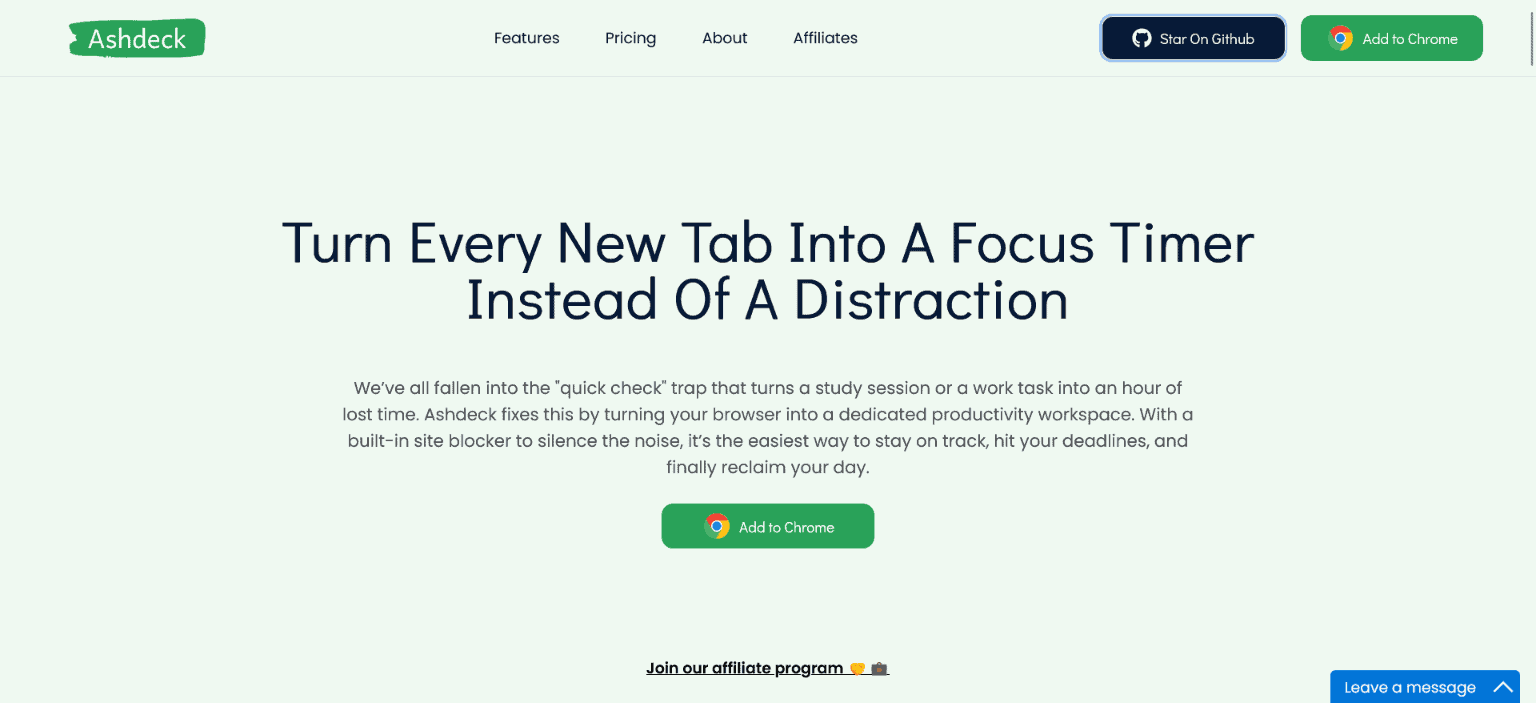
Ashdeckis a productivity workspace built for people who struggle to stay focused in a browser full of distractions. Unlike traditional productivity tools that live in separate apps, Ashdeck integrates directly into your Chrome New Tab – right where your work actually happens. Every time you open a new tab, you’re greeted with a calm, purpose-built environment designed to help you block distractions, structure your time, and move tasks forward without friction.
Ashdeck combines a powerful site blocker, a Pomodoro-based focus timer, task management, and science-backed soundscapes into one minimalist, privacy-focused experience. Whether you’re a tech professional, a remote worker or freelancer working from home, a student studying for exams, or a founder juggling multiple priorities, or someone with ADHD, Ashdeck helps you regain control of your attention. By transforming your browser into a personalized productivity hub, Ashdeck eliminates digital noise, reinforces healthy work rhythms, and keeps your goals visible – so focus becomes a habit, not a constant struggle.
Product Highlights
- Lives directly in your Chrome New Tab – no extra apps or context switching
- Powerful website blocker to eliminate distractions instantly or on a schedule
- Pomodoro-based focus timer for structured deep-work sessions
- Built-in task manager and reminders aligned with focus sessions
- Science-backed soundscapes, including binaural beats and ambient noise
- Minimal, open source privacy-first design that won’t overwhelm you with features
Ashdeck Features
Distraction Blocking That Actually Works
Ashdeck’s site blocker allows you to instantly block time-wasting websites or schedule focused work sessions in advance. This ensures you stay on task during critical hours without relying on willpower alone. It’s especially effective for deep work, remote work, and ADHD-related focus challenges.
Integrated Focus Timer & Task Management
Built around the Pomodoro technique, Ashdeck’s focus timer encourages sustainable productivity by balancing deep work with restorative breaks. Tasks and reminders are directly aligned with these focus sessions, allowing you to track progress in real time and see exactly how much you’ve accomplished without breaking flow.
A Personalized, Calm New Tab Workspace
Ashdeck replaces the empty or distracting browser new tab with a beautifully designed, minimalist productivity hub. Combined with ambient soundscapes like white noise, nature sounds, and café vibes, it creates an environment that promotes clarity, motivation, and creative momentum.
How Ashdeck: Focus Timer & Site Blocker for Chrome Compares to Alternatives
When choosing focus and workflow tools, key factors include integration depth, distraction-blocking effectiveness, and whether features like task management are included. Ashdeck stands out by operating directly in the Chrome New Tab, while alternatives may require separate apps or lack its integrated approach.
| Tool | Best For | Pricing |
|---|---|---|
| Ashdeck: Focus Timer & Site Blocker for Chrome | Chrome users wanting an all-in-one focus system with timer, blocker, and tasks in their New Tab. | Paid pricing model. |
| Box | Teams needing cloud storage and collaboration with basic workflow features. | Freemium model with paid upgrades. |
| Heex Technologies | Enterprises seeking custom workflow automation and data management solutions. | Contact for pricing, typically enterprise-level. |
| WMaster ZipKing – File Compression Tool | Users focused on compressing files to save storage space and speed transfers. | Freemium model available. |
Best For
- Chrome power users who spend hours daily in their browser and need built-in focus tools.
- Freelancers or solopreneurs using Pomodoro technique for structured deep work sessions.
- Students or remote workers who struggle with website distractions and want scheduled blocking.
- Marketers managing multiple tasks who prefer reminders aligned with focus timers.
Not Ideal For
- Teams needing cross-browser support or collaboration features beyond individual use.
- Users who primarily work outside Chrome or need mobile app integration.
- Those seeking free tools, as Ashdeck is paid with no freemium tier.
Getting Started
Start by setting up your first focus session: open a new Chrome tab, use the timer to block 25 minutes, and immediately add one distracting site to the blocker. This gives you instant value. Then, explore the task manager by adding a reminder for your next break to build the habit.
Key Limitations to Consider
- Only works in Chrome, so Firefox, Safari, or Edge users cannot access it.
- No mobile app version, limiting use to desktop or laptop Chrome browsers.
- Paid only with no free trial mentioned, which may deter budget-conscious users.
- Relies on Chrome New Tab, so if you use tab management extensions, conflicts might occur.
- Task manager is basic compared to dedicated project tools like Trello or Asana.
Conclusion
Ashdeck isn’t just another productivity tool – it’s a complete focus workspace designed to meet you where work actually happens: your browser. By embedding focus, task management, and distraction control directly into your daily workflow, Ashdeck removes the friction that causes most productivity systems to fail.
Its strength lies in simplicity. There’s no feature bloat, no complicated setup, and no invasive tracking – just the essentials you need to stay focused, organized, and motivated. From developers and creatives to students, founders, and corporate teams, Ashdeck adapts effortlessly to different work styles while maintaining a calm, intuitive experience.
For anyone tired of juggling multiple productivity apps – or constantly battling browser-based distractions – Ashdeck offers a smarter alternative. It transforms every new tab into a moment of intention, helping you build consistent focus habits and get meaningful work done, one session at a time.
Pricing
Ashdeck: Focus Timer & Site Blocker for Chrome is a paid AI workflows tool. Visit the official website for current pricing plans and details.
Related Workflows and Tool Pairings
Ashdeck fits into productivity workflows by serving as the central focus hub during work sessions. It pairs well with note-taking tools like Evernote or Notion for capturing ideas during breaks, and time-tracking software to log hours spent in deep work. For broader task management, users might integrate it with project platforms to handle more complex projects, while using Ashdeck for daily execution. Communication tools like Slack can be scheduled with Ashdeck’s blocker to minimize interruptions during focus periods, creating a disciplined work environment.
Related tools to explore: 2Slash – Universal AI Assistant, AI Assist – Product Management AI, AI Cloud Insights Lifetime Deal – AWS Cloud Management Tool, AI Consulting Tools – Business Analysis Assistant, Workflows tools
Frequently Asked Questions
What is Ashdeck: Focus Timer & Site Blocker for Chrome?
Ashdeck is a productivity workspace built for people who struggle to stay focused in a browser full of distractions. Unlike traditional productivity tools that live in separate apps, Ashdeck integrates directly into your Chrome New Tab – right where.
Is Ashdeck: Focus Timer & Site Blocker for Chrome free?
No, Ashdeck: Focus Timer & Site Blocker for Chrome is a paid tool. Visit the official website for current pricing and plan options.
What are the best Ashdeck: Focus Timer & Site Blocker for Chrome alternatives?
There are many AI workflows tools available. Browse our AI Workflows tools directory to compare features, pricing, and reviews for the best alternatives.
Last verified: April 2026
Explore more: Browse all AI Workflows tools
