















Quick Verdict
neoSVG excels at generating scalable vector graphics directly from text descriptions, saving designers time on basic icon and graphic creation. Its paid model means no free tier for testing, which could deter individual users. This tool is best for teams and businesses that regularly need custom SVG assets and value consistent, professional output over free experimentation.
neoSVG – Text-to-SVG Generator
- Category: Design Generators
- Pricing: Paid
- Best for: Teams and businesses needing AI design generators capabilities
Background Check on neoSVG – Text-to-SVG Generator
We ran a background check on neosvg.com to verify its safety, security posture, hosting infrastructure, and web history. Here are the results as of April 19, 2026.
- Server: Vercel
- Hosting: AMAZON-02 – Amazon.com, Inc., US (US)
- SSL Certificate: R13 (certificate age: 44 days)
- Domain Age: ~2 years (1,080 days)
Source: urlscan.io scan report
✓ Cross Origin Resource Sharing (CORS), Redirection, Strict Transport Security (HSTS)
✗ Content Security Policy (CSP), X-Content-Type-Options, X-Frame-Options
Source: Mozilla Observatory report
What is it?
This product is an innovative platform designed for graphic designers and web developers, specializing in the creation of scalable vector graphics (SVG) through its AI-powered Text-to-SVG tools.
Features
NeoSVG comes packed with an array of features that make it stand out in the SVG creation landscape.
Advanced AI Algorithms
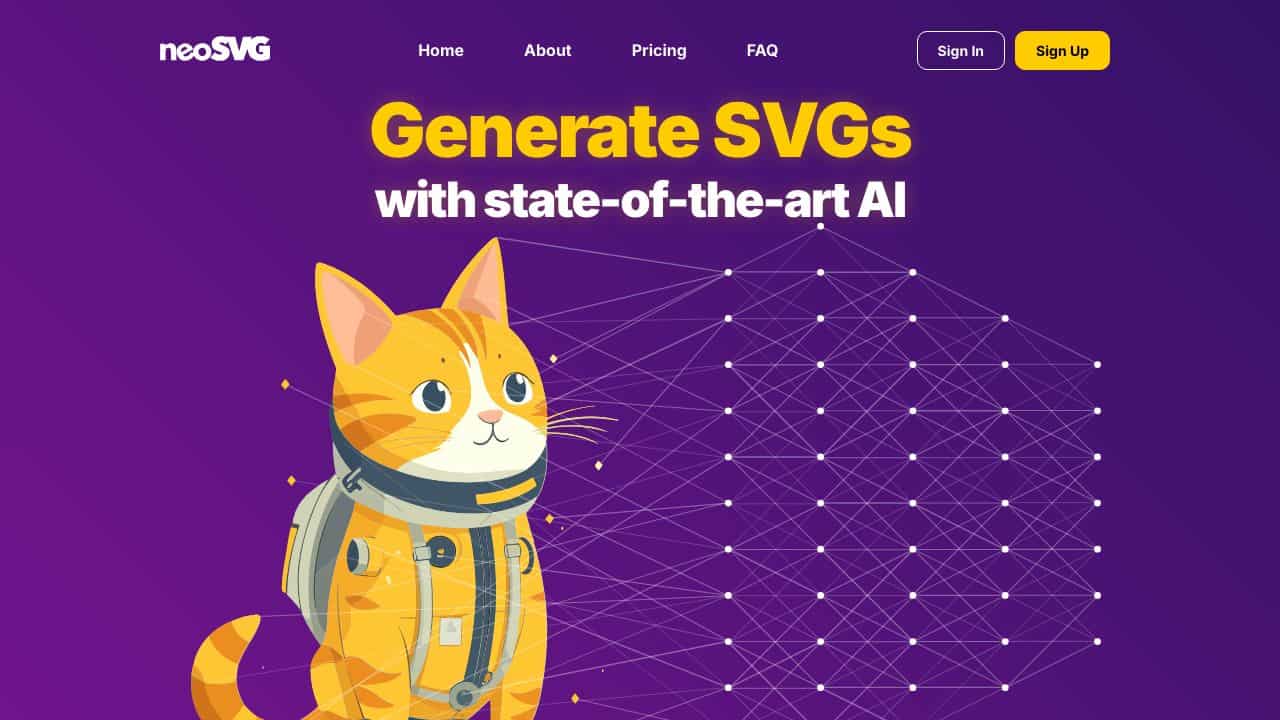
The product uses sophisticated AI algorithms to produce intricate SVGs based on user-defined text prompts. Whether you need a representation of an “astronaut cat” or a “superhero robot”, NeoSVG generates high-quality graphics without the necessity for manual edits.
Standard vs. Pro Models
NeoSVG presents two models: the Standard and the neoSVG Pro. The Standard model is reliable and operates at a steady pace, producing quality images in a monochromatic scheme, while the Pro model enhances the visuals with vibrant colors and superior quality, although it may be a bit slower.
Context Perception
One of the distinct advantages of the Pro model is its ability to understand context better, which adds depth and richness to the SVGs it creates, providing a more nuanced output compared to the Standard model.
Flexible Pricing Plans
To cater to various needs, NeoSVG provides three pricing tiers. The Starter plan costs $15 per month, offering 50 credits. For those needing more, the Professional plan at $35 per month provides 150 credits, while the Enterprise plan, priced at $95 per month, allows for up to 500 credits, ideal for agencies dealing with high-volume projects.
FAQ
What types of graphics can be generated?
Users can create a wide variety of designs based on textual inputs, from whimsical characters to professional logos, making it versatile for different creative needs.
Can I make edits after generation?
Yes, while the tool generates graphics automatically, users can use vector editing applications for any additional tweaks or modifications to enhance their designs further.
How does the Pro model differ from Standard?
The Pro model offers more advanced features, including a broader color palette and improved context perception for depth in generated images, while the Standard model focuses on stability and simplicity.
Are there any discounts for long-term commitments?
NeoSVG does not currently provide specific discounts for long-term subscriptions, but users are encouraged to choose between its pricing plans based on their anticipated usage.
How neoSVG – Text-to-SVG Generator Compares to Alternatives
When evaluating AI Design Generators tools, key factors include output format specificity, pricing structure, and target use cases. For SVG generation, consider whether you need vector scalability, how much you can invest, and what level of customization you require.
| Tool | Best For | Pricing |
|---|---|---|
| neoSVG – Text-to-SVG Generator | Teams and businesses needing AI-generated scalable vector graphics for consistent branding. | Paid only, no free tier available. |
| BeYourCover – AI Book Cover Generator | Authors and publishers creating book covers with AI assistance and freemium options. | Freemium model with paid upgrades. |
| Wallpapers.fyi – AI Wallpaper Generation Platform | Individuals generating custom wallpapers for personal devices at no cost. | Completely free to use. |
| ThumbnailAi – AI Thumbnail Rating Platform | Content creators testing and optimizing thumbnail effectiveness through AI analysis. | Free platform for thumbnail evaluation. |
Best For
- Marketing teams creating branded SVG icons for websites and campaigns.
- Product designers needing scalable vector assets for UI/UX projects.
- Businesses requiring consistent SVG graphics across multiple platforms.
- Agencies that produce client deliverables with custom vector elements.
Not Ideal For
- Individual hobbyists wanting free tools for occasional personal projects.
- Users needing raster image outputs like JPEG or PNG files.
- Teams that require extensive free trials before committing to paid tools.
Getting Started
Start by writing clear, descriptive text prompts that specify style, color, and complexity. Test with simple icon requests first to understand the AI’s interpretation before moving to complex graphics. Review the SVG output in a vector editor to ensure it meets your scalability needs.
Key Limitations to Consider
- No free tier available, requiring immediate financial commitment for access.
- Limited to SVG output only, not suitable for raster image formats.
- May require text prompt refinement to achieve specific design results.
- Lacks built-in collaboration features for team based design workflows.
Related Workflows and Tool Pairings
neoSVG fits into design workflows where scalable vector graphics are essential, such as web development, branding projects, and digital product design. After generating SVGs, users typically import them into vector editing software like Adobe Illustrator or Figma for refinement and integration. This tool pairs well with design systems that maintain consistent visual assets, and with prototyping platforms that utilize SVG components. For complete workflows, consider combining neoSVG with color palette generators for cohesive styling, and with version control systems to manage asset iterations across teams.
Related tools to explore: 3DFY – AI 3D Model Creator, AI Background Generator – AI Custom Backgrounds, AI Character Generator – AI Storyboard Character Creation, AI Home Design – AI Virtual Staging Renovations, AI Interior Design – Smart Space Designer, AI Logo Generator – AI Logo Creator, Design Generators tools
Conclusion
NeoSVG is an exceptional tool for both amateur and professional graphic designers who seek a smooth way to create scalable vector graphics from text prompts. It is well-suited for those who desire vibrant, complex graphics without spending hours on designs, yet it may not be the ideal choice for users seeking advanced manual design features.
Pricing
neoSVG – Text-to-SVG Generator is apaid AI design generators tool. Visit the official website for current pricing plans and details.
Last verified: April 2026
Explore more: Browse all AI Design Generators tools
