










Quick Verdict
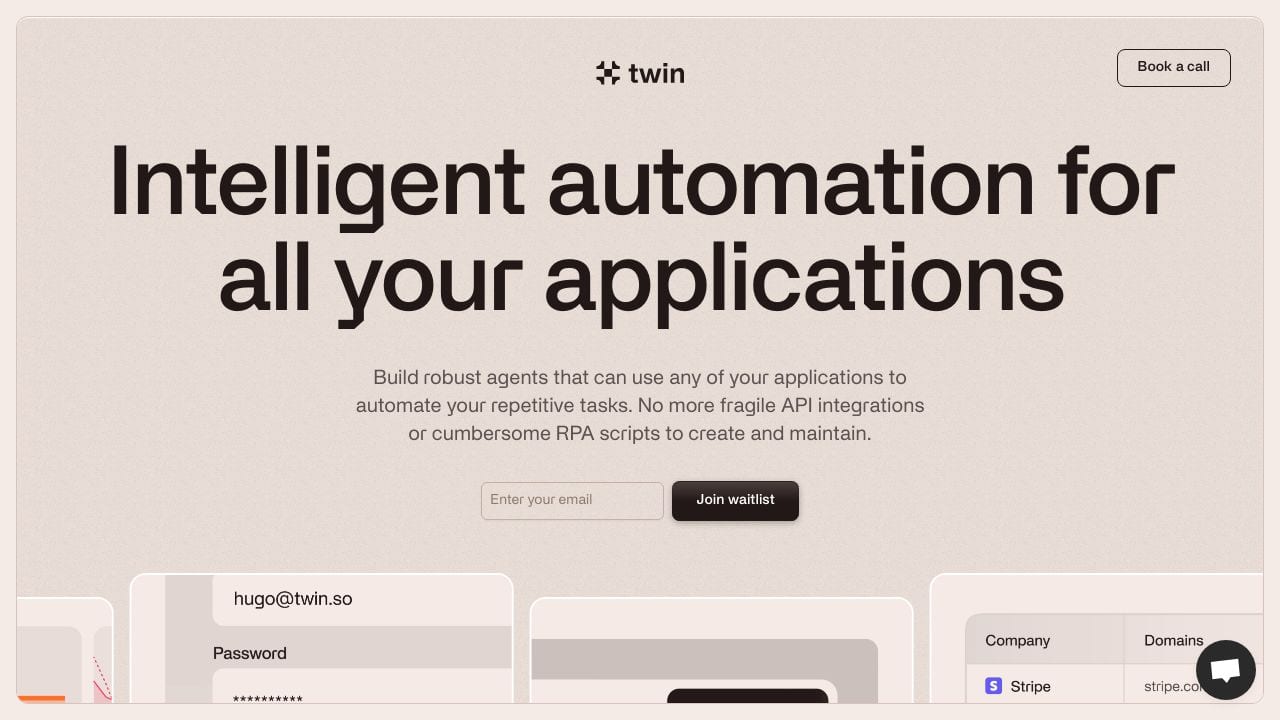
Twin excels at action-driven automation by learning and replicating user actions across different software applications, making it powerful for eliminating repetitive manual work. Its advanced computer vision capabilities allow it to interact with complex interfaces that simpler automation tools might struggle with. However, the lack of transparent pricing requires potential users to contact the company, which can be a barrier for quick evaluation.
Twin – AI Task Automation Platform
- Category: Personal Assistant
- Pricing: Contact for Pricing
- Best for: Teams automating repetitive digital tasks
Background Check on Twin – AI Task Automation Platform
We ran a background check on twin.so to verify its safety, security posture, hosting infrastructure, and web history. Here are the results as of April 20, 2026.
✓ Cross Origin Resource Sharing (CORS), Redirection, Referrer Policy, Strict Transport Security (HSTS), X-Content-Type-Options, X-Frame-Options
✗ Content Security Policy (CSP), Subresource Integrity
Source: Mozilla Observatory report
What is Twin
Twin is an innovative AI tool designed to act as your digital sidekick, automating repetitive tasks across various applications. By using advanced computer vision and machine learning technologies, Twin mimics human actions on computers, effectively handling mundane tasks so you can focus on more creative and strategic work. Founded in early 2023, Twin aims to improves how we interact with digital environments, boosting productivity and efficiency.
Twin Features
- Action-Driven Automation: Twin learns and replicates user actions to automate repetitive tasks across different software applications.
- Advanced Computer Vision: Utilizes modern computer vision to understand and interact with the user interface of any application.
- Natural Language Processing: Users can command and interact with Twin using simple, conversational language.
- Custom Task Definition: Easily define and customize tasks using natural language, tailoring Twin to specific needs.
Twin Usecases
Twin can be a strong option for various users across different sectors:
- Small to Medium Enterprises (SMEs): Automate routine administrative and operational tasks, freeing up valuable time.
- Freelancers: Manage repetitive tasks like invoicing and communications effortlessly.
- Educational Institutions: Streamline administrative functions such as scheduling and student communications.
- Tech Startups: Enhance development operations and project management tasks.
- Creative Professionals: Artists and designers can automate repetitive parts of their creative processes, allowing for more focus on innovation.
How Twin – AI Task Automation Platform Compares to Alternatives
When choosing a Personal Assistant tools automation tool, key factors include the complexity of tasks it can handle, integration capabilities with existing software, and pricing transparency. Twin stands out for its ability to learn user actions through computer vision, but alternatives may offer different approaches to automation or more accessible pricing models.
| Tool | Best For | Pricing |
|---|---|---|
| Twin – AI Task Automation Platform | Complex, multi-step automation across different software applications using learned user actions. | Contact for pricing, likely enterprise-focused. |
| Manus | Users needing personal assistant automation with custom enterprise pricing structures. | Contact for pricing details. |
| Ninja AI | Individuals or small teams seeking automation with a freemium entry point. | Freemium model with paid upgrades. |
| Skoot – AI Travel Planning Platform | Automating travel planning and itinerary management specifically. | Free to use platform. |
Best For
- Business teams automating data entry across CRM and spreadsheet applications.
- Power users who perform repetitive multi-step workflows in graphic design software.
- IT departments automating software testing procedures across different platforms.
- Marketing teams automating social media posting and analytics reporting.
Not Ideal For
- Individuals needing simple, single-application macro recording.
- Startups with limited budgets requiring transparent, predictable pricing.
- Users who primarily need document generation or resume building automation.
Getting Started
Begin by identifying one repetitive, multi-step task you perform daily across 2-3 applications. Record this process carefully in Twin, paying attention to precise clicks and data entry points. Test the automation thoroughly in a sandbox environment before deploying it to live systems to ensure reliability.
Key Limitations to Consider
- Requires clear pricing information through direct contact rather than self-service options.
- May struggle with applications that have frequently changing interface elements.
- Learning curve exists for setting up complex cross-application workflows.
- Dependent on visual recognition which can fail with low-contrast or dynamic interfaces.
- Enterprise focus may make it less accessible for individual users or small teams.
Related Workflows and Tool Pairings
Twin fits into automation workflows by handling the repetitive action-based tasks that connect different software systems. For example, it can bridge data between a CRM and accounting software, or automate content publishing across multiple platforms. This tool pairs well with project management platforms that provide task lists for Twin to execute, data analytics tools that require regular reporting automation, and communication platforms where automated status updates need to be posted. By handling the manual interaction layer, Twin allows users to focus on higher-value strategic work while maintaining consistency in routine operations across their tech stack.
Related tools to explore: AI Credit RepAIr – AI Credit RepAIr Automation, AI Diary – Intelligent Diary Assistant, AI Meal Planner – AI Meal Planning Tool, AI Phone – AI Call Efficiency Transcription, AI Trip Planner – Custom Itinerary Generator, AI.LS – Enhanced Chatbot Interface, Personal Assistant tools
Conclusion
In summary, Twin excels in transforming the way we handle digital tasks by automating repetitive actions with high precision and adaptability. Its unique action-driven capabilities and user-friendly design make it an essential tool for anyone looking to enhance productivity and focus on more strategic tasks. With Twin, you can say goodbye to mundane tasks and hello to a more efficient workflow!
Pricing
Twin – AI Task Automation Platform uses custom pricing.Contact their sales team for a quote tailored to your needs.
Frequently Asked Questions
What is Twin – AI Task Automation Platform?
Twin is an innovative AI tool designed to act as your digital sidekick, automating repetitive tasks across various applications. By using advanced computer vision and machine learning technologies, Twin mimics human actions on computers, effectively.
Is Twin – AI Task Automation Platform free?
Twin – AI Task Automation Platform uses custom pricing. Contact their sales team directly for a personalized quote.
What are the best Twin – AI Task Automation Platform alternatives?
There are many AI personal assistant tools available. Browse our AI Personal Assistant tools directory to compare features, pricing, and reviews for the best alternatives.
Last verified: April 2026
Explore more: Browse all AI Personal Assistant tools
