











Quick Verdict
SummaryTube excels at providing instant, timestamped summaries of YouTube videos with one-click activation and multi-language support. A key limitation is the incomplete feature description, which leaves questions about AI-model flexibility and output formats. Marketers researching competitors, students studying video content, and non-native speakers needing translations should consider this freemium tool.
SummaryTube – YouTube Video Summarizer
- Category: AI Productivity & Automation
- Pricing: Freemium
- Best for: Students and researchers saving time on videos
Background Check on SummaryTube – YouTube Video Summarizer
We ran a background check on summarytube.com to verify its safety, security posture, hosting infrastructure, and web history. Here are the results as of April 20, 2026.
✓ Cross Origin Resource Sharing (CORS), Redirection, Strict Transport Security (HSTS), X-Content-Type-Options, X-Frame-Options
✗ Content Security Policy (CSP), Referrer Policy
Source: Mozilla Observatory report
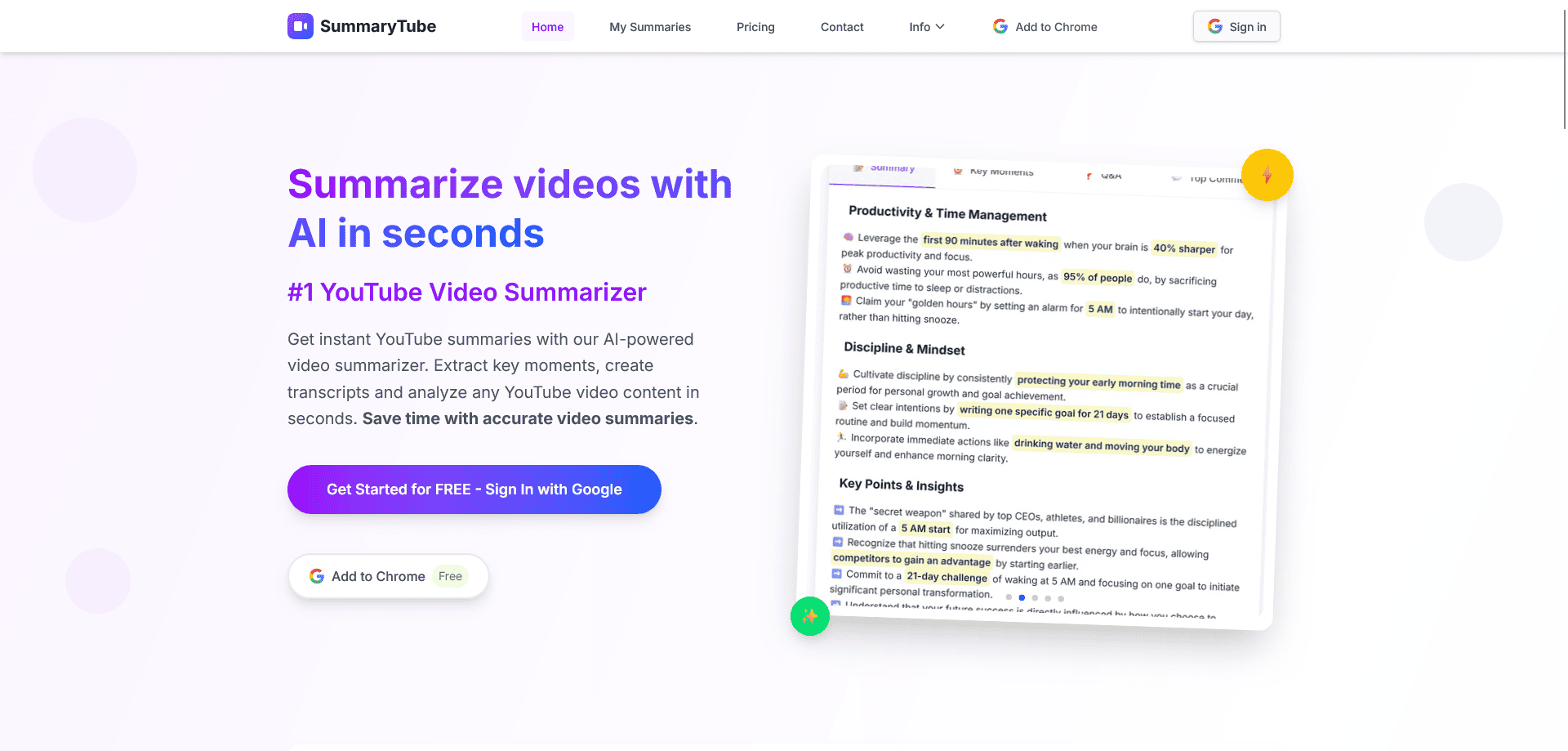
Easily transform any YouTube video into a sharp, accurate summary right inside your browser. Whether you’re a student cramming for exams, a professional skipping long tutorials, a researcher hunting insights, or just inherently curious –SummaryTubedelivers the main ideas in seconds. Just a click, and you’re served with crisp, coherent takeaways that save time and lighten mental load. Think of it as that one-click power tool that turns video overload into smart, bite-sized clarity – without leaving your viewing experience.
Product Highlights
- One-click activation: get summaries instantly while watching any YouTube video
- Multi-language support: instant summaries and transcripts in your preferred language
- Timestamped breakdowns for spot-on context and easy navigation
- AI-model flexibility: fine-tune whether you want bullet points, paragraphs, or TL;DRs
- Export and share summaries in formats like PDF, DOCX, or plain text
- Lightweight browser integration: no bloat, just smart summarizing
Key Features Explained
1. Instant Summarization with One Click
SummaryTube adds an elegant “Summarize” button right inside your YouTube interface. Click it once, and a clear, concise summary pops up using advanced AI models. Say goodbye to endless scrolling or note-taking – get straight to the essence.
2. Subtitle & Transcript Handling with Timestamps
Each summary comes timestamped, so you can click and jump to the exact moment in the video when that insight appears. Coupled with an optional transcript view – which highlights as you read – it’s perfect for referencing, quoting, or annotating.
3. Multi-Language Support
Whether you’re watching content in English, Hindi, Tamil, Spanish, or beyond, SummaryTube can generate summaries in your preferred language. Translate on the fly – or consume global content in your own tongue.
4. Customizable AI Output Styles
Choose how you want your summary delivered – snappy bullet points, reading-friendly paragraphs, TL;DR style, or structured “Insight + Actionable Takeaway.” Tailor the tone and depth based on your needs, whether it’s for study, work, or casual browsing.
5. Export & Share Effortlessly
Need to share insights with friends, team members, or students? SummaryTube lets you export in formats like PDF, DOCX, or plain text. You can also generate shareable links, ideal for quick dissemination without copying and pasting.
Pros and Cons
Pros
- Saves tremendous time by extracting key takeaways from long videos
- Built-in timestamps improve navigation and referencing
- Supports multiple languages and export formats
- Customizable summary style helps cater to different user needs
Cons
- AI-generated content may occasionally miss nuanced or highly technical points
- Accuracy depends on the quality of the video transcript
- Requires active Internet connection; offline summarizing isn’t supported yet
- Some advanced settings might have a slight learning curve for new users
Related Workflows and Tool Pairings
SummaryTube fits into content research and learning workflows where YouTube is a primary information source. After generating a summary, users typically export key points to note-taking tools like Evernote or Notion for further organization. For team collaboration, the summaries can be shared via project management platforms like Trello or Asana. When creating content based on video research, the timestamped breakdowns help quickly reference specific sections in writing or presentation tools. The multi-language support pairs well with translation tools for international market analysis.
Related tools to explore: AffiliateFinder – Find High-Quality Affiliate Partners & Influencers, AviaryAI, BookPlotter – Discover Your Next Great Read, Box, Dataisland, Deci, AI Productivity & Automation tools
Frequently Asked Questions
Q1: Is SummaryTube free to use?
Yes! It offers a solid free tier with generous access. Premium features such as unlimited history or batch summarization may require a subscription.
Q2: Which AI models power the summaries?
SummaryTube supports multiple models – choose between well-known engines like GPT-style or lighter, faster models depending on your preference for speed vs. detail.
Q3: Can I adjust the length of summaries?
Absolutely – you can request anything from a quick bullet-point TL;DR to a more detailed, paragraph-style summary depending on how much context you need.
Q4: Does SummaryTube work offline?
Not currently – an Internet connection is required. Summarization happens in the cloud using powerful AI, keeping your browser lightweight and efficient.
Q5: How do I export or share a summary?
After generating a summary, click “Export” to choose your preferred format: PDF, text, or DOCX – or copy a sharable link to send directly.
How SummaryTube – YouTube Video Summarizer Compares to Alternatives
When choosing YouTube summarization tools, key factors include activation speed, language support, and navigation features like timestamps. Pricing models and integration capabilities also matter for workflow efficiency.
| Tool | Best For | Pricing |
|---|---|---|
| SummaryTube | Instant YouTube video summaries with timestamped navigation and multi-language support. | Freemium model with free basic access. |
| LemTask Lifetime Deal | Users needing a one-time purchase for task management with AI features. | Paid lifetime access, no subscription. |
| The Secure Note | Privacy-focused users requiring encrypted note-taking with zero-knowledge architecture. | Freemium with encrypted storage tiers. |
| Qoris | Teams building custom AI agents for automated workflow coordination. | Paid subscription for agent creation. |
Best For
- Marketers analyzing competitor YouTube content for strategy insights.
- Students summarizing educational videos for study notes.
- Non-native speakers watching videos with instant translation summaries.
- Researchers quickly extracting key points from long video lectures.
Not Ideal For
- Teams needing encrypted collaboration on sensitive video transcripts.
- Users requiring custom AI agent integration for automated workflows.
- Businesses analyzing affiliate partner data from multiple platforms.
Getting Started
Install the browser extension first, then test it on a short YouTube video to see the summary format. Experiment with different languages to check translation accuracy before relying on it for important content. Adjust the AI model settings if available to match your preferred summary style.
Key Limitations to Consider
- Incomplete feature description leaves uncertainty about bullet point vs paragraph options.
- Freemium model may restrict advanced features behind a paywall.
- Accuracy depends on YouTube’s video quality and speech clarity.
- No mentioned integration with note-taking or project management tools.
- May struggle with videos containing heavy accents or technical jargon.
Conclusion
SummaryTube redefines how you consume video content: smart, simple, and supremely efficient. It cuts through the noise to deliver what matters – fast. In a world overflowing with hours-long lectures, tutorials, and interviews, SummaryTube is your on-demand intellect assistant – providing clarity, insights, and recall in seconds. Whether you’re prepping for an exam, staying current in your field, or simply curious about a long video, SummaryTube turns YouTube overload into streamlined, actionable knowledge.
Pricing
SummaryTube – YouTube Video Summarizer offers afreemium plan with optional paid upgrades. Get started for free and upgrade as needed.
Last verified: April 2026
Explore more: Browse all AI AI Productivity & Automation tools
